https://github.com/swapnilsarwe/nova-icndb-card
Laravel Nova Card showing Chuck Norris Joke using ICNDB Api
https://github.com/swapnilsarwe/nova-icndb-card
icndb-api laravel laravel-nova
Last synced: 2 months ago
JSON representation
Laravel Nova Card showing Chuck Norris Joke using ICNDB Api
- Host: GitHub
- URL: https://github.com/swapnilsarwe/nova-icndb-card
- Owner: swapnilsarwe
- Created: 2018-09-10T08:50:20.000Z (almost 8 years ago)
- Default Branch: master
- Last Pushed: 2023-07-11T01:01:23.000Z (almost 3 years ago)
- Last Synced: 2025-06-21T06:42:48.897Z (12 months ago)
- Topics: icndb-api, laravel, laravel-nova
- Language: PHP
- Size: 1.12 MB
- Stars: 0
- Watchers: 1
- Forks: 1
- Open Issues: 1
-
Metadata Files:
- Readme: README.md
Awesome Lists containing this project
README
[](https://packagist.org/packages/swapnilsarwe/nova-icndb-card)
## Laravel Nova ICNDB Package
This packages uses the [ICNDB Api](http://www.icndb.com/api/) to show the random joke on a card on Laravel Nova Dashboard.
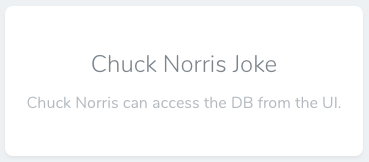
Here's how the card will look like on a dashboard.
## Installation
You can install the packace in to a Laravel app that uses Nova via composer:
```
composer require swapnilsarwe/nova-icndb-card
```
As a next step you will have to register the card with your Nova App. You can achieve this by adding the package in the `cards` method of the `NovaServiceProvider`.
```php
// in app/Providers/NovaServiceProvider.php
public function cards()
{
return [
// ...
new \Swapnilsarwe\NovaIcndbCard\NovaIcndbCard,
];
}
```
## Configuration
You can publish the config using the following command
```
php artisan vendor:publish --provider="Swapnilsarwe\NovaIcndbCard\CardServiceProvider"
```
if for some reason new options are added in config are not visible - do the following
```
php artisan vendor:publish --provider="Swapnilsarwe\NovaIcndbCard\CardServiceProvider" --force
```
### Custom Names in jokes
You can now use your own name in the joke by updating the following values in the icndb-config.php in config folder
```php
...
'name_to_use' => [
'first_name' => 'Chuck', // type in your own first name
'last_name' => 'Norris', // type in your own last name
],
...
```
Also you can configure the category from which you dont want to display jokes on the dashboard.
The complete list of categories can be checked out here
```
http://api.icndb.com/categories
```
By default all jokes marked as `explicit` are excluded. You can update the config as per your need.
```php
...
'excluded_categories' => [
// jokes belonging to following categories will not be shown
'explicit',
],
...
```
### Security
If you discover any security related issues, please email swapnilsarwe@gmail.com instead of using the issue tracker.
## License
The MIT License (MIT). Please see [License File](LICENSE.md) for more information.