https://github.com/swashata/vscode-beautiful-ui
A set of beautiful color themes for VSCode, inspired by Sublime DA UI.
https://github.com/swashata/vscode-beautiful-ui
color-theme vscode vscode-theme
Last synced: about 1 year ago
JSON representation
A set of beautiful color themes for VSCode, inspired by Sublime DA UI.
- Host: GitHub
- URL: https://github.com/swashata/vscode-beautiful-ui
- Owner: swashata
- License: mit
- Created: 2018-05-02T17:44:04.000Z (about 8 years ago)
- Default Branch: master
- Last Pushed: 2020-09-07T18:09:12.000Z (almost 6 years ago)
- Last Synced: 2025-03-27T03:41:38.468Z (over 1 year ago)
- Topics: color-theme, vscode, vscode-theme
- Language: JavaScript
- Homepage: https://vscbui.rocks/
- Size: 23.4 MB
- Stars: 60
- Watchers: 2
- Forks: 7
- Open Issues: 11
-
Metadata Files:
- Readme: README.md
- Changelog: CHANGELOG.md
- License: LICENSE
Awesome Lists containing this project
README
# VSCode Beautiful UI - Color Themes
[](https://codecov.io/gh/swashata/vscode-beautiful-ui) [](https://travis-ci.org/swashata/vscode-beautiful-ui) [](https://marketplace.visualstudio.com/items?itemName=swashata.beautiful-ui) [](vscode:extension/swashata.beautiful-ui) [](https://marketplace.visualstudio.com/items?itemName=swashata.beautiful-ui#review-details)
--------------------------------------

A collection of **32** [VSCode](https://code.visualstudio.com/) themes inspired from
the awesome [Sublime DA CS](https://github.com/ihodev/sublime-da-cs).
I am not at all the original author of the color scheme. This project was born
out of a necessity. I was a user of Sublime Text and Sublime DA UI for a long time.
Due to many reasons (mainly VSCode's intellisense and JS friendliness) I had to
switch to VSCode and the only thing I felt missing was the awesome UI engine made
by [Ihor Oleksandrov](https://github.com/ihodev) and compatible themes.
So this is my attempt to fill the gap. Personally I've been using Tomorrow Night
theme for a long time and I have put effort to port as many themes as possible.
> * I am not original author of any of the color schemes.
> * Syntax highlighting differs from the DA UI and DA CS, but I have managed to keep as much as possible. Also in some cases I have increased the darkness of colors for light themes.
> * If you like any color theme, go and ❤️ the original authors.
## Installation
You can install manually from `git` or use the [vscode extensions marketplace](https://marketplace.visualstudio.com/items?itemName=swashata.beautiful-ui).
### Marketplace Installation
From command palette, run
```
ext install swashata.beautiful-ui
```
Or search for `Beautiful UI` in the marketplace and install from there.
### Git Installation
* Go to `~/.vscode/extensions/`
* Clone the repository.
```bash
git clone git@github.com:swashata/vscode-beautiful-ui.git
```
### Activation
After installation, open/restart vscode and from command palette search for
`βui -`. You can choose and apply the color theme of your choice.
## Customization
Workspace colors can be customized by editing `workbench.colorCustomizations`
user settings. More information can be found [here](https://code.visualstudio.com/docs/getstarted/theme-color-reference).
## Recommended Settings
Following extensions/tools are recommended for the color schemes.
* [vscode-icons](https://marketplace.visualstudio.com/items?itemName=robertohuertasm.vscode-icons) - For file icons.
* [WhiteViz](https://marketplace.visualstudio.com/items?itemName=spywhere.whiteviz) - Sublime like whitespace highlight.
* [FiraCoda](https://github.com/tonsky/FiraCode) - For an awesome font with ligatures.
* [Dank Mono](https://dank.sh/) - Awesome font for `40.00£`. This is what I am using right now.
* [Operator Mono](https://www.typography.com/fonts/operator/styles/) - If you can spend `$200` 😉.
* [Operator Mono Lig](https://github.com/kiliman/operator-mono-lig) - For creating ligatures for operator mono.
Also note the recommended user settings.
```json
{
"workbench.iconTheme": "vscode-icons",
"editor.fontFamily": "Operator Mono SSM Lig",
"editor.lineHeight": 25,
"editor.fontLigatures": true,
"explorer.decorations.badges": false,
"editor.fontSize": 14,
"editor.letterSpacing": 0.5,
"editor.fontWeight": "400",
"editor.renderWhitespace": "none",
"workbench.statusBar.feedback.visible": false,
"editor.rulers": [
80,
100,
120
],
"whiteviz.maximumLimit": 500,
"whiteviz.expandedTabIndicator": false,
"editor.occurrencesHighlight": true,
"workbench.tree.horizontalScrolling": true,
"editor.cursorStyle": "line-thin",
"editor.showFoldingControls": "always",
"editor.matchBrackets": true
}
```
## Color Themes
The following color themes have been ported.
### Color Pack from Chris Kempson
* Original [sources](https://github.com/chriskempson/base16).
* Licensed under the [MIT License](https://github.com/chriskempson/base16/blob/master/LICENSE.md).
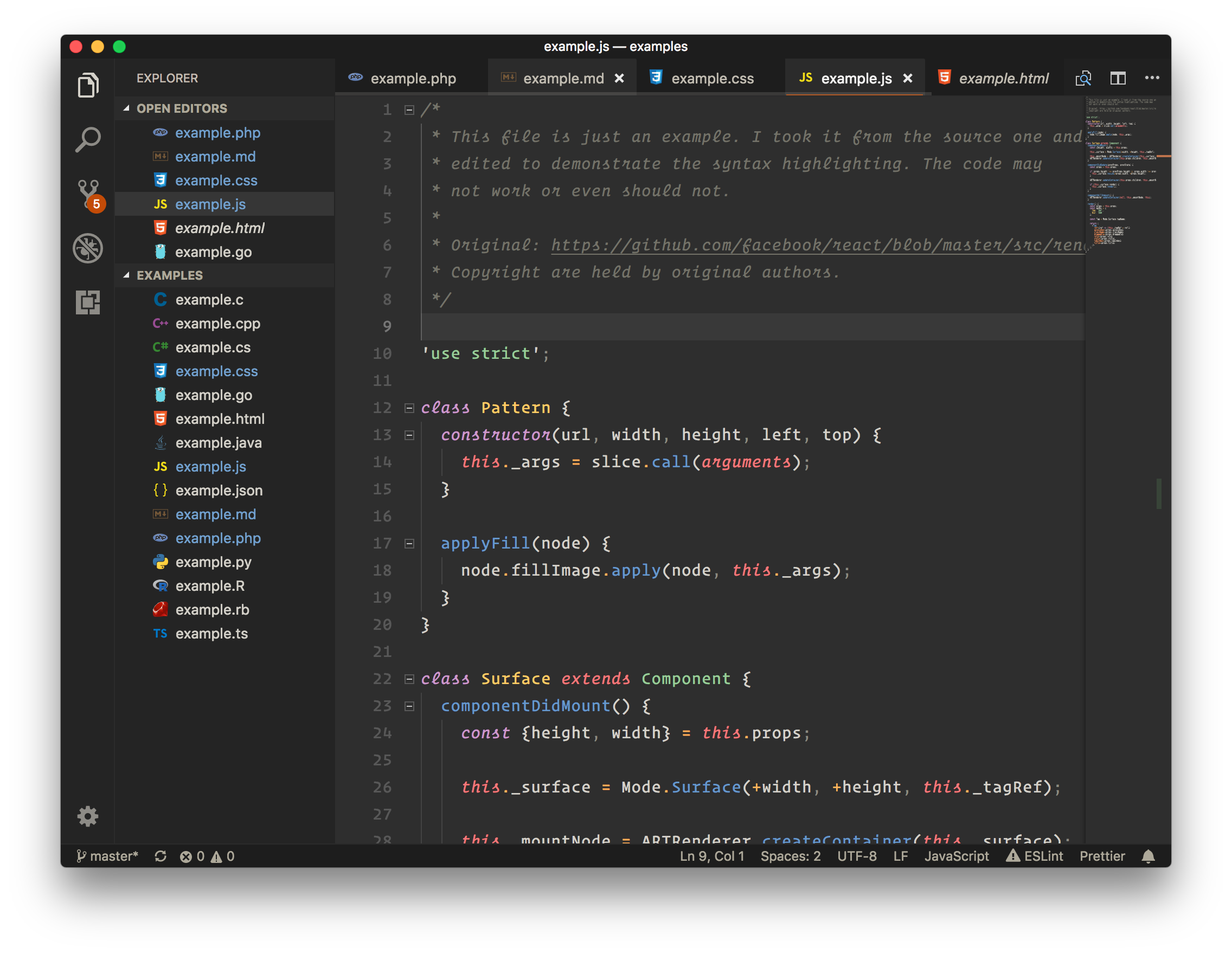
#### Eighties Dark
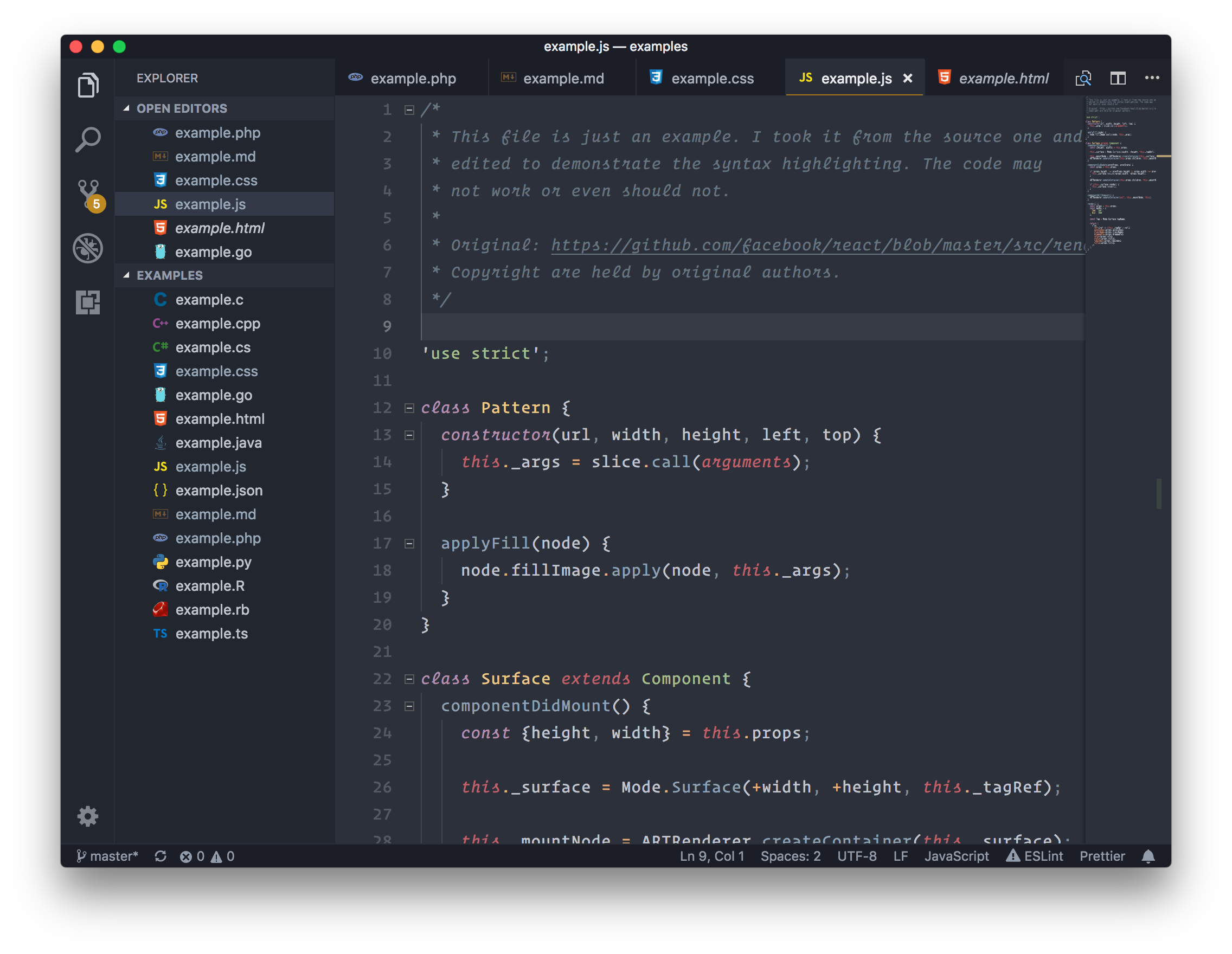
#### Ocean Dark
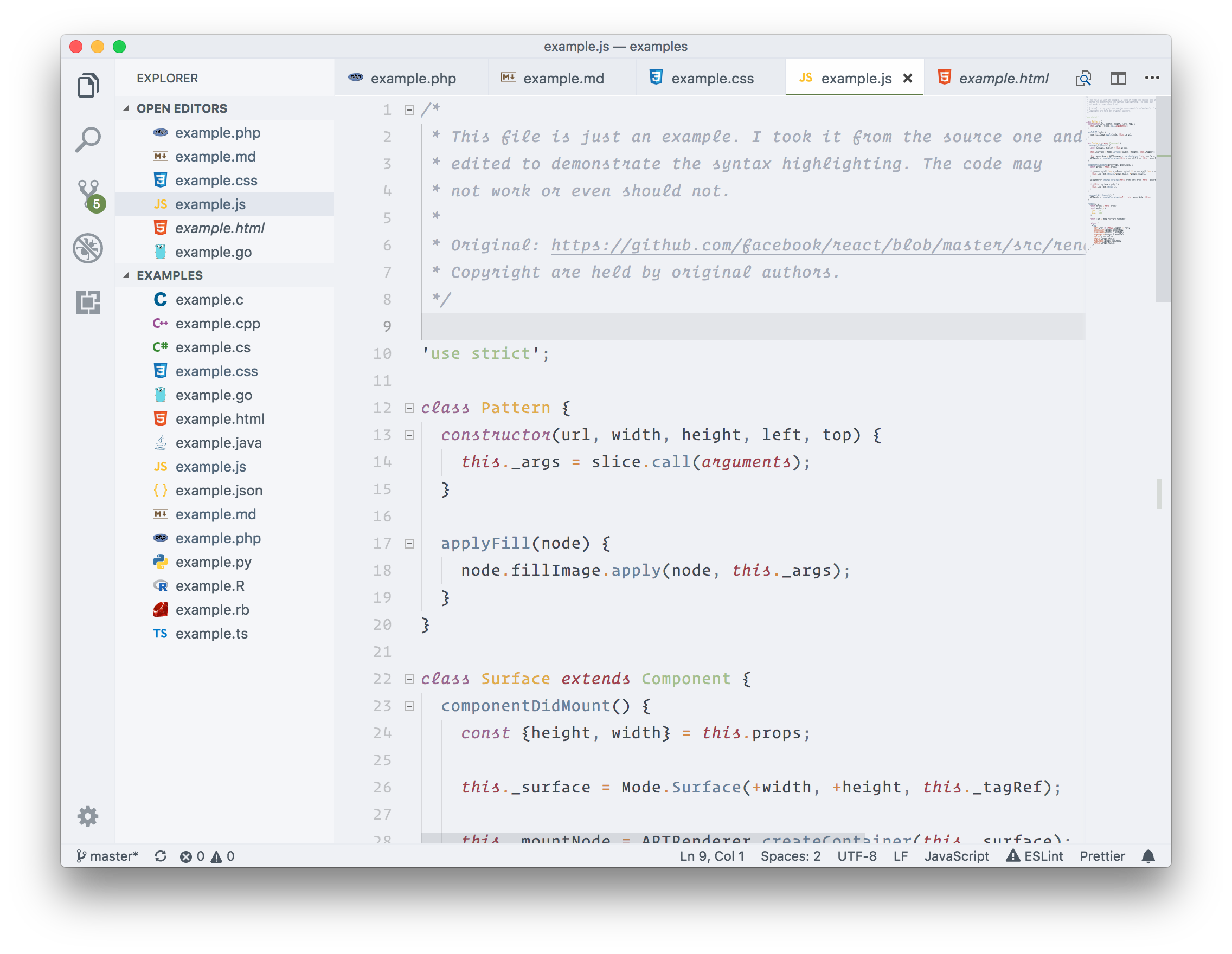
#### Ocean Light
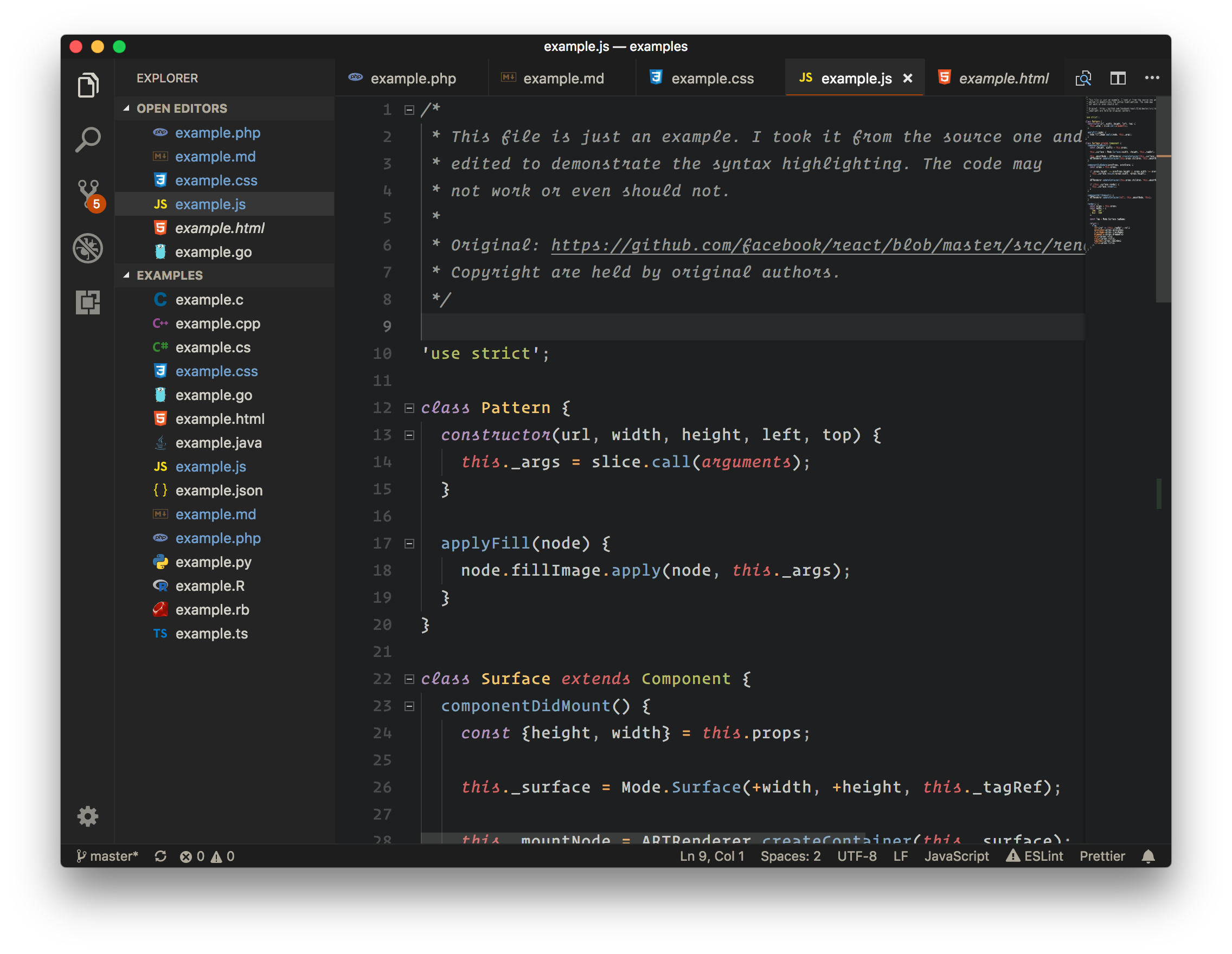
#### Tomorrow Dark
#### Tomorrow Subliminal
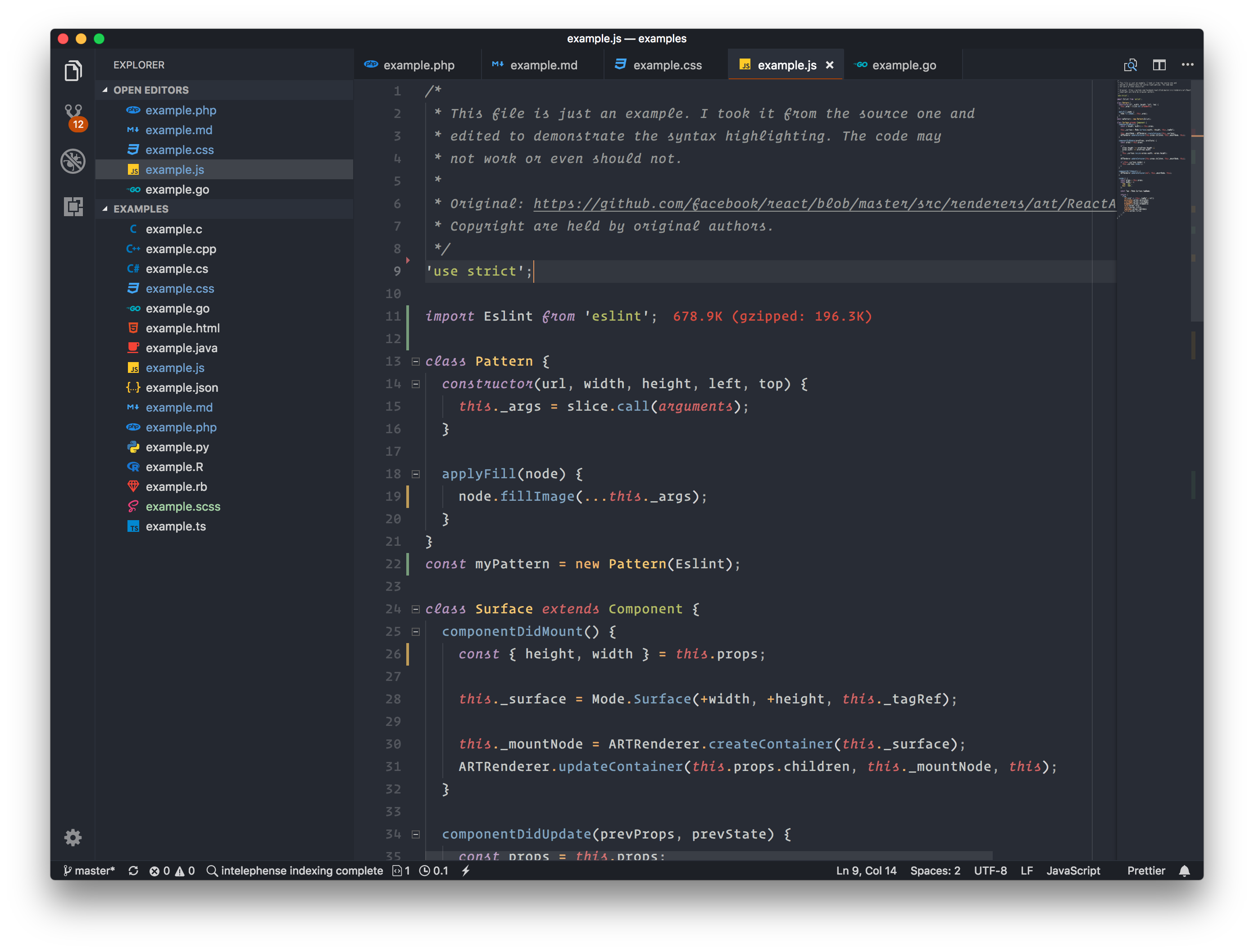
#### Tomorrow Light
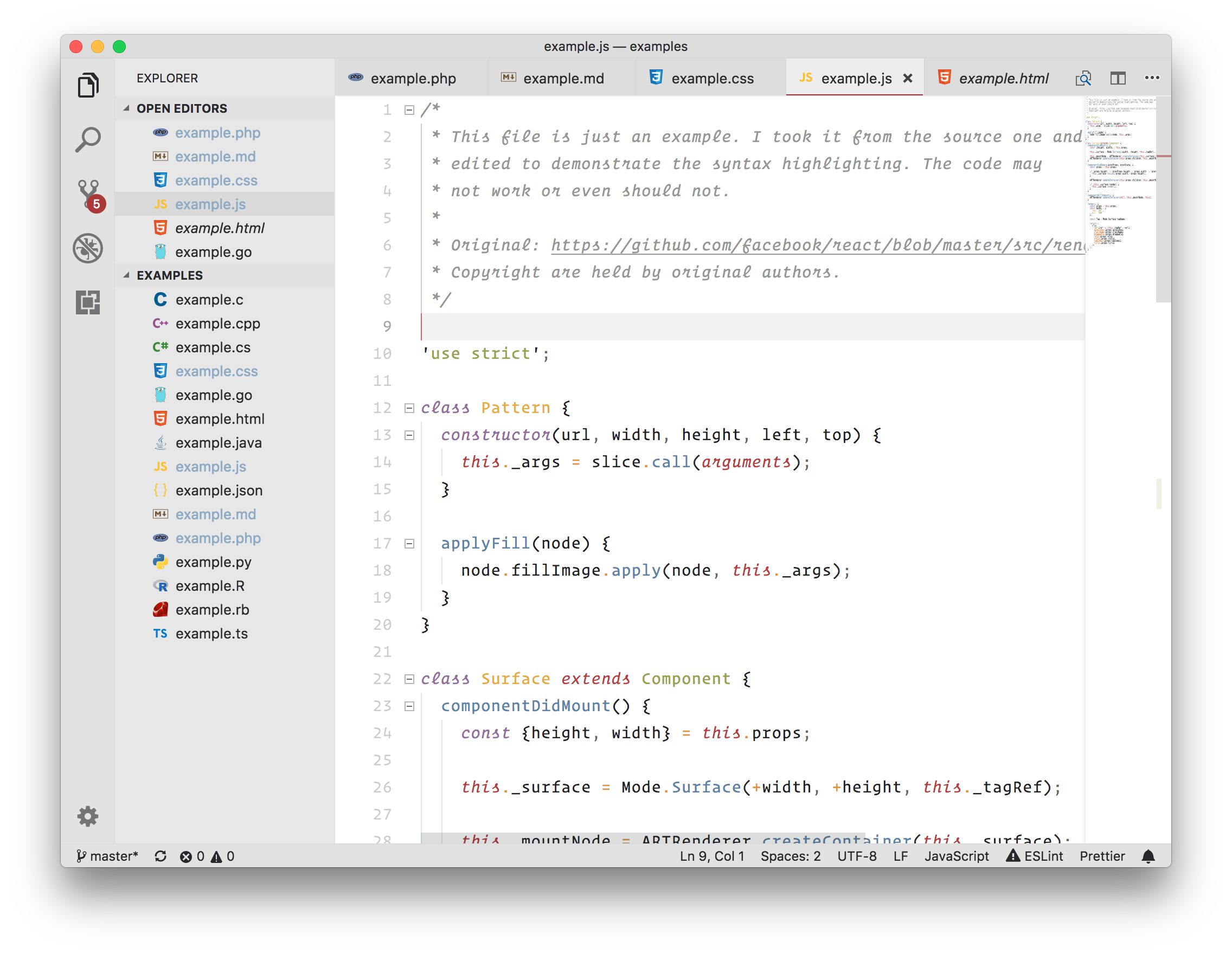
### Color Pack from Ethan Schoonover
* Original [sources](http://ethanschoonover.com/solarized).
* Licensed under the [MIT License](https://github.com/altercation/solarized/blob/master/LICENSE).
#### Solarized Dark
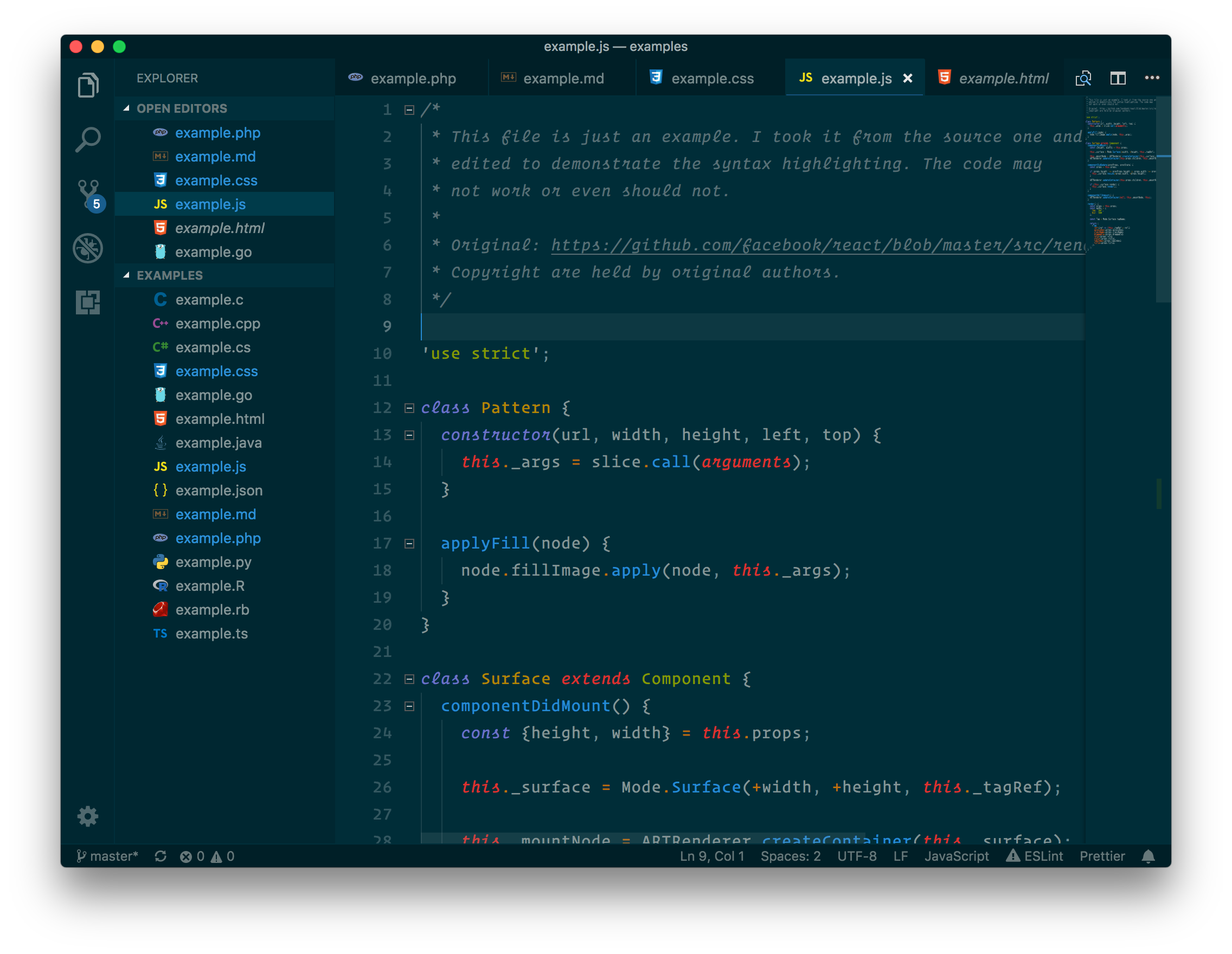
#### Solarized Light
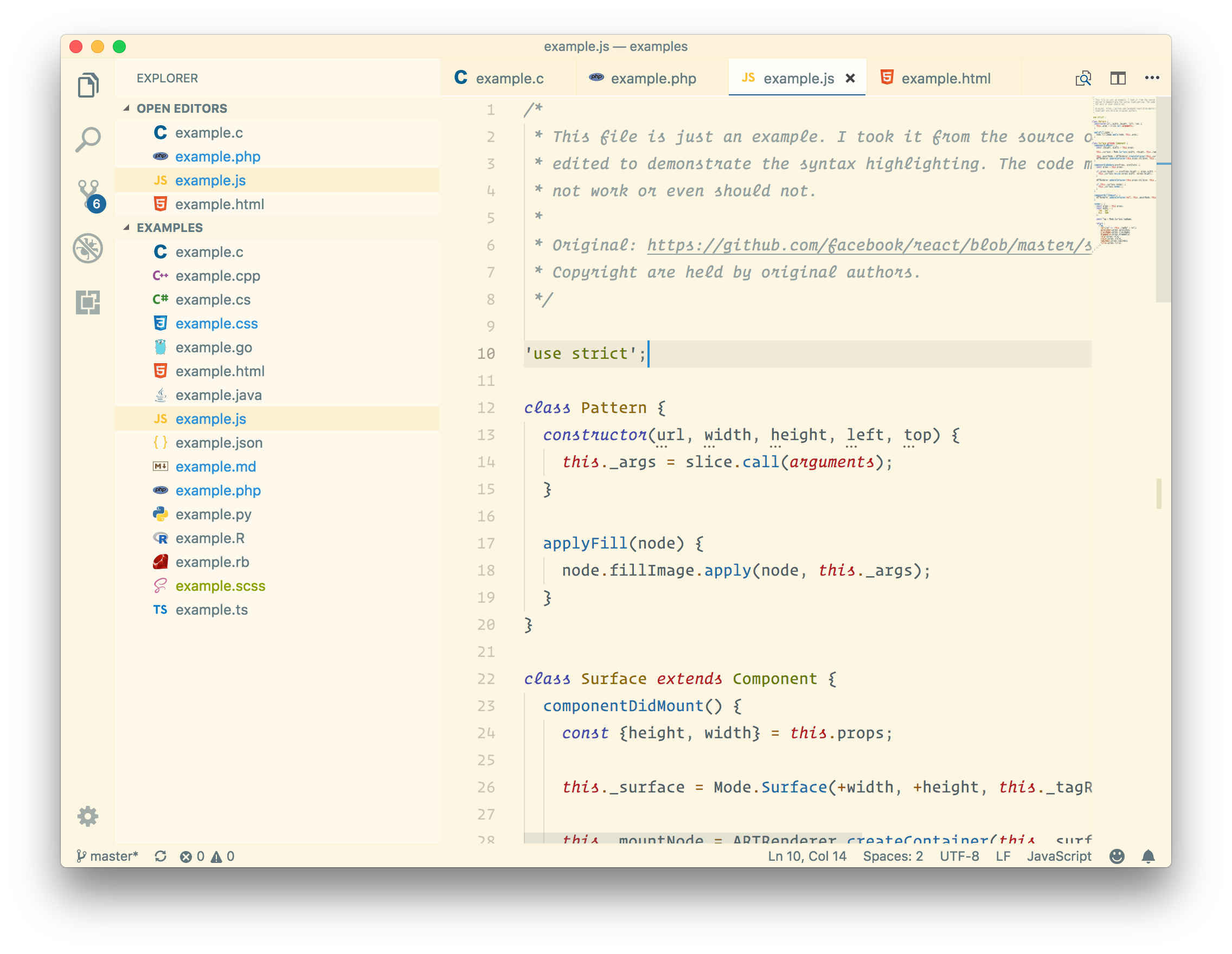
### Color Pack from Dmitri Voronianski
* Original [sources](https://labs.voronianski.com/oceanic-next-color-scheme/).
* Licensed under the [MIT License](https://github.com/voronianski/oceanic-next-color-scheme/blob/master/README.md).
* You can show your appreciation to Dmitri using [PayPal](https://www.paypal.me/voronianski).
#### Oceanic Next
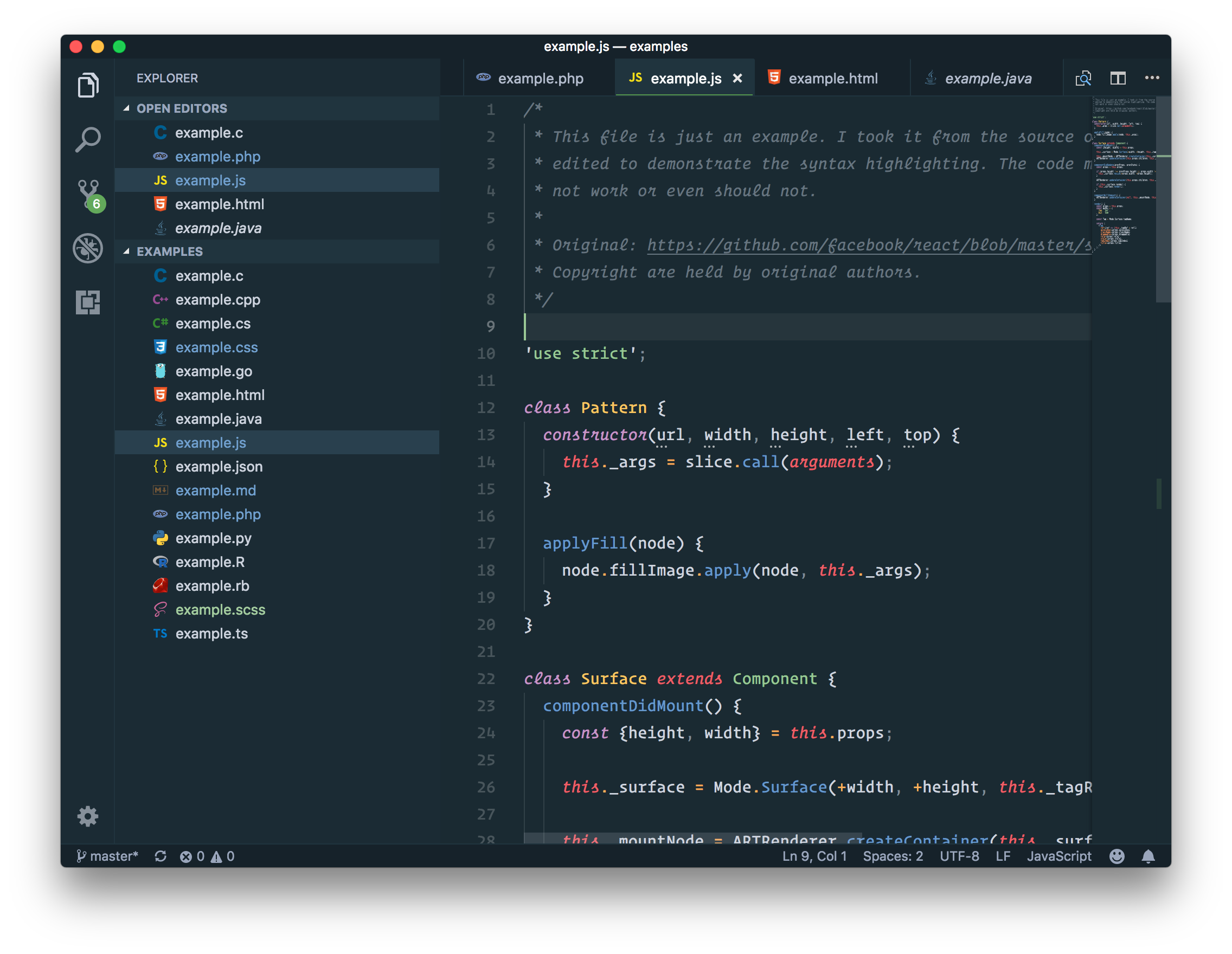
### Color Pack from Wimer Hazenberg
* Original [sources](https://www.monokai.pro/sublime-text/).
* Monokai © 2017.
* You can show your appreciation to Wimer via buying [Monokai Pro](https://www.monokai.pro/sublime-text/).
#### Monokai Classic
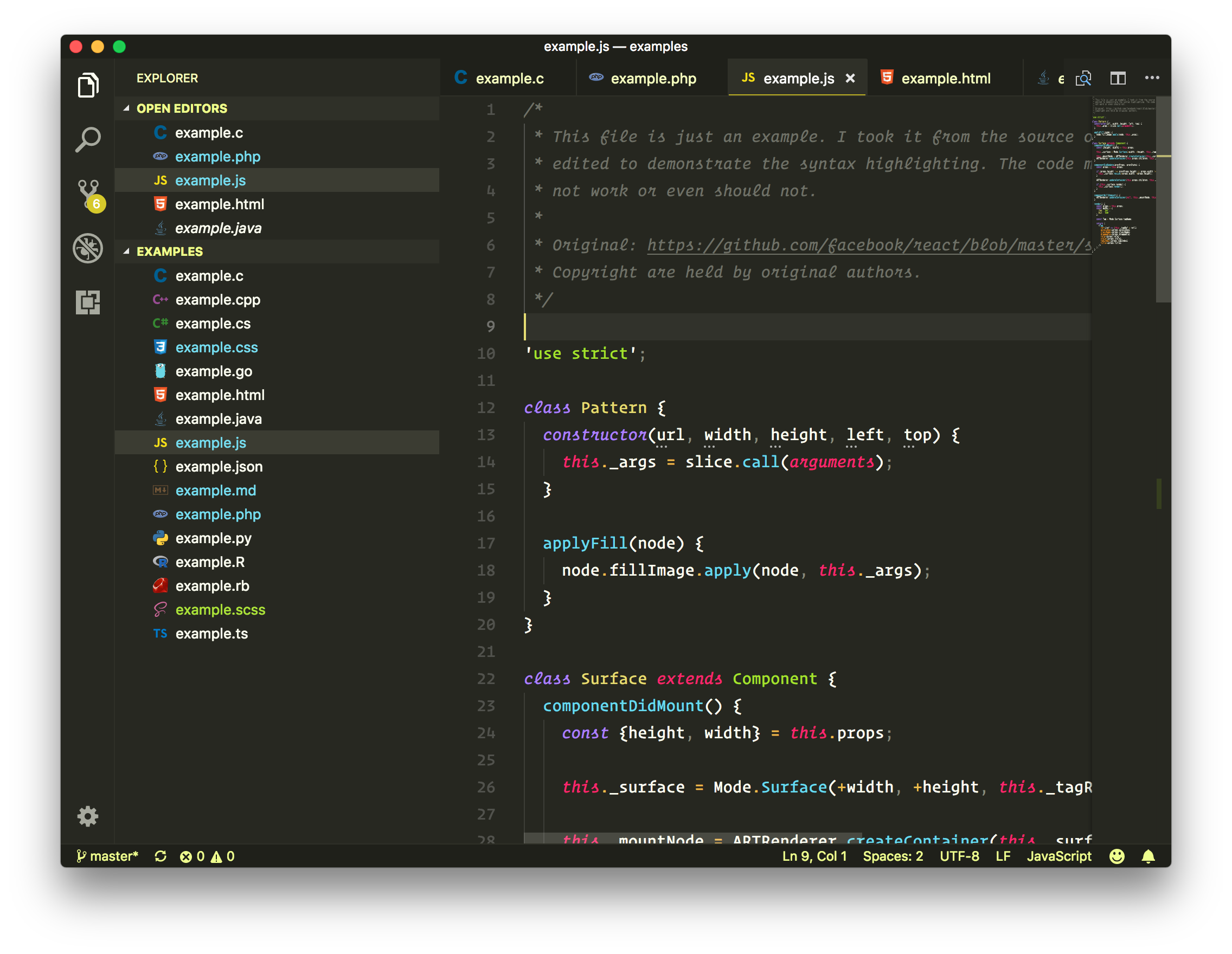
#### Monokai Machine
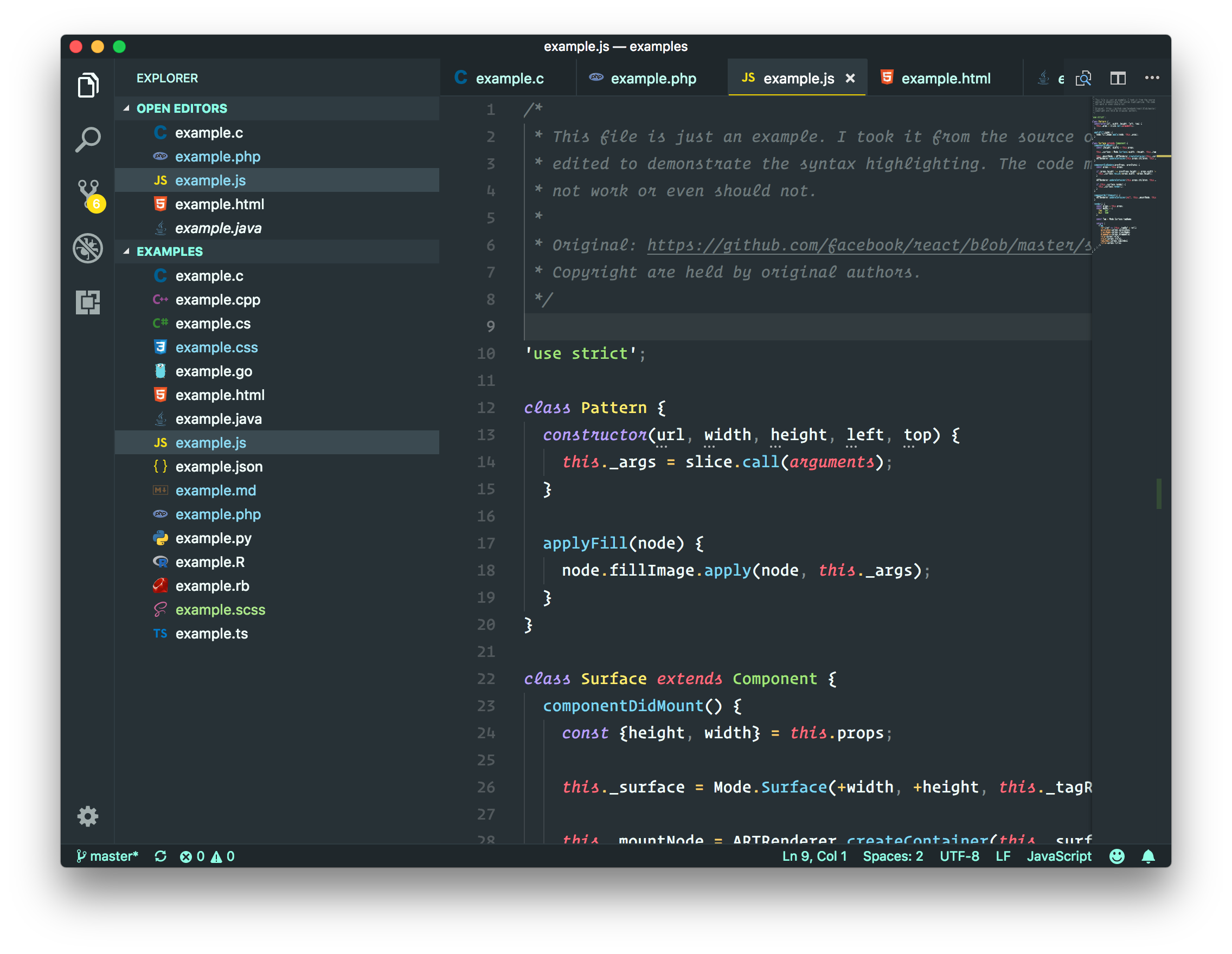
#### Monokai Octagon
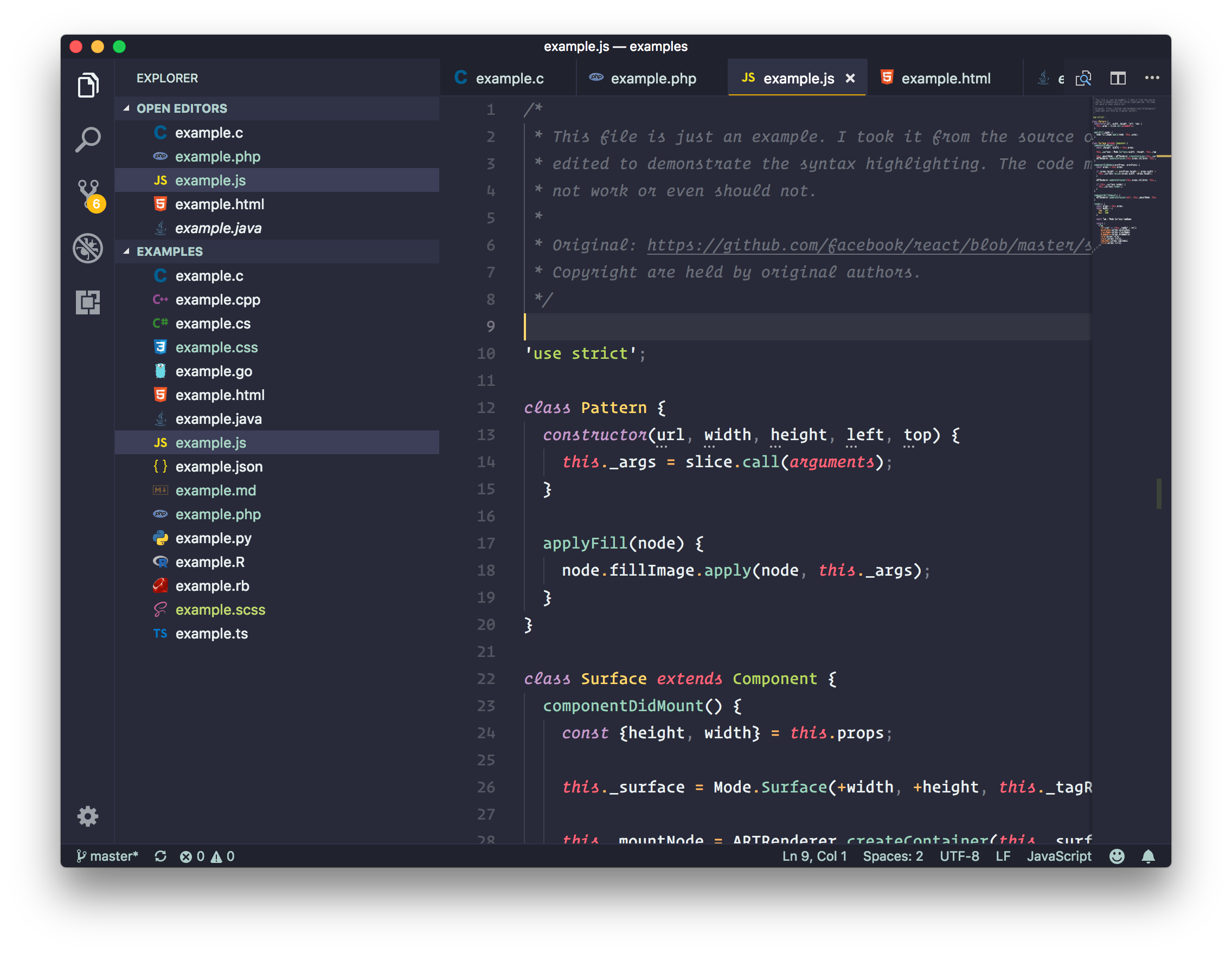
#### Monokai Pro
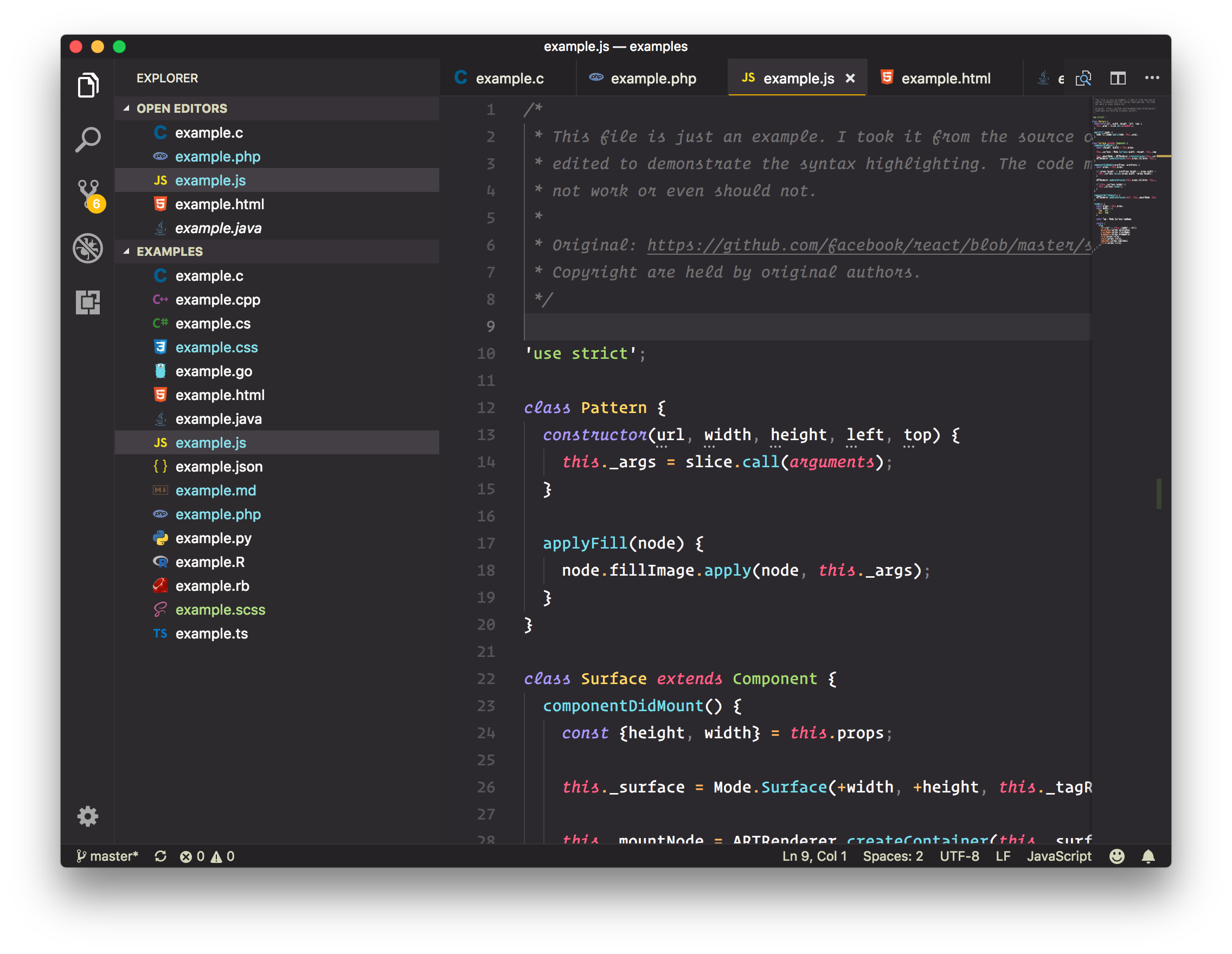
#### Monokai Ristretto
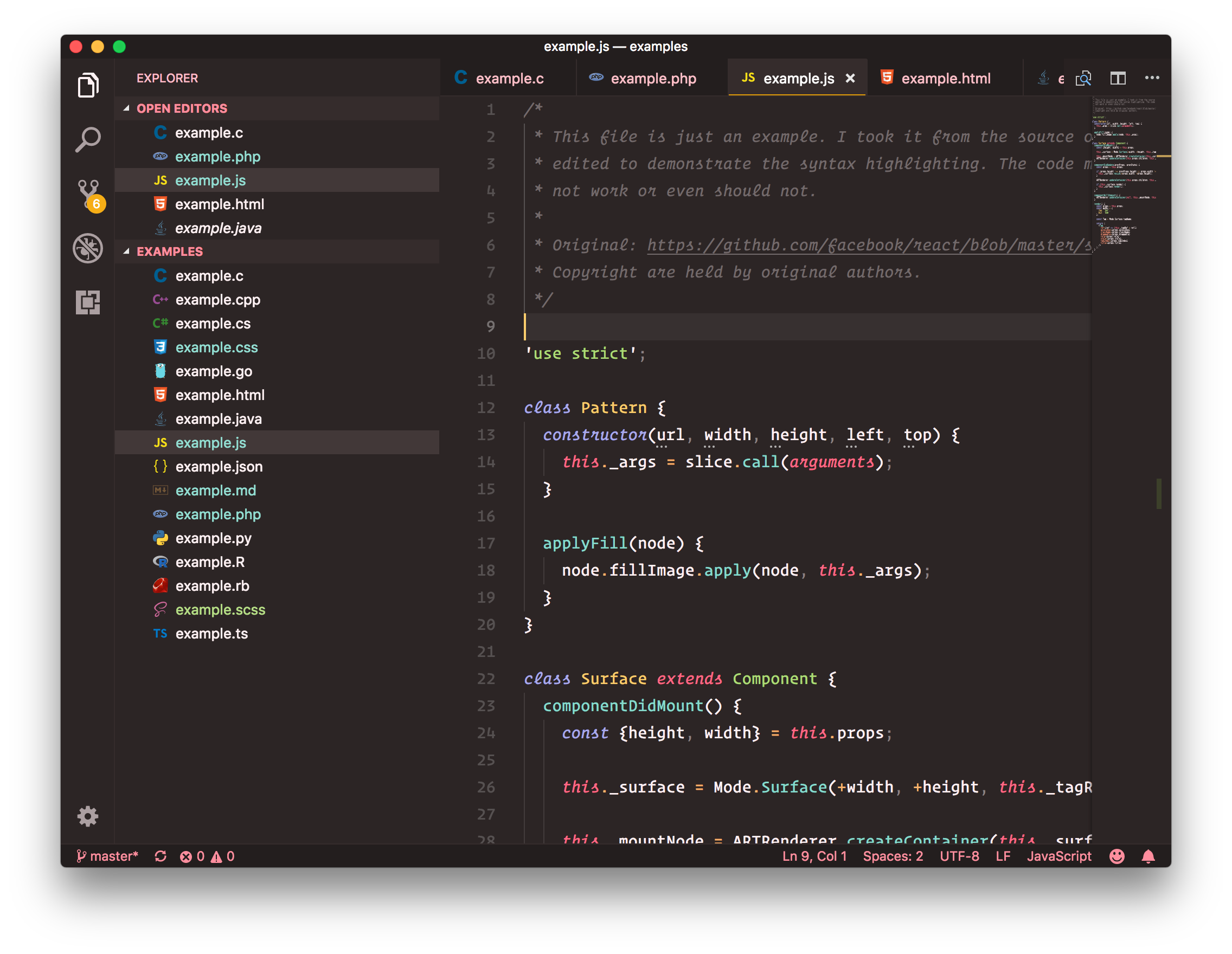
#### Monokai Spectrum
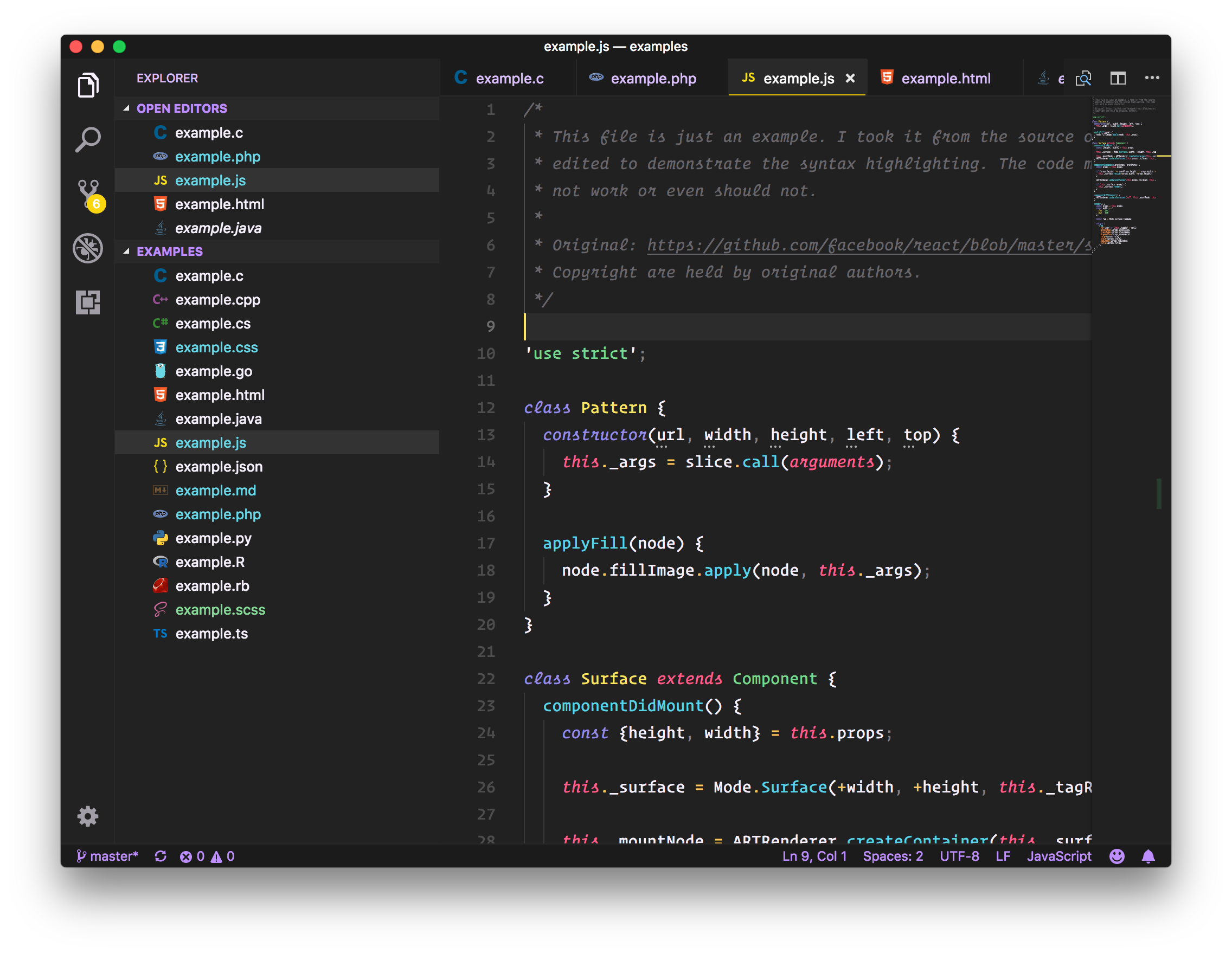
### Color Pack from Mattia Astorino
* Original [sources](https://github.com/equinusocio/material-theme).
* Licensed under the [MIT License](https://github.com/equinusocio/material-theme/blob/master/LICENSE.md).
* You can show your appreciation to Mattia using [Beerpay](https://beerpay.io/equinusocio/material-theme).
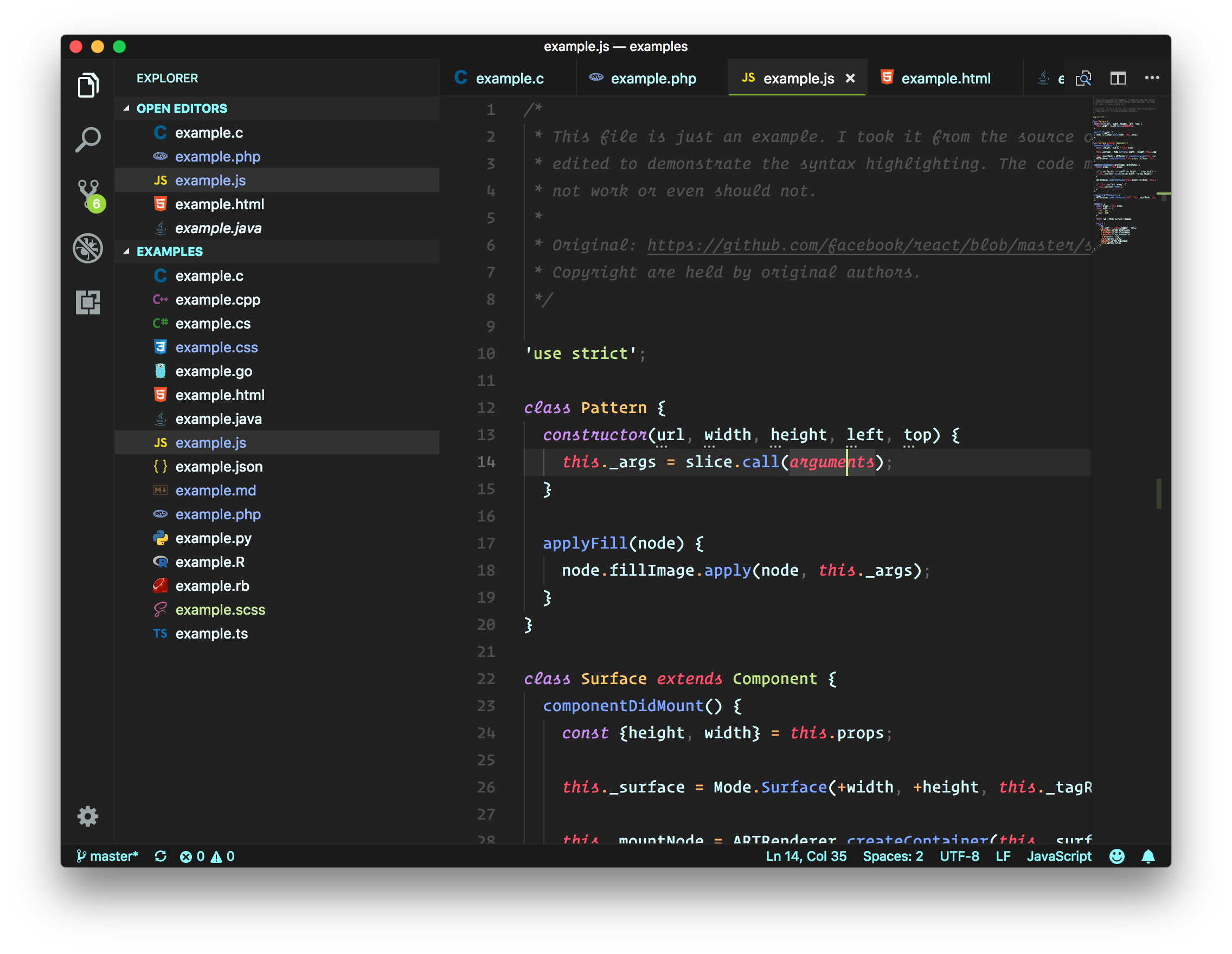
#### Material
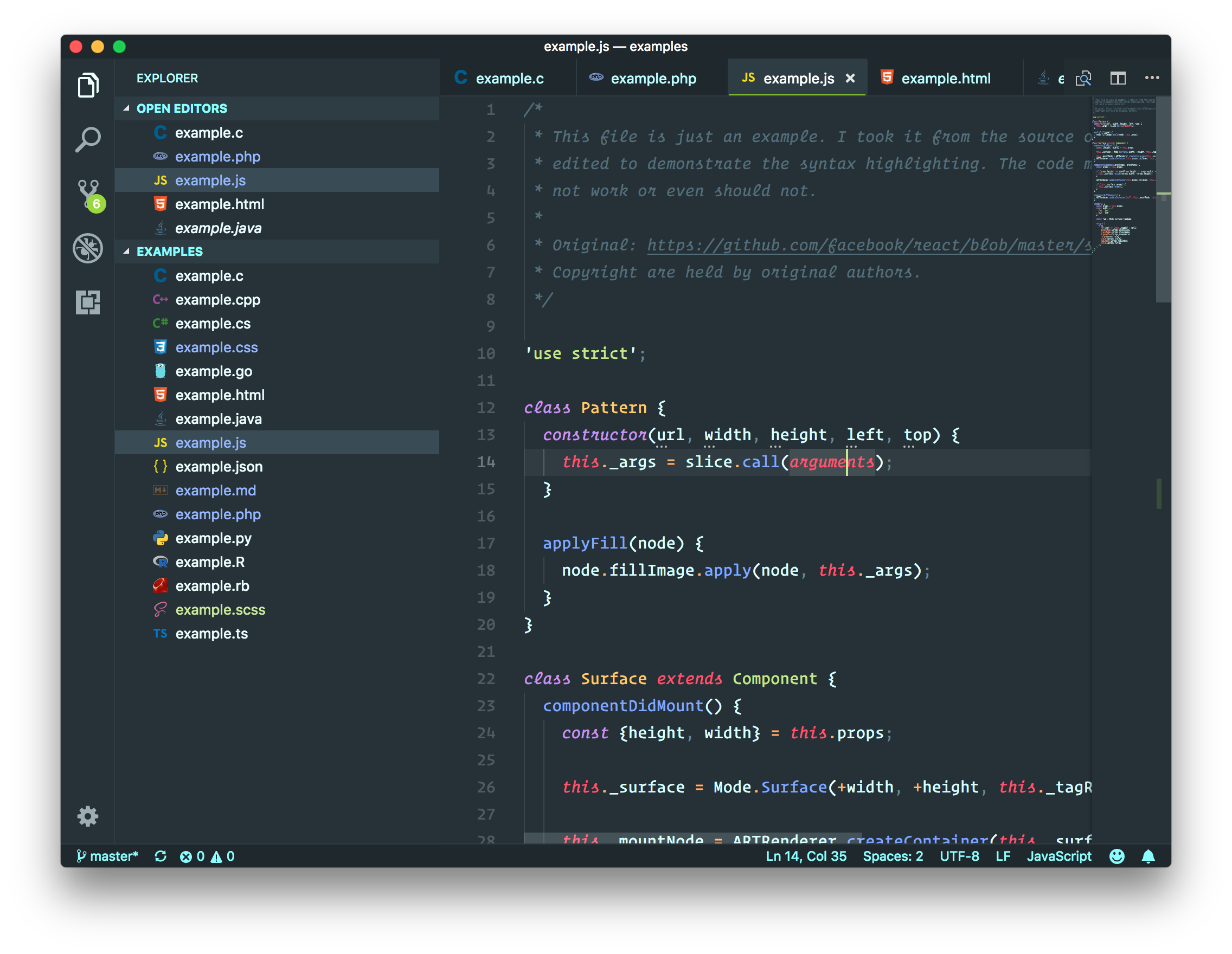
#### Material Darker
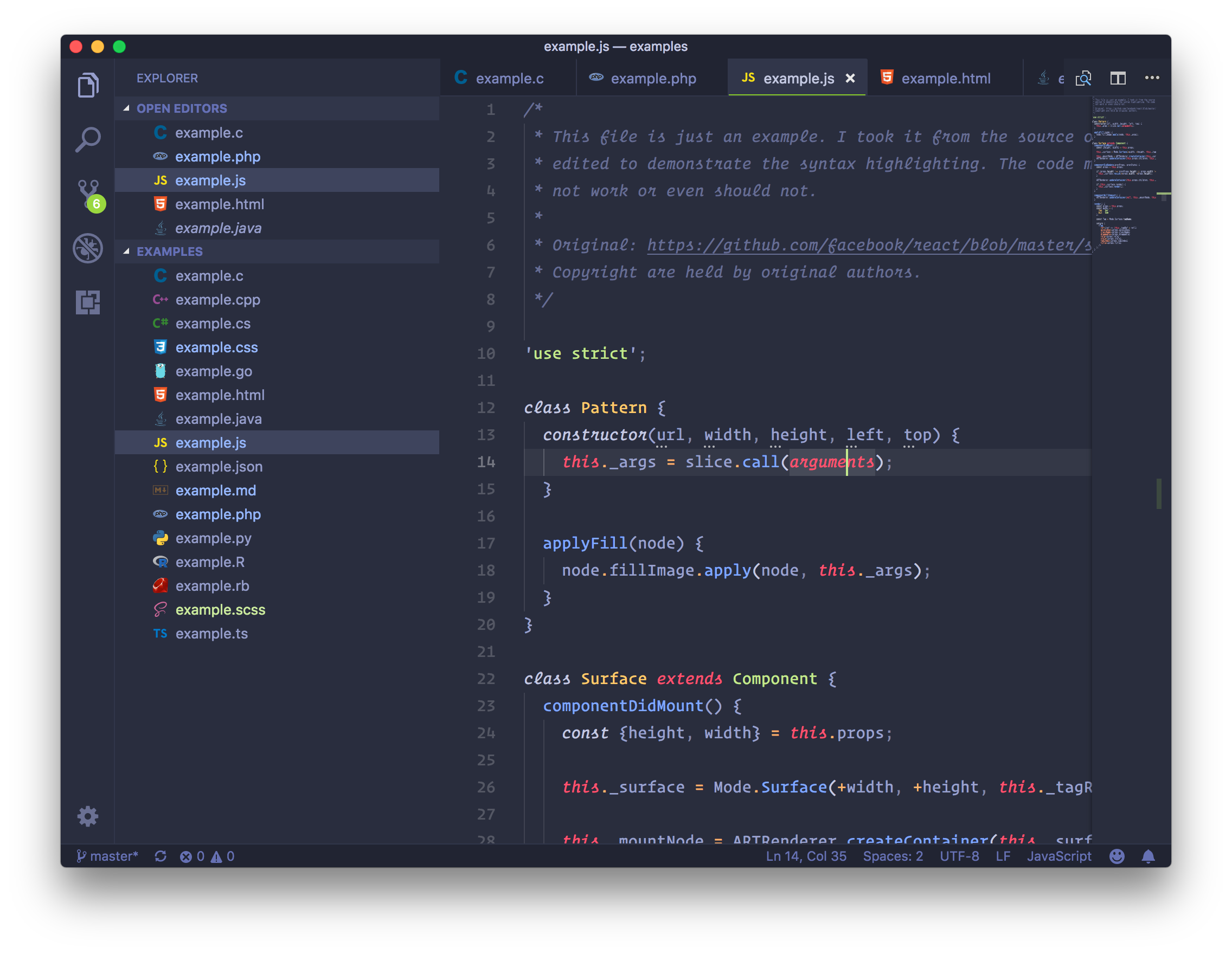
#### Material Palenight
### Color Pack from GitHub Inc.
* Original [sources](https://github.com/atom/one-dark-syntax).
* Licensed under the [MIT License](https://github.com/atom/one-dark-syntax/blob/master/LICENSE.md).
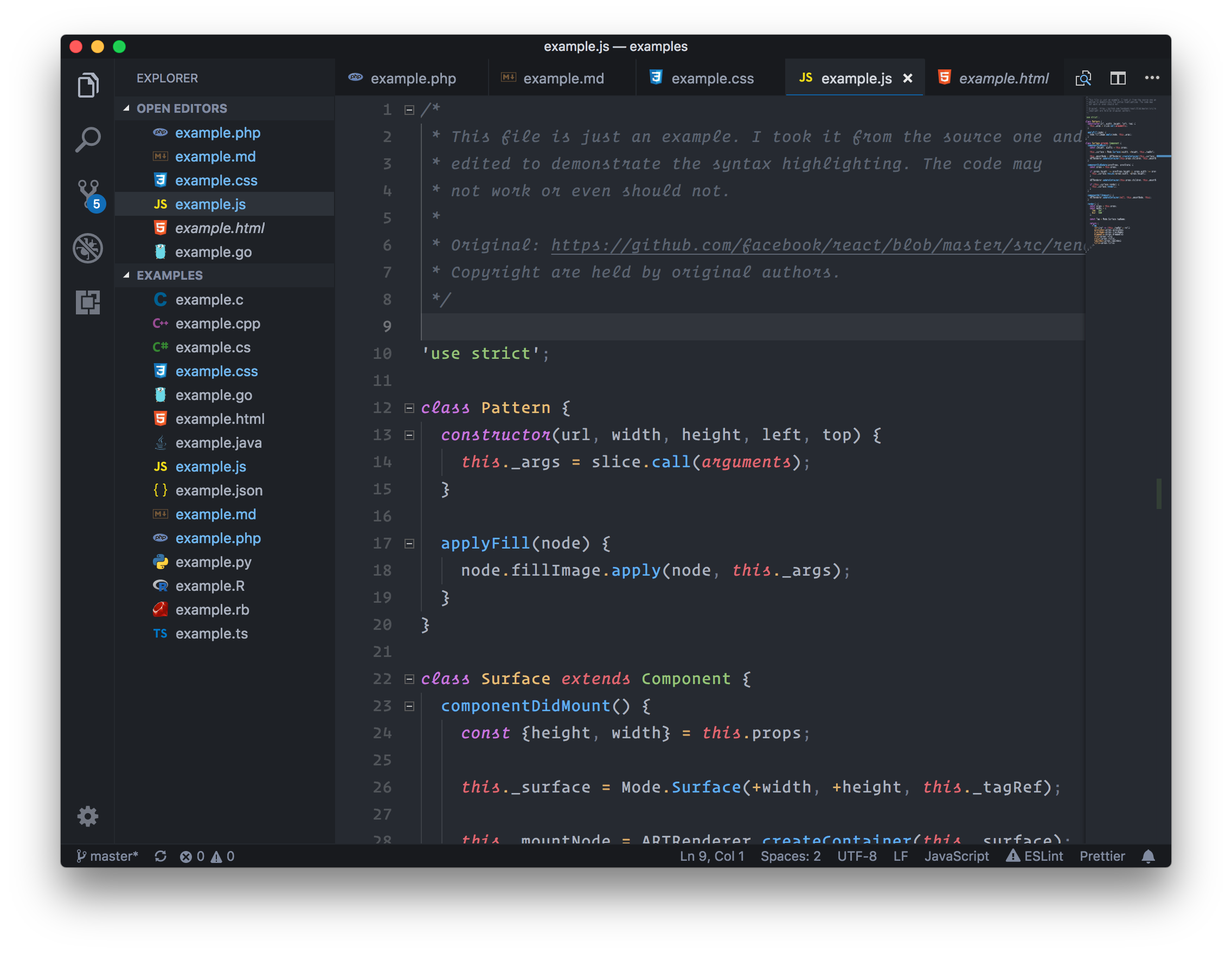
#### One Dark
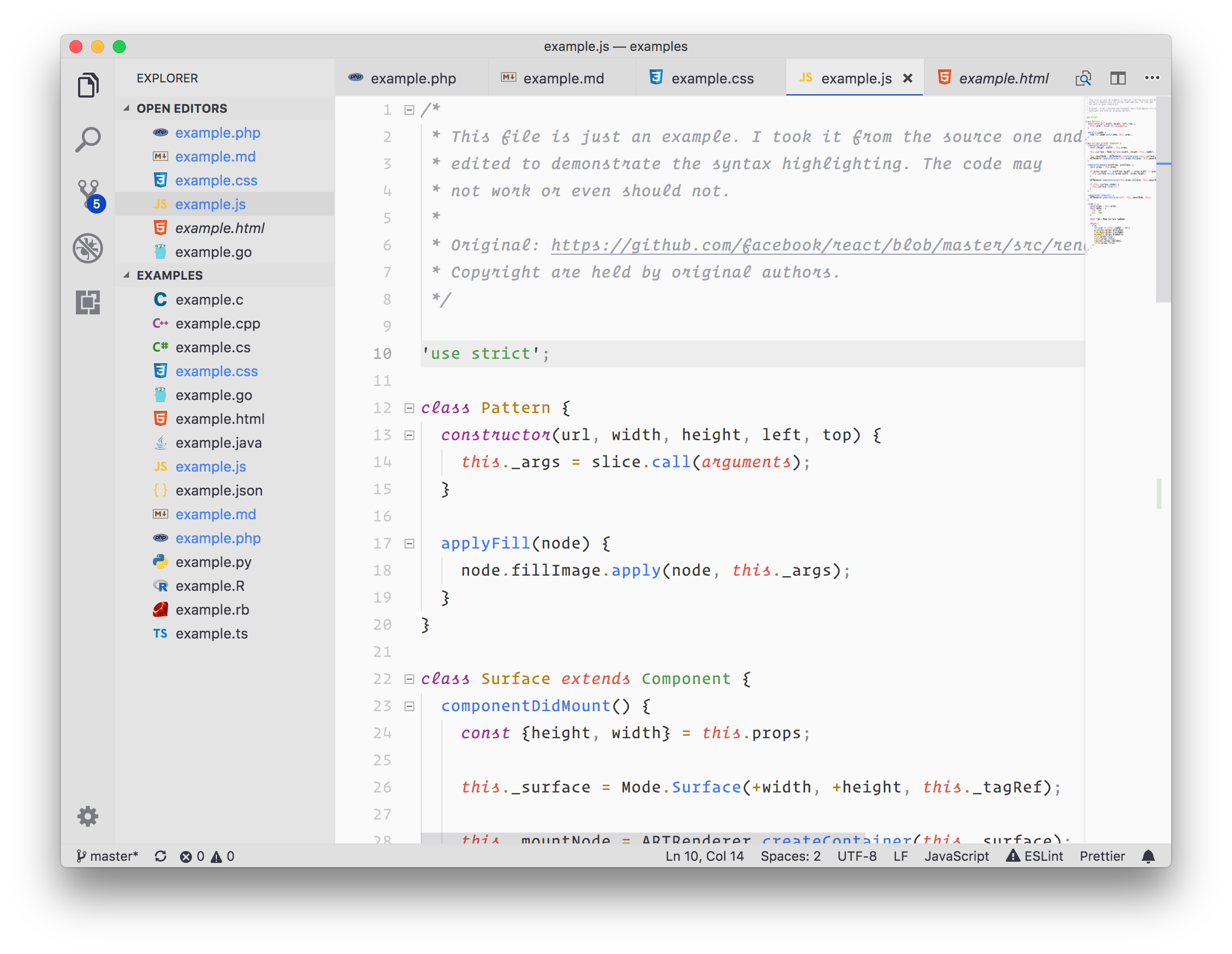
#### One Light
### Color Pack from Jani Nurminen, Colin T.A. Gray, William D. Neumann
* Original [sources](https://github.com/colinta/zenburn).
* Licensed under the [BSD 2-clause "Simplified" License](https://github.com/colinta/zenburn/blob/master/LICENSE).
#### Zenburn
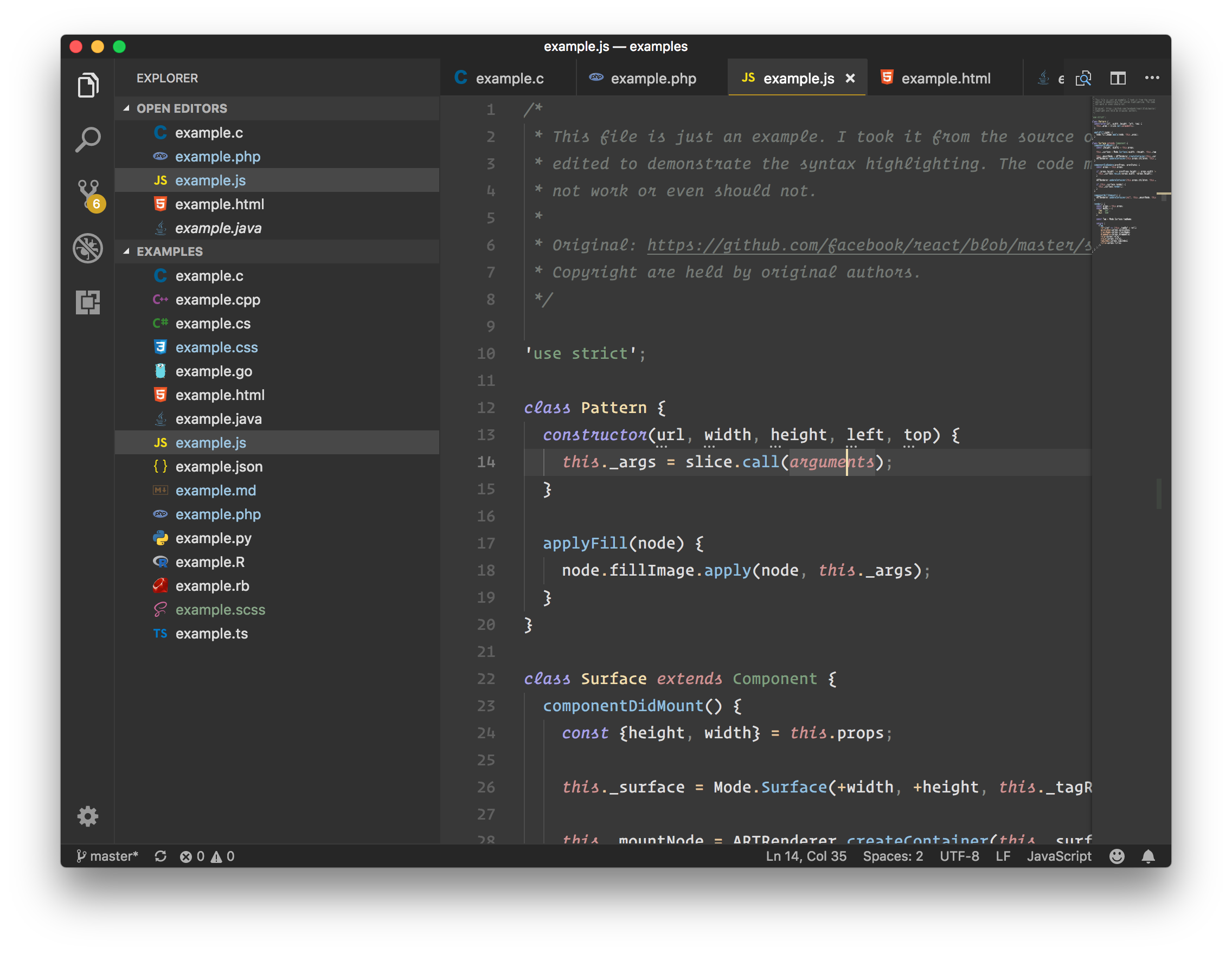
### Color Pack from Adam Christiansen, Merrick Christensen, Trevor D. Miller
* Original [sources](https://trevordmiller.com/projects/nova).
* Licensed under the [MIT License](https://github.com/trevordmiller/nova-colors/blob/master/LICENSE).
#### Nova
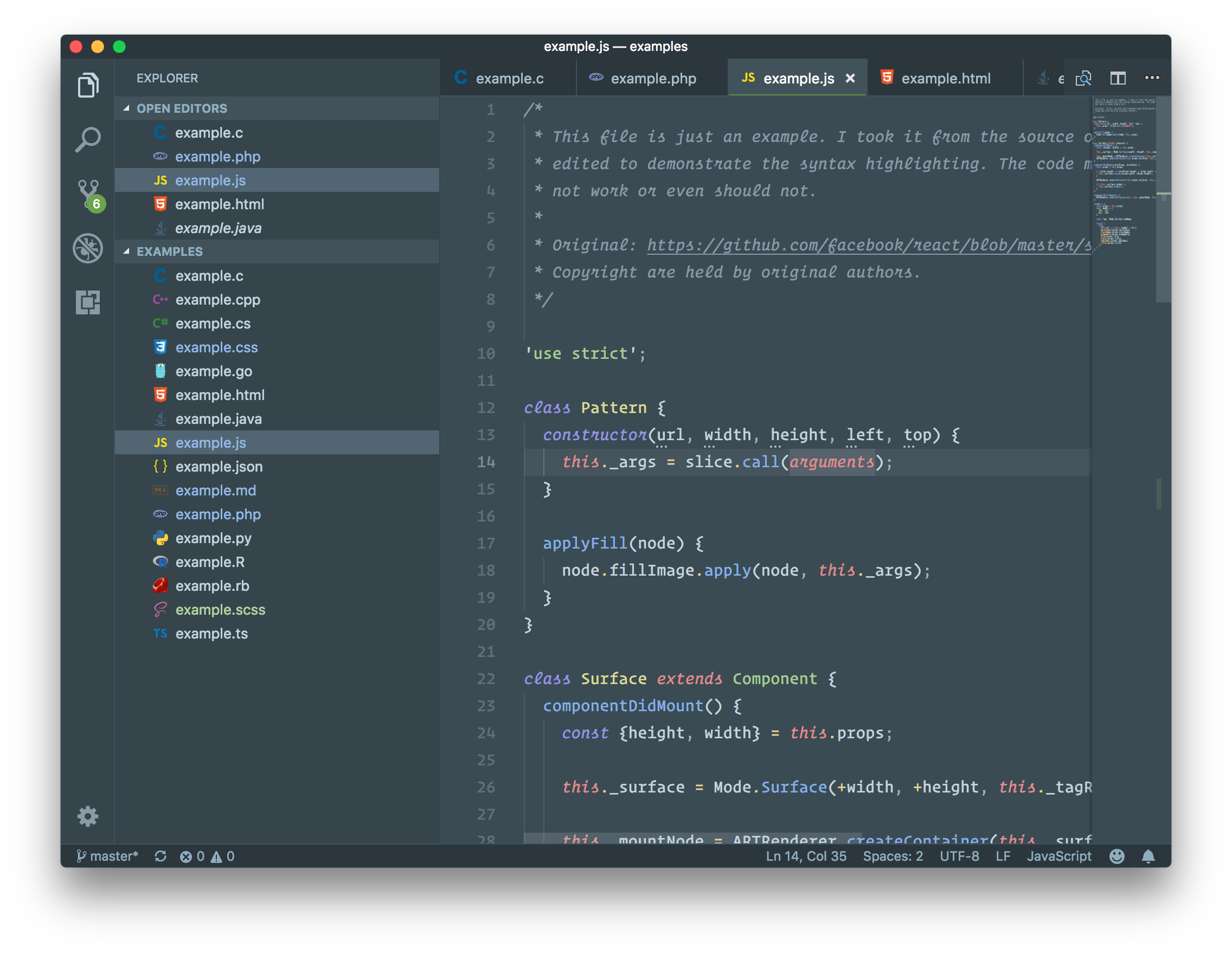
### Color Pack from Arctic Ice Studio
* Original [sources](https://github.com/arcticicestudio/nord).
* Licensed under the [Apache License](https://github.com/arcticicestudio/nord/blob/develop/LICENSE.md).
#### Nord
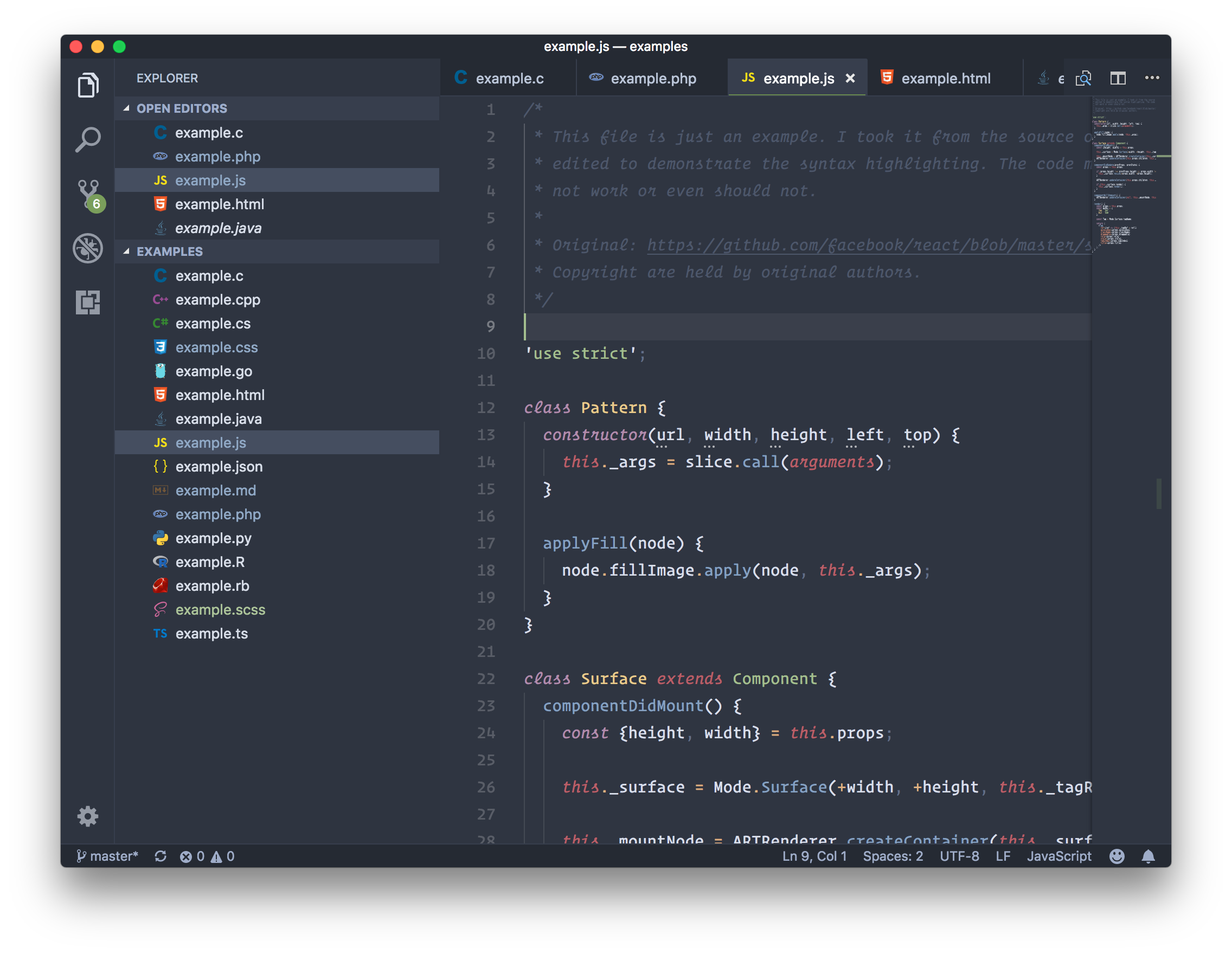
### Color Pack from Chris Thomas
* Original [sources](https://github.com/textmate/themes.tmbundle/blob/master/Themes/Espresso%20Libre.tmTheme).
* Licensed under the [Permissive License](https://github.com/textmate/themes.tmbundle/blob/master/README.mdown).
#### Espresso Libre
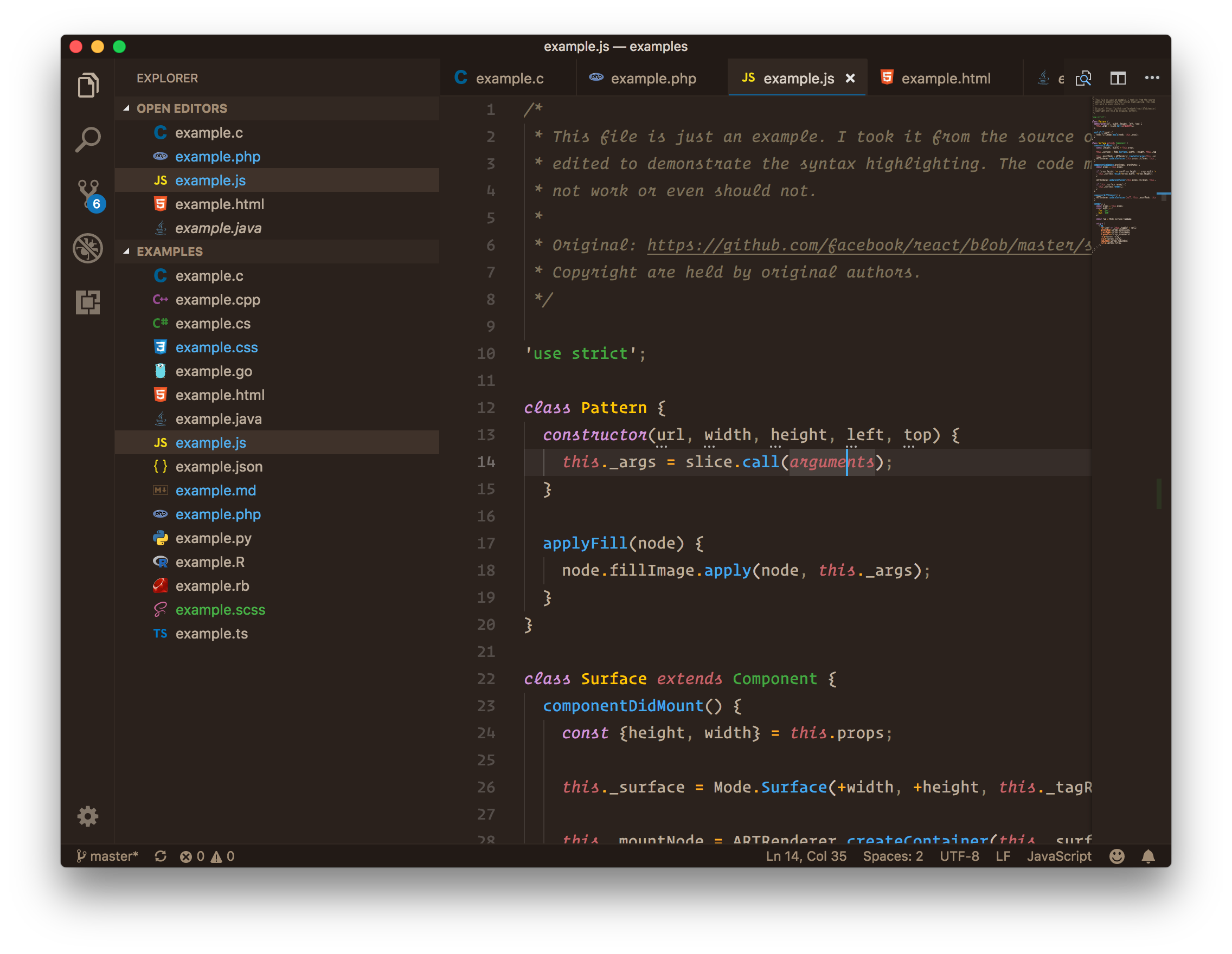
### Color Pack from Ian Hill
* Original [sources](https://github.com/buymeasoda/soda-theme).
* Licensed under the [Creative Commons Attribution-ShareAlike 3.0 License](https://creativecommons.org/licenses/by-sa/3.0/).
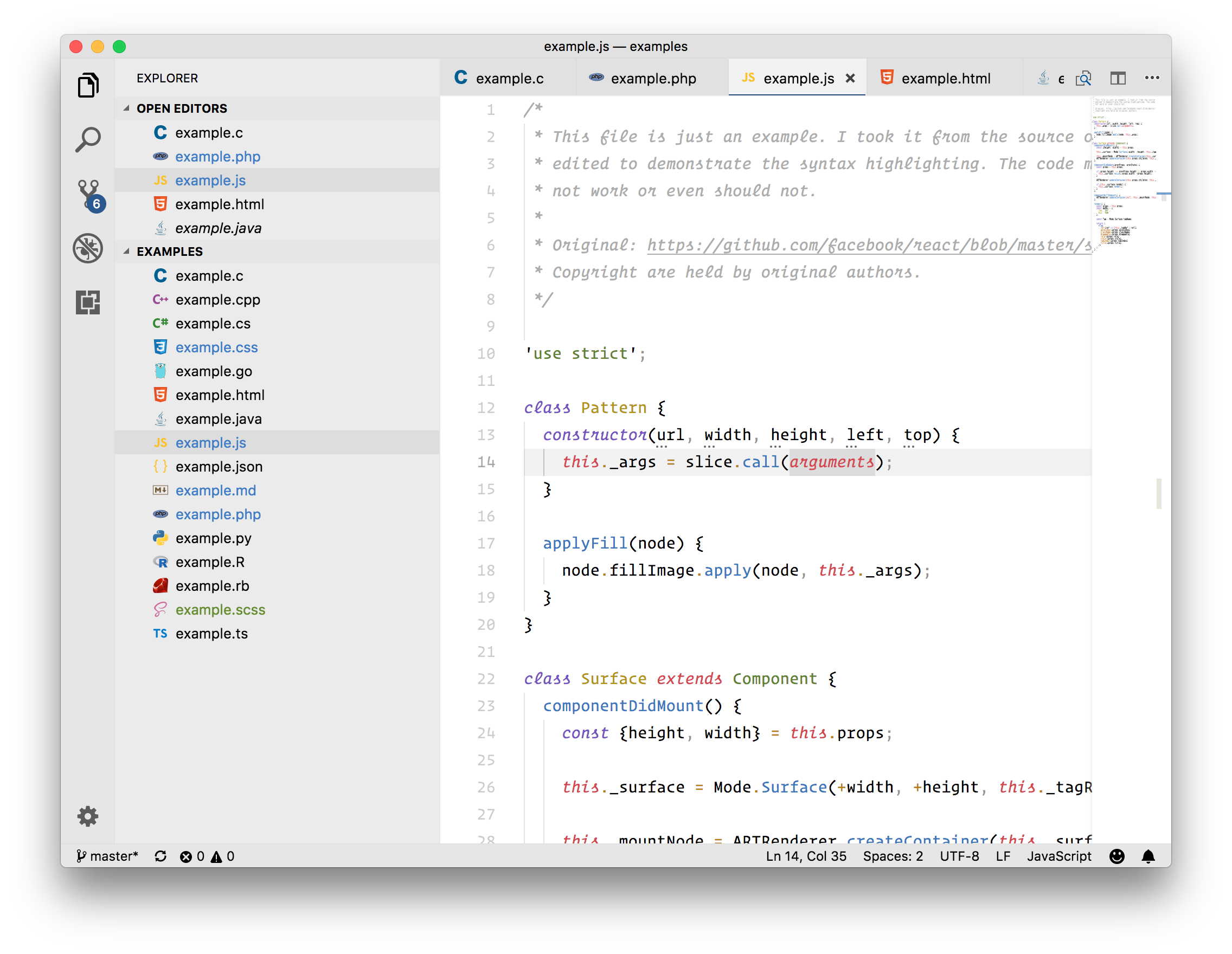
#### Espresso Soda
### Color Pack from Ike Ku
* Original [sources](https://github.com/dempfi/ayu).
* Licensed under the [MIT License](https://github.com/dempfi/ayu/blob/master/LICENSE).
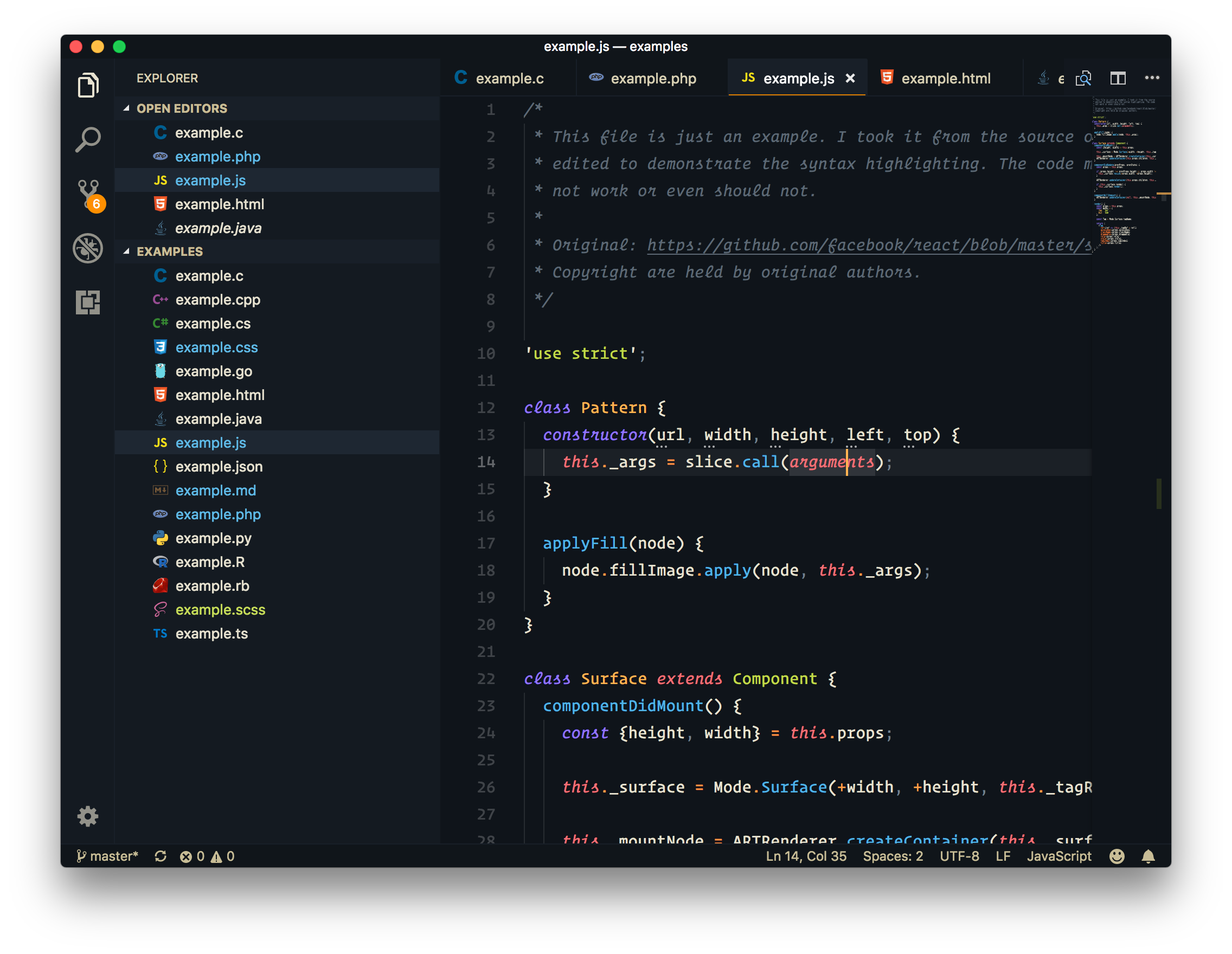
#### Ayu Dark
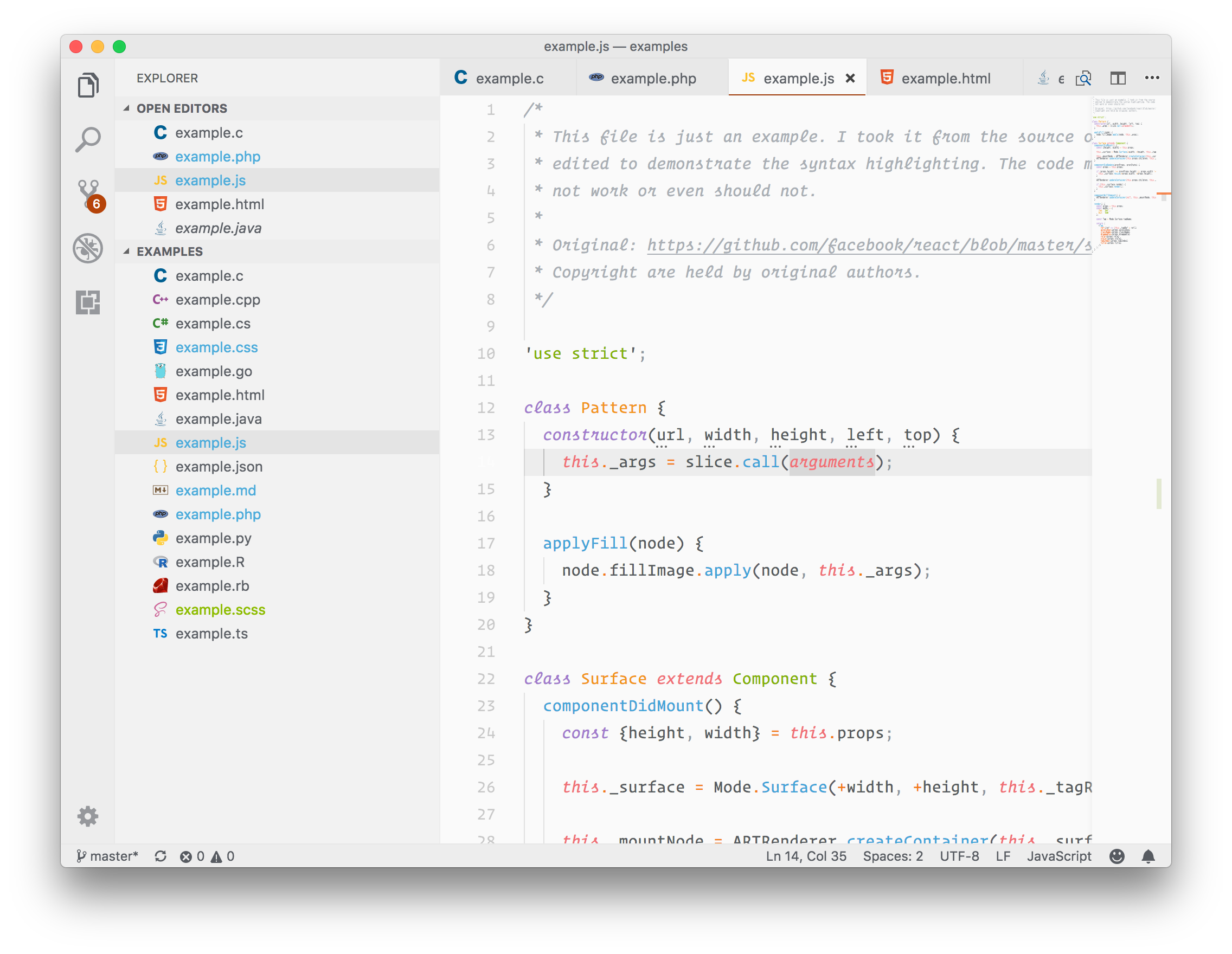
#### Ayu Light
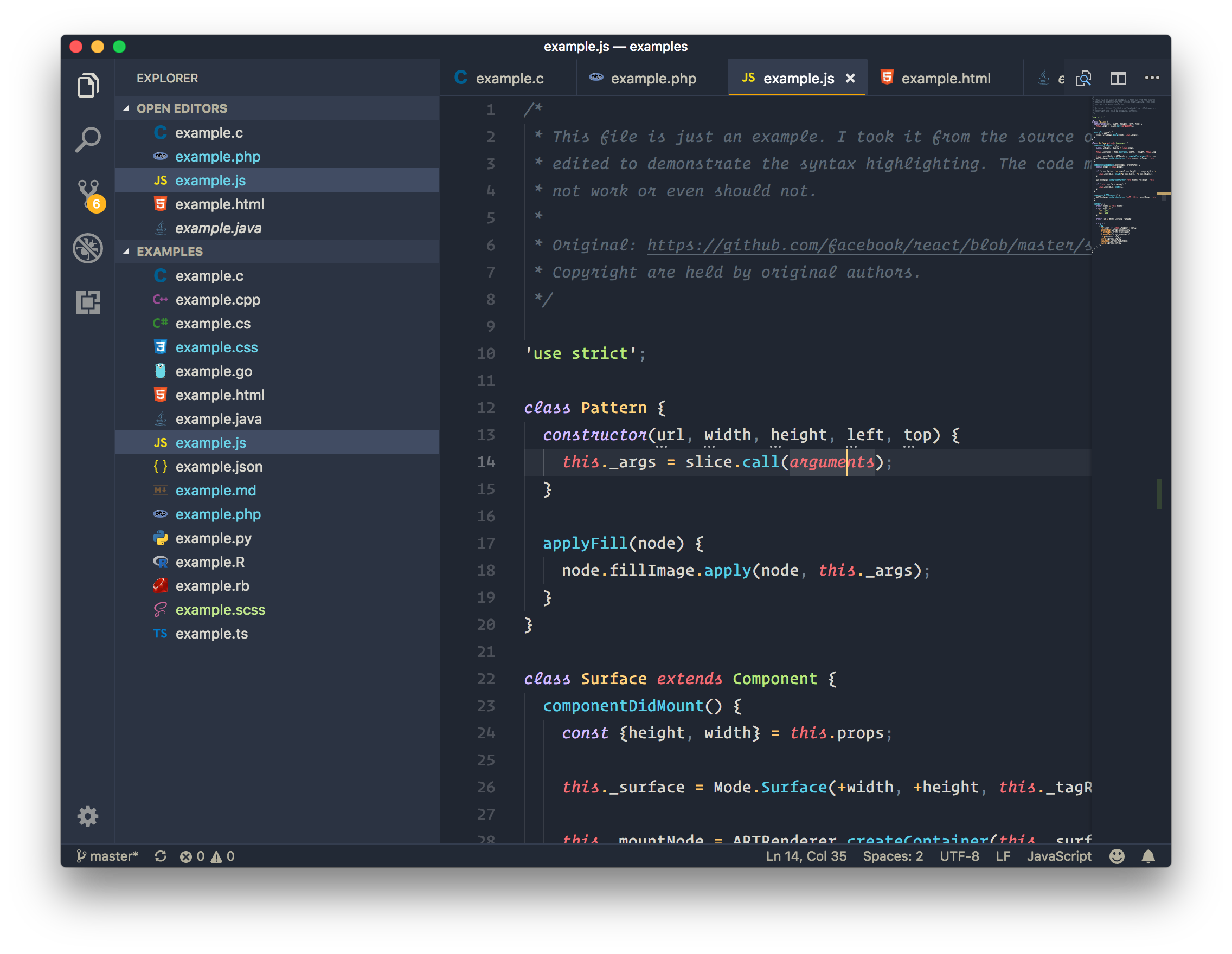
#### Ayu Mirage
### Minimal Color Pack
Inspired from Dan Abramov's Subliminal.
* Original [sources](https://github.com/gaearon/subliminal).
* Licensed under the [MIT License](https://github.com/gaearon/subliminal/blob/master/LICENSE).
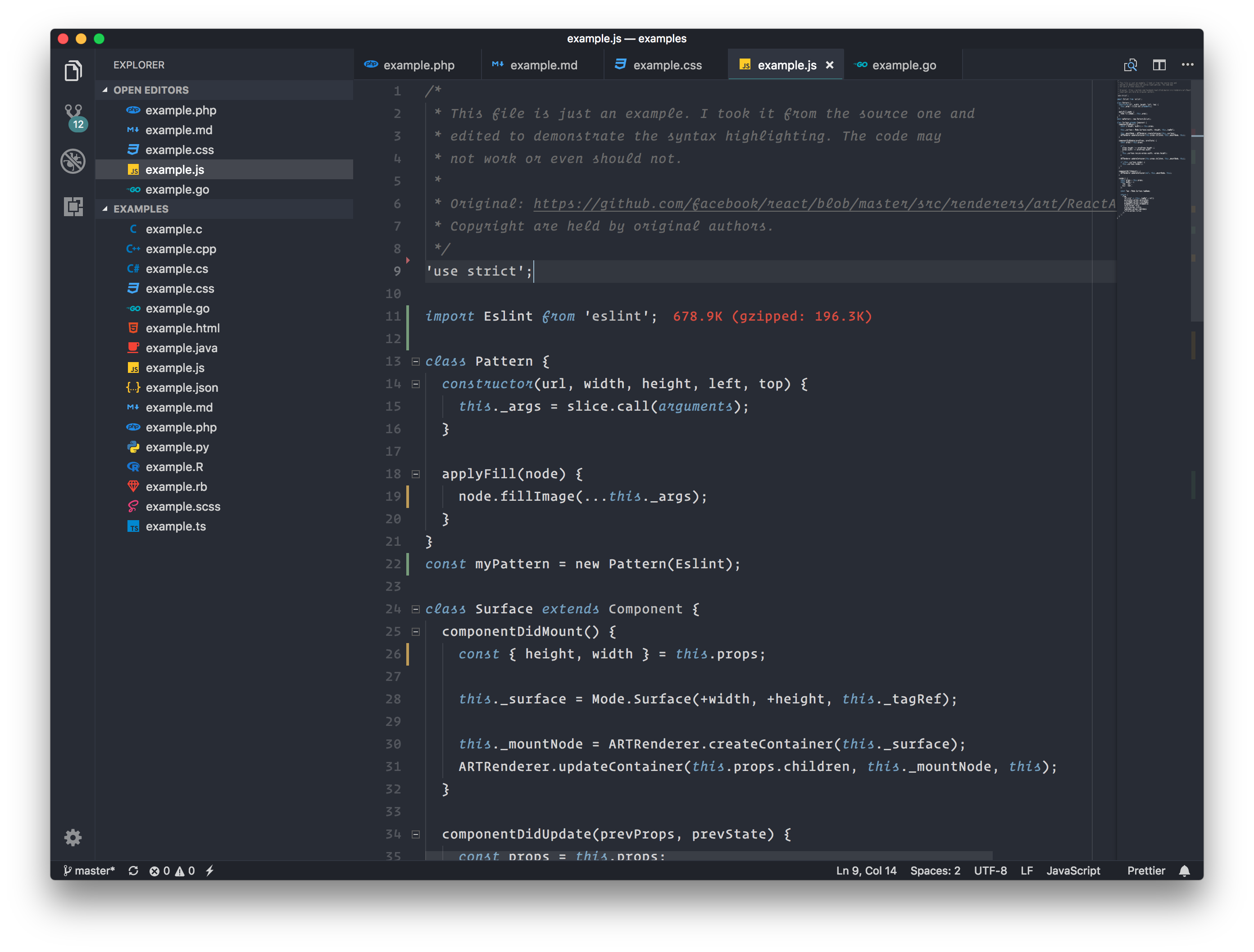
#### Minimal Blue
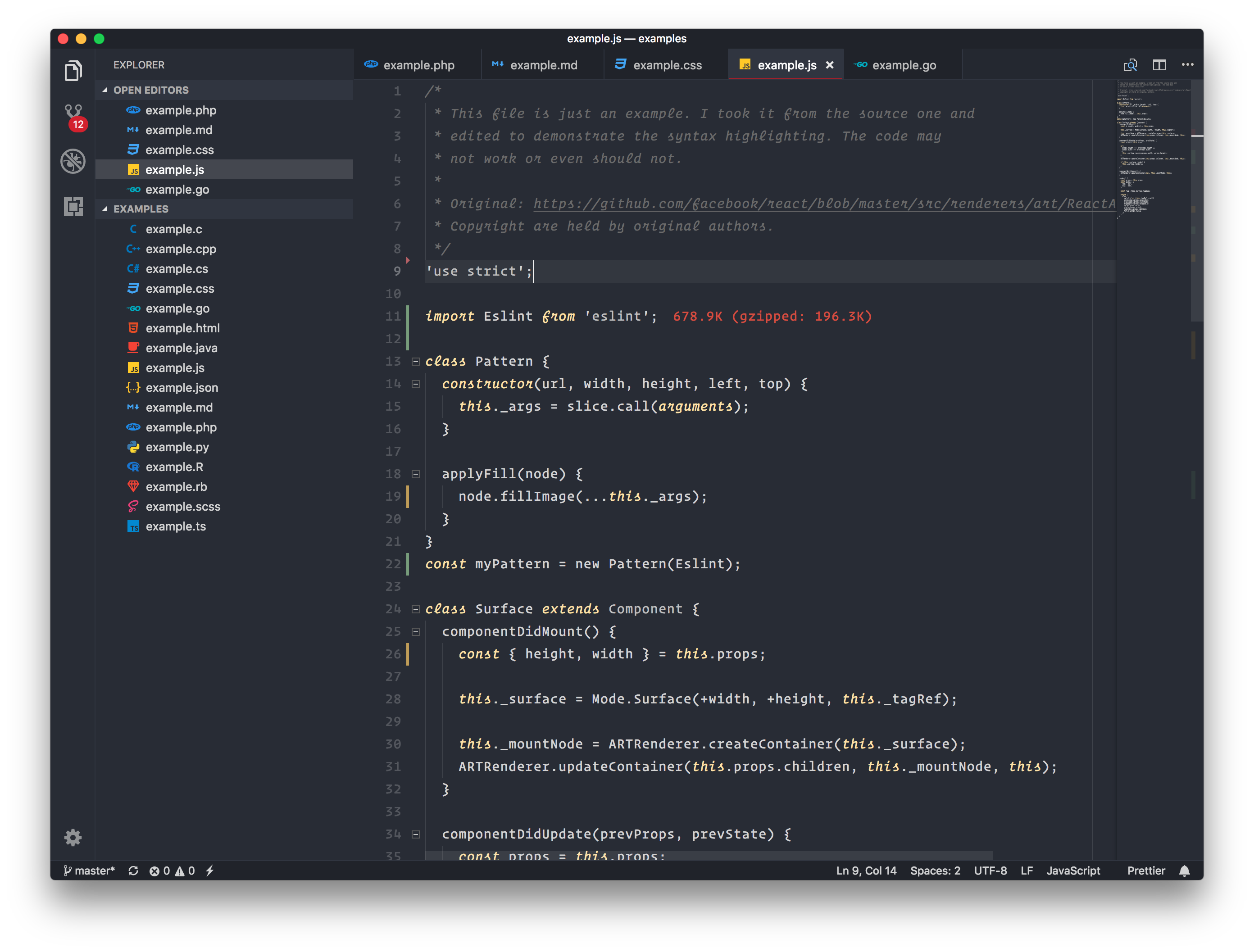
#### Minimal Yellow
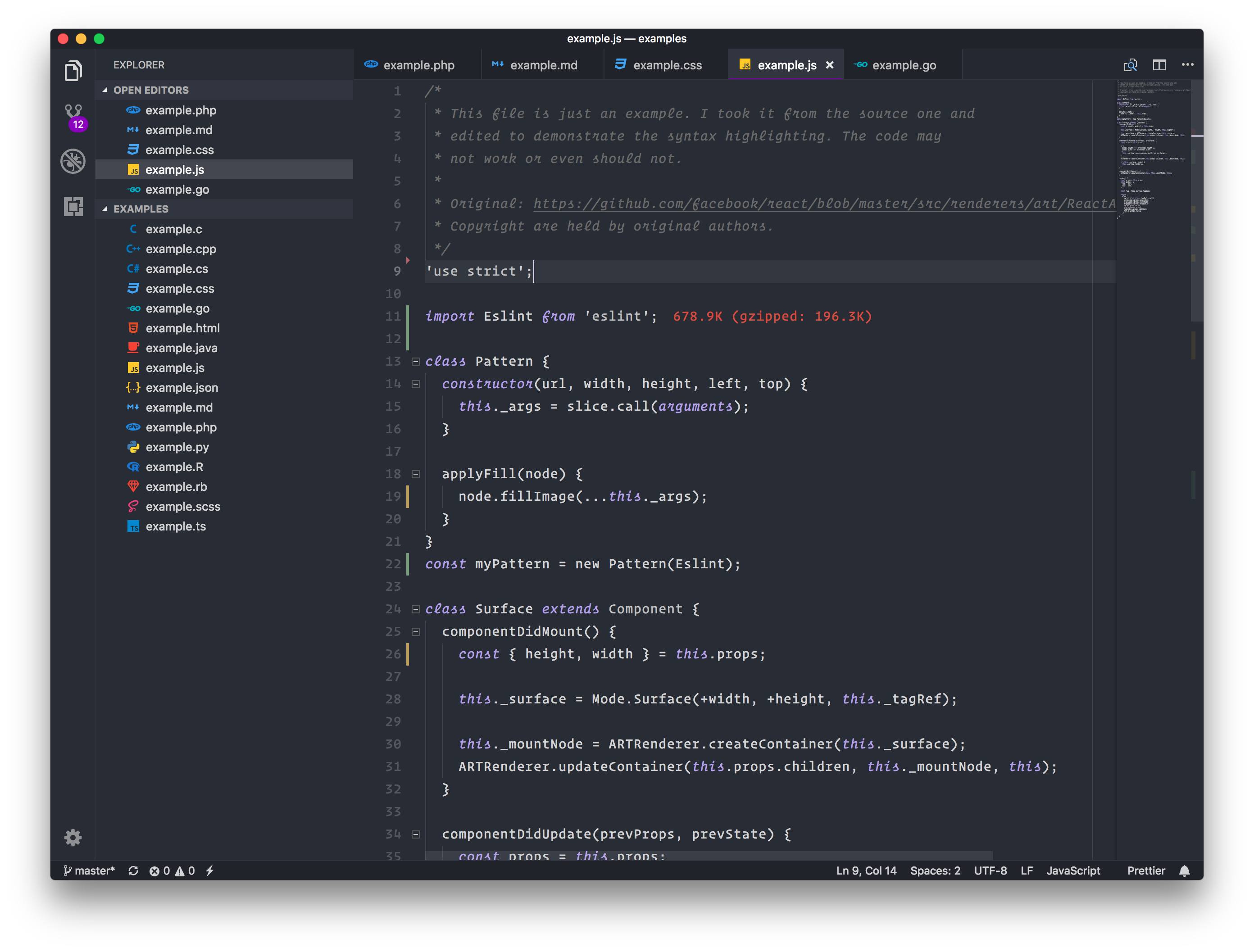
#### Minimal Purple
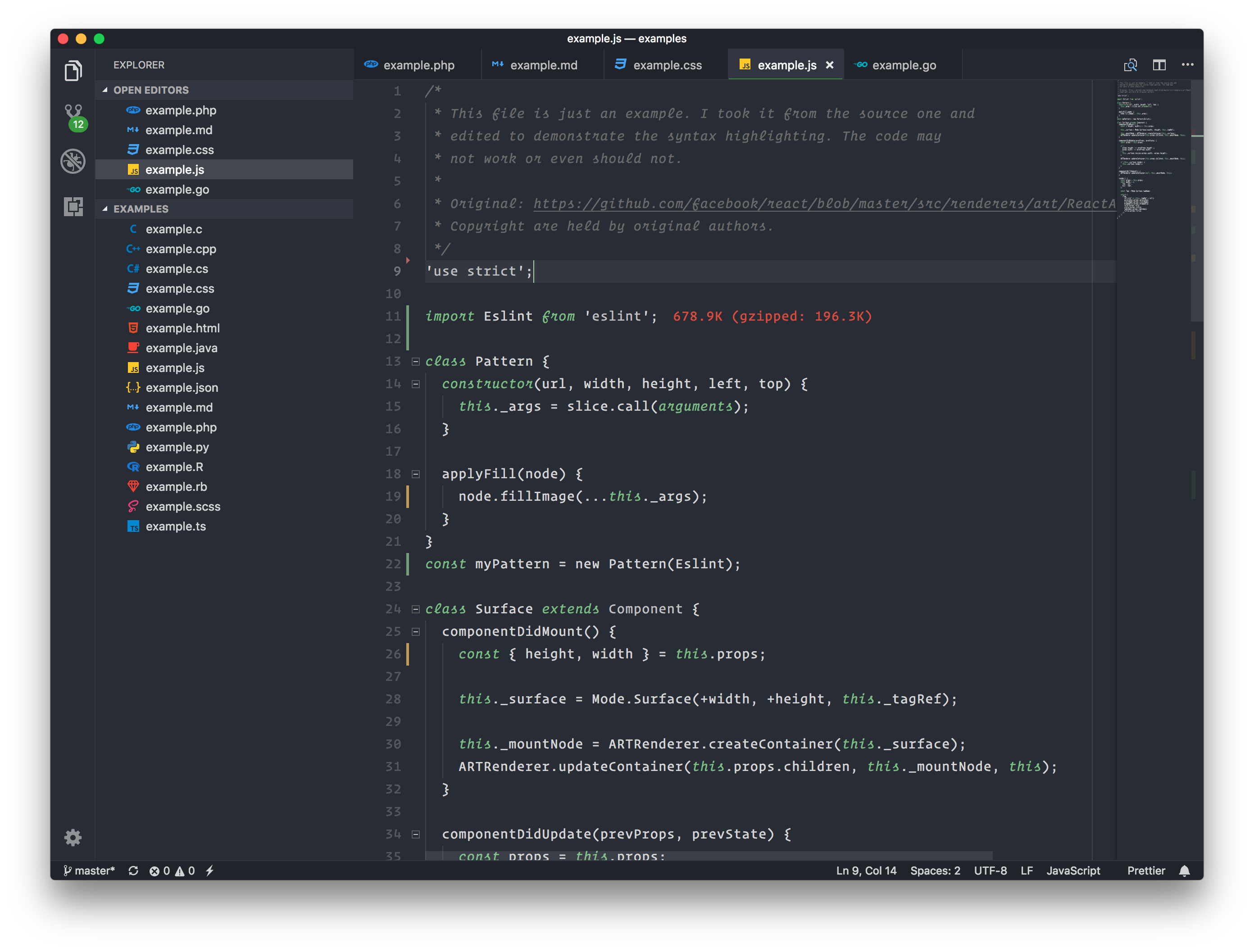
#### Minimal Green
## Development
> Help porting popular tmThemes to vscode.
The development is made easy with some custom scripts. First fork and clone the
repo and run
```bash
yarn install
```
This will install all dependencies. Then run
```bash
yarn start
```
To build the themes and watch for file changes. You can press F5 to
launch VSCode development window where you can preview the themes.
Once satisfied run
```bash
yarn build
```
to finalize the themes and make changes to `package.json` manually.
Then submit a PR.
### Adding a new theme
* Copy `./src/schemes/Template.noop.js` to `./src/schemes/MyTheme.js`.
* Mark the theme `dark` or `light` and make changes accordingly.
* Add colors to the config.
* Import and add the theme in `src/colors.js`.
* Build and test.
👨🎨