https://github.com/syfxlin/vscode-acrylic
:art: Add Acrylic,BlurBehind,TransparentGradient background effects to VSCode(Windows).
https://github.com/syfxlin/vscode-acrylic
vscode vscode-extension vscode-plugin
Last synced: over 1 year ago
JSON representation
:art: Add Acrylic,BlurBehind,TransparentGradient background effects to VSCode(Windows).
- Host: GitHub
- URL: https://github.com/syfxlin/vscode-acrylic
- Owner: syfxlin
- License: mit
- Archived: true
- Created: 2019-07-19T12:05:50.000Z (almost 7 years ago)
- Default Branch: master
- Last Pushed: 2019-08-02T15:16:38.000Z (almost 7 years ago)
- Last Synced: 2024-10-24T06:29:54.415Z (over 1 year ago)
- Topics: vscode, vscode-extension, vscode-plugin
- Language: JavaScript
- Homepage: https://blog.ixk.me/vscode-acrylic.html
- Size: 5.15 MB
- Stars: 19
- Watchers: 0
- Forks: 1
- Open Issues: 0
-
Metadata Files:
- Readme: README.md
- License: LICENSE
Awesome Lists containing this project
README
# Acrylic - VSCode Extension
> :art: Add Acrylic,BlurBehind,TransparentGradient background effects to VSCode(Windows).
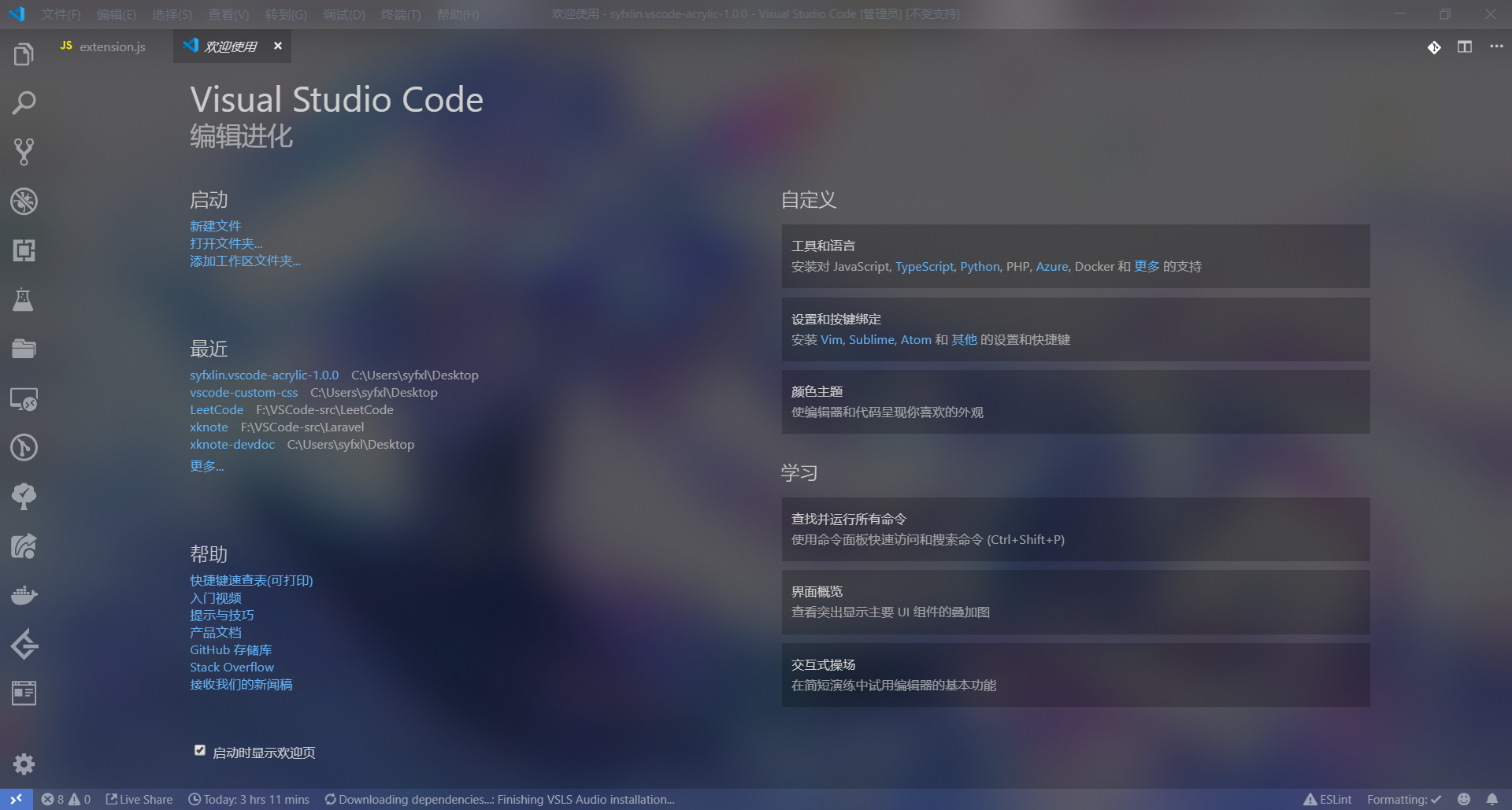
## Supported OS
Windows 10 ✔
## Getting Started
1. Install this extension from the [Visual Studio Code Marketplace](https://marketplace.visualstudio.com/items?itemName=syfxlin.vscode-acrylic).
2. Turn on any dark theme (because these effects don't work well on bright colors)
3. Edit setting.json add `"vscode_acrylic.effect": "acrylic"` or `blurBehind`,`trGradient`,`disable`
4. Press F1 and Activate command "Enable Acrylic".
5. Restart VSCode
Please "Enable Acrylic" with admin privileges.
## Uninstall
Press F1 and Activate command "Disable Acrylic", and Restart VSCode.
## FAQs
#### Why is my terminal still black?
You should change the renderer type of the terminal to dom
`"terminal.integrated.rendererType": "dom"`
#### Why is it only changed color when enabled, but not transparent?
You need to turn VSCode off and back on instead of using reload window.
#### Why not supported MacOS?
The [vibrancy](https://github.com/EYHN/vscode-vibrancy) plugin has been implemented without the need to do duplicates. And the effect of MacOS is different from Windows.
#### Why make this plugin?
The Acrylic effect on Windows has a sliding delay, but there is no problem with BlurBehind and TransparentGradient, so I made a plugin that can choose the effect.
## Links
- [Visual Studio Code Marketplace](https://marketplace.visualstudio.com/items?itemName=syfxlin.vscode-acrylic)
- [Github](https://github.com/syfxlin/vscode-acrylic)
- [Introduction](https://blog.ixk.me/vscode-acrylic.html)
## Thinks
- [vscode-custom-css](https://github.com/be5invis/vscode-custom-css)
- [vscode-vibrancy](https://github.com/EYHN/vscode-vibrancy)
- [ewc](https://github.com/23phy/ewc)
## Render
#### Acrylic

#### BlurBehind

#### TransparentGradient