https://github.com/syncfusion/ej2-streamlit-components
The Syncfusion Streamlit components library provides Streamlit components that are lightweight, responsive, and compatible across multiple browsers
https://github.com/syncfusion/ej2-streamlit-components
grid streamlit syncfusion
Last synced: over 1 year ago
JSON representation
The Syncfusion Streamlit components library provides Streamlit components that are lightweight, responsive, and compatible across multiple browsers
- Host: GitHub
- URL: https://github.com/syncfusion/ej2-streamlit-components
- Owner: syncfusion
- License: other
- Created: 2023-05-11T07:13:24.000Z (about 3 years ago)
- Default Branch: master
- Last Pushed: 2024-12-13T06:44:19.000Z (over 1 year ago)
- Last Synced: 2025-02-16T20:35:49.817Z (over 1 year ago)
- Topics: grid, streamlit, syncfusion
- Language: Python
- Homepage:
- Size: 2.39 MB
- Stars: 13
- Watchers: 5
- Forks: 3
- Open Issues: 0
-
Metadata Files:
- Readme: README.md
- License: LICENSE
Awesome Lists containing this project
README
# Syncfusion® Streamlit Components
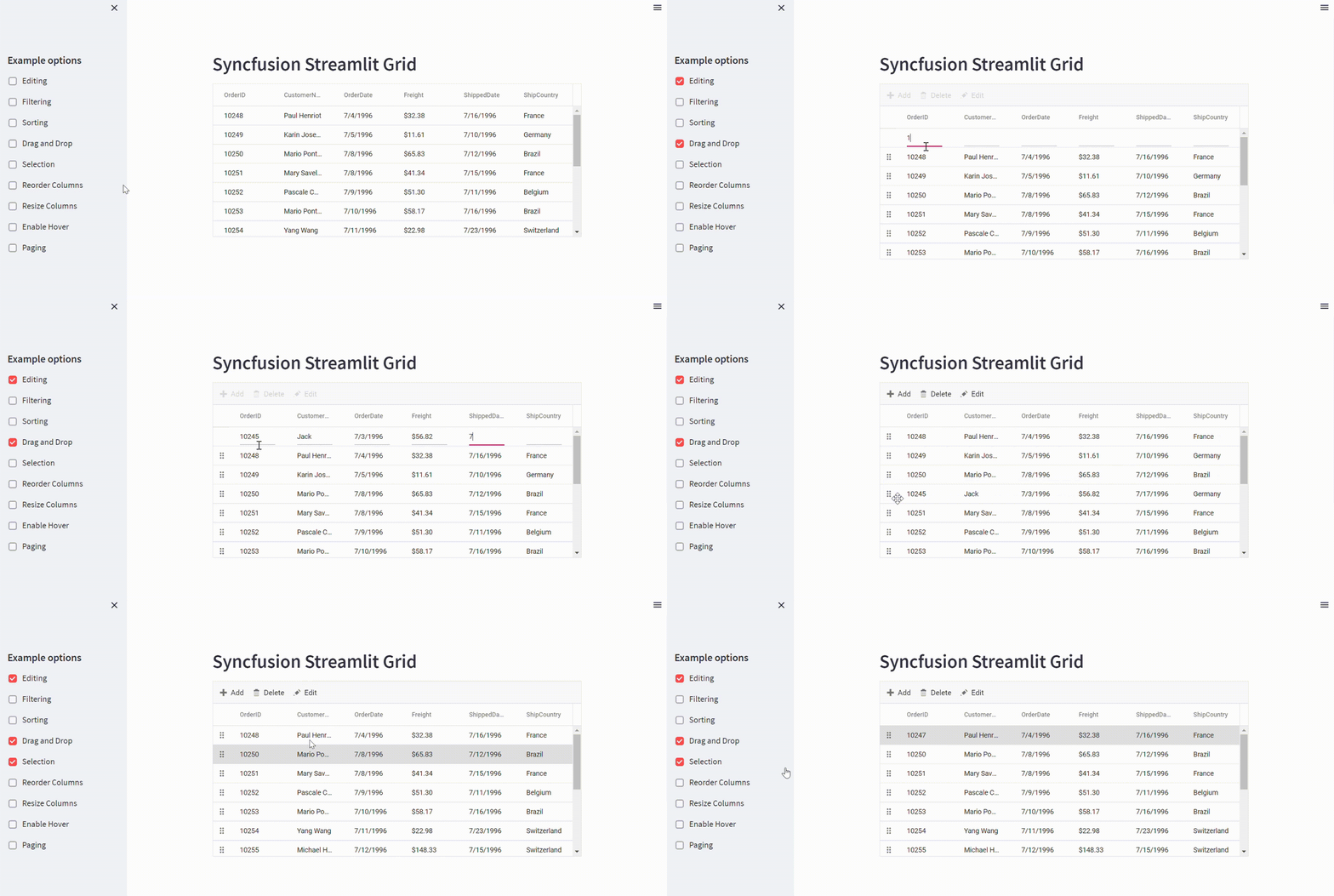
The **Syncfusion® Streamlit Grid** component is a powerful component that allows users to display data in a tabular format with rich features. These features include data binding, sorting, grouping, editing, filtering, dragging, resizing, and exporting to Excel and PDF formats.
## Installation
To install the Syncfusion® Streamlit Grid component, you can utilize the provided command below:
```bash
pip install ej2-streamlit-grids
```
## Rapid Utilization
To quickly integrate the Syncfusion® Grid component into your Streamlit app, follow these steps:
1. Create a Python file, e.g., demo.py.
2. Add the following code to your demo.py file:
```bash
from ej2_streamlit_grids import SfGrid, GridProps
import pandas as pd
data = pd.read_csv('https://raw.githubusercontent.com/SyncfusionExamples/Getting-started-with-Syncfusion-Grid-component-in-Streamlit-app/master/dataset.csv')
props = GridProps(data)
SfGrid(Props=props)
```
3. Run the Streamlit app with the following command:
```bash
streamlit run demo.py
```
## Demo
For a comprehensive example of using the Syncfusion® Grid component in Streamlit, please refer to the [GitHub](https://github.com/SyncfusionExamples/Getting-started-with-Syncfusion-Grid-component-in-Streamlit-app) repository. The provided example demonstrates the usage of the Grid component along with additional features.
## Support
For any questions or assistance, you can:
* Visit the [Syncfusion® support portal](https://support.syncfusion.com/).
* Post your queries on the [community forums](https://www.syncfusion.com/forums).
* Renew your subscription by clicking [here](https://www.syncfusion.com/sales/products?utm_source=github&utm_medium=listing&utm_campaign=ej2-streamlit-components) or contacting our sales team at .
* If you have specific feature requests or suggestions, please submit them through our [feedback portal](https://www.syncfusion.com/feedback/react).
## License
For detailed information about the Syncfusion® Essential Studio® license and copyright, please refer to the [license](https://github.com/syncfusion/ej2-streamlit-components/blob/master/LICENSE).
© 2025 Syncfusion®, Inc. All Rights Reserved.