https://github.com/szazeski/wifiled
Command line access to generic WIFI LED Controllers
https://github.com/szazeski/wifiled
cli golang led-controller leds rgb
Last synced: 6 months ago
JSON representation
Command line access to generic WIFI LED Controllers
- Host: GitHub
- URL: https://github.com/szazeski/wifiled
- Owner: szazeski
- License: mit
- Created: 2019-10-20T04:28:14.000Z (over 6 years ago)
- Default Branch: master
- Last Pushed: 2024-08-10T21:31:03.000Z (almost 2 years ago)
- Last Synced: 2024-08-11T20:50:48.293Z (almost 2 years ago)
- Topics: cli, golang, led-controller, leds, rgb
- Language: Go
- Homepage: https://www.wifiled.org/
- Size: 53.7 KB
- Stars: 2
- Watchers: 2
- Forks: 1
- Open Issues: 1
-
Metadata Files:
- Readme: README.md
- License: LICENSE
Awesome Lists containing this project
README
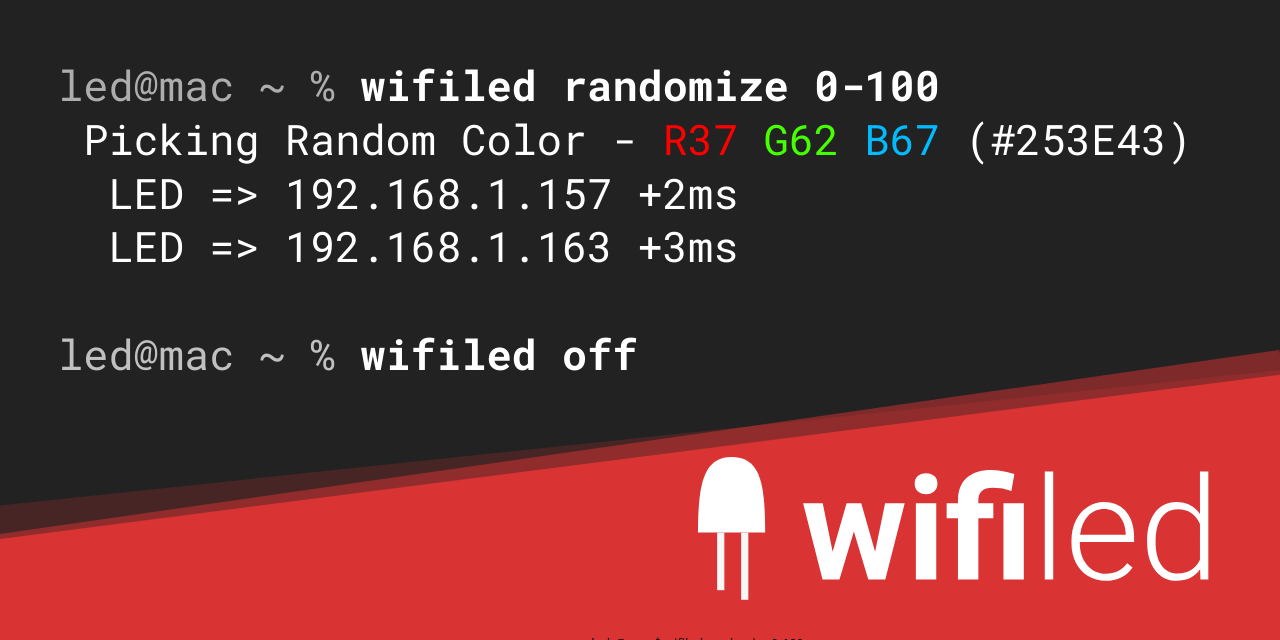
# wifiled
Command line access to generic socket based WIFI LED Controllers
## Usage
Before using `wifiled`, you need to tell it what ip and port to target.
(port will default to 5577 if not set)
1. **Environment Variables** - Before using wifiled, run `export wifiled_ip= 192.168.1.123` and `export wifiled_port = 5577`
2. **CLI Flags** - add `-ip 192.168.1.123` and/or `-port 5577`
You can set multiple ips with a comma separator. For example `-ip="1.1.1.1,2.2.2.2,3.3.3.3"`
You can set `-timeout=1` to set the timeout in seconds. This is useful if you have a lot of controllers and don't want to wait long for each command. (defaults to 5 seconds)
Then you can issue the following commands:
`wifiled on` - turns on LEDs to the last RGBWWW setting
`wifiled off` - turns off LEDs
`wifiled dim 50` - dims all channels to 50/255
`wifiled dim 255 0 0` - dims LEDs to Red 255/255 Green 0/255 Blue 0/255
`wifiled dim 200 200 200 100 100` - dims LEDs RGB to 200/255 and Whites to 100/200
`wifiled randomize` - randomizes the LEDs
`wifiled randomize 0-10` - sets a random color with values between 0 and 10
`wifiled randomize 255 0-50 0-50` - sets red fixed and green/blue between 0 and 50
If you want to avoid getting the color white, simply add `-avoidwhite` and whenever the RGB are over 150 for each channel, it will turn off the blue channel.
## To Develop
This project expects to be checked out in your go src path.
## To Build
Run `go build` in the root of the project.
## Testing
Tested with generic WIFI LED Controllers that use the MagicHome mobile app to control.
- [MagicHome Android App](https://play.google.com/store/apps/details?id=com.zengge.wifi&hl=en_US)
- [MagicHome iOS App](https://apps.apple.com/us/app/magic-home-pro/id1187808229)
Devices:
- XCSOURCE DC 12-24V WIFI Remote 5 Channels Controller for iOS Android RGB LED Strip LD686
- MPN : HF-LPB100-1
- LEDENET Smart Wifi LED Controller 5 Channels Control 4A4CH
- (more to come)
2014 Protocol - Sends tcp packets to port 5577
## Other Awesome WIFI LED Projects
- Tasmota Firmware : https://github.com/arendst/Tasmota/wiki/MagicHome-LED-strip-controller
- ESPurna Firmware : https://github.com/xoseperez/espurna/wiki/Hardware-Magic-Home-LED-Controller
- Magichome-python : https://github.com/adamkempenich/magichome-python
- node-magichome : https://github.com/jangxx/node-magichome
## Installation
Mac Homebrew:
`brew install szazeski/tap/wifiled`
On linux/mac you can :
`wget https://github.com/szazeski/wifiled/releases/download/v0.5.0/wifiled_$(uname -s)_$(uname -m).tar.gz -O wifiled.tar.gz && tar -xf wifiled.tar.gz && cd wifiled && chmod +x wifiled && sudo cp wifiled /usr/bin/`
On Windows powershell you can :
`Invoke-WebRequest https://github.com/szazeski/wifiled/releases/download/v0.5.0/wifiled_Windows_x86_64.zip -outfile wifiled.zip; Expand-Archive wifiled.zip; dir wifiled; echo "if you want, in explorer move .\wifiled\wifiled.exe to a PATH directory like C:\WINDOWS folder"`