https://github.com/t0mer/havid-19
Havid-19 is a [Flask](https://flask.palletsprojects.com/en/1.1.x/) and selenium powerd, easy to use docker container built for signing Covid-19 digital health statement.
https://github.com/t0mer/havid-19
docker home-assistant home-automation python selenium
Last synced: about 1 year ago
JSON representation
Havid-19 is a [Flask](https://flask.palletsprojects.com/en/1.1.x/) and selenium powerd, easy to use docker container built for signing Covid-19 digital health statement.
- Host: GitHub
- URL: https://github.com/t0mer/havid-19
- Owner: t0mer
- License: gpl-3.0
- Created: 2020-09-06T19:23:26.000Z (almost 6 years ago)
- Default Branch: master
- Last Pushed: 2025-01-27T00:14:18.000Z (over 1 year ago)
- Last Synced: 2025-03-28T12:38:44.132Z (about 1 year ago)
- Topics: docker, home-assistant, home-automation, python, selenium
- Language: Python
- Homepage:
- Size: 368 KB
- Stars: 8
- Watchers: 1
- Forks: 10
- Open Issues: 6
-
Metadata Files:
- Readme: README.md
- License: LICENSE
Awesome Lists containing this project
README
*Please :star: this repo if you find it useful*

# Havid-19
Havid-19 is a [Flask](https://flask.palletsprojects.com/en/1.1.x/) and selenium powerd, easy to use docker container built for signing Covid-19 digital health statement.
#### Credits:
=======
- [Adam Russak](https://github.com/AdamRussak) for working with me on this project and writing the selenium part
## Usage
#### docker-compose from hub
```yaml
version: "3.7"
services:
havid-19:
image: techblog/havid-19
container_name: havid-19
restart: always
labels:
- "com.ouroboros.enable=true"
environment:
- USER_ID= #parents.education.gov.il portal user
- USER_KEY= #parents.education.gov.il portal password
ports:
- "6700:6700"
```
Replace API_KEY with your bot token. if you do not have existing bot you can create one
using the instruction in this article:
[Bots: An introduction for developers](https://core.telegram.org/bots)
In order to secure the bot and block unwanted calls from Unauthorized users add your allowd Id's with comma separated values into ALLOWED_IDS
environmet. in order to get your id use @myidbot in telegram and send the /getid command. the result will be your ID:
[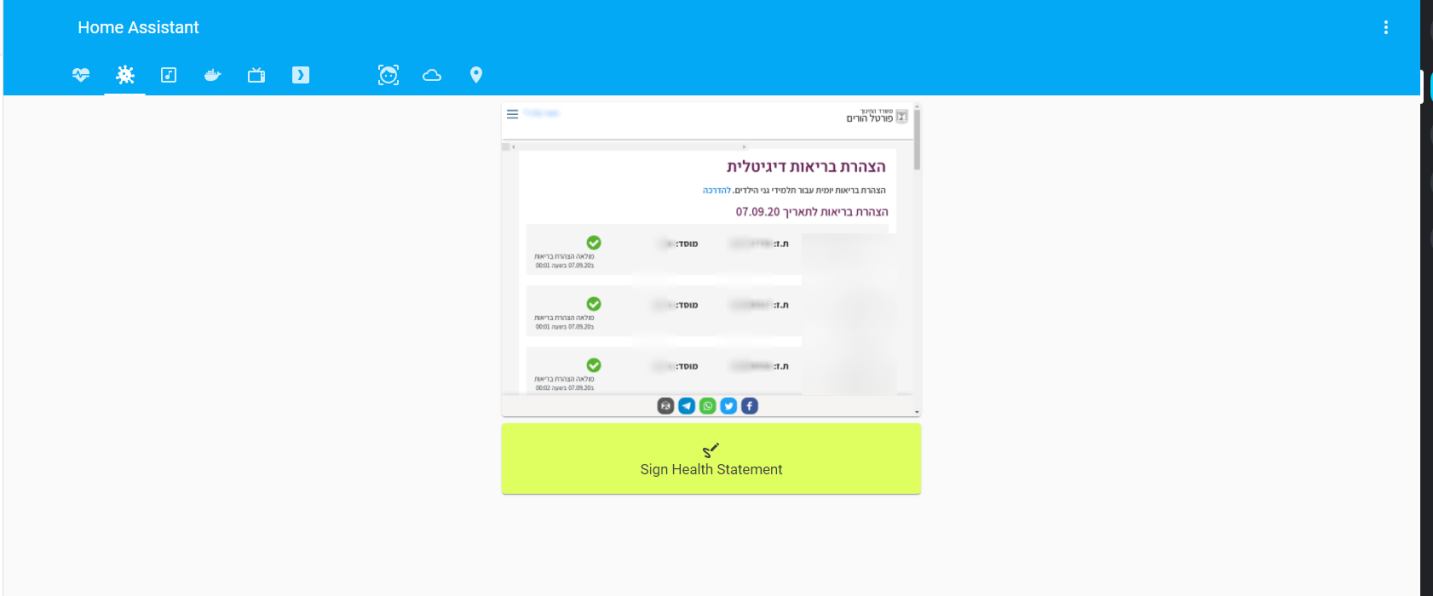](https://raw.githubusercontent.com/t0mer/HAvid-19/master/HAvid-19.png "Home Assistant Integration")
In order to sign the statement, open your browser and nevigate to your container ip address with port 6700:
http://Server_Ip_Address:6070/sign.
The signing process takes about 8-10 seconds and in the ens you'll get a success message.
In oreder to get the image with the signing details nevigate to your container ip address with port 6700:
http://Server_Ip_Address:6070/statement.
# Donation
If you find this project helpful, you can give me a cup of coffee :)
[](https://www.paypal.com/cgi-bin/webscr?cmd=_s-xclick&hosted_button_id=8CGLEHN2NDXDE)