https://github.com/tahouse/streamlit-chat-prompt
A Streamlit component that provides a modern chat-style prompt with image attachment and paste support. This component was built to mimic the style of streamlit.chat_input while expanding functionality with images. Future work may include addition of speech-to-text input.
https://github.com/tahouse/streamlit-chat-prompt
python streamlit streamlit-component streamlit-components typescript
Last synced: about 1 year ago
JSON representation
A Streamlit component that provides a modern chat-style prompt with image attachment and paste support. This component was built to mimic the style of streamlit.chat_input while expanding functionality with images. Future work may include addition of speech-to-text input.
- Host: GitHub
- URL: https://github.com/tahouse/streamlit-chat-prompt
- Owner: tahouse
- License: apache-2.0
- Created: 2024-11-11T07:26:26.000Z (over 1 year ago)
- Default Branch: main
- Last Pushed: 2025-04-30T02:18:17.000Z (about 1 year ago)
- Last Synced: 2025-04-30T02:41:12.719Z (about 1 year ago)
- Topics: python, streamlit, streamlit-component, streamlit-components, typescript
- Language: TypeScript
- Homepage:
- Size: 97.2 MB
- Stars: 1
- Watchers: 1
- Forks: 2
- Open Issues: 0
-
Metadata Files:
- Readme: README.md
- License: LICENSE
- Codeowners: .github/CODEOWNERS
Awesome Lists containing this project
README
# Streamlit Chat Prompt
[](https://pypi.org/project/streamlit-chat-prompt/)
[](https://pypi.org/project/streamlit-chat-prompt/)

A Streamlit component that provides a modern chat-style prompt with image attachment and paste support. This component was built to mimic the style of [streamlit.chat_input](https://docs.streamlit.io/develop/api-reference/chat/st.chat_input) while expanding functionality with images. Future work may include addition of speech-to-text input.
**Author:** Tyler House ([@tahouse](https://github.com/tahouse))
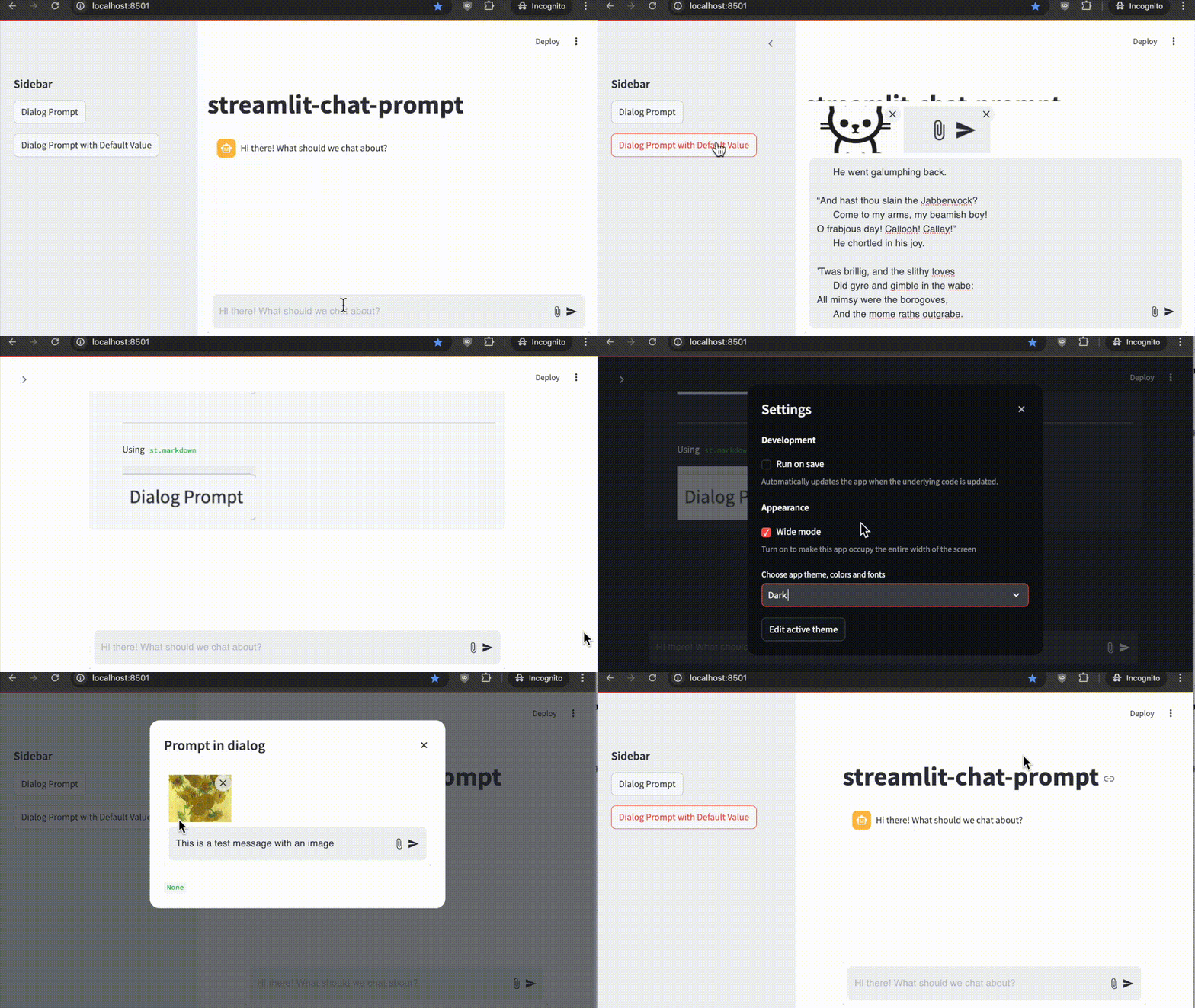
## Features
- 📝 Chat-style text input with multi-line support
- 📎 Image attachment support via button or drag-and-drop
- 📋 Paste image support (paste images directly from clipboard)
- 🖼️ Image preview with ability to remove attached images
- ⌨️ Submit with Enter key (Shift+Enter for new line)
- 🎨 Automatic theme integration with Streamlit
- 📱 Responsive design that works well on mobile and desktop
- 🗜️ Automatic image compression/scaling to stay under size limits (customizable, default 5MB)
- 📌 Optional pinned-to-bottom placement for main chat interface (one per app)
- 🔄 Flexible positioning for use in dialogs, sidebars, or anywhere in the app flow
- ✏️ Support for default/editable content - perfect for message editing workflows
- 🔤 Smart focus management - automatically returns to text input after interactions
## Installation
```bash
pip install streamlit-chat-prompt
```
## Usage
```python
import streamlit as st
from streamlit_chat_prompt import prompt
# Create a chat prompt
response = prompt(
name="chat", # Unique name for the prompt
key="chat", # Unique key for the component instance
placeholder="Hi there! What should we talk about?", # Optional placeholder text
main_bottom=True, # Pin prompt to bottom of main area
max_image_size=5 * 1024 * 1024, # Maximum image size (5MB default)
disabled=False, # Optionally disable the prompt
)
# Handle the response
if response:
if response.text:
st.write(f"Message: {response.text}")
if response.images:
for i, img in enumerate(response.images):
st.write(f"Image {i+1}: {img.type} ({img.format})")
```
## Examples
Here are some usage patterns, or check out [rocktalk](https://github.com/tahouse/rocktalk) for a full working example.
1. Main Chat Interface 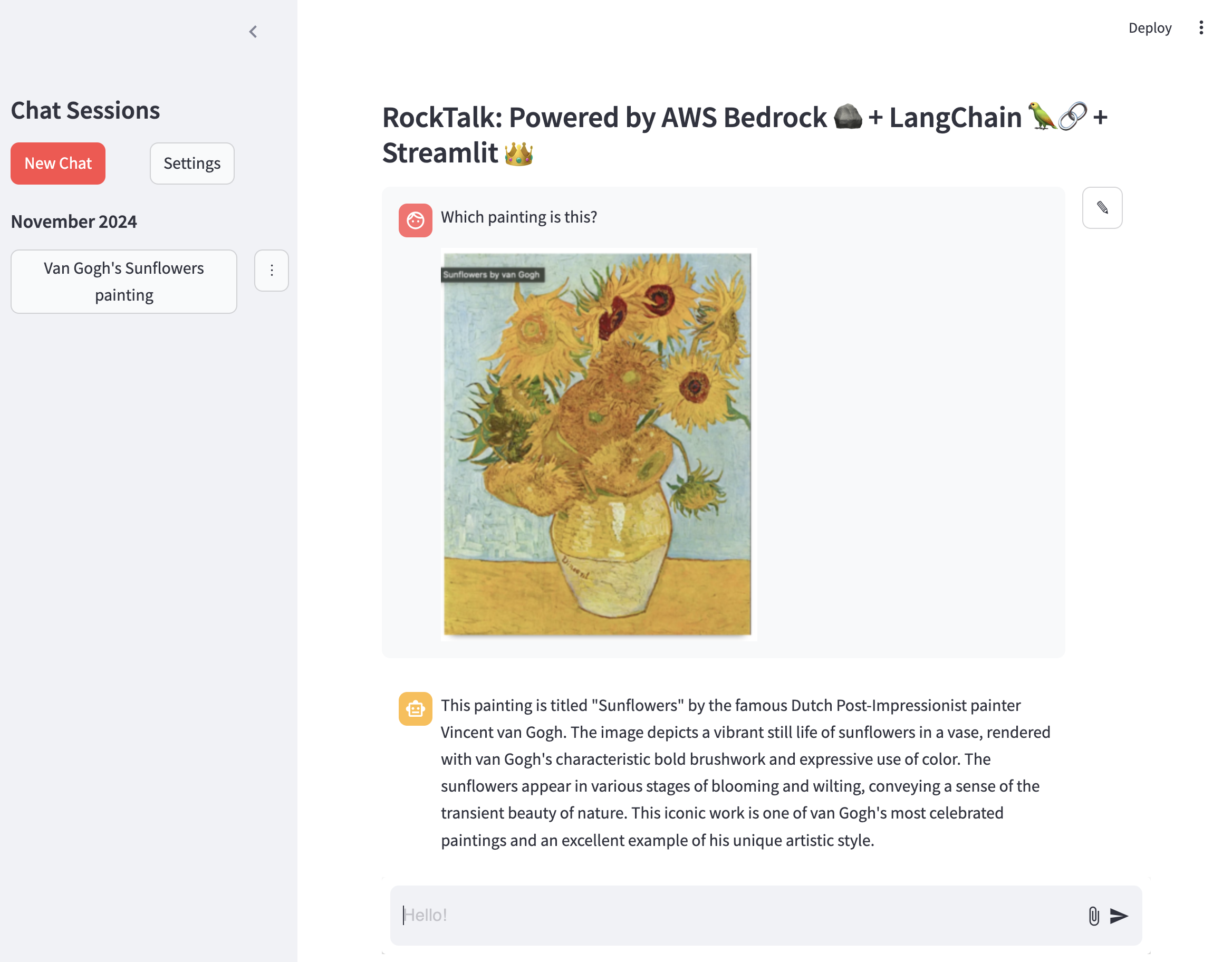
```python
import base64
from io import BytesIO
import streamlit as st
from streamlit_chat_prompt import PromptReturn, prompt, ImageData
from PIL import Image
st.chat_message("assistant").write("Hi there! What should we chat about?")
prompt_return: PromptReturn | None = prompt(
name="foo",
key="chat_prompt",
placeholder="Hi there! What should we chat about?",
main_bottom=True,
)
if prompt_return:
with st.chat_message("user"):
st.write(prompt_return.text)
if prompt_return.images:
for image in prompt_return.images:
st.divider()
image_data: bytes = base64.b64decode(image.data)
st.markdown("Using `st.image`")
st.image(Image.open(BytesIO(image_data)))
# or use markdown
st.divider()
st.markdown("Using `st.markdown`")
st.markdown(f"")
```
2. Dialog Usage and Starting From Existing Message 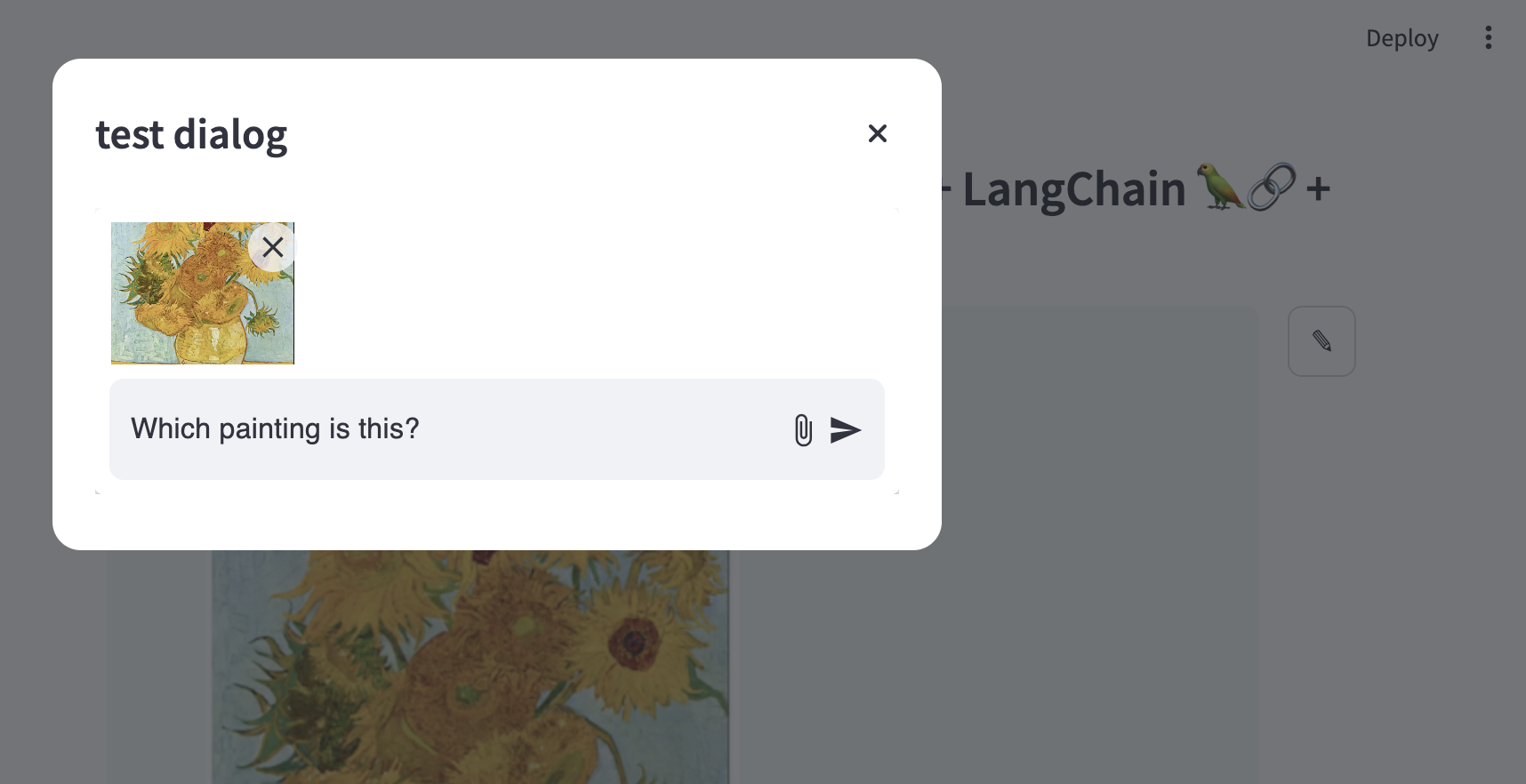
```python
if st.button(
"Dialog Prompt with Default Value", key=f"dialog_prompt_with_default_button"
):
with open("example_images/vangogh.png", "rb") as f:
image_data = f.read()
image = Image.open(BytesIO(image_data))
base64_image = base64.b64encode(image_data).decode("utf-8")
test_dg(
default_input=PromptReturn(
text="This is a test message with an image",
images=[
ImageData(data=base64_image, type="image/png", format="base64")
],
),
key="dialog_with_default",
)
```
## Component API
### prompt()
Main function to create a chat prompt.
Parameters:
- `name` (str): Unique name for this prompt instance
- `key` (str): Unique key for the component instance
- `placeholder` (str, optional): Placeholder text shown in input field
- `default` (Union[str, PromptReturn], optional): Default value for the prompt. Can include text and images using the `PromptReturn` object type.
- `main_bottom` (bool, optional): Pin prompt to bottom of main area (default: True)
- `max_image_size` (int, optional): Maximum image size in bytes (default: 5MB)
- `disabled` (bool, optional): Disable the prompt (default: False)
Returns:
`Optional[PromptReturn]`: Object containing message and images if submitted, None otherwise
### PromptReturn
Object returned when user submits the prompt.
Properties:
- `text` (Optional[str]): Text message entered by user
- `images` (Optional[List[ImageData]]): List of attached images
### ImageData
Object representing an attached image.
Properties:
- `type` (str): Image MIME type (e.g. "image/jpeg")
- `format` (str): Image format (e.g. "base64")
- `data` (str): Image data as base64 string
## Development
This repository is based on the [Streamlit Component template system](https://github.com/streamlit/component-template). If you want to modify or develop the component:
1. Clone the repository
2. Install development dependencies:
```sh
pip install -e ".[devel]"
```
3. Start the frontend development server:
```sh
cd streamlit_chat_prompt/frontend
npm install
npm run start
```
4. In a separate terminal, run your Streamlit app:
```sh
streamlit run your_app.py
```
## License
This project is licensed under the Apache License 2.0 - see the LICENSE file for details.