https://github.com/tapader13/techblog-fronend
TechBLog is a tech blog platform built with Next.js and Tailwind CSS, featuring articles on JavaScript, React, and Node.js. Users can like, bookmark, and search articles by category, while Firebase manages authentication and MongoDB stores content.
https://github.com/tapader13/techblog-fronend
axios embla-carousel firebase framer-motion markdown mongoose nextjs14 tailwindcss zustand
Last synced: 3 months ago
JSON representation
TechBLog is a tech blog platform built with Next.js and Tailwind CSS, featuring articles on JavaScript, React, and Node.js. Users can like, bookmark, and search articles by category, while Firebase manages authentication and MongoDB stores content.
- Host: GitHub
- URL: https://github.com/tapader13/techblog-fronend
- Owner: tapader13
- Created: 2024-09-11T18:00:44.000Z (almost 2 years ago)
- Default Branch: main
- Last Pushed: 2025-02-04T20:23:45.000Z (over 1 year ago)
- Last Synced: 2025-02-04T21:23:14.024Z (over 1 year ago)
- Topics: axios, embla-carousel, firebase, framer-motion, markdown, mongoose, nextjs14, tailwindcss, zustand
- Language: JavaScript
- Homepage: https://blog-frnt.vercel.app
- Size: 2.58 MB
- Stars: 0
- Watchers: 1
- Forks: 0
- Open Issues: 0
-
Metadata Files:
- Readme: README.md
Awesome Lists containing this project
README
# TechBLog
## Overview
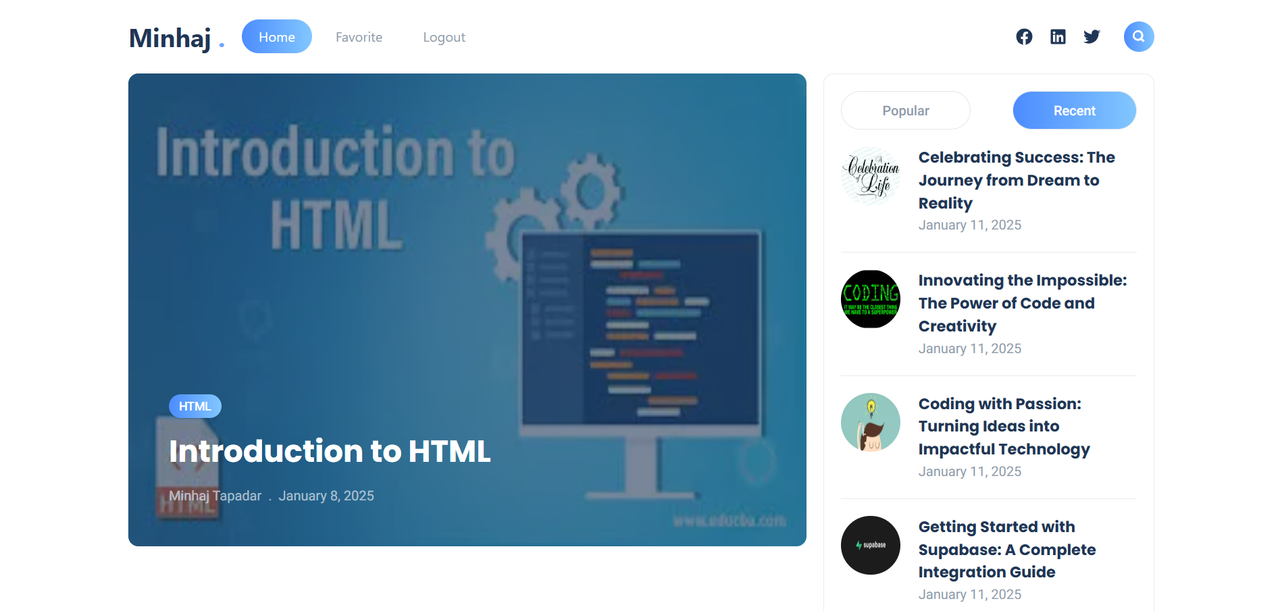
**Blog Front-End** is a technology-focused blogging platform that delivers insightful articles on web development topics such as JavaScript, React, and Node.js. Users can browse trending and latest posts, like and bookmark articles, and filter content by categories.
---
## Screenshot
---
## Technologies Used
- **Frontend:** Next.js, React, Tailwind CSS
- **State Management:** Zustand
- **Database:** MongoDB (via Mongoose)
- **Authentication & Backend:** Firebase
- **Other Libraries:** Axios, Framer Motion, React Icons, React Markdown
---
## Core Features
✔️ Browse and read technology blogs
✔️ User authentication (login/logout)
✔️ Like and bookmark blogs
✔️ Remove bookmarks when needed
✔️ Search blogs and filter by category
✔️ View trending and latest posts
---
## Dependencies
```json
{
"@radix-ui/react-dialog": "^1.1.1",
"@radix-ui/react-icons": "^1.3.0",
"@radix-ui/react-label": "^2.1.0",
"@radix-ui/react-slot": "^1.1.0",
"@tailwindcss/typography": "^0.5.15",
"axios": "^1.7.9",
"class-variance-authority": "^0.7.0",
"clsx": "^2.1.1",
"embla-carousel-react": "^8.2.1",
"firebase": "^11.1.0",
"framer-motion": "^11.5.4",
"lucide-react": "^0.439.0",
"mongoose": "^8.6.1",
"next": "14.2.9",
"react": "^18",
"react-dom": "^18",
"react-hot-toast": "^2.5.1",
"react-icons": "^5.3.0",
"react-markdown": "^9.0.1",
"react-syntax-highlighter": "^15.5.0",
"reading-time": "^1.5.0",
"remark-gfm": "^4.0.0",
"tailwind-merge": "^2.5.2",
"tailwindcss-animate": "^1.0.7",
"zustand": "^5.0.3"
}
```
---
## Getting Started (Run Locally)
### 1️⃣ Clone the Repository
```sh
git clone https://github.com/tapader13/blog-frontend.git
cd blog-frontend
```
### 2️⃣ Install Dependencies
```sh
npm install
```
### 3️⃣ Set Up Environment Variables
Create a `.env` file in the root directory and add the following:
```env
MONGO_URI="your_mongodb_connection_string"
```
### 4️⃣ Start the Development Server
```sh
npm run dev
```
### 5️⃣ Open in Browser
Visit **[http://localhost:3000](http://localhost:3000)** to see the app in action.
---
## Live Demo & Resources
🚀 **Live Project:** [Deployed Link Here](https://blog-frnt.vercel.app/)(#)
---
👨💻 **Contributions are welcome!** Feel free to submit issues or pull requests.
📩 **Have questions?** Contact me at [minhajtapader0@gmail.com](mailto:minhajtapader0@gmail.com).
---
⭐ **Like this project?** Give it a star on GitHub!
```