https://github.com/tarponjargon/clipcast
Convert news articles, blog posts (and more) into audio podcast episodes using natural-sounding AI text-to-speech models
https://github.com/tarponjargon/clipcast
ai flask htmx python3 text-to-speech tts webpack
Last synced: 12 months ago
JSON representation
Convert news articles, blog posts (and more) into audio podcast episodes using natural-sounding AI text-to-speech models
- Host: GitHub
- URL: https://github.com/tarponjargon/clipcast
- Owner: tarponjargon
- License: gpl-3.0
- Created: 2024-12-05T03:10:56.000Z (over 1 year ago)
- Default Branch: main
- Last Pushed: 2025-02-24T14:48:41.000Z (over 1 year ago)
- Last Synced: 2025-04-02T05:04:59.906Z (over 1 year ago)
- Topics: ai, flask, htmx, python3, text-to-speech, tts, webpack
- Language: SCSS
- Homepage:
- Size: 24.3 MB
- Stars: 4
- Watchers: 1
- Forks: 0
- Open Issues: 0
-
Metadata Files:
- Readme: README.md
- License: LICENSE.txt
Awesome Lists containing this project
README
# PROJECT OVERVIEW
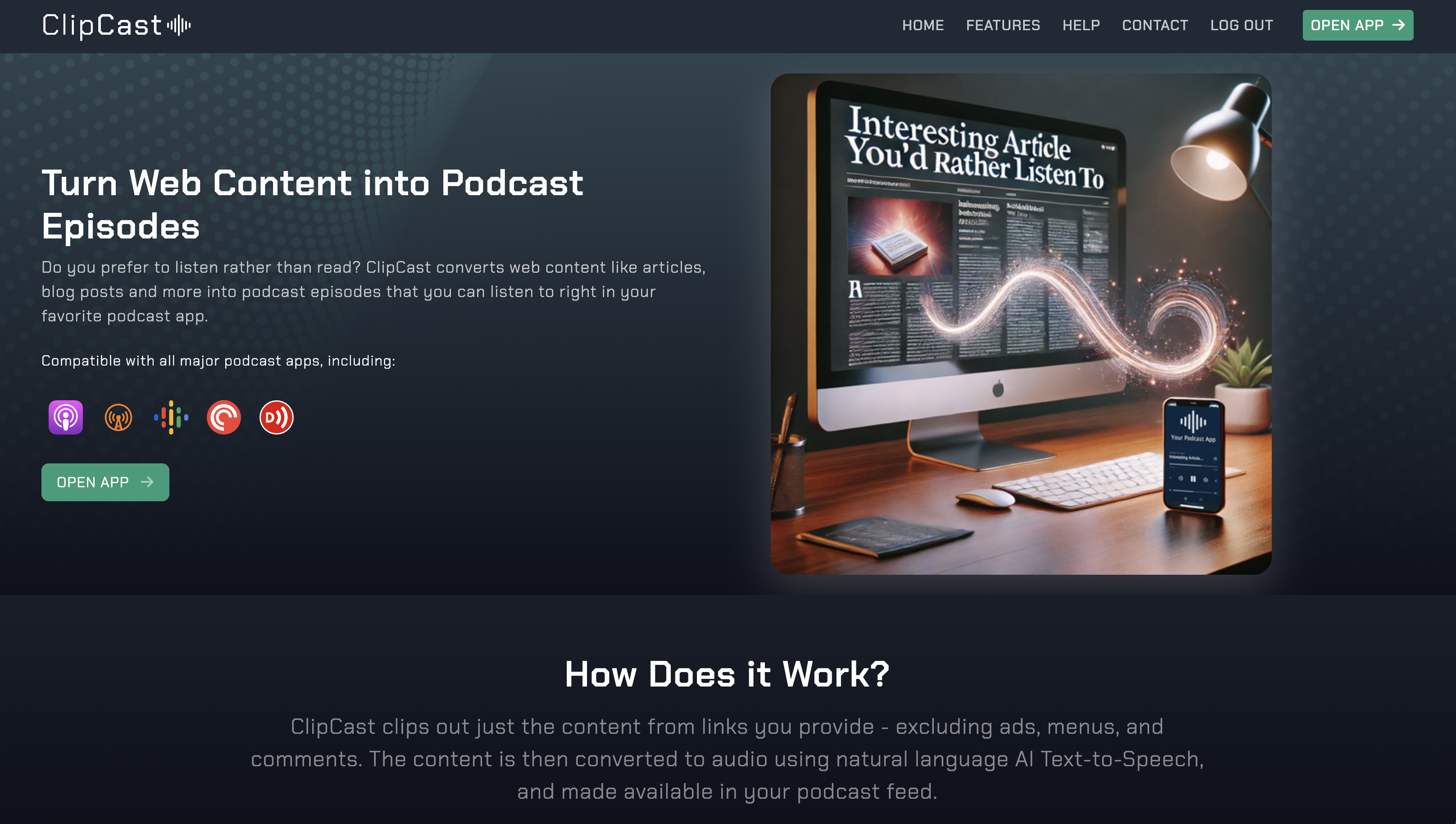
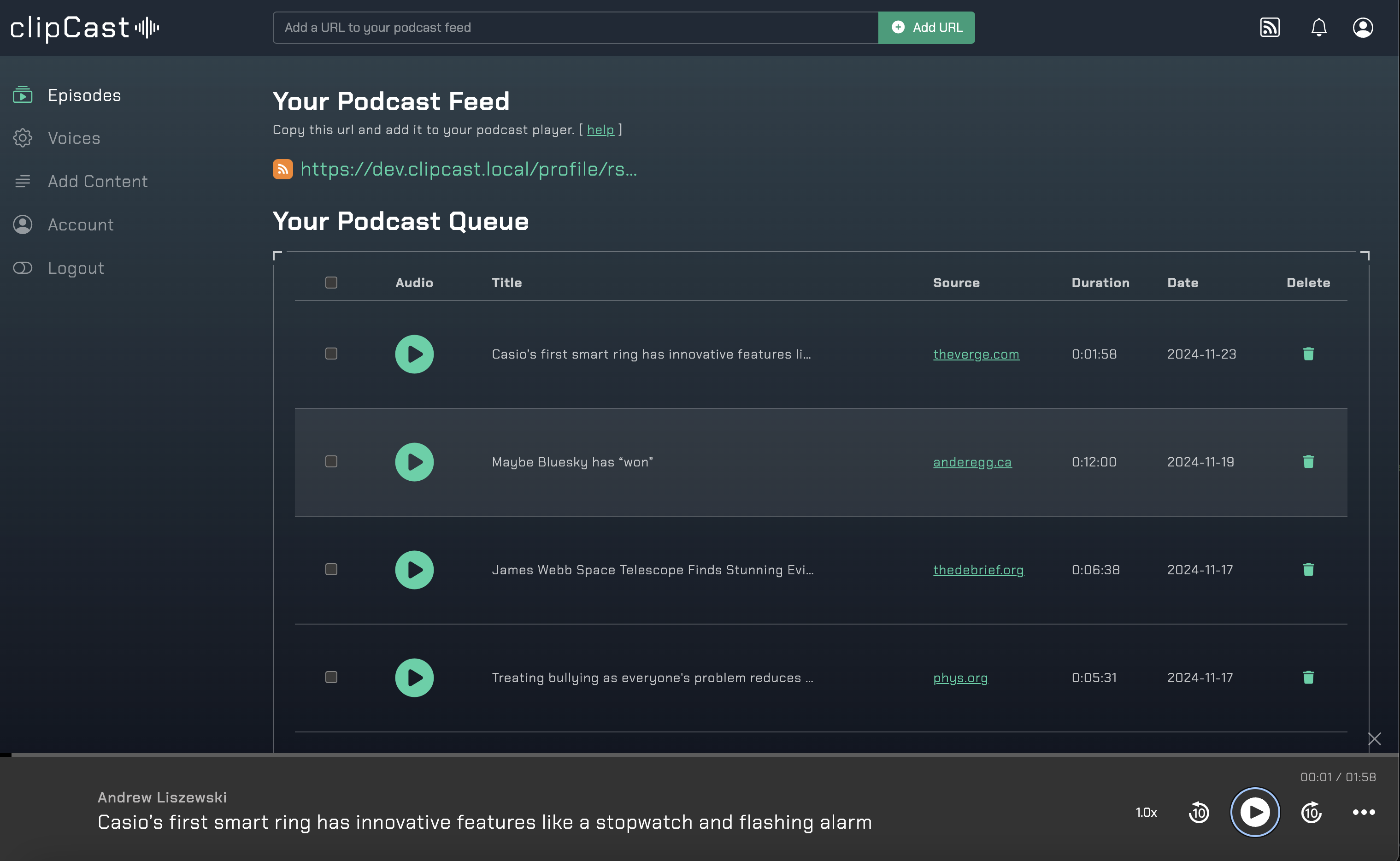
This is a web application that accepts content in the form of links (or plain text), parses the content, converts to speech and places in each user's podcast feed.
It uses python/flask on the back end and Bootstrap and HTMX on the front end.
[ClipCast.it](https://clipcast.it/)
## PREREQUISITES
1. [Docker](https://www.docker.com/) (dev environment)
2. [ngrok](https://www.ngrok.com/) (dev environment)
3. [direnv](https://direnv.net/)
4. [S3](https://www.cloudflare.com/developer-platform/solutions/s3-compatible-object-storage/)
5. [OpenAI API access](https://platform.openai.com/docs/overview) (Text-to-speech voice models)
6. [Amazon Polly API Access](https://docs.aws.amazon.com/polly/latest/dg/what-is.html) (if more voices are desired)
7. [Google TTS API Access](https://cloud.google.com/text-to-speech?hl=en) (if more voices are desired)
## INSTALLATION
1. `cp .envrc.sample .envrc` and update all lines denoted with 'update' comment
2. `direnv allow`
3. Create a virtual environment `virtualenv -p $(which python3) virtualenv_python`
4. Install python packages `pip3 install -r requirements.txt`
5. Install all NPM modules `npm install`
6. Start everything `./start.sh`
Since the ngrok static url is public, there's a password challenge:
user: misc
pass: misc
## CONNECTING TO CONTAINERS
Use following command to ssh to containers:
`docker exec -it [CONTAINER NAME] /bin/bash`
For example, to connect to the clipcast-local container:
`docker exec -it clipcast-local /bin/bash`
## TAILING LOGS
You'll probably want to know what the output of the stuff in the containers is, particularly clipcast-local
`docker logs --follow clipcast-local`
## ADDING NPM PACKAGES
webpack lives outside of docker, so no special docker command needed. Shut down the instance and run this in project directory:
`npm install [PACKAGE]`
## ADDING PYTHON PACKAGES
Not straightforward because the packages live locally in the virtual environment as well as in the container. While the
containers are running, in another terminal do this from project dir (replace [PACKAGE] with name of package you're installing):
`pip3 install [PACKAGE]; pip3 freeze > requirements.txt; docker exec -it clipcast-local pip3 install -r requirements.txt`
unfortunately you have to re-create the image if you want the package there next time you start
## FLASK INTERACTIVE SHELL
for development you can use the flask interactive shell REPL. Unfortunately it does not live-reload when file changes are made.
From WITHIN the docker container:
`flask shell`
`ctx = app.test_request_context()`
`ctx.push()`
Then do imports:
`from flask_app.modules.tts.openai_tts import OpenAITTS`
and call functions:
`OpenAITTS("/project/tmp/tests.mp3", "Thank you for using clipcast", “fable”).synthesize_speech()`
## DEBUGGING URL FETCHES
to try to figure out why "content not found" happens for certain urls, here are ways to run the 2 fetching
methods in the REPL
`flask shell`
from playwright.sync_api import sync_playwright, Error
url = "https://techxplore.com/news/2025-02-indiana-jones-jailbreak-approach-highlights.html"
fetch_timeout=8000
custom_headers = {
"User-Agent": "Mozilla/5.0 (Macintosh; Intel Mac OS X 10_15_7) AppleWebKit/537.36 (KHTML, like Gecko) Chrome/133.0.0.0 Safari/537.36",
"Accept-Language": 'en-US,en;q=0.9'
}
with sync_playwright() as p:
browser = p.chromium.launch(headless=True)
context = browser.new_context(extra_http_headers=custom_headers)
browser = p.chromium.launch(headless=True)
page = context.new_page()
page.goto(url, timeout=fetch_timeout)
page.wait_for_load_state("networkidle", timeout=fetch_timeout)
html_source = page.content()
print(html_source)
browser.close()
# with "requests"
import requests
url="https://techxplore.com/news/2025-02-indiana-jones-jailbreak-approach-highlights.html"
response = requests.get(url, timeout=8000)
response.raise_for_status()
print(response.text)
## TESTING
Testing is with Playwright
`npx playwright test --workers=1 --ui --headed --debug`
For deveoping tests
`npx playwright test --workers=1 --trace=on --project=chromium`
run all tests headless just with chromium
`npx playwright test --workers=1`
Runs the end-to-end tests.
`npx playwright test --workers=1 e2e/03_add_episode.spec.js --project=webkit --trace=on`
runs a specific test with a specific browser
`npx playwright test --ui --workers=1`
Starts the interactive UI mode.
`npx playwright test example --workers=1`
Runs the tests in a specific file.
`npx playwright test --debug --workers=1`
Runs the tests in debug mode.
`npx playwright codegen`
Auto generate tests with Codegen.