https://github.com/taskbase/tb-grid
tb-grid is a super simple and lightweight 12 column responsive grid system utilizing css grid.
https://github.com/taskbase/tb-grid
12column alternative awesome bootstrap css cssgrid foundation grid grid-layout grid-system lightweight minimalistic responsive scss simple skeleton
Last synced: 7 months ago
JSON representation
tb-grid is a super simple and lightweight 12 column responsive grid system utilizing css grid.
- Host: GitHub
- URL: https://github.com/taskbase/tb-grid
- Owner: taskbase
- License: mit
- Created: 2021-04-28T17:10:28.000Z (over 5 years ago)
- Default Branch: master
- Last Pushed: 2022-01-29T13:15:03.000Z (over 4 years ago)
- Last Synced: 2025-03-18T14:48:50.896Z (over 1 year ago)
- Topics: 12column, alternative, awesome, bootstrap, css, cssgrid, foundation, grid, grid-layout, grid-system, lightweight, minimalistic, responsive, scss, simple, skeleton
- Language: SCSS
- Homepage:
- Size: 251 KB
- Stars: 32
- Watchers: 7
- Forks: 4
- Open Issues: 0
-
Metadata Files:
- Readme: README.md
- Changelog: CHANGELOG.md
- License: LICENSE
Awesome Lists containing this project
README
# tb-grid
_Lightweight (<1kb gzipped) 12 column grid system, built with css grid._
[![][license img]][license]
[![][npm version]][npmversion]
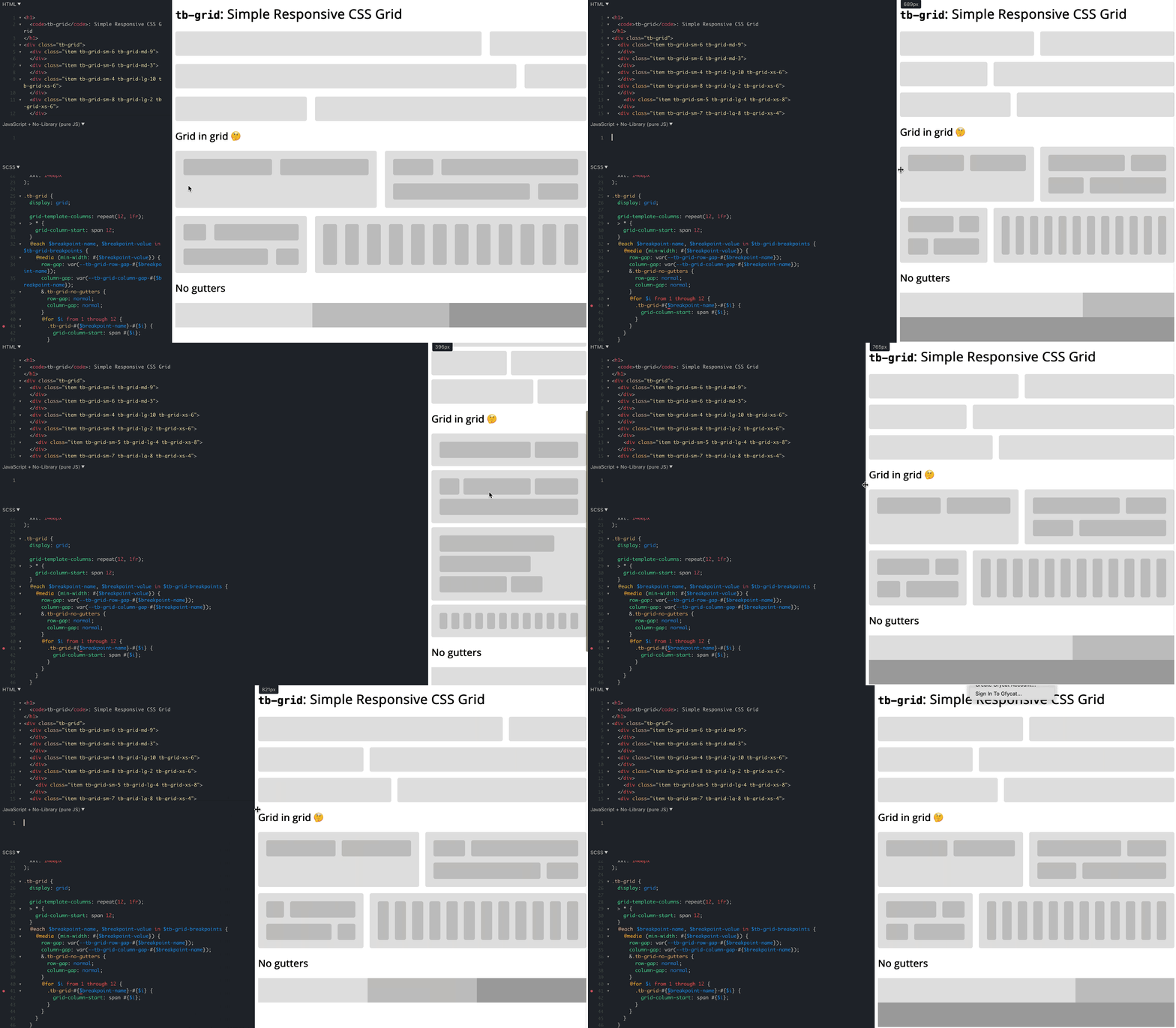
## 👉 Demos & Playground
Have a look at those examples:
- Main Demo: https://jsfiddle.net/bersling/t3uq9jnf/3/
- Demo with Cars & Cards: https://jsfiddle.net/bersling/n2tqd85h/41/
- Bootstrap example, where grid is replaced with `tb-grid`: https://codepen.io/bersling/pen/RwKzdgV (Original: https://codepen.io/WeeHorse/pen/PQydzW)
Simply fork the demos if you want to play around with `tb-grid`.
## 🤔 Why `tb-grid`?
Bootstrap's grid system is awesome. With very little code you can add responsiveness to your html in a declarative manner. The use of 12 columns make the grid system extremely versatile since you can divide it into nice fractions (12/2, 12/3, 12/4, 12/6 - they all produce integers!).
However, there are also some things bootstrap didn't get right.
1. It requires too much nesting: `.container` > `.row` > `.col`. It would be great if we could drop the `.container`.
2. Being able to change gutters (aka. gaps) on a case-by-case basis is important, but it's a bit cumbersome in bootstrap.
3. The classes aren't scoped or namespaced. Furthermore `.container` and `.row` aren't that exotic that there would be no accidental collisions.
4. While at 50kb minified the grid system isn't huge, it's not exactly tiny either.
`tb-grid` addresses all those gripes with bootstrap and frankly with all other grid systems we know (foundation, skeleton, ...).
## 🤯 What is `tb-grid`?
`tb-grid` is a reverse engineered bootstrap 12 column grid built with **CSS grid**. CSS grid allows us to build a solution in around 50 lines of scss, which translates into less than 500 lines of css (~1kb gzipped). It also allows us to drop one level of nesting that was required in bootstrap, since css grid supports gutters out of the box. Finally we made sure that everything lives under the `tb-grid-` prefix, so you'd have to be really unlucky for someone to accidentally use a class declared by this library.
## 🚀 How can I install `tb-grid`?
There are a couple of ways how you can get `tb-grid`, choose what suits you best.
### Option 1: SCSS
Copy the code from `tb-grid.scss` to your project.
### Option 2: CSS
Copy the code from `tb-grid.css` to your project.
### Option 3: npm
`npm install tb-grid` and include the scss or css file from there. (`node_modules/tb-grid/tb-grid.scss` or `node_modules/tb-grid/tb-grid.css`)
### Option 4: npm CDN (unpkg)
You could use unkpg to get the file: ``
## 🎨 How can I use `tb-grid`?
It is pretty similar to bootstrap, with the exception that it's simpler yet with better scoping:
- Add the class `.tb-grid` to an HTML element.
- Add classes of the form `.tb-grid--`, like `.tb-grid-sm-6` or `.tb-grid-md-8` to the direct children. The breakpoints are the same ones as in bootstrap (`sm: 576px, md: 768px, lg: 992px, xl: 1200px, xxl: 1400px`). The column argument can be between `1` and `12`.
- Add `.tb-grid-gap-` to define the `gap size`. Here, `` can be a value between (and including) `1` and `50`.
Complete example:
```
Item 1
Item 2
Item 3
Item 4
```
No `tb-grid-gap-` value means no gaps / gutters, since that's the only default that is not arbitrary, and it's really easy to add a gap. We currently only support symmetrical gaps up to `50px` to keep the bundle size small, but you can easily add your own classes to extend the functionality. For example `.custom-gap {row-gap: 60px; column-gap: min(20px, 8%)}`.
**Note:** When the `tb-grid` parent is smaller than `column-gap * 12`, the `column-gap` will be squished together to prevent overflows. For example, a `column-gap` of `30px` becomes problematic when the `tb-grid` parent is `360px`. That's why the `tb-grid-gap-` classes use `column-gap: min(, 8%)`, to squish the column gutters when it gets too tight.
## ✋ What limitations does `tb-grid` have?
- It doesn't support old browsers (IE): https://caniuse.com/?search=grid . 95% of people are using browsers that support CSS grid as of April 2021. It's up to you to decide whether this is sufficient for your project.
## 🤨 Do you really need `tb-grid`?
It is also fair to ask yourself whether you even want a 12 column grid system after all. It is really simple to add the grid on a per occasion basis, something like this:
```
.dashboard {
display: grid;
grid-gap: 10px;
grid-template-columns: 1fr;
@media(min-width: $my-breakpoint-sm) {
grid-template-columns: 1fr 1fr;
}
}
```
You can easily use low level css to achieve the same thing and avoid introducing too much clutter into the html. Over the years the actual CSS grid API might also be more well known amongst devs than the "bootstrap API", which `tb-grid` builds upon. It even solves the problem of the squished gutters and might be computationally more efficient, even though I haven't tested if there's any actual difference.
You can even achieve a cool responsive experience without media queries:
```
.car-grid {
display: grid;
grid-gap: 10px;
grid-template-columns: repeat(auto-fill, minmax(200px, 1fr));
}
```
Demo: https://jsfiddle.net/bersling/d3hjs5zv/3/
However, to achieve a consistent layout across a page, the 12 column grid system is a really easy-to-use and powerful tool. We've found it especially helpful on things like landing pages, where you often have different sections, jumbos etc. that should be aligned with one another but still responsive. So in our opinion, yes, tb-grid does make your life easier 🙂
## 💯 What's the status of the project?
- The project is to be considered experimental and non-battle tested at this point
- The API (class names) is not to be considered stable. Rather it is a working draft, and we'd love to receive feedback on it. This is also reflected in the npm version below `1.0.0`.
- Initial prototype is working well, see demos / playground above.
- We would be thrilled to hear your opinions & suggestions on `tb-grid`! Why don't you just give it a spin and let us know what you think? You can just open an issue or drop us an email at `daniel` `@` `taskbase` `.` `com`
[license]:LICENSE
[license img]:https://img.shields.io/badge/license-MIT-blue.svg
[npmversion]:NPMVERSION
[npm version]:https://img.shields.io/npm/v/tb-grid?color=%238B00F7