https://github.com/taskrabbit/lamezor_status_check
a no-op status check for github which can be used to block protected branches
https://github.com/taskrabbit/lamezor_status_check
Last synced: about 1 month ago
JSON representation
a no-op status check for github which can be used to block protected branches
- Host: GitHub
- URL: https://github.com/taskrabbit/lamezor_status_check
- Owner: taskrabbit
- Created: 2016-03-18T17:32:16.000Z (about 10 years ago)
- Default Branch: master
- Last Pushed: 2016-03-31T17:43:09.000Z (about 10 years ago)
- Last Synced: 2025-01-02T11:27:18.042Z (over 1 year ago)
- Language: Ruby
- Size: 487 KB
- Stars: 0
- Watchers: 4
- Forks: 0
- Open Issues: 0
-
Metadata Files:
- Readme: README.md
Awesome Lists containing this project
README
### This tool is no longer needed.... Thanks @github! => https://github.com/blog/2137-protected-branches-improvements
---------
# Lamezor Status Check
It is awesome that Github lets you edit files via the web interface. This will make it possible for less technical folks to modify code/copy. Hooray!
That said, we want to protect our integration/production branches from folks editing things all willy-nilly. You can use [protected branches](https://developer.github.com/changes/2015-09-03-ensure-your-app-is-ready-for-protected-branches/) to make sure that a certain branch is safe, but you need a "Status Check" to lock the branch against. This tool is a simple no-op status check that always says the branch is OK after a few seconds... but that's enough to lock down a branch from being edited online!
## To use
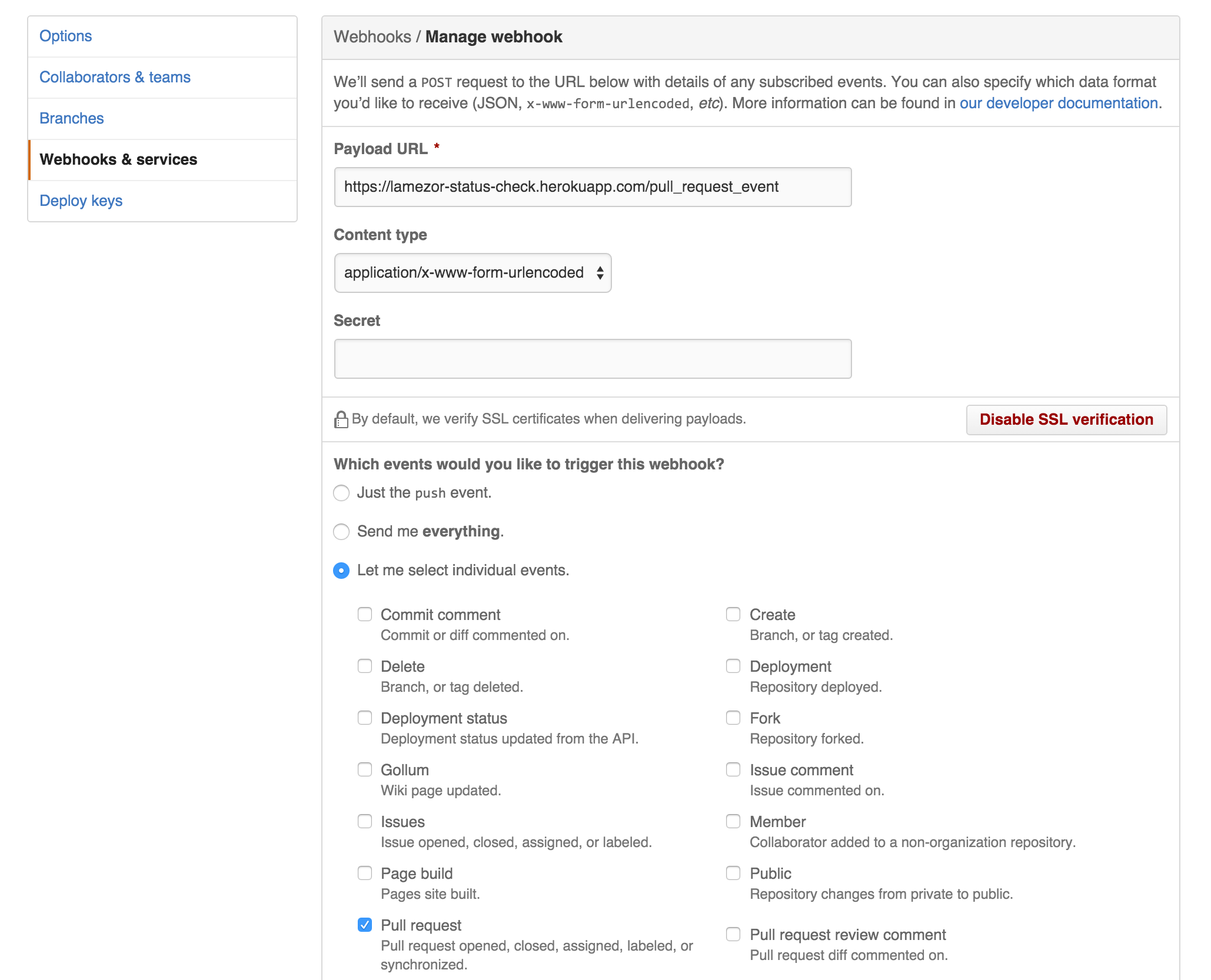
- Create a new webhook in your project pointing at `https://lamezor-status-check.herokuapp.com/pull_request_event` using the `www-form-urlencoded` data type.
- Choose to Send `The induvidual event: pull request`
- In your repository, be sure to protect the branch you care about, and then enforce that this check (lamezor) is in play
#### WebHook:
#### Protect Branch:

## Install
- `bundle install`
- `sinatra server.rb`
## Deployment
This app is running on Heroku at the URL `https://lamezor-status-check.herokuapp.com/`. The Heroku app is connected to the github project and will auto-deploy itself!
You will need to set `ENV[GITHUB_ACCESS_TOKEN]` on the server with an [API key](https://github.com/settings/tokens) that has access to the project(s) you are testing. You only need the `repo:status` permissions.