https://github.com/tastyep/hitboxbuilder-2d
Building hitboxes has never been easier
https://github.com/tastyep/hitboxbuilder-2d
c-plus-plus collision douglas-peucker ear-clipping game-2d game-development hitboxes marching-squares triangulation
Last synced: over 1 year ago
JSON representation
Building hitboxes has never been easier
- Host: GitHub
- URL: https://github.com/tastyep/hitboxbuilder-2d
- Owner: Tastyep
- License: mit
- Created: 2017-07-02T10:12:42.000Z (about 9 years ago)
- Default Branch: master
- Last Pushed: 2018-06-10T19:38:45.000Z (about 8 years ago)
- Last Synced: 2025-03-27T00:54:11.632Z (over 1 year ago)
- Topics: c-plus-plus, collision, douglas-peucker, ear-clipping, game-2d, game-development, hitboxes, marching-squares, triangulation
- Language: C++
- Homepage:
- Size: 1.02 MB
- Stars: 25
- Watchers: 3
- Forks: 2
- Open Issues: 0
-
Metadata Files:
- Readme: README.md
- License: LICENSE
Awesome Lists containing this project
README
## Introduction
Hitbox Builder is a lightweight C++ library aiming to automatizing the process of generating hitboxes composed by only convex polygons.
It was originally designed for 2D games, but it could also serve different purposes.
## License
Hitbox Builder is distributed under the [MIT License](https://raw.githubusercontent.com/Tastyep/SFML-HitboxBuilder-2D/develop/LICENSE)
## Requirements
- [SFML](https://www.sfml-dev.org/)
- [CMake](https://github.com/Kitware/CMake)
- [GCC](https://gcc.gnu.org/) or [Clang](https://clang.llvm.org/)
## Features
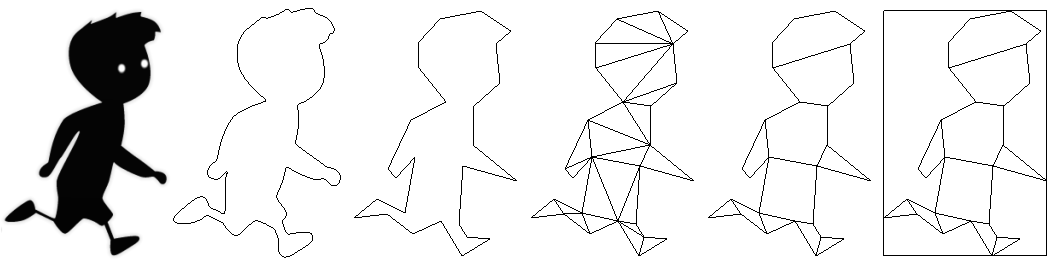
- Contour detection ([Marching squares](https://en.wikipedia.org/wiki/Marching_squares))
- Contour simplification ([Douglas–Peucker](https://en.wikipedia.org/wiki/Ramer%E2%80%93Douglas%E2%80%93Peucker_algorithm))
- Polygon triangulation ([Ear clipping](https://en.wikipedia.org/wiki/Two_ears_theorem))
- Polygon partitioning (Hertel-Mehlhorn)
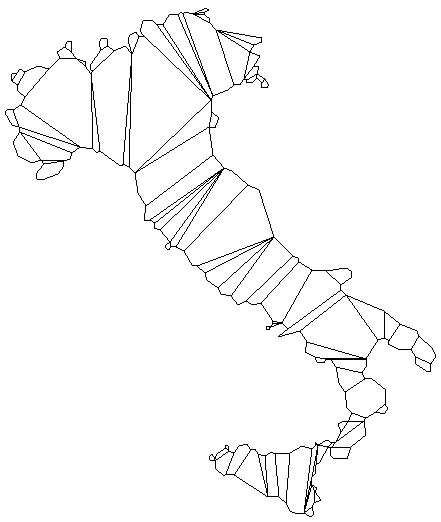
Below is a representation of each stage of transformation of the data.
## Usage
```C++
// Initialize the builder.
HitboxBuilder::init();
// Create a hitbox for the given sprite with an accuracy of 70%.
const auto hitbox = HitboxBuilder::make(sprite, 70, false);
const auto& convexPolygons = hitbox.body();
const auto& boundingBox = hitbox.bound();
// Use these data as you like.
```
## Demos
To run the demos, execute the configure script with the option '-t'.
Execute the target HitboxBuilder-tester located in the build directory.
Some test bed commands are:
- ← → keys to slide between the images.
- ↑ ↓ keys to increase/decrease the accuracy of the
algorithm.
- Space key to toggle the display of the sprite.
You can load your own images by adding them to the TestBed/assets/ directory. You will just need to restart the program as they are loaded at the beginning.
##### Output:
Input | Output
:-----------------------:|:-------------------------:
 | 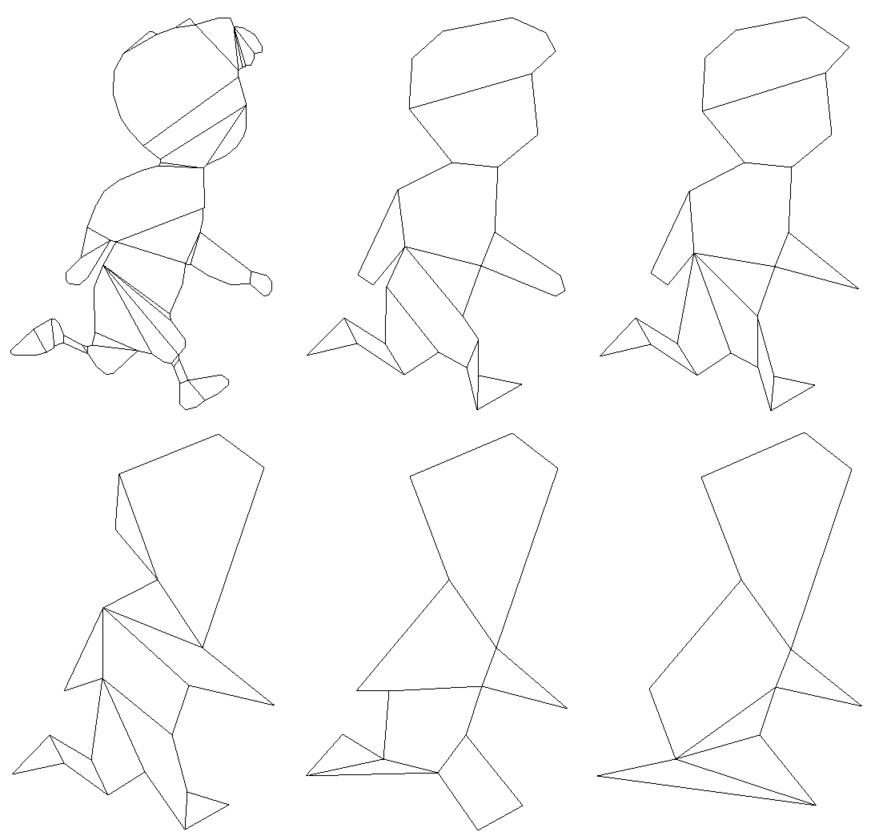
**Accuracy = 100** | **Accuracy = 66**
 |