https://github.com/taviso/wpdfilter
Enable Windows to Index WordPerfect UNIX Documents
https://github.com/taviso/wpdfilter
retrocomputing unix windows wordperfect
Last synced: 5 months ago
JSON representation
Enable Windows to Index WordPerfect UNIX Documents
- Host: GitHub
- URL: https://github.com/taviso/wpdfilter
- Owner: taviso
- Created: 2022-04-25T19:05:26.000Z (about 4 years ago)
- Default Branch: master
- Last Pushed: 2022-09-22T23:35:07.000Z (almost 4 years ago)
- Last Synced: 2025-05-07T03:46:33.628Z (about 1 year ago)
- Topics: retrocomputing, unix, windows, wordperfect
- Language: C++
- Homepage:
- Size: 17.6 KB
- Stars: 4
- Watchers: 3
- Forks: 0
- Open Issues: 0
-
Metadata Files:
- Readme: README.md
Awesome Lists containing this project
README
# WordPerfect Filter for Windows Search
This is a simple filter to let Windows Search index WordPerfect files.
If you use WordPerfect for UNIX or DOS on a modern Windows machine, then this will
let you find your documents when you search for them in Windows Explorer or
the Start Menu.
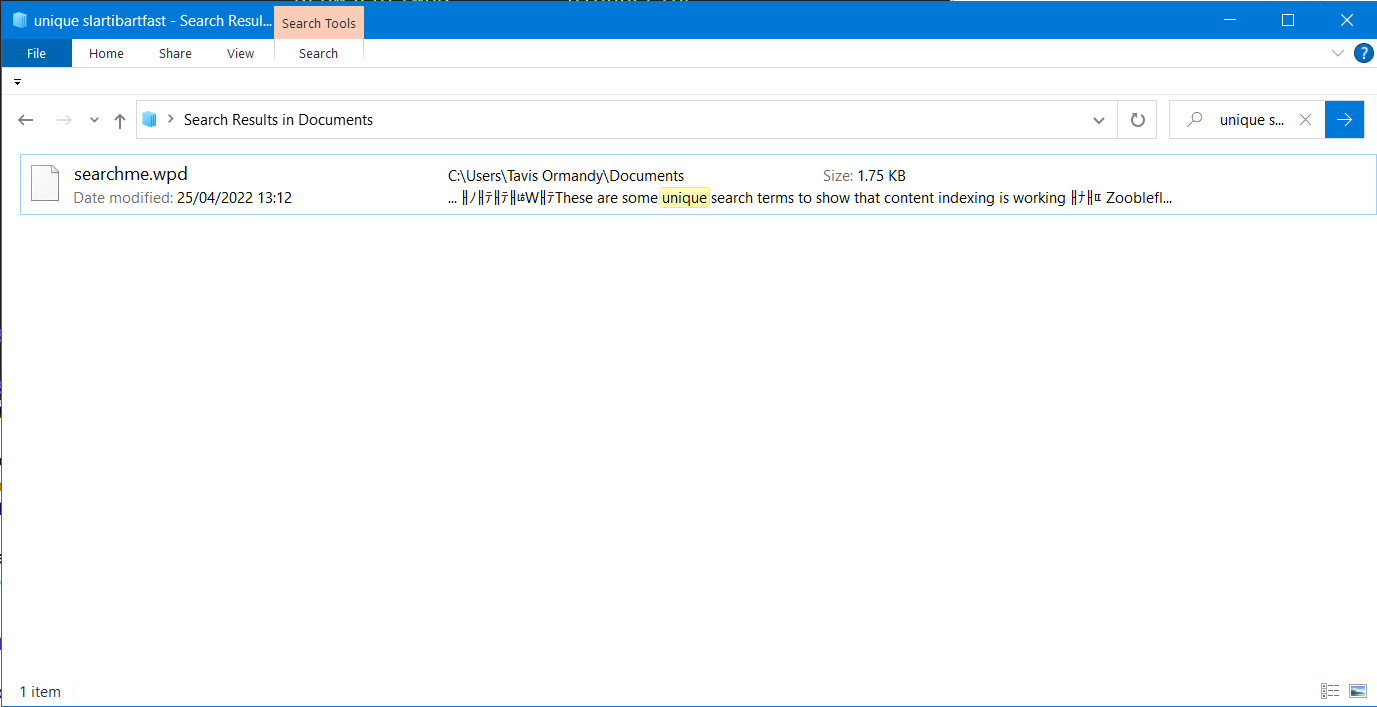
# How?
Using [libwpd](http://libwpd.sourceforge.net/), the same library LibreOffice
uses to open WordPerfect files.
# Why?
I use [WordPerfect for UNIX](https://wpunix.com) it because it is the most complete terminal-based
word processor.
## Official Filter
- Isn't there an official WordPerfect search filter?
Yes, but it doesn't read WordPerfect 5.x/6.x files (even though they claim it does).
https://www.wordperfect.com/en/pages/items/8800095.html
# Installation
Put the DLL into `C:\Windows\System32`, then register it. Open a command prompt
as Administrator, and then type:
`regsvr32 c:\Windows\System32\wpdfilt64.dll`
You should get a message that registration was successful.
You probably need to restart the Windows Search service, or just reboot. If
that worked, go to your Documents folder and try searching for something in
explorer. It should now be able to see the contents of your `.wp` files.
# Uninstallation
If you don't like it, open a command prompt as Administrator:
`regsvr32 /u c:\Windows\System32\wpdfilt64.dll`
Then delete the DLL file. You might need to reboot.