https://github.com/taylantatli/typora-theme-adwaita
A Typora theme, trying to mimic Gnome's Adwaita theme.
https://github.com/taylantatli/typora-theme-adwaita
typora typora-theme typora-themes
Last synced: 5 months ago
JSON representation
A Typora theme, trying to mimic Gnome's Adwaita theme.
- Host: GitHub
- URL: https://github.com/taylantatli/typora-theme-adwaita
- Owner: TaylanTatli
- License: mit
- Created: 2024-09-14T11:49:40.000Z (almost 2 years ago)
- Default Branch: master
- Last Pushed: 2024-09-14T14:50:16.000Z (almost 2 years ago)
- Last Synced: 2025-02-25T19:34:51.295Z (over 1 year ago)
- Topics: typora, typora-theme, typora-themes
- Language: SCSS
- Homepage:
- Size: 323 KB
- Stars: 0
- Watchers: 1
- Forks: 0
- Open Issues: 0
-
Metadata Files:
- Readme: README.md
- License: LICENSE
Awesome Lists containing this project
README
# Typora Adwaita Theme
A [Typora](https://typora.io) theme, trying to mimic Gnome's Adwaita theme.
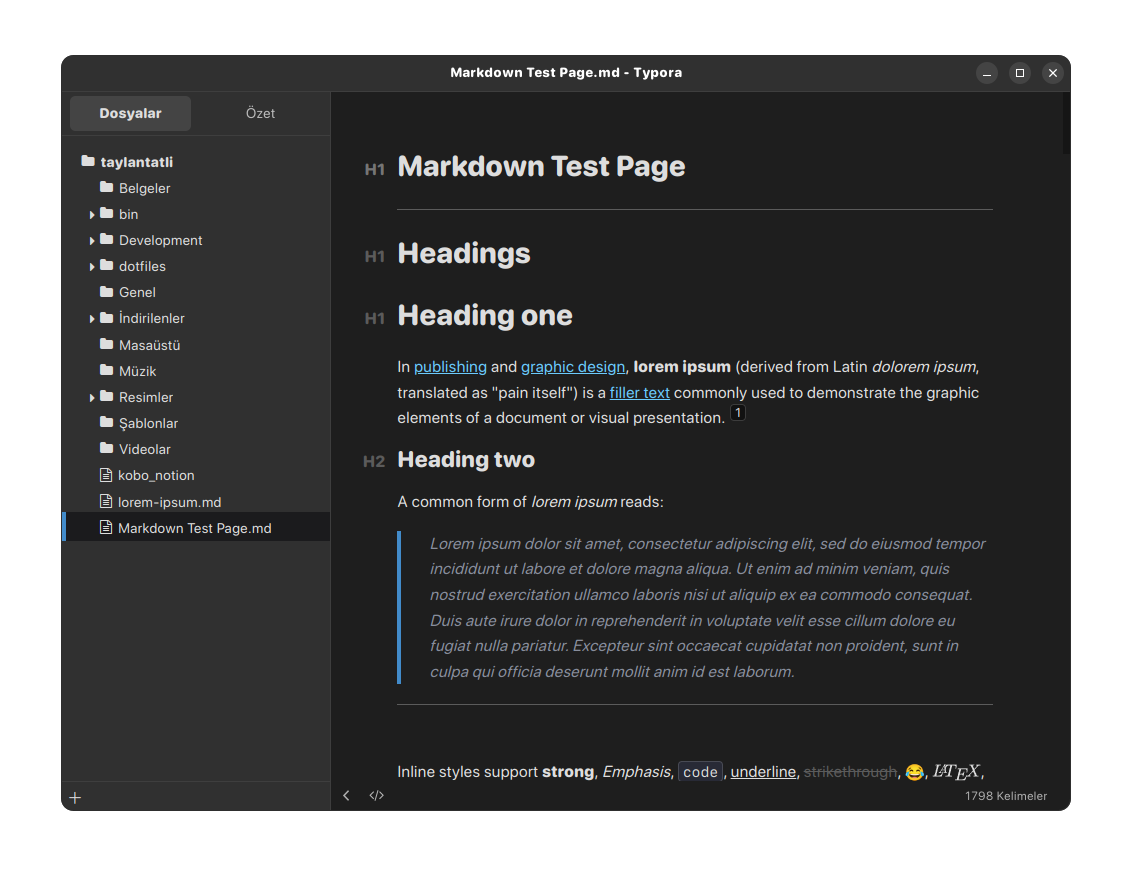
Code fence themes are taken from [here](https://support.typora.io/Code-Block-Styles/), it's CodeMirror Material theme with modified background color.
> Note: This theme has been designed and tested for Linux only. I don't know how it looks with unibody.
## Installation
Decompress the latest release from [here](https://github.com/TaylanTatli/typora-theme-adwaita/releases). In Typora's preferences windows, go to `General -> Themes` and click on `Open Theme Folder`. Drop all the decompressed files and folders in there, and enjoy!
## Build
This theme uses [Sass](https://sass-lang.com/) and [Gulp.js](https://gulpjs.com/), so the repo doesn't hold the direct CSS files for the sake of keeping the repo's filetree clean.
If you wish to manually build the theme (and maybe add your own touches in the process), you'll need `pnpm` & run the following commands:
```bash
pnpm i
gulp
```
The compiled CSS files will be located in the `/dist` directory once complete.
Three is also a `dev` script that will watch the files and assets & update your themes in your themes folder directly as you save your changes. Simply run `gulp dev` to do so (and remember to reselect the theme in Typora afterwards to see the changes).
## Thanks
- [**Ursine Typora Theme**](https://github.com/noatpad/typora-theme-ursine): I started building this theme based on Ursine Typora Theme.