https://github.com/taypo/redial
SSH Session Manager
https://github.com/taypo/redial
Last synced: 6 months ago
JSON representation
SSH Session Manager
- Host: GitHub
- URL: https://github.com/taypo/redial
- Owner: taypo
- License: gpl-3.0
- Created: 2019-02-28T12:07:29.000Z (over 7 years ago)
- Default Branch: master
- Last Pushed: 2026-01-18T18:23:36.000Z (7 months ago)
- Last Synced: 2026-01-19T02:39:30.985Z (7 months ago)
- Language: Python
- Size: 3.99 MB
- Stars: 206
- Watchers: 6
- Forks: 17
- Open Issues: 12
-
Metadata Files:
- Readme: README.md
- License: LICENSE
- Code of conduct: CODE_OF_CONDUCT.md
Awesome Lists containing this project
- awesome-ssh - redial - Terminal Based SSH Session Manager for Unix Systems (Apps / Tools)
- awesome-ssh - redial - Terminal Based SSH Session Manager for Unix Systems (Apps / Tools)
README
# redial
[](https://pypi.org/project/redial/)
[](LICENSE)
[](https://pypi.org/project/redial/)
redial is a simple shell application that manages your SSH sessions on Unix terminal.

## What's New
### 0.7 (19.12.2019)
- Basic support for adding ssh keys to connections
- Dynamic, Local and Remote port forwarding settings (only one of each can be defined for now)
- UI state is restored at startup. Redial now remembers last selected connection and folder expanded/collapsed states
## Installation
### Requirements
- Python 3 or later to run redial.
- [mc (Midnight Commander)](https://midnight-commander.org/) to use `F5 (Browse)` feature.
### Stable Version
#### Installing via pip
We recommend installing redial via pip:
```bash
pip3 install redial
```
### Latest Version
#### Installing from Git
You can install the latest version from Git:
```bash
pip3 install git+https://github.com/taypo/redial.git
```
### Docker
[Dockerfile](Dockerfile) is provided.
#### Build Dockerfile:
```bash
docker build -t redial .
```
#### Run redial in Docker Container
```bash
docker run -it --rm redial:latest redial
```
## Features
- [x] Manage your connections in folders/groups
- [x] Open a file manager to your remote host (Midnight Commander should be installed)
- [x] Edit/Move/Delete connection
- [x] Copy SSH Key to remote host
More features coming soon..
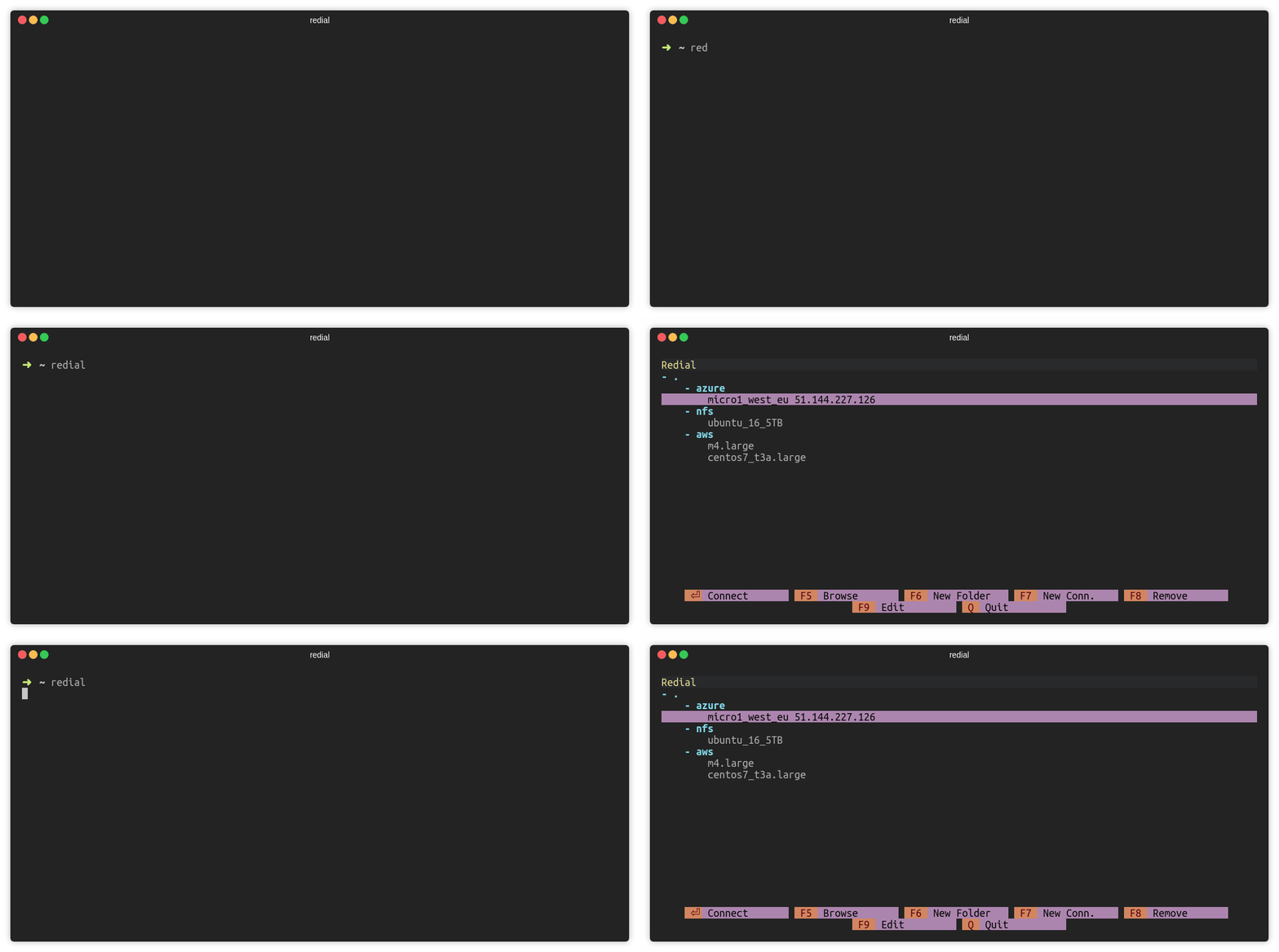
### Connect to SSH Session (ENTER)
Press `ENTER` to connect a SSH session.
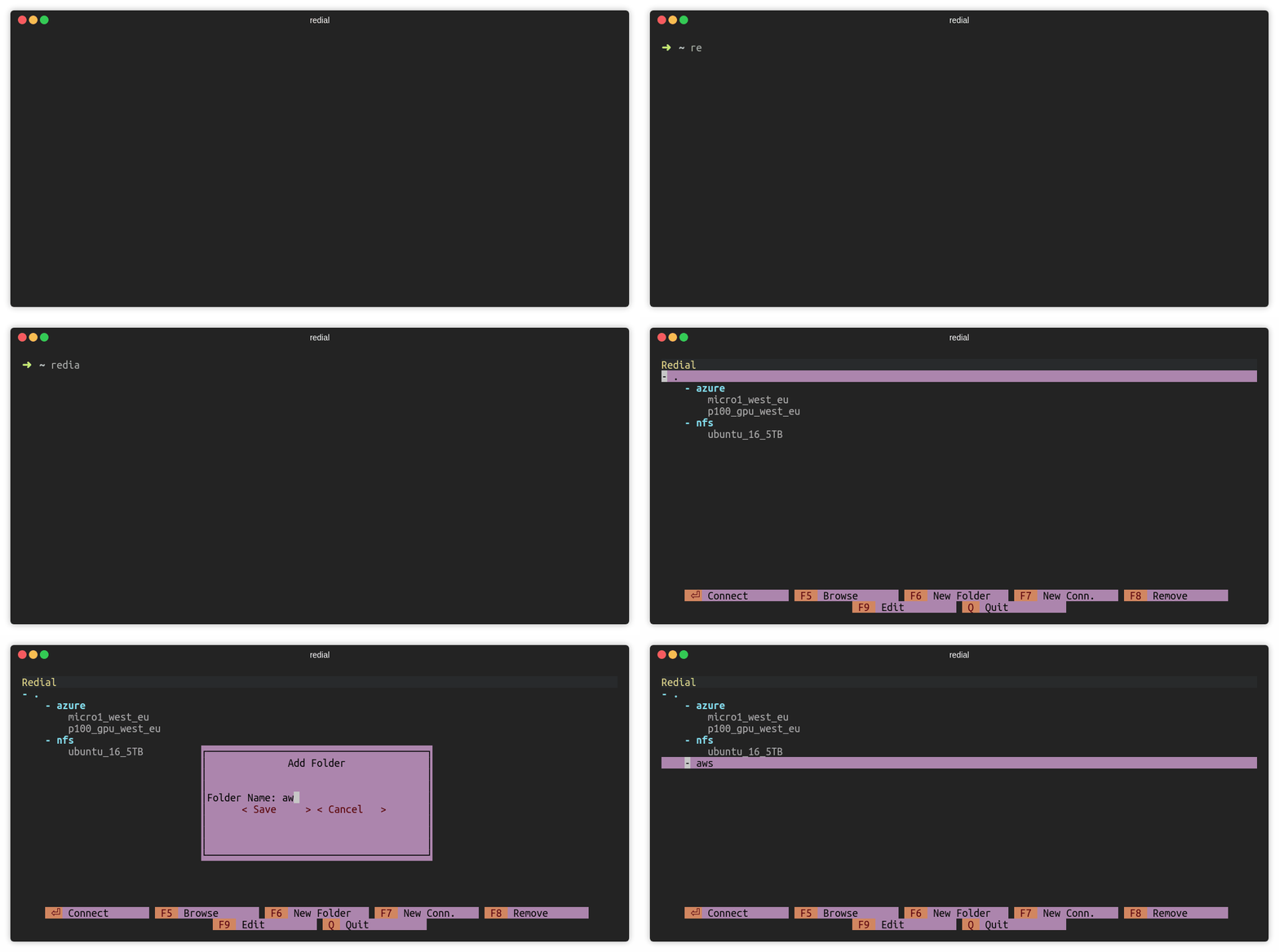
### Add Folder (F6)
Press `F6` or click `F6 New Folder` to add a folder. There must be at least
one connection under the folder.
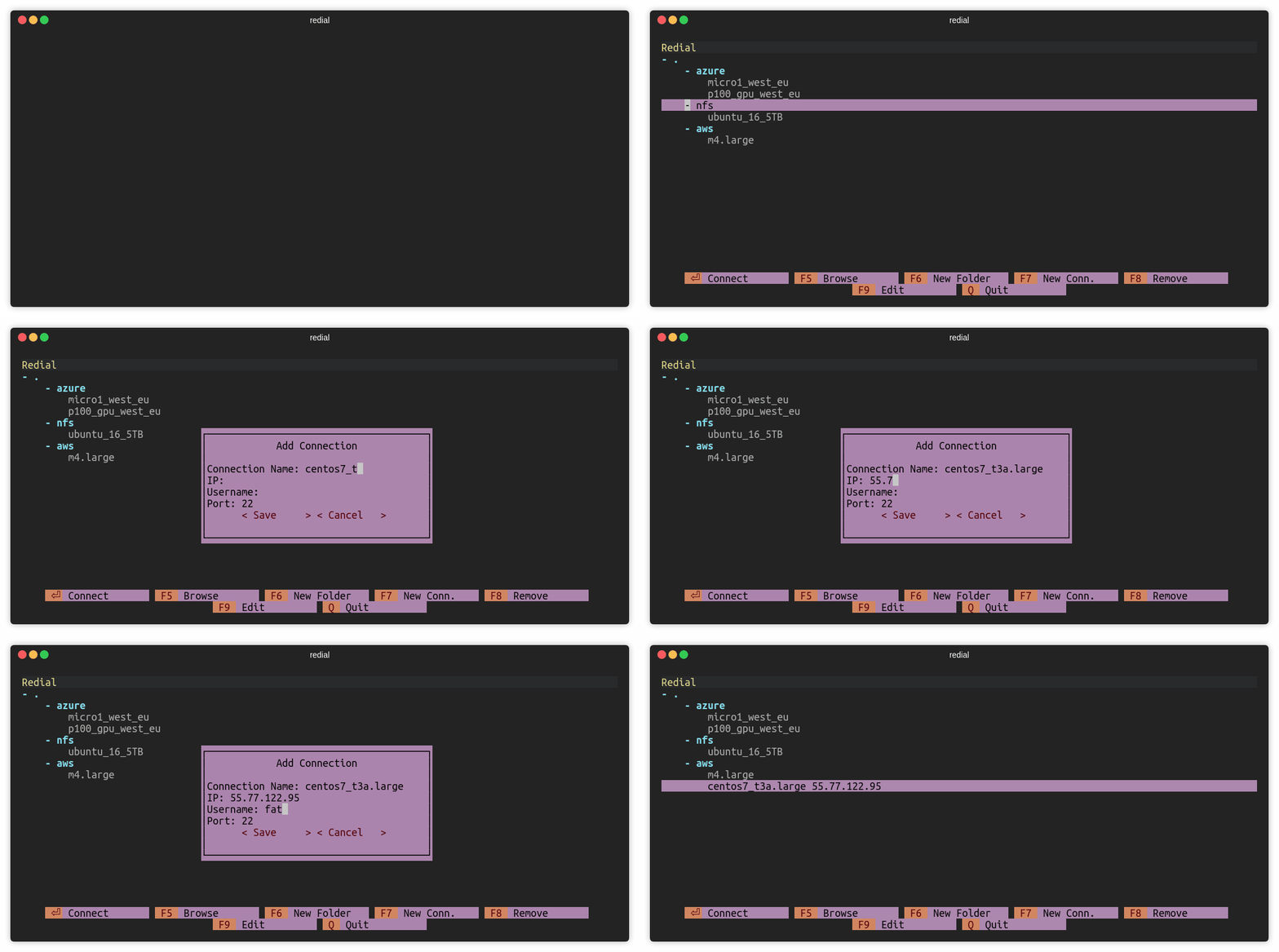
### Add Connection (F7)
Press `F7` or click `F7 New Conn.` to add a ssh connection.
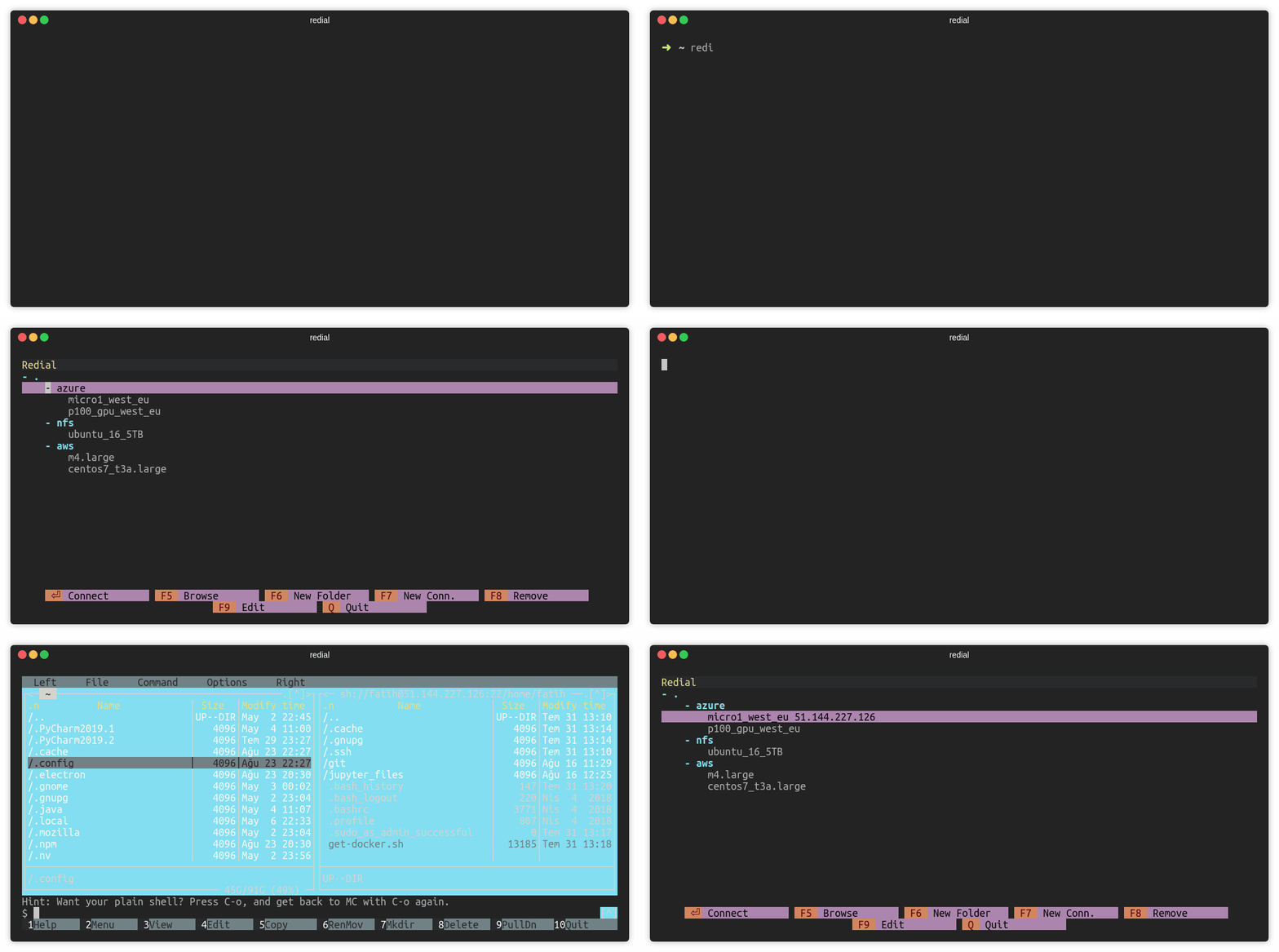
### Browse over mc (F5)
Press `F5` or click `F5 Browse` to open mc (Midnight Commander) session.
### Remove Connection (F8)
Press `F8` or click `F8 Remove` to remove a session.
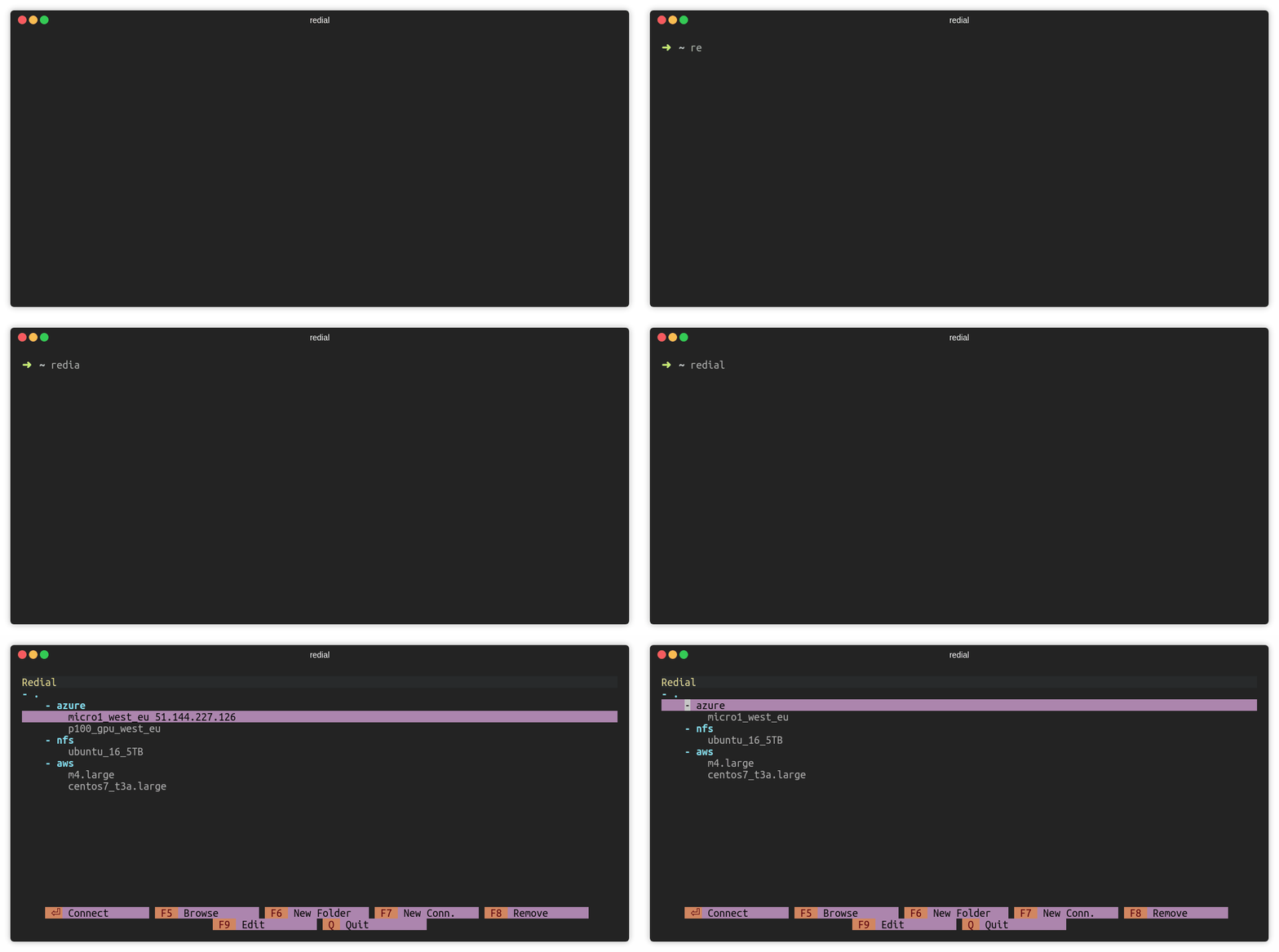
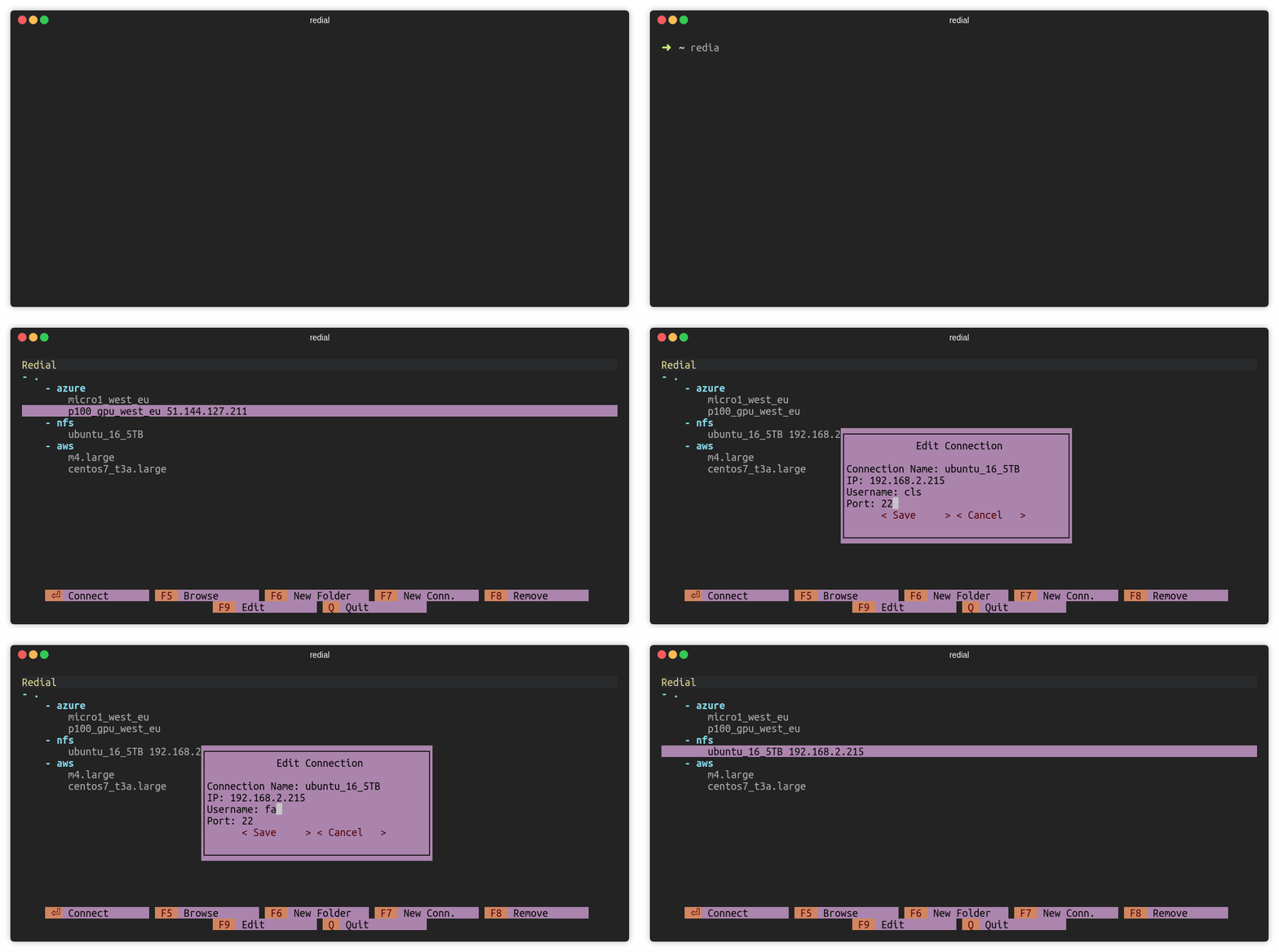
### Edit Connection (F9)
Press `F9` or click `F9 Edit` to edit a session.
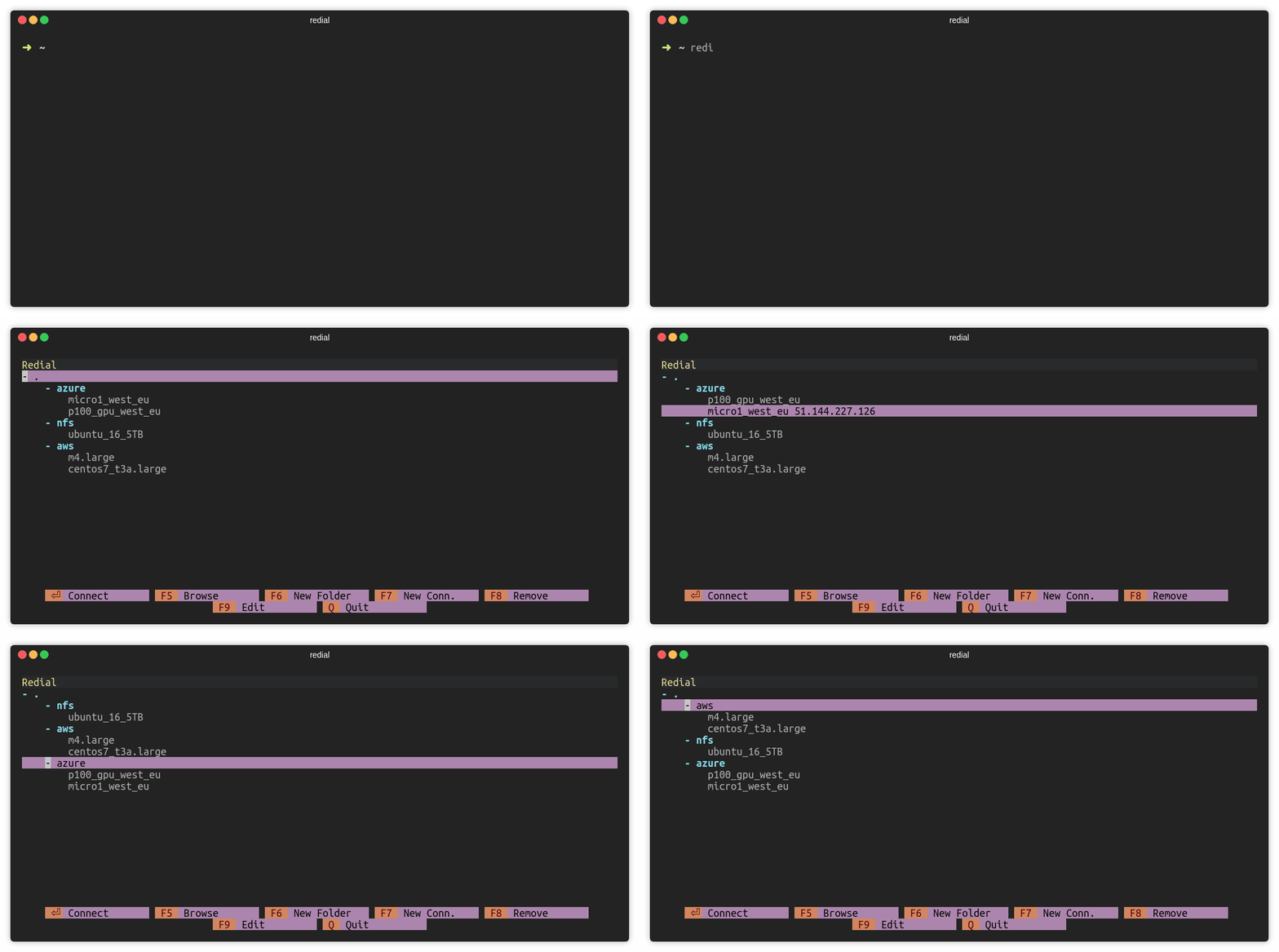
### Move sessions and folders
Press `CTRL` and `up/down` keys to move session or folder. **For macOS users:** Use `ALT` and `up/down` keys.
## Notes
Configuration file is stored in `~/.config/redial/sessions`. File format
is same as the [SSH config](https://man.openbsd.org/ssh_config) file. Configuration file can be included in
SSH config file with the following way (Make sure that `~/.ssh/config` file exists):
```bash
sed -i -e '1iInclude ~/.config/redial/sessions' ~/.ssh/config
```
## Platforms
- Linux
- macOS
Windows is currently not supported.
## Development
To set up a local development environment:
```bash
git clone https://github.com/taypo/redial.git
cd redial
python3 -m venv venv
source venv/bin/activate # On Windows: venv\Scripts\activate
pip install -e .
```
Run redial:
```bash
redial
```
Or run directly as a module:
```bash
python -m redial
```
## License
redial is licensed under the [GNU General Public License v3.0](LICENSE).