https://github.com/tdameritrade/recur
Persistent storage library that integrates with different types of storage APIs.
https://github.com/tdameritrade/recur
Last synced: 3 months ago
JSON representation
Persistent storage library that integrates with different types of storage APIs.
- Host: GitHub
- URL: https://github.com/tdameritrade/recur
- Owner: TDAmeritrade
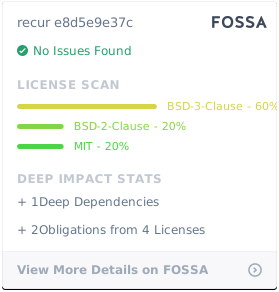
- License: bsd-3-clause
- Created: 2019-09-05T12:36:26.000Z (over 6 years ago)
- Default Branch: master
- Last Pushed: 2023-01-04T09:02:29.000Z (about 3 years ago)
- Last Synced: 2025-04-18T17:49:30.208Z (9 months ago)
- Language: TypeScript
- Size: 651 KB
- Stars: 5
- Watchers: 3
- Forks: 1
- Open Issues: 15
-
Metadata Files:
- Readme: README.md
- Changelog: CHANGELOG.md
- Contributing: CONTRIBUTING.md
- License: LICENSE
Awesome Lists containing this project
README
# recur
[](https://app.fossa.io/projects/git%2Bgithub.com%2FTDAmeritrade%2Frecur?ref=badge_shield)
Recur is persistent storage library that integrates with different types of storage APIs.
## Install
`npm install @tdameritrade/recur`
## Usage
Create a recurring storage object and set the storage container you would like to use. Your app interacts with the recurring storage instance. The storage container can be swapped out with a different API without having to change the usage in you application.
For example, you can use local storage to store application configuration and then switch to indexedDB without affecting your application.
```typescript
import { RecurringStorage, LocalStorageContainer } from '@tdameritrade/recur';
const storage = new RecurringStorage();
const container = new LocalStorageContainer(window.localStorage);
storage.setContainer(container);
await storage.setItem('test', { value: 123 });
const value = await storage.getItem('test'); //=> { value: 123 }
```
All APIs are async and will return Promises.
### Scoping to a specific key
You can scope a storage down to a specific key of a stored item. Take the following example.
```typescript
await storage.setItem('config', { grids: { refreshAsync: true } });
// In our grid component we can use just this grid config.
const gridStorage = storage.scope('grids');
await gridStorage.setItem('refreshAsync', false);
await storage.getItem('config'); //=> { grids: { refreshAsync: false } }
```
### Writing your own containers
A couple containers are provided, but you can easily write your own, for example to communicate with a database. Just implement the `StorageContainer` interface.
### Access control
Recur has a built in access control mechanism for preventing reads/writes that would result in stale or overwritten data. You can find out more about this by referencing the `StorageTransationQueue`.
## License
[](https://app.fossa.io/projects/git%2Bgithub.com%2FTDAmeritrade%2Frecur?ref=badge_large)