https://github.com/tech-scripts/linux
Tech Scripts is a collection of utilities designed to simplify Linux system management, automation, and configuration. The project includes tools for managing LXC containers and virtual machines in Proxmox VE, as well as utilities for Debian system optimization, monitoring, and task automation.
https://github.com/tech-scripts/linux
bash grub lxc proxmox scripts shell ssh sway vm
Last synced: about 1 year ago
JSON representation
Tech Scripts is a collection of utilities designed to simplify Linux system management, automation, and configuration. The project includes tools for managing LXC containers and virtual machines in Proxmox VE, as well as utilities for Debian system optimization, monitoring, and task automation.
- Host: GitHub
- URL: https://github.com/tech-scripts/linux
- Owner: tech-scripts
- License: apache-2.0
- Created: 2025-04-04T17:38:02.000Z (about 1 year ago)
- Default Branch: main
- Last Pushed: 2025-04-18T20:00:25.000Z (about 1 year ago)
- Last Synced: 2025-04-19T05:19:09.265Z (about 1 year ago)
- Topics: bash, grub, lxc, proxmox, scripts, shell, ssh, sway, vm
- Language: Shell
- Homepage: https://github.com/tech-scripts/linux
- Size: 805 KB
- Stars: 1
- Watchers: 1
- Forks: 0
- Open Issues: 0
-
Metadata Files:
- Readme: README.md
- Changelog: CHANGELOG.md
- Contributing: CONTRIBUTING.md
- License: LICENSE
- Code of conduct: CODE_OF_CONDUCT.md
- Security: SECURITY.md
Awesome Lists containing this project
README
Tech Scripts
Best scripts for configuring linux



---
## 🚀 Project Overview
**Tech Scripts** is a collection of utilities designed to simplify Linux system management, automation, and configuration. The project includes tools for managing LXC containers and virtual machines in Proxmox VE, as well as utilities for Debian system optimization, monitoring, and task automation. Key features include:
- **LXC and VM Management**: Simplify the configuration, and monitoring of LXC containers and virtual machines in Proxmox VE.
- **Debian Configuration**: Tools for optimizing system performance, including swap management, GRUB configuration, and startup commands.
- **SSH in Telegram**: Receive notifications about SSH connections and manage sessions via Telegram.
- **Task Automation**: Scripts for backups, resource monitoring, and other routine tasks.
---
## 📦 Features
### LXC and VM Management
- **Create and Delete Containers**: Easily manage LXC containers.
- **Configure Virtual Machines**: Quickly set up VMs in Proxmox VE.
- **Resource Monitoring**: Track resource usage for containers and VMs.
### Debian Configuration
- **Swap Management**: Optimize and configure swap files.
- **Startup Commands**: Automate tasks with custom startup scripts.
- **GRUB Configuration**: Customize the GRUB bootloader for better system performance.
### SSH in Telegram
- **SSH Notifications**: Get real-time alerts in Telegram for new SSH connections.
- **Session Management**: Control SSH sessions via a Telegram bot.
### Other Utilities
- **System Monitoring**: Tools for monitoring system health and resource usage.
- **Backup Automation**: Scripts for automated data backups.
---
## ✅ Requirements
Ensure your system meets the following prerequisites:
- **Linux**: Compatible with most distributions.
- **Dependencies**: `bash`, `curl` and `git` should be installed.
---
## 🚀 Installation
To install and run the project, use the following command:
```
bash -c "$(wget -qO- https://raw.githubusercontent.com/tech-scripts/linux/refs/heads/main/misc/start.sh)"
```
## 📚 Usage
### LXC and VM Management
- **Manage lxc**: `tech lxc`
- **Manage vm**: `tech vm`
### Debian Configuration
- **Setup Swap**: `tech swap`
- **Configure GRUB**: `tech grub`
- **Startup Script**: `tech startup`
### SSH in Telegram
- **Enable SSH Notifications**: `tech ssh alert`
- **Manage SSH Sessions**: `tech ssh manage`
---
## ❤️ Support the Project
If you find this project useful, consider supporting it:
- **Star on GitHub**: Leave a star on [GitHub](https://github.com/tech-scripts/linux)
- **Feedback**: Share your ideas and suggestions in our: [GitHub discussions](https://github.com/tech-scripts/linux/discussions)
---
## 💬 Questions and Support
If you have questions or need help, join our Telegram community:

---
## 📜 License
This project is licensed under the Apache License 2.0. For more details, see the [LICENSE](LICENSE) file.
---
© 2025 Tech Scripts. All rights reserved.
---
### 🛠️ Development
If you'd like to contribute to the project, feel free to fork the repository and submit a pull request. Check out the [Contributing Guidelines](CONTRIBUTING.md) for more details.
---
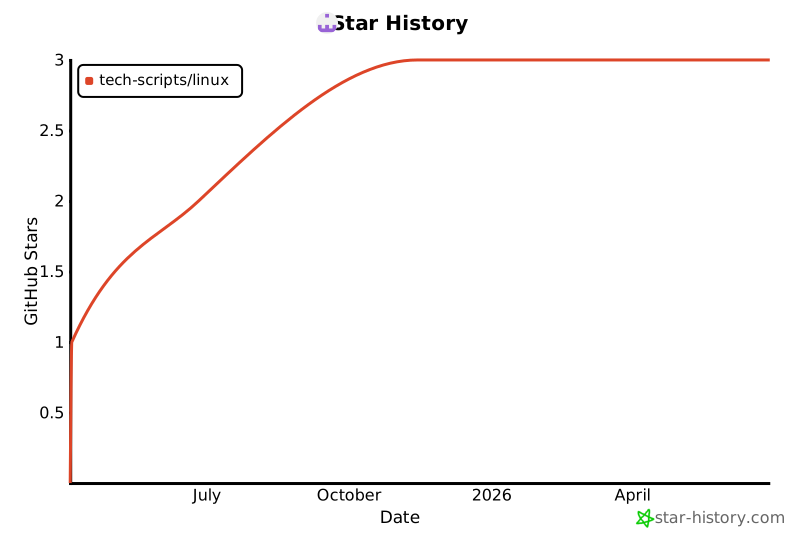
### 🌟 Star History
---
### 🙏 Credits
Special thanks to all contributors and the open-source community for their support and inspiration.
---