https://github.com/techayush6476/spliteasy
https://github.com/techayush6476/spliteasy
chartjs es6 express gcp javascript jsx lld material-ui mongodb nodejs reactjs redux splitwise system-design
Last synced: 3 months ago
JSON representation
- Host: GitHub
- URL: https://github.com/techayush6476/spliteasy
- Owner: TecHAyusH6476
- Created: 2025-08-30T12:29:30.000Z (10 months ago)
- Default Branch: main
- Last Pushed: 2025-08-30T13:31:59.000Z (10 months ago)
- Last Synced: 2025-08-30T15:20:35.330Z (10 months ago)
- Topics: chartjs, es6, express, gcp, javascript, jsx, lld, material-ui, mongodb, nodejs, reactjs, redux, splitwise, system-design
- Language: JavaScript
- Homepage:
- Size: 13.8 MB
- Stars: 0
- Watchers: 0
- Forks: 0
- Open Issues: 0
-
Metadata Files:
- Readme: README.md
Awesome Lists containing this project
README

SplitEasy
Build with the MERN stack (MongoDB, Express, React and NodeJS).
Explore the docs »
View Demo
·
Report Bug
·
Request Feature
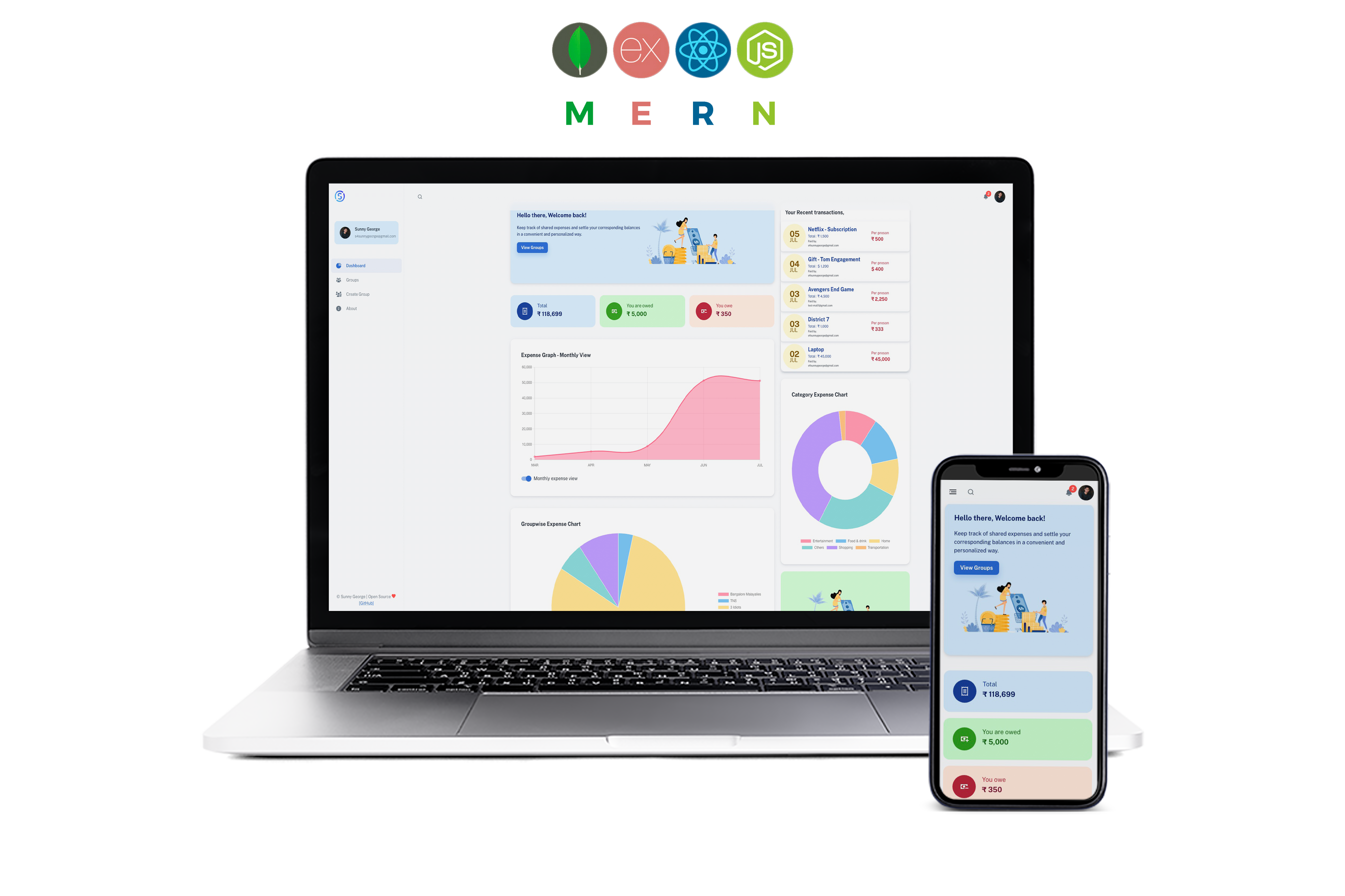
## MERN Stack Group Expense Splitting Application
* [Introduction](#introduction)
* [Key Features](#key-features)
* [Technologies used](#technologies-used)
- [Frontend](#frontend)
- [Backend](#backend)
- [Database](#database)
* [Configuration and Setup](#configuration-and-setup)
* [License](#license)
## Introduction
This is a side project I've been working on. A full stack expense spliting app - splitwise clone made using the MERN stack (MongoDB, Express, React & Nodejs), specially designed to split group expense between friends. With this application, you can add your expense details and get an whole expense analytics feature - Group Balance, Monthly amount spend, Catagory wise expense spending graph etc... Jump right off the [Live App](https://spliteasy-rnjo.onrender.com/) and start adding your expenses or download the entire [Source code](https://github.com/TecHAyusH6476/SplitEasy/) and run it on your server. This project is something I've been working on in my free time so I cannot be sure that everything will work out correctly. But I'll appreciate you if can report any issue.
## Key Features
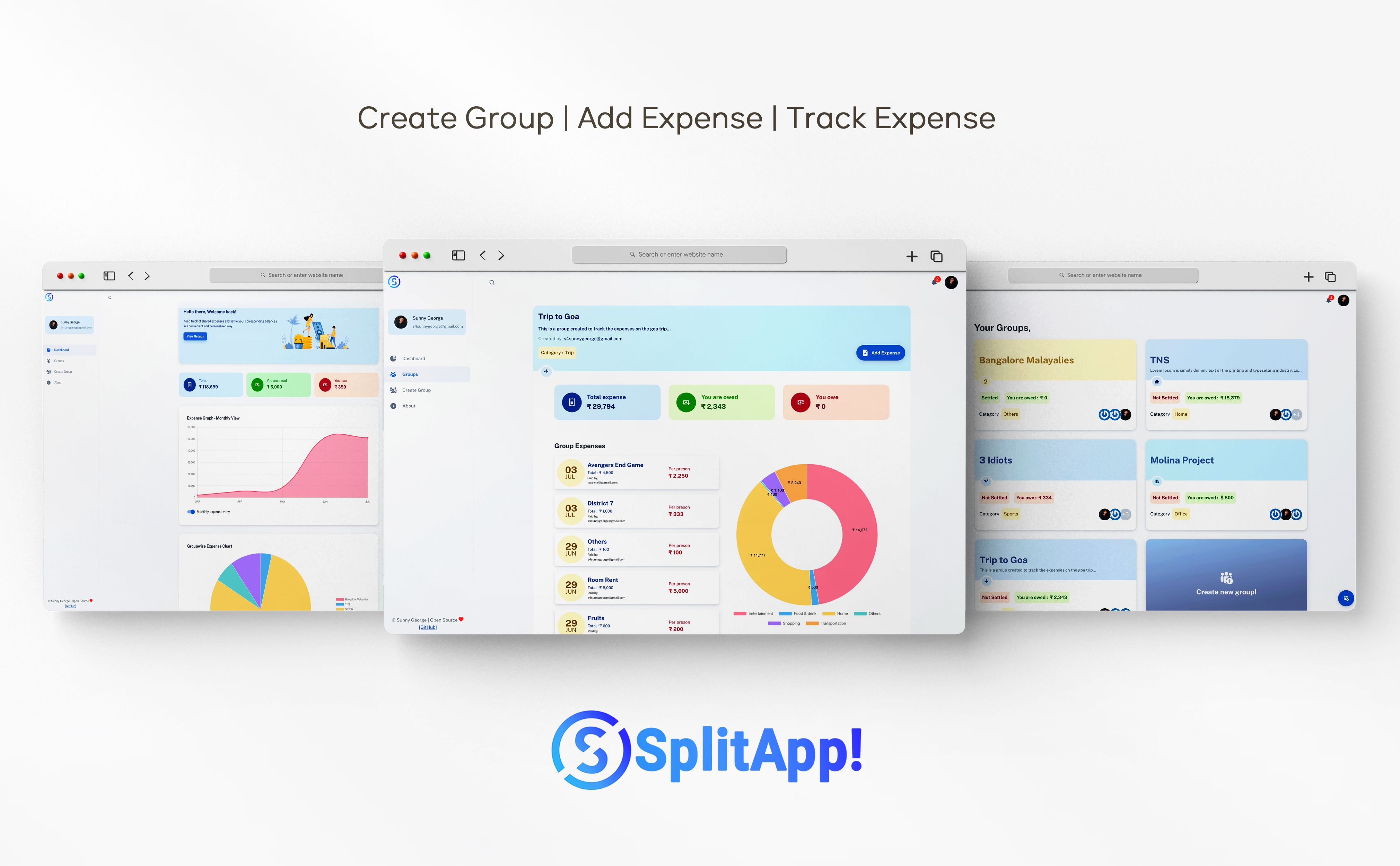
- Create user groups and track group expense
- Keep track of shared expenses and settle your corresponding balances in a convenient and personalized way.
- Get Analytical graphs to understand your expenditure trend
- Multiple user registration.
- Authentication using JSON web token (JWT)
## Technologies used
This project was created using the following technologies.
#### Frontend
- React JS
- Redux (for managing and centralizing application state)
- Axios (for making api calls)
- Material UI (for User Interface)
- Chart.js (To display various analytics graphs)
- React-chartjs-2
- Gravitar (for user profile picture)
#### Backend
- Express
- Mongoose
- JWT (For authentication)
- bcryptjs (for data encryption)
#### Database
MongoDB (MongoDB Atlas)
## Configuration and Setup
In order to run this project locally, simply fork and clone the repository or download as zip and unzip on your machine.
- Open the project in your prefered code editor.
- Go to terminal -> New terminal (If you are using VS code)
- Split your terminal into two (run the client on one terminal and the server on the other terminal)
In the first terminal - Setup Clinet
```
$ cd client
$ npm install (to install client-side dependencies)
$ npm start (to start the client)
```
For setting up backend (root directory)
- create a .env file in the root of your directory.
- Supply the following credentials
```
PORT=3001
MONGODB_URI=
ACCESS_TOKEN_SECRET=
```
Please follow [This tutorial](https://dev.to/dalalrohit/how-to-connect-to-mongodb-atlas-using-node-js-k9i) to create your mongoDB connection url, which you'll use as your MONGODB_URI
Provide some random key in ACCESS_TOKEN_SECRET or you could generate one using node enter the below command in the terminal to genrate a random secret key
```
node -e "console.log(require('crypto').randomBytes(256).toString('base64'));"
```
In the second terminal (*in the project root directory (back-end))
```
$ npm install (to install server-side dependencies)
& npm start (to start the server)
```
## Comment
I intend to keep adding more features to this application, so if you like it, please give it a star, that will encourage me to
to keep improving the project.