https://github.com/techchipnet/p10k
Customize Your Terminal with Powerlevel10k and Zsh for an Enhanced Experience
https://github.com/techchipnet/p10k
Last synced: 5 months ago
JSON representation
Customize Your Terminal with Powerlevel10k and Zsh for an Enhanced Experience
- Host: GitHub
- URL: https://github.com/techchipnet/p10k
- Owner: techchipnet
- Created: 2024-09-03T02:51:59.000Z (almost 2 years ago)
- Default Branch: main
- Last Pushed: 2024-09-09T03:12:03.000Z (almost 2 years ago)
- Last Synced: 2025-02-26T07:44:41.222Z (over 1 year ago)
- Size: 11.7 KB
- Stars: 11
- Watchers: 1
- Forks: 6
- Open Issues: 0
-
Metadata Files:
- Readme: README.md
Awesome Lists containing this project
README
# Intro
This guide will show you how to customize your Linux or MacOS terminal using Powerlevel10k and the Zsh shell for a more personalized and efficient experience.

## Zsh
For this customization, you'll need Zsh. If you're using Kali Linux or macOS, Zsh is installed by default. To check if Zsh is your current shell, use the following command:
```
echo $SHELL
```
If Zsh is not installed, run the following command on your Debian-based Linux OS:
```
sudo apt install zsh
```
after that set ZSH as a defult shell
```
chsh -s /usr/bin/zsh
```
Now ZSH is installed. Close your terminal & open again with ZSH
## Install oh my zsh
Now we install oh my zsh for setup zsh themes. run following command on your terminal.
```
sh -c "$(curl -fsSL https://raw.githubusercontent.com/ohmyzsh/ohmyzsh/master/tools/install.sh)"
```
## Install powerlevel10k
oh my zsh is installed on your system now we install powerlevel10k theme.
```
git clone --depth=1 https://github.com/romkatv/powerlevel10k.git ${ZSH_CUSTOM:-$HOME/.oh-my-zsh/custom}/themes/powerlevel10k
```
now edit the zsh theme in .zshrc file.
```
nano ~/.zshrc
```
set powerlevel10k in ZSH_THEME & save the file
```
ZSH_THEME="powerlevel10k/powerlevel10k"
```
## Install fonts
Now we install some necessary fonts. First we install powerline fonts.
```
sudo apt install fonts-powerline
```
Now we install nerd fonts. first create a dir.
```
mkdir -p ~/.local/share/fonts
```
Navigate to this dir
```
cd ~/.local/share/fonts
```
Download nerd font
```
curl -fLO https://github.com/ryanoasis/nerd-fonts/raw/HEAD/patched-fonts/DroidSansMono/DroidSansMNerdFont-Regular.otf
```
## Config p10k
Now exit to your terminal & open again. p10k configuration is automatic start in your firt start after p10k install. if p10k configuration is not auto start, run the following command
```
p10k configure
```
Now you can configure your theme as your choice. p10k will prompt some questions, and you can choose the answer based on your personal preferences.
You can check the following video for configure this theme
### Video Demo
[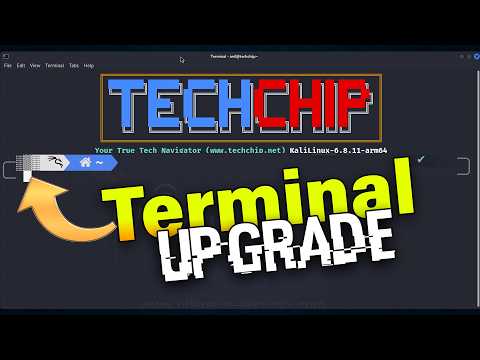](https://www.youtube.com/watch?v=j9IAvIAOVSc)
### For More Video subcribe TechChip YouTube Channel