https://github.com/tellh/nolistadapter
A more elegant and easy way to build an multifunctional adapter for ListView or RecyclerView in Android.
https://github.com/tellh/nolistadapter
Last synced: 12 months ago
JSON representation
A more elegant and easy way to build an multifunctional adapter for ListView or RecyclerView in Android.
- Host: GitHub
- URL: https://github.com/tellh/nolistadapter
- Owner: TellH
- License: apache-2.0
- Created: 2016-09-12T06:51:34.000Z (almost 10 years ago)
- Default Branch: master
- Last Pushed: 2016-10-04T11:38:41.000Z (almost 10 years ago)
- Last Synced: 2025-04-03T20:11:17.959Z (over 1 year ago)
- Language: Java
- Size: 3.74 MB
- Stars: 37
- Watchers: 4
- Forks: 7
- Open Issues: 1
-
Metadata Files:
- Readme: README.md
- License: LICENSE
Awesome Lists containing this project
README
# NoListAdapter
[](https://jitpack.io/#TellH/NoListAdapter)
A more elegant and easy way to build an multifunctional adapter for ListView or RecyclerView in Android.
###Why NoListAdapter?
Using this library, you don't even have to write an adapter for a ListView or RecyclerView. When using RecyclerView, I found it is not convenient and elegant to realise multi-type item. Moreover, there is no native way to set empty view, header, footer, load more footer and error view in RecyclerView. Although we have many implementations, I think adapter is quite qualified for those task.
## What it can do?
- Easy to Add Multi-type item to RecyclerView and ListView.
- Easy to set empty view in RecyclerView.
- Easy to add header and footer in RecyclerView.
- Easy to set Load More Footer in RecyclerView.
- Easy to show or hide error view in RecyclerView.
## How to do?
### SetUp
In project build.gradle
``` groovy
allprojects {
repositories {
maven { url "https://jitpack.io" }
}
}
```
In app module build.gradle
``` groovy
dependencies {
//if you want to use in listview, add this line.
compile 'com.github.TellH.NoListAdapter:nolistadapter-lv:1.0.2'
//if you want to use in recyclerview, add this line.
compile 'com.github.TellH.NoListAdapter:nolistadapter-rv:1.0.2'
}
```
### Quick Start
1 . Make your data entity class extends DataBean and attach item layout id to it. like:
``` java
public class User extends DataBean {
private String login;
private int id;
//...
@Override
public int getItemLayoutId(IListAdapter adapter) {
return R.layout.item_user;
}
// setter and getter omitted.
//...
}
```
2 . Create ViewBinder and VIewHolder for an item type.
i.e. for RecyclerView
``` java
public class UserRecyclerViewBinder extends RecyclerViewBinder {
@Override
public ViewHolder provideViewHolder(View itemView) {
return new UserRecyclerViewBinder.ViewHolder(itemView);
}
@Override
public void bindView(IListAdapter adapter, UserRecyclerViewBinder.ViewHolder holder, int position, User entity) {
holder.tvId.setText(String.valueOf(entity.getId()));
holder.tvName.setText(entity.getLogin());
holder.tvUrl.setText(entity.getHtml_url());
}
@Override
public int getItemLayoutId(IListAdapter adapter) {
return R.layout.item_user;
}
protected class ViewHolder extends RecyclerViewBinder.ViewHolder {
public TextView tvId;
public TextView tvName;
public TextView tvUrl;
public ViewHolder(View rootView) {
super(rootView);
this.tvId = findViewById(R.id.tv_id);
this.tvName = findViewById(R.id.tv_name);
this.tvUrl = findViewById(R.id.tv_url);
}
}
}
```
###
[Creatre ViewBinder sample for ListView](https://github.com/TellH/NoListAdapter/blob/master/app/src/main/java/com/tellh/nolistadaptersample/lv/UserListViewBinder.java)
3 . Build an Adapter.
i.e. for RecyclerView
``` java
List userList = response.getItems();
adapter = RecyclerViewAdapter.builder()
.displayList(userList)
.addItemType(new UserRecyclerViewBinder())
.build();
list.setAdapter(adapter);
```
[Build an Adapter for ListView](https://github.com/TellH/NoListAdapter/blob/master/app/src/main/java/com/tellh/nolistadaptersample/ListViewActivity.java)
### Multi-Type Item
Just Create DataBean and ViewBinder for each Item type and add it to your Adapter Builder.
``` java
List userList = response.getItems();
List displayList = new ArrayList<>();
for (int i = 0; i < userList.size(); i++) {
displayList.add(new ImageItem(userList.get(i).getAvatar_url()));
displayList.add(userList.get(i));
}
adapter = RecyclerViewAdapter.builder()
.displayList(displayList)
.addItemType(new UserRecyclerViewBinder()) //different item type have different ways to bind data to ViewHolder.
.addItemType(new ImageItemRecyclerViewBinder())
.build();
```
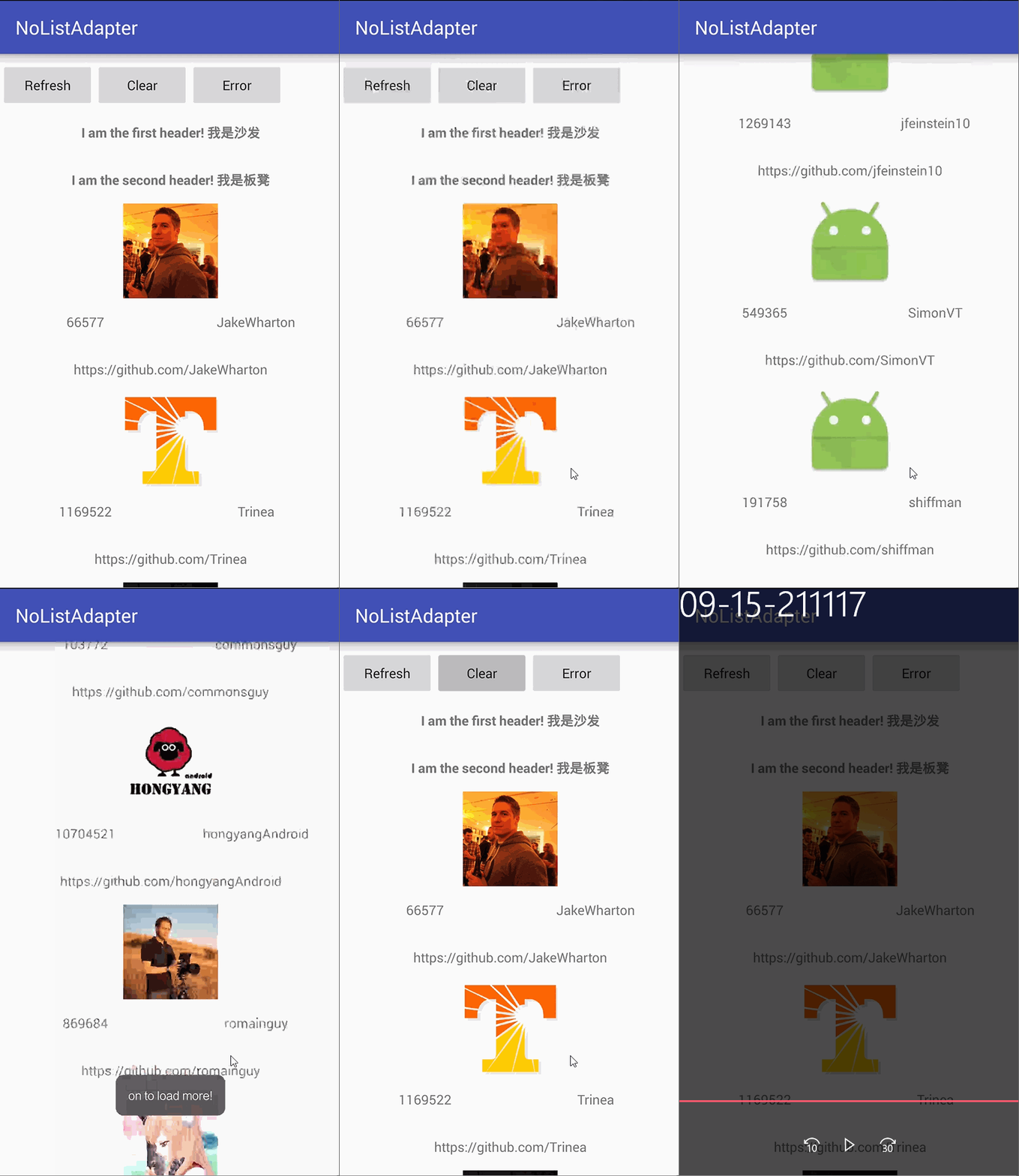
### Empty View, Header and Footer
Create ViewBinder
``` java
public class EmptyBinder extends EmptyRecyclerViewBinder
public class HeaderBinder extends HeaderRecyclerViewBinder
public class FooterBinder extends FooterRecyclerViewBinder
```
Add it to your Adapter Builder
``` java
adapter = RecyclerViewAdapter.builder()
//...
.setEmptyView(new EmptyBinder())
.addHeader(new HeaderBinder("I am the first header! 我是沙发"))
.addHeader(new HeaderBinder("I am the second header! 我是板凳"))
.addFooter(new FooterBinder("------I am the footer!------"))
.addFooter(new FooterBinder("------我是有底线的!-------"))
//...
.build();
```
If you just want to show Empty View, use EasyEmptyRecyclerViewBinder
``` java
.setEmptyView(new EasyEmptyRecyclerViewBinder(R.layout.empty_view))
```
### Error View
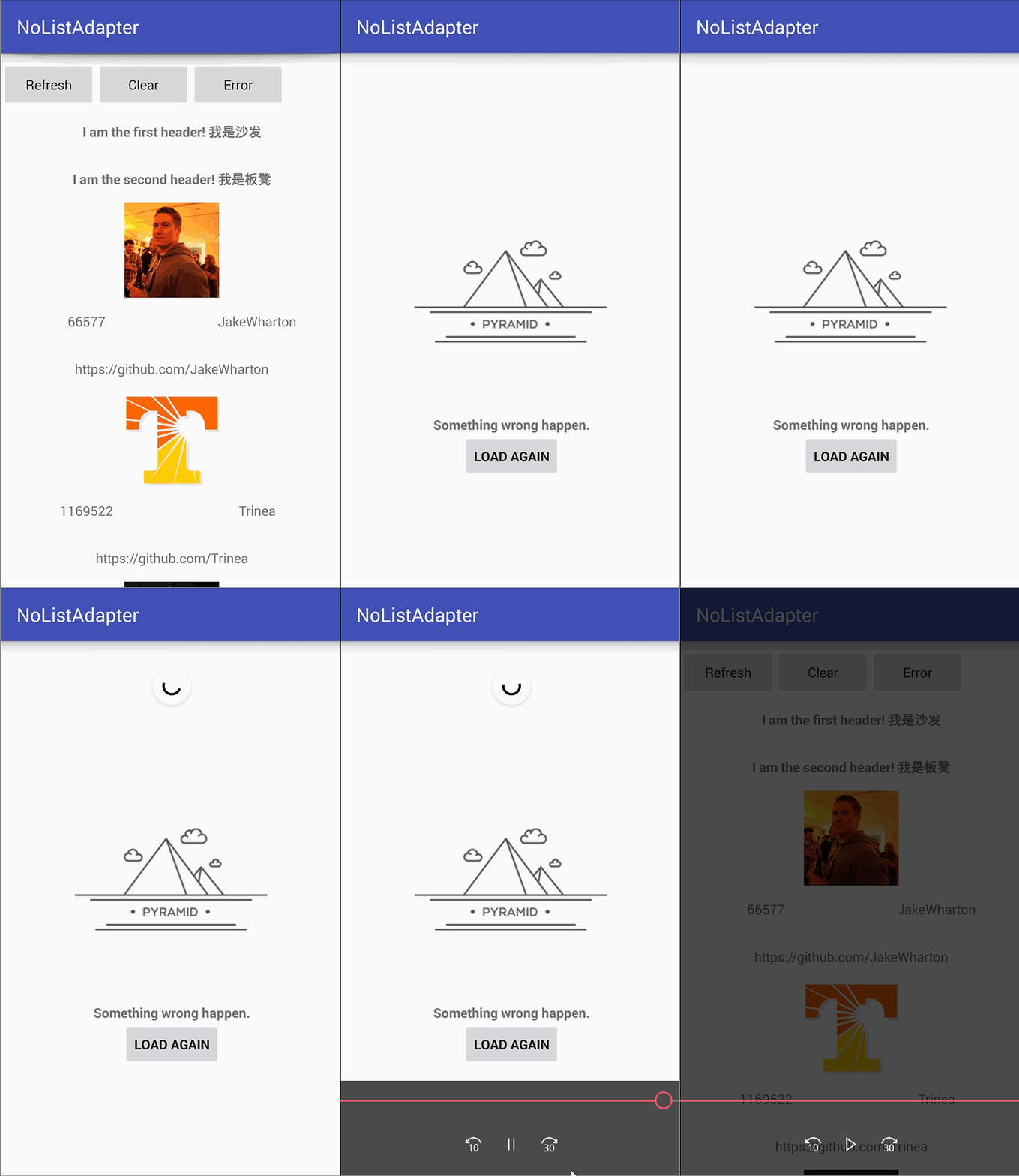
Create ViewBinder
``` java
public class ErrorBinder extends ErrorRecyclerViewBinder
```
Add it to your Adapter Builder
``` java
.setErrorView(new ErrorBinder(this))
```
Then show and hide Error View if you want.
``` java
adapter.showErrorView(recyclerView);
adapter.hideErrorView(recyclerView);
```
### Load More Footer
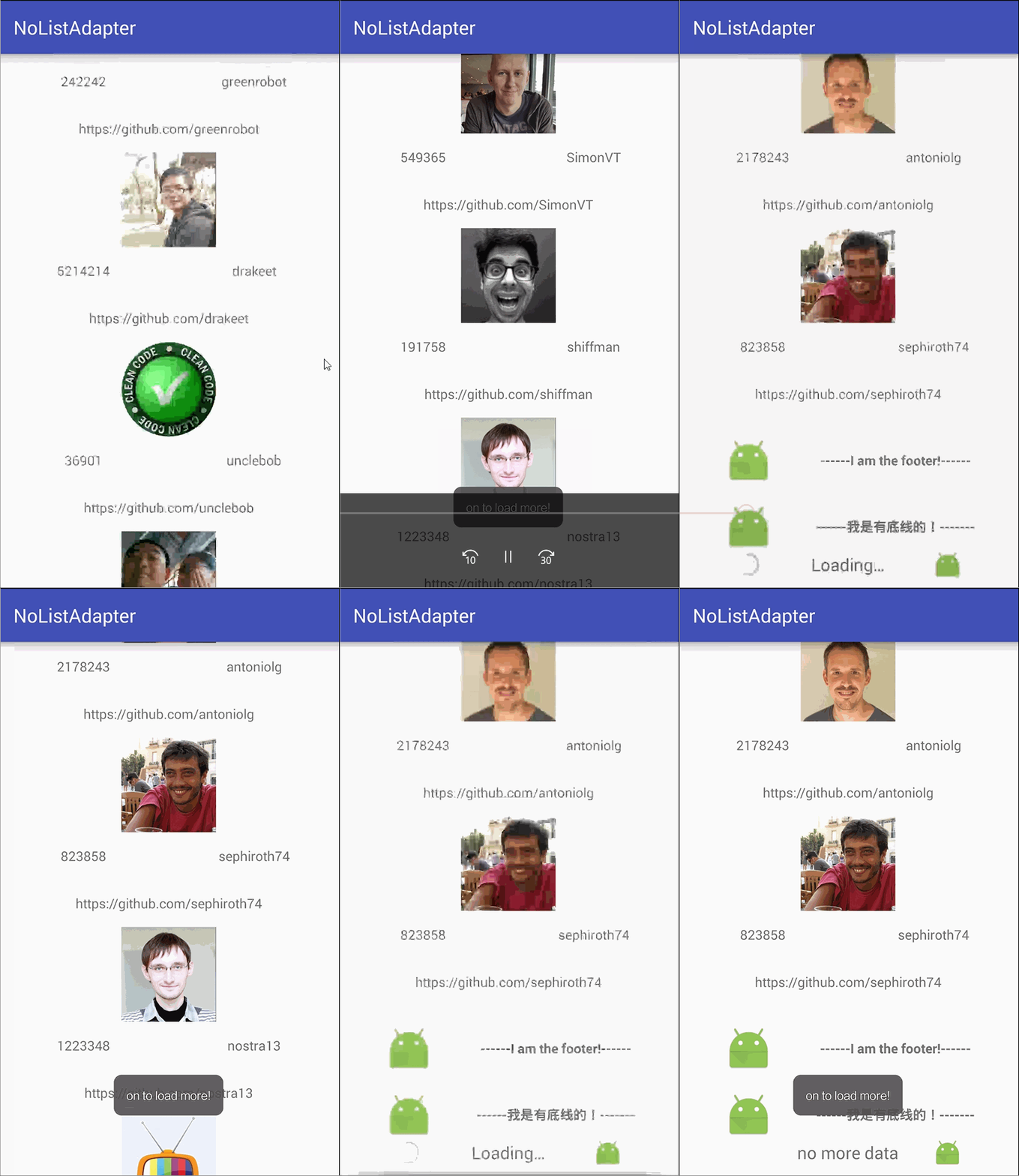
Create Footer ViewBinder, Check out more information in this [sample](https://github.com/TellH/NoListAdapter/blob/master/app/src/main/java/com/tellh/nolistadaptersample/rv/LoadMoreFooterBinderRecycler.java).
``` java
public class LoadMoreFooterBinderRecycler extends FooterRecyclerViewBinder {
@Override
protected void bindFooter(IListAdapter adapter, ViewHolder holder, int position) {
FooterLoadMoreAdapterWrapper adapterWrapper = (FooterLoadMoreAdapterWrapper) adapter;
if (adapter.getDisplayList().size() == 0) {
holder.progressBar.setVisibility(View.INVISIBLE);
holder.tvFooter.setText("No Data");
return;
}
switch (adapterWrapper.getFooterStatus()) {
case PULL_TO_LOAD_MORE:
holder.progressBar.setVisibility(View.VISIBLE);
holder.tvFooter.setText(toLoadText);
break;
case LOADING:
holder.progressBar.setVisibility(View.VISIBLE);
holder.tvFooter.setText(loadingText);
break;
case NO_MORE:
holder.tvFooter.setText(noMoreText);
holder.progressBar.setVisibility(View.INVISIBLE);
break;
}
holder.ivFooter.setImageResource(R.mipmap.ic_launcher);
}
// Remainder omitted
}
```
Add it to your Adapter Builder:
``` java
adapter = RecyclerViewAdapter.builder()
.addHeader(new HeaderBinder("I am the first header! 我是沙发"))
.addFooter(new FooterBinder("------I am the footer!------"))
.setLoadMoreFooter(new LoadMoreFooterBinderRecycler(), list, new OnReachFooterListener() {
@Override
public void onToLoadMore(int i) {
// to load more data.
}
})
.build();
```
Note: setLoadMoreFooter should be added behind addHeader and addFooter.
When getting Refresh or Load More data, just call FooterLoadMoreAdapterWrapper#OnGetData, it will handle pagination for you.
``` java
public void onGetRefreshData() {
FooterLoadMoreAdapterWrapper footerLoadMoreAdapterWrapper = (FooterLoadMoreAdapterWrapper) adapter;
footerLoadMoreAdapterWrapper.OnGetData(displayList, REFRESH);
refreshLayout.setRefreshing(false);
}
public void onGetLoadMoreData(DataBean displayList) {
FooterLoadMoreAdapterWrapper footerLoadMoreAdapterWrapper = (FooterLoadMoreAdapterWrapper) adapter;
footerLoadMoreAdapterWrapper.OnGetData(displayList, LOAD_MORE);
}
```
## How it works?
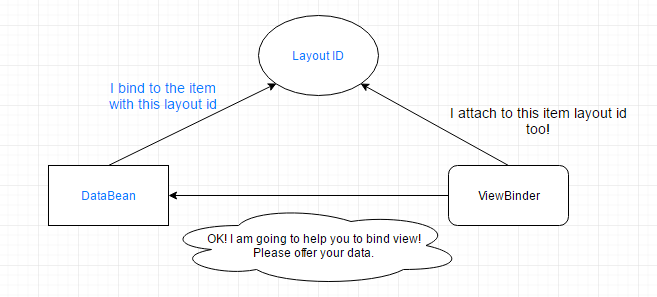
No mater in ListView or RecyclerView, the adapter is in charge of providing view holder and binding data to each item view. Furthermore, different type items with different layout ids should have different data beans and different ways for databinding. So it would be more fixable and elegant to separate business code of binding data and providing view holder from the adapter. Instead, ViewBinder will handle those task.
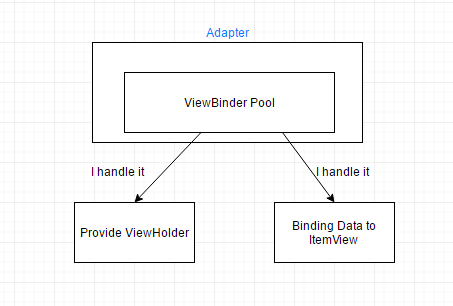
DataBean holds the data and an item layout id. With layout id, it provides ViewBinder to bind data to item view in Adapter's method such as onBindViewHolder in RecyclerView and getView in ListView.
## License
Copyright 2016 TellH
Licensed under the Apache License, Version 2.0 (the "License");
you may not use this file except in compliance with the License.
You may obtain a copy of the License at
http://www.apache.org/licenses/LICENSE-2.0
Unless required by applicable law or agreed to in writing, software
distributed under the License is distributed on an "AS IS" BASIS,
WITHOUT WARRANTIES OR CONDITIONS OF ANY KIND, either express or implied.
See the License for the specific language governing permissions and
limitations under the License.