https://github.com/tempehs/2024sdd-rayan-aerofit
https://github.com/tempehs/2024sdd-rayan-aerofit
Last synced: 5 months ago
JSON representation
- Host: GitHub
- URL: https://github.com/tempehs/2024sdd-rayan-aerofit
- Owner: TempeHS
- License: gpl-3.0
- Created: 2024-01-22T09:21:38.000Z (over 2 years ago)
- Default Branch: main
- Last Pushed: 2024-03-01T03:46:30.000Z (over 2 years ago)
- Last Synced: 2025-02-01T10:11:30.027Z (over 1 year ago)
- Language: HTML
- Homepage: https://rayanrr7.github.io/2024SDD-Rayan-AeroFit/
- Size: 11.5 MB
- Stars: 1
- Watchers: 0
- Forks: 1
- Open Issues: 0
-
Metadata Files:
- Readme: README.md
- License: LICENSE
Awesome Lists containing this project
README
# 2024SDD-Rayan-AeroFit
AeroFit is a beginner-friendly and simplistic step-tracking app made to help beginners reach their fitness goals. The application comes with three main features, a step tracker, fitness logbook, and a timed challenge mode.
## Step Tracker
### Core Features:
- The Step Tracker uses accelerometer data and time between steps to accurately track user steps.
- Step-Goal progress bar shows accurate progress towards goals
- Calorie conversions use a standardised ratio of 1cal:20steps to track calories
- Main page uses local storage to detect if motion-permissions have been activated. If not, it guides the user to do so, thus automating the setup process.
### Preview:
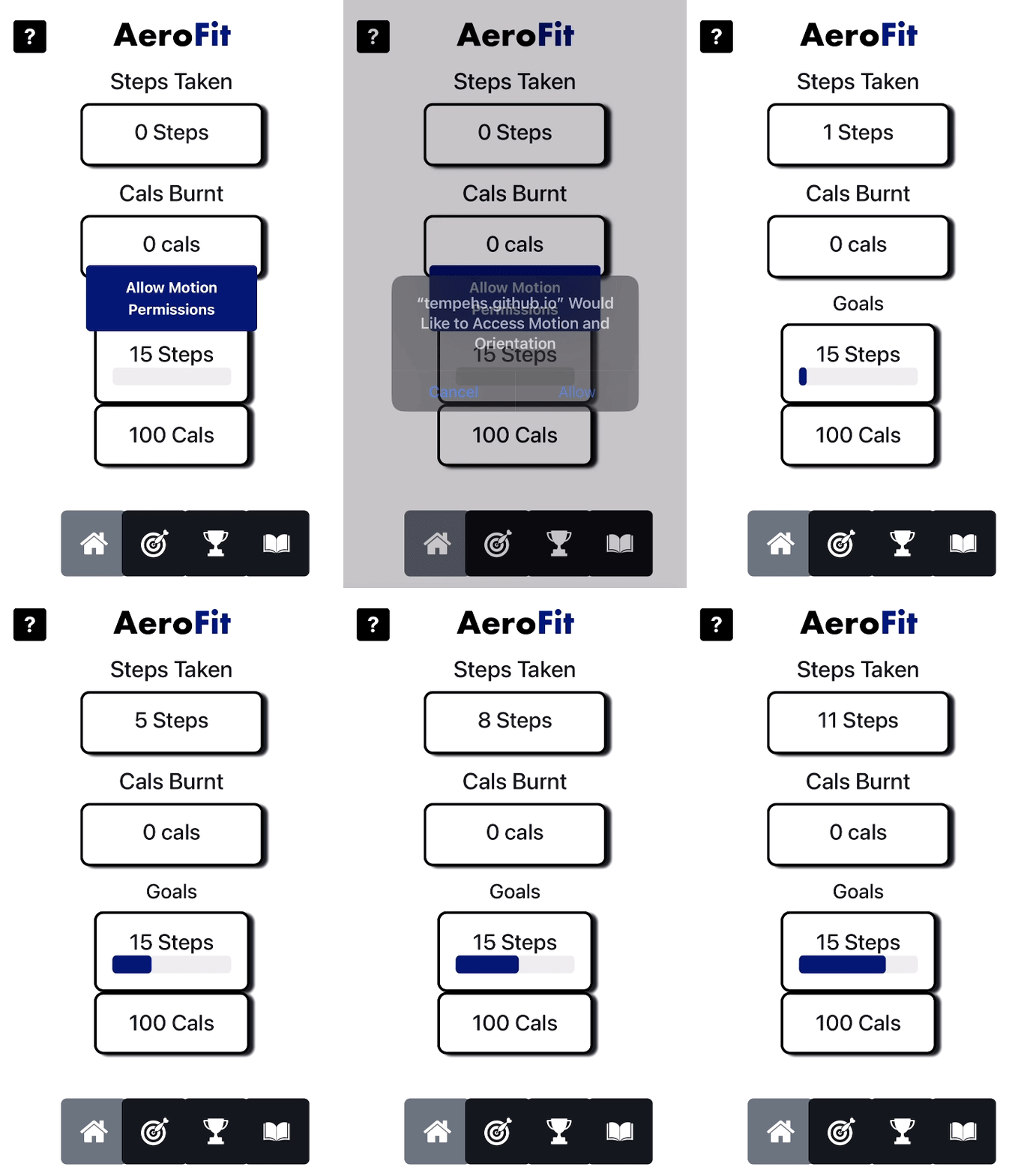
**Challenges I faced:**
I had to overcome numerous roadblocks when trying to implement this code.
- My first plan was to write an algorithm that **uses distance for step-tracking using the GeoLocation API**. This method failed as the GeoLocation API **tracks displacement** from a single point of origin, which wouldn't track steps. _(E.g: Walking back and forth would result in steps going up and down)_.
- After that, I scratched my plan of using GeoLocation, and decided to only use accelerometar data to simplify the algorithm. This worked far better and was more feasible for this project.
## Fitness Logbook
### Core Features:
#### Submission Form:
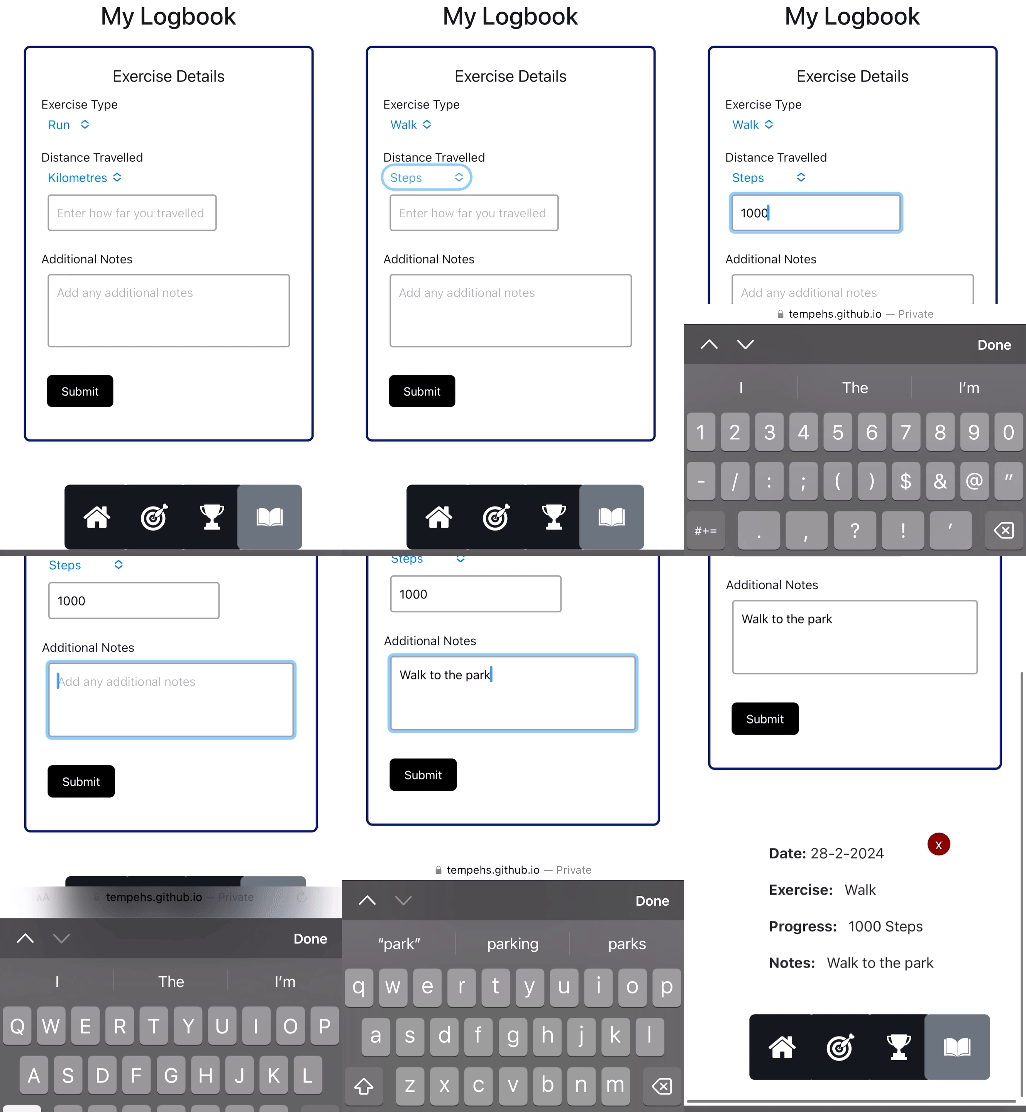
- **Exercise Type Selection**: Users can select an exercises.
- **Distance Tracking**: Input for tracking the distance covered, allowing selections between kilometers and steps.
- **Additional Notes**: A field for users to add any notes about their exercise session.
### Preview:
#### Generated Entries:
- **Entry Creation**: Each log submission generates a new entry in the logbook with the corresponding information inside and formatted.
- **Date Tagging**: Automatically tags each entry with the current date in a day-month-year format.
- **Deletable Entries**: Entries can be easily removed from the logbook by clicking the 'x' button.
### Preview:

## Timed Challenge Mode
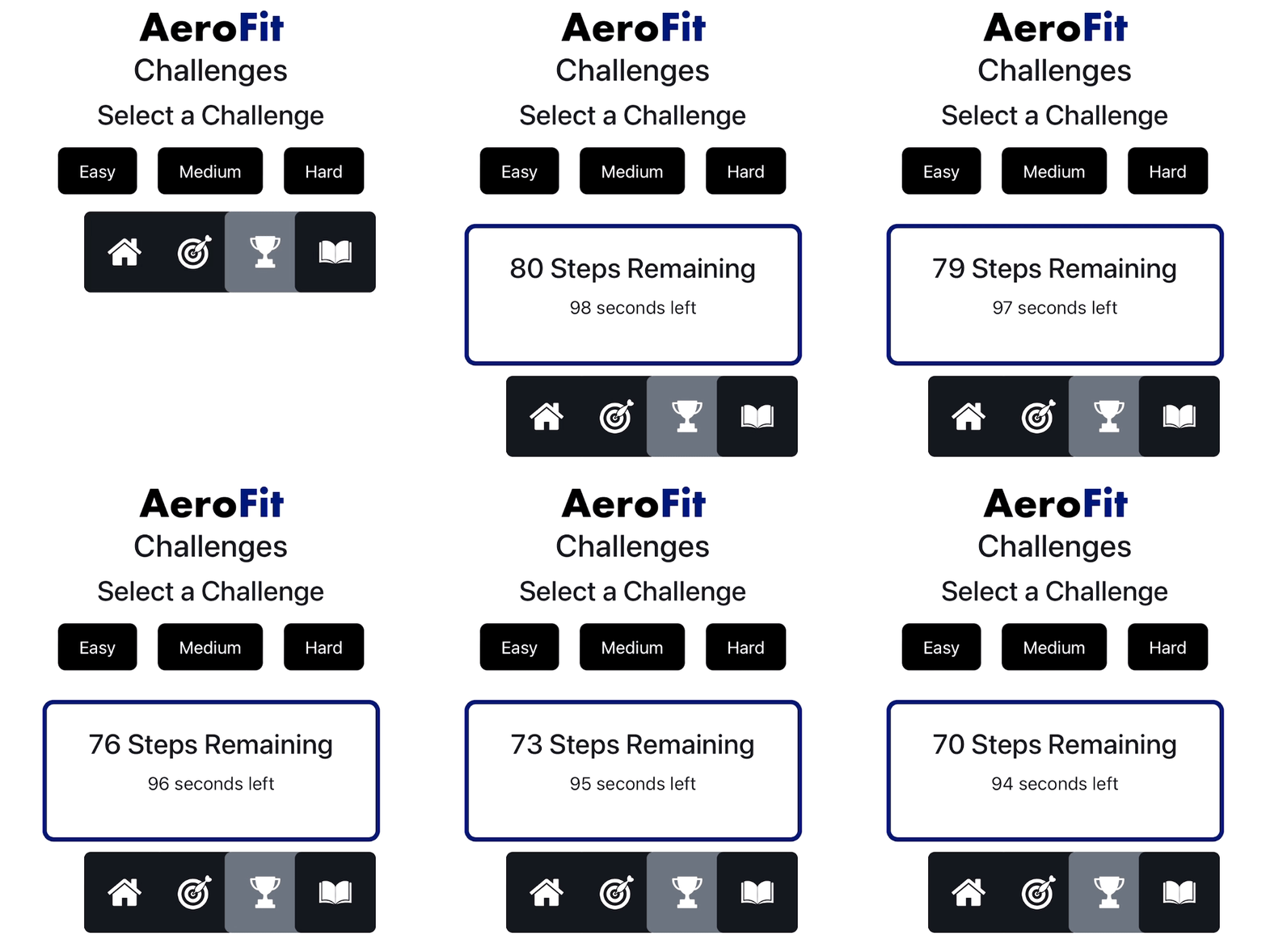
- **Step Count Tracking**: Uses acceleremoter data to track the user's steps in real-time.
- **Difficulty Levels**: Users can select challenges based on their difficulty
- **Random Challenges**: Each difficulty level generates a randomised challenge, making each one a unique experience.
- **Countdown Timer**: A timer counts down the remaining time for the challenge.
### Preview:
## User Documentation
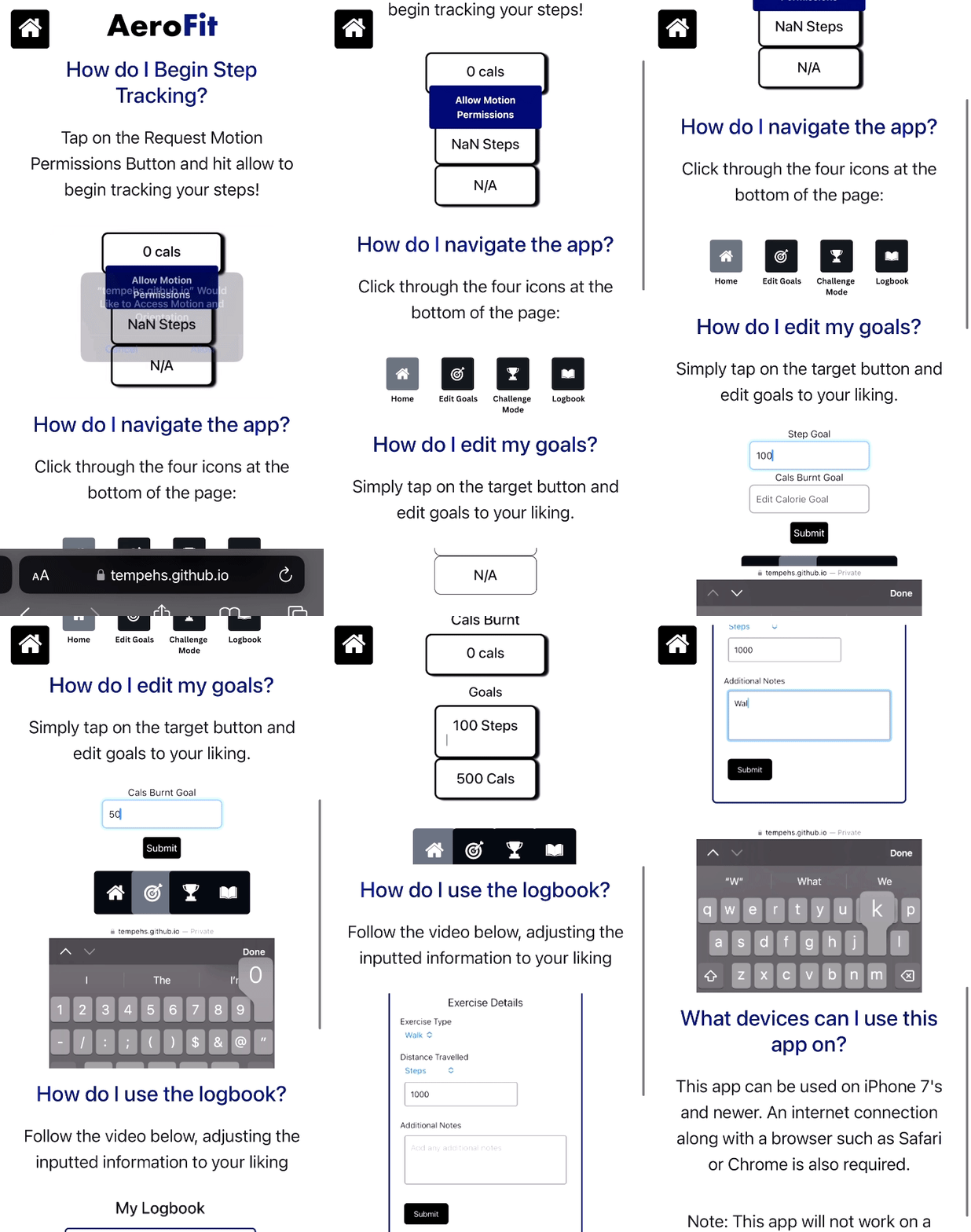
**I have enhanced User Documentation by using:**
- A help page
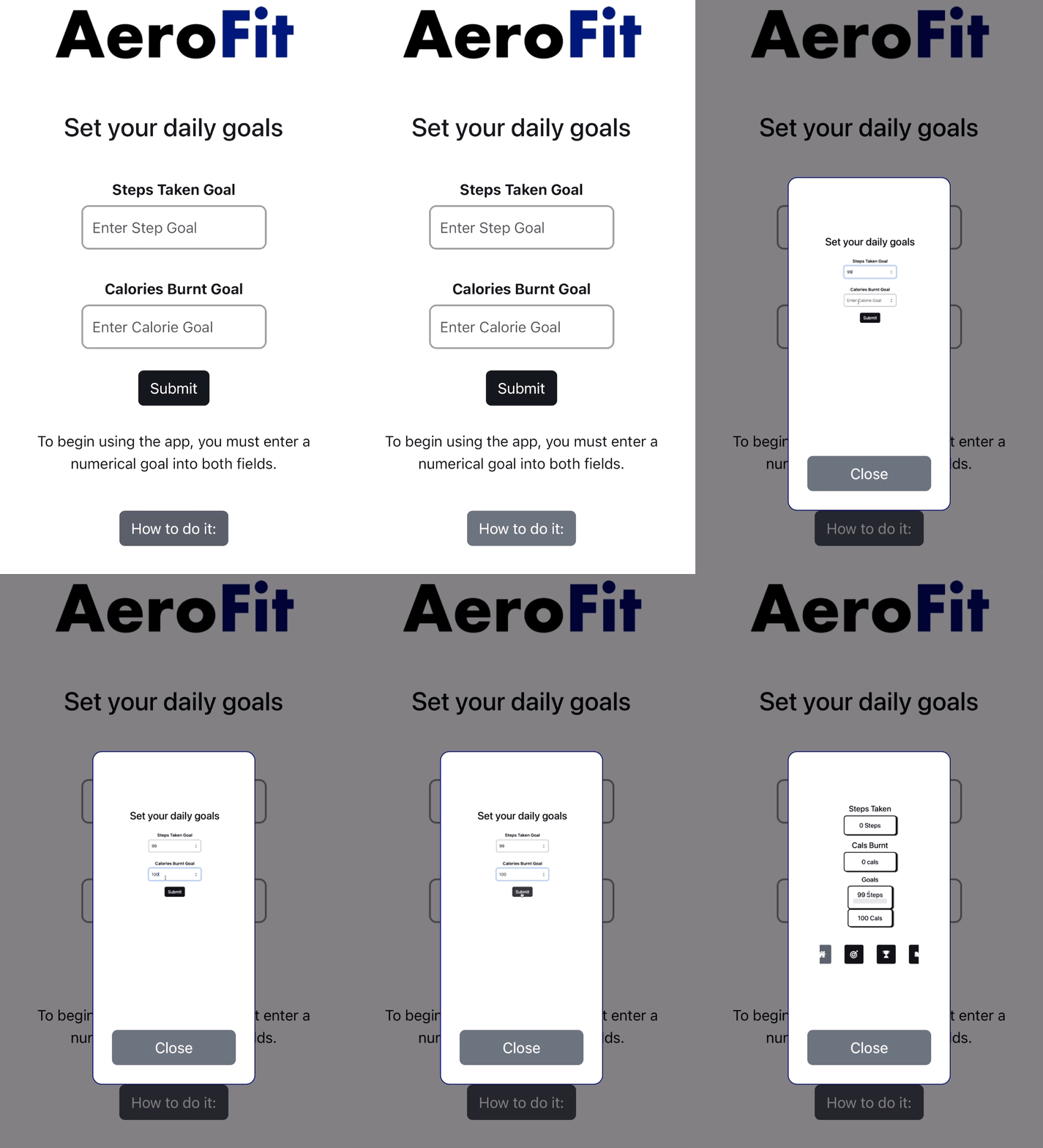
- Popups which guide user
### Help Page Preview:
### Popup Preview:
## Error Prevention
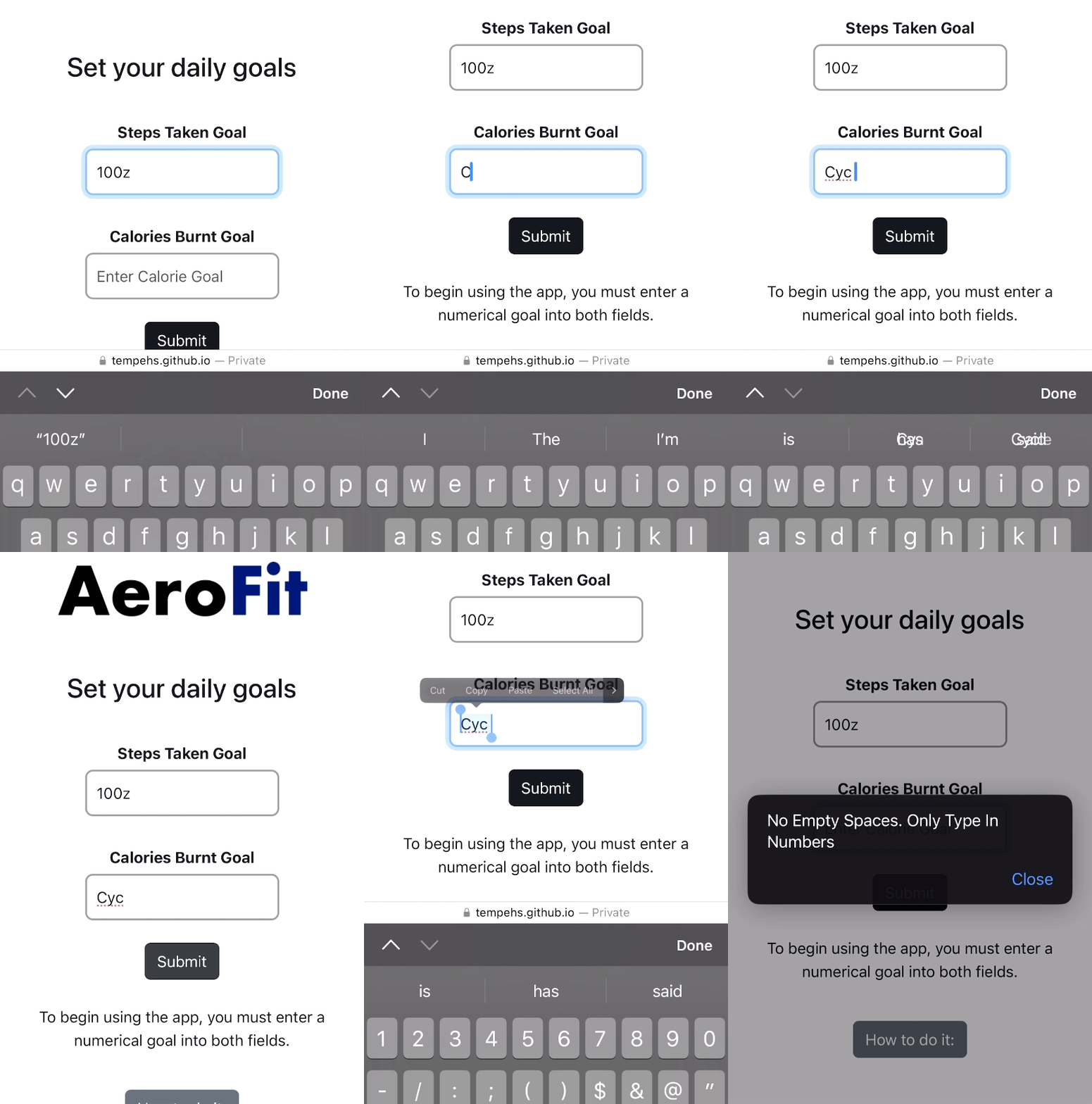
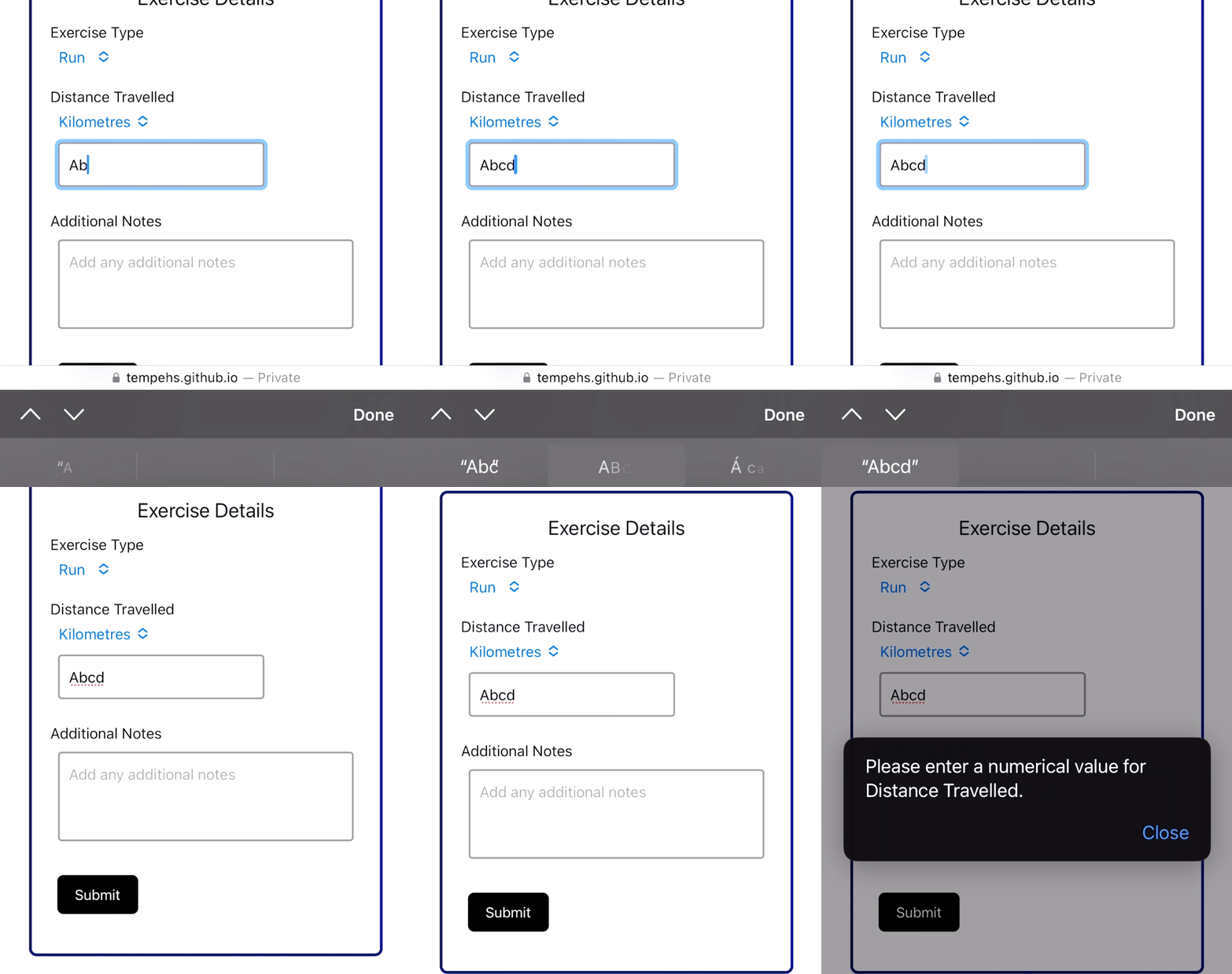
I have ensured multiple errors are avoided. Here are a few examples:
### Invalid Input Prevention:
### NaN Error Prevention
- If goal values are invalid, they are detected and defaulted to zero.
```javascript
stepCount = parseInt(localStorage.getItem('stepCount')) || 0;
```
### Progress Bar Overstretching Prevention:
```javascript
if (progressPercentage > 100) {
progressPercentage = 100;}
```
# Developer Notes:
This app was created by me for my Year 12 Software Design & Development Major Project. It was created with HTML and Javascript and makes use of multiple API's.