https://github.com/temporalio/sdk-php
Temporal PHP SDK
https://github.com/temporalio/sdk-php
hacktoberfest php roadrunner temporal workflow workflow-engine
Last synced: 5 months ago
JSON representation
Temporal PHP SDK
- Host: GitHub
- URL: https://github.com/temporalio/sdk-php
- Owner: temporalio
- License: mit
- Created: 2020-09-10T22:33:07.000Z (almost 6 years ago)
- Default Branch: master
- Last Pushed: 2025-03-19T07:56:22.000Z (over 1 year ago)
- Last Synced: 2025-03-27T20:47:34.087Z (over 1 year ago)
- Topics: hacktoberfest, php, roadrunner, temporal, workflow, workflow-engine
- Language: PHP
- Homepage: https://php.preview.thundergun.io
- Size: 3.9 MB
- Stars: 293
- Watchers: 18
- Forks: 49
- Open Issues: 54
-
Metadata Files:
- Readme: README.md
- License: LICENSE.md
Awesome Lists containing this project
- awesome-temporal - PHP SDK
- awesome-cadence-temporal-workflow - PHP
README
# Temporal PHP SDK
Temporal is a distributed, scalable, durable, and highly available orchestration
engine used to execute asynchronous long-running business logic in a scalable
and resilient way.
Temporal PHP SDK is the framework for authoring [Workflows](https://docs.temporal.io/workflows) and [Activities](https://docs.temporal.io/activities) using PHP language.
**Table of contents:**
- [Get starting](#get-starting)
- [Installation](#installation)
- [Usage](#usage)
- [Testing](#testing)
- [Dev environment](#dev-environment)
- [Temporal CLI](#temporal-cli)
- [Buggregator](#buggregator)
- [Resources](#resources)
- [License](#license)
## Get starting
### Installation
Install the SDK using Composer:
```bash
composer require temporal/sdk
```
[](https://packagist.org/packages/temporal/sdk)
[](https://packagist.org/packages/temporal/sdk)
[](https://packagist.org/packages/temporal/sdk/stats)
[](LICENSE.md)
The SDK includes two main components: [Clients](https://docs.temporal.io/develop/php/temporal-clients) and Workers.
The Clients component is used to start, schedule, and manage Workflows;
the Workers component is used to execute Workflows and Activities.
The Clients component requires the [`grpc`](https://pecl.php.net/package/grpc) extension,
and the Workers component requires [RoadRunner](https://roadrunner.dev).
It's recommended to use both components with the [`protobuf`](https://pecl.php.net/package/protobuf) extension
in production to improve performance.
| | Client | Worker |
|--------------|-------------|-------------|
| RoadRunner | — | required |
| ext-grpc | required | — |
| ext-protobuf | recommended | recommended |
To download RoadRunner, you can use the following command:
```bash
./vendor/bin/rr get
```
### Usage
If you are using [Spiral](https://github.com/spiral/framework),
follow the [instructions in the documentation](https://spiral.dev/docs/temporal-configuration/).
If you are using the SDK without integrations, the following sections of the documentation may be helpful:
- [How to run Worker Processes](https://docs.temporal.io/develop/php/core-application#run-a-dev-worker)
- [How to develop a basic Workflow](https://docs.temporal.io/develop/php/core-application#develop-workflows)
- [How to connect a Temporal Client to a Temporal Service](https://docs.temporal.io/develop/php/temporal-clients#connect-to-a-dev-cluster)
- [How to start a Workflow Execution](https://docs.temporal.io/develop/php/temporal-clients#start-workflow-execution)
> [!NOTE]
> Check out [the repository with examples](https://github.com/temporalio/samples-php) of using the PHP SDK.
> [!WARNING]
> Since version [`2.11.0`](https://github.com/temporalio/sdk-php/releases/tag/v2.11.0),
> [feature flags](https://github.com/temporalio/sdk-php/blob/master/src/Worker/FeatureFlags.php) were introduced
> that change the behavior of the entire PHP worker.
> It's recommended to disable deprecated behavior.
## Testing
The PHP SDK includes a toolkit for testing Workflows.
There is [documentation](https://docs.temporal.io/develop/php/testing-suite) and [dev guide](testing/README.md) on how to test a Workflow using Activity mocking.
To ensure the determinism of a Workflow,
you can also use the [Replay API in tests](https://docs.temporal.io/develop/php/testing-suite#replay).
## Dev environment
Some recommendations for setting up a development environment:
### Temporal CLI
The [Temporal CLI](https://docs.temporal.io/cli) provides direct access to a Temporal Service via the terminal.
You can use it to start, stop, inspect and operate on Workflows and Activities,
and perform administrative tasks such as Namespace, Schedule, and Task Queue management.
The Temporal CLI also includes an embedded Temporal Service suitable for use in development and CI/CD.
It includes the Temporal Server, SQLite persistence, and the Temporal Web UI.
Run the following command to start the Temporal Service in development mode:
```bash
temporal server start-dev --log-level error
```
Experimental features:
- Add flags `--dynamic-config-value frontend.enableUpdateWorkflowExecution=true --dynamic-config-value frontend.enableUpdateWorkflowExecutionAsyncAccepted=true`
to enable the [Workflow Update feature](https://docs.temporal.io/encyclopedia/workflow-message-passing#sending-updates).
- Add flag `--dynamic-config-value frontend.enableExecuteMultiOperation=true` to enable [`updateWithStart()` feature](https://php.temporal.io/classes/Temporal-Client-WorkflowClient.html#method_updateWithStart).
- Add flag `--dynamic-config-value system.enableEagerWorkflowStart=true` to enable the [Eager Workflow Start feature](https://docs.temporal.io/develop/advanced-start-options#eager-start).
### Buggregator
During development, you might need to dump a variable, throw an error trace, or simply look at the call stack.
Since Workflows and Activities run in RoadRunner workers, you cannot use `var_dump`,
`print_r`, `echo`, and other functions that output data to STDOUT.
Instead, use [Buggregator](https://buggregator.dev) along with [Trap](https://github.com/buggregator/trap).
In this case, dumps, traces, and logs will be sent via socket to your local Buggregator server,
where you can view them in a convenient web interface.
> [!TIP]
> Trap is a wrapper around `symfony/var-dumper`, providing additional debugging capabilities.
> Moreover, Trap patches var-dumper for outputting protobuf structures, which is very handy when working with Temporal.
To run Buggregator in Docker, execute the command below
and follow the [instructions](https://docs.buggregator.dev/config/var-dumper.html#configuration):
```bash
docker run --rm -p 8000:8000 -p 1025:1025 -p 9912:9912 -p 9913:9913 ghcr.io/buggregator/server:latest
```
If you are not using Docker or running PHP code outside a container, you can use Trap as a compact server:
```bash
./vendor/bin/trap --ui=8000
```
Now use the `trap()`, `tr()`, or `dump()` functions to output data to Buggregator.
Web UI will be available at `http://localhost:8000`.
### IDE Plugin
For advanced autocomplete while coding in PHPStorm, use [Meta Storm plugin](https://github.com/xepozz/meta-storm-idea-plugin).
The plugin provides better autocomplete and links Workflow and Activity when writing and debugging code.
## Resources
Read the docs
[](https://docs.temporal.io/)
[](https://docs.temporal.io/develop/php)
[](https://php.temporal.io/)
Ask a question
[](https://github.com/temporalio/sdk-php/issues)
[](https://t.mp/slack)
[](https://community.temporal.io/tag/php-sdk)
[](https://discord.gg/FwmDtGQe55)
Stay tuned
[](https://temporal.io/blog)
[](https://www.youtube.com/temporalio)
[](https://x.com/temporalio)
Additionally
[](https://temporal.io/community)
[](https://github.com/temporalio/awesome-temporal)
## License
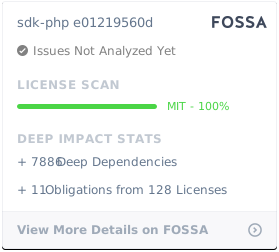
Temporal PHP SDK is open-sourced software licensed under the [MIT license](https://opensource.org/licenses/MIT).
[](https://app.fossa.com/projects/git%2Bgithub.com%2Ftemporalio%2Fsdk-php?ref=badge_large)