https://github.com/tenable/uncoverdcshadow
https://github.com/tenable/uncoverdcshadow
Last synced: 5 months ago
JSON representation
- Host: GitHub
- URL: https://github.com/tenable/uncoverdcshadow
- Owner: tenable
- License: other
- Created: 2023-01-26T18:22:19.000Z (over 3 years ago)
- Default Branch: master
- Last Pushed: 2023-01-26T18:22:25.000Z (over 3 years ago)
- Last Synced: 2024-12-31T08:13:23.789Z (over 1 year ago)
- Language: PowerShell
- Size: 25.4 KB
- Stars: 3
- Watchers: 3
- Forks: 0
- Open Issues: 0
-
Metadata Files:
- Readme: README.md
- License: LICENSE.md
Awesome Lists containing this project
README
# Uncover-DCShadow
#### "Yes, your good old SIEM can detects suspicious directory changes in a sec."

UncoverDCShadow is a set of proof-of-concept designed to help blue teams detect the use of the [DCShadow](http://www.bluehatil.com/files/Active%20Directory%20What%20Can%20Make%20Your%20Million%20Dollar%20SIEM%20Go%20Blind.pdf) attack on their Active Directory infrastructure. These helpers have been designed to illustrate how security monitoring can be achieved without requiring network tap or event log forwarding.
High-Definition example video available [here](https://youtu.be/yWFUKwZaT_4).
---
#### TABLE OF CONTENT
1. Quick start
2. What is DCShadow?
3. Why UncoverDCShadow?
2. How does it actually work?
3. Documentation
4. References
8. Authors
---
## QUICK START
For those of you who like go straight to the point, here is the easiest way to start detecting DCShadow in a Windows PowerShell 5 shell:
```Powershell
git clone git@github.com:AlsidOfficial/UncoverDCShadow.git
Set-Location UncoverDCShadow
Get-Help .\UncoverDCShadow.ps1 -Examples
.\UncoverDCShadow.ps1 -Server domain-controller.domain.corp -Credential (Get-Credential -Message "Domain account to use")
```
## What is DCShadow?
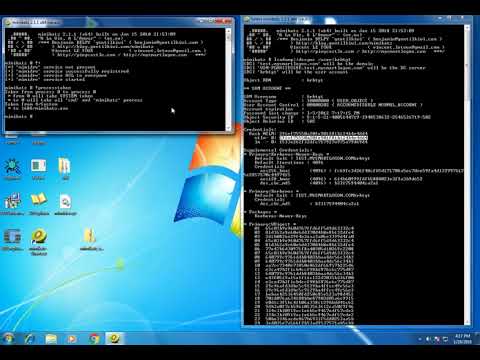
On January 24th 2018, [Benjamin Delpy](https://twitter.com/gentilkiwi) and [Vincent Le Toux](https://twitter.com/mysmartlogon), two security researchers, have released during the “[BlueHat IL](http://www.bluehatil.com)” security conference a new attack technique against Active Directory infrastructure. Named “DCShadow”, this technique allows an attacker having the appropriate rights to create a rogue domain controller able to replicate malicious objects into a running Active Directory infrastructure.
DCShadow is implemented in the famous swiss-army knife solution for manipulating Windows Credentials “[Mimikatz](https://github.com/gentilkiwi/mimikatz)”.
[](https://www.youtube.com/watch?v=0fULtqISsMc)
A technical analysis of the attack has been published on [Alsid's Blog](https://blog.alsid.eu/dcshadow-explained-4510f52fc19d) and provides a clear overview of the main steps of the attack. The attack can be summerized in 6 main steps:
1. Obtain domain admin (or similar) privileges
2. Set required SPNs on a computer account
3. Create the NTDS-DSA object
4. Impersonate environment as the computer account
5. Start RPC server in charge of replication
6. Force the replication process
## Why UncoverDCShadow?
### Standard detection approaches go blind
One of the main strength of DCShadow is its ability to be reasonably stealth for attackers. In a general case, Domain Controllers (DCs) are in charge of creating events when a security process occurs. With DCShadow, illegitimate actions are taken on a rogue DC. The event logs that could have helped blue teams to detect the attack (using their SIEM, for instance) will never be created.
As explained in the [article](https://blog.alsid.eu/dcshadow-explained-4510f52fc19d), blue teams need a complete redesign of their strategy and shift their focus from log analysis to AD configuration analysis. Thankfully, UncoverDCShadow is here for you!
### Provide an efficient solution ...
Standard detection approaches use network detection to monitor the addition of rogue SPNs and the call to the `DRSReplicaAdd` RPC.

We consider network detection approaches are unsuitable for real-world Active Directory infrastructures for at least three reasons:
1. It requires to monitor every Domain Controllers, even if you have dozens of them. If you miss one of them, you are blind.
2. There is several sneaky ways to inject illegitimate data without calling `DRSReplicaAdd`.
3. You want to tap/duplicate the whole traffic in and from of your most-sensitive infrastructure. Really?
At Alsid, we wanted to prove ourselves that better solutions exist. DCShadow needs to register several new objects (like a new `nTDSDSA ` object or the GUID `E3514235–4B06–11D1-AB04–00C04FC2DCD2` refering to a very characteristic SPN) to act as a rogue domain controller. Can't we simply monitor the Active Directory database to detect these specific events? Good news, Active Directory provides several ways of doing it!
### ... to make your SIEM ubiquitous again!
If we are able to detect object changes in the directory, we are one step away from sending a message out to the SIEM and make it see again!
Good news dear SIEM manufacturers, your solution are still in the game :).
## How does it actually work?
### General explanation
UncoverDCShadow uses the ability to make asynchronous calls to the AD database using LDAP. Using the well-known (or not so well) LDAP server control [LDAP_SERVER_NOTIFICATION_OID (1.2.840.113556.1.4.528)](https://msdn.microsoft.com/en-us/library/cc223320.aspx), any user can receive information about any created, modified or deleted object of the entire Active Directory database!
Using what we know about how DCShadow works, detecting it becomes as easy as requesting in LDAP the content of:
- the configuration partition (to detect the creation of `nTDSDSA` objects).
- the domain partition (to detect the set of the infamous `E3514235–4B06–11D1-AB04–00C04FC2DCD2` SPN).
This innovative approach provides several goods:
- NO privileges required (we only need to be part of the `Authenticated Users` group).
- Only one DC per AD infrastructure needs to be monitored.
- No need to monitor network traffic anymore.
- It's completely safe for your AD infrastructure.
Easy don't you think? Actually, we still need to be smart to differenciate a DCShadow attack from a regular DC promotion, and deal with replication.
### Technical deep-dive
To understand the difference between a regular DC promotion and a DCShadow
attack, the following timeline presents AD changes during both of these
processes. The `computer` object representing the DC being promoted and the
`computer` object used by the DCShadow attack is represented by the DN
`CN=DC002,CN=Computers,DC=alsid,DC=corp`, but the object changed by the
DCShadow attack isn't relevant here and thus not shown.
On this timeline, in black is a regular DC promotion being performed, green
shows what is performed by both a regular DC promotion and the DCShadow attack,
and red highlights steps that only DCShadow takes.

As shown in this timeline, a few elements can be used to differentiate a
legitimate DC promotion from a DCShadow attack when tracking AD changes. Note
that the DCShadow attack on another DC than the one monitored may result in
fewer objects being replicated: we've seen cases where only the deleted
`server` and `nTDSDSA` objects, the targeted object and the computer object
(without any modification) are replicated.
This **POC** registers LDAP asynchronous requests using the
[LDAP_SERVER_NOTIFICATION_OID](https://msdn.microsoft.com/en-us/library/cc223320.aspx)
OID and tracks what changes are registered in the AD infrastructure.
This **POC** focuses on the `server` and the `nTDSDSA` objects, and what
happens before they're being removed from the AD. Only 6 criteria are used on
these two objects, triggered once the `server` object has been deleted:
* The root domain object's `masteredby` attribute hasn't been changed to
include the `nTDSDSA` object's DN.
* The `nTDSConnection` object hasn't been created under the `nTDSDSA` object.
* The `server` object's `serverreference` attribute doesn't hold a DN located
in the Domain Controllers OU.
* The creation time and the last changed time aren't spaced by sufficient
time - 60 minutes by default.
* The `server` object's USN changed and created aren't the same - that
particular criteria is to take replication into account.
* `nTDSDSA` object hasn't been created before - that particular criteria is to
take replication into account.
With these criteria, the `Trap-DCShadowAttempt` cmdlet should catch most
attempts at messing with your AD infrastructure through DCShadow.
Side note: the object modified by DCShadow isn't shown on the timeline, but
would appear between the last green and the first red boxes.
## Documentation
### Usage
You can either import the `.psm1` module, and run the `Trap-DCShadowAttempt`
function, or run the `UncoverDCShadow.ps1` script - which imports the module
and run this function.
The parameters for the function and the script are the same, optional, and are
the following ones:
* **Server**: Server to monitor. If not given, will use the current user's
logon controller.
* **Credential**: AD account to use to connect. If not given, will implicitly
use the current user's credentials.
**Note that the AD account doesn't need to be privileged.**
Don't forget that **this is a POC** (tested on Windows Server 2016 only), and
that this might have some false-positives and not catch any modified DCShadow
exploit.
### Command line documentation
##### Implicit use
Implicitly use the current user's credentials and domain
```powershell
Trap-DCShadowAttempt
```
##### Explicit domain specification
Implicitly use the current user's credentials on the domain controller at 192.168.1.1
```powershell
Trap-DCShadowAttempt -Server 192.168.1.1
```
##### Explicit domain and credentials specification
Use the explicitly-specified credentials on the domain controller at 192.168.1.1
```powershell
Trap-DCShadowAttempt -Server 192.168.1.1 -Credential (Get-Credential -Message "Domain account to use")
```
##### Display any database changes with implicit authentication
Implicitly use the current user's credentials and domain, display any changes received by the AD database
```powershell
$InformationPreference = $VerbosePreference = $DebugPreference = 'Continue'
Trap-DCShadowAttempt
```
##### Display any database changes with explicit authentication
Display all available information while using the explicitly-specified credentials on the domain controller at 192.168.1.1
```powershell
$InformationPreference = $VerbosePreference = $DebugPreference = 'Continue'
Trap-DCShadowAttempt -Server 192.168.56.5 -Credential (New-Object System.Management.Automation.PSCredential ('UnprivilegedUser', (ConvertTo-SecureString "SecurePwd" -AsPlainText -Force)))
```
Notes about this example:
* A not-secure way to deal with credentials is shown in this example; prefer using the [`Get-Credential`](https://docs.microsoft.com/en-us/powershell/module/microsoft.powershell.security/get-credential) cmdlet instead
* This is the opportunity to show that you can use any unprivileged domain user to run this script
### Uncover-DCShadow and Powershell streams
As you might know, Powershell [has multiple message streams](https://blogs.technet.microsoft.com/heyscriptingguy/2014/03/30/understanding-streams-redirection-and-write-host-in-powershell/).
Trap-DCShadowAttempt leverages Powershell streams in the following fashion:
- Output: An object for each detected DCShadow attempt, useful for piping into
something else
- Information: Information about the detection function state and how to
properly quit, in string format
- Warning: Every state a "potentially suspicious" element can take - including
legit, newly-promoted DCs, so there's not only fully suspicious elements.
- Verbose: Dump added/modified/deleted AD objects
- Debug: Follow each module's step in its discovery
### Friendly reminder
While this software should be harmless for your AD, don't forget these helpers are a **POC** (tested on Windows Server 2016 with Windows PowerShell 5 only), provided as-is. It might have some false-positives and not catch any modified DCShadow exploit.
Finally, Alsid team will not provide any support as part as [the open source license](LICENSE.md).
## References
- [Active Directory: What can make your million dollar SIEM go blind?](http://www.bluehatil.com/files/Active%20Directory%20What%20Can%20Make%20Your%20Million%20Dollar%20SIEM%20Go%20Blind.pdf)
- [DCShadow explained: A technical deep dive into the latest AD attack technique](https://blog.alsid.eu/dcshadow-explained-4510f52fc19d)
- [Mimikatz GitHub repository](https://github.com/gentilkiwi/mimikatz)
- [[MS-ADTS]: Active Directory Technical Specification](https://msdn.microsoft.com/en-us/library/cc223122.aspx)
- [[MS-DRSR]: Directory Replication Service (DRS) Remote Protocol](https://msdn.microsoft.com/en-us/library/cc228086.aspx)
## Authors
- Romain COLTEL - ALSID, 2018
- Luc DELSALLE - ALSID, 2018
Thanks to [@aurel26](https://github.com/aurel26) for all his pieces of advice and bottomless knowledge on AD internals.