https://github.com/tencentcloudbase/weda-custom-components
腾讯云微搭低代码平台自定义组件示例仓库
https://github.com/tencentcloudbase/weda-custom-components
components-library lowcode miniprogram react
Last synced: about 1 year ago
JSON representation
腾讯云微搭低代码平台自定义组件示例仓库
- Host: GitHub
- URL: https://github.com/tencentcloudbase/weda-custom-components
- Owner: TencentCloudBase
- Created: 2023-04-19T08:43:10.000Z (about 3 years ago)
- Default Branch: main
- Last Pushed: 2025-03-04T02:50:47.000Z (over 1 year ago)
- Last Synced: 2025-05-07T18:14:58.263Z (about 1 year ago)
- Topics: components-library, lowcode, miniprogram, react
- Language: JavaScript
- Homepage: https://docs.cloudbase.net/lowcode/custom-components/quick-start/comps
- Size: 391 KB
- Stars: 8
- Watchers: 3
- Forks: 3
- Open Issues: 0
-
Metadata Files:
- Readme: README.md
Awesome Lists containing this project
README

微搭低代码自定义组件示例
## 项目介绍
[腾讯云微搭低代码]平台支持自定义组件的方式来开发应用,支持引入第三方开源组件、集成已有代码等。
本项目是腾讯云微搭低代码平台的自定义组件示例仓库,帮助开发者了解如何开发自定义组件,从而更好地搭建更加丰富的低代码应用。
## 组件列表
| 组件 | 介绍 |
| ------------------------------------ | ----------------------------------------- |
| [Button](src/web/components/button) | 支持小程序和 web 的多端按钮组件示例 |
| [Gantt](/src/web/components/gantt) | 支持 web 端,甘特图组件示例 |
| [Slider](/src/web/components/slider) | 支持 web 端,滑块组件,自定义表单组件示例 |
| [Chart](/src/web/components/chart/) | 支持小程序端,图表组件 |
## 使用指南
### 前置依赖
1. 确保拥有腾讯云账号、开通微搭低代码;
2. 确保本地安装 [Node.js](https://nodejs.org/en/)
3. 在微搭平台中[新建一个组件库](https://docs.cloudbase.net/lowcode/custom-components/quick-start/comps) ,组件库标识使用`wedaCustom`
### 快速开始
下载代码并进入项目根目录,执行以下命令
```bash
npm install
npm install -g @cloudbase/cli
tcb login
```
### 开发工作流
#### 调试
```bash
tcb lowcode debug
```
打开微搭编辑器调试本地组件
#### 添加组件
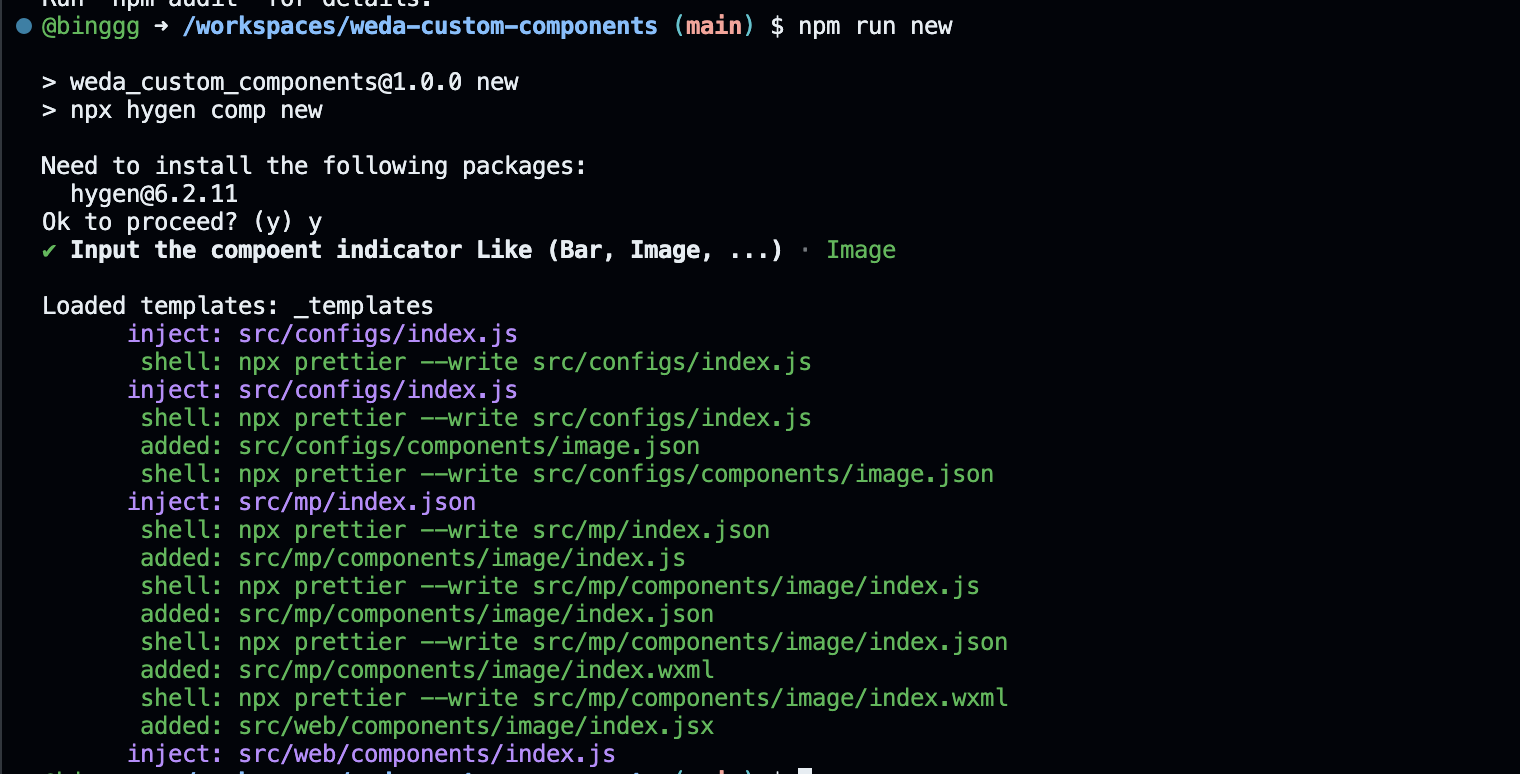
```bash
npm run new
```
输入要创建的组件名,例如 `Image`, 会自动创建相关的组件初始配置和文件结构
#### 检查
```bash
npm run lint
```
代码风格检查
#### 发布
```bash
tcb lowcode publish
```
上传组件代码到账号下,上传完毕后,可以在微搭平台发布组件库,即可在应用中使用
## 贡献指南
如果您想要为这个项目做出贡献,可以参考以下步骤:
1. Fork 这个仓库
2. 创建一个新的分支
3. 可参考[自定义组件实现](https://cloud.tencent.com/document/product/1301/72177),完成组件开发
4. 提交您的更改
5. 创建一个 Pull Request
## 许可证
开源协议文档请参阅 [Apache License 2.0](https://www.apache.org/licenses/LICENSE-2.0)
[腾讯云微搭低代码]: (https://cloud.tencent.com/product/weda)
[小程序组件]: (https://developers.weixin.qq.com/miniprogram/dev/framework/custom-component/)
[react]: (https://reactjs.org/)
[storybook]: (https://storybook.js.org/)