https://github.com/teraskull/portainer-night-sky-theme
Alternative dark theme for Portainer
https://github.com/teraskull/portainer-night-sky-theme
Last synced: 9 months ago
JSON representation
Alternative dark theme for Portainer
- Host: GitHub
- URL: https://github.com/teraskull/portainer-night-sky-theme
- Owner: Teraskull
- License: agpl-3.0
- Created: 2021-12-22T09:08:43.000Z (over 4 years ago)
- Default Branch: master
- Last Pushed: 2022-02-03T02:23:10.000Z (over 4 years ago)
- Last Synced: 2025-01-11T20:44:01.079Z (over 1 year ago)
- Language: CSS
- Size: 45.9 KB
- Stars: 0
- Watchers: 1
- Forks: 0
- Open Issues: 0
-
Metadata Files:
- Readme: README.md
- License: LICENSE
Awesome Lists containing this project
README
Portainer Night Sky Theme
Alternative dark theme for Portainer
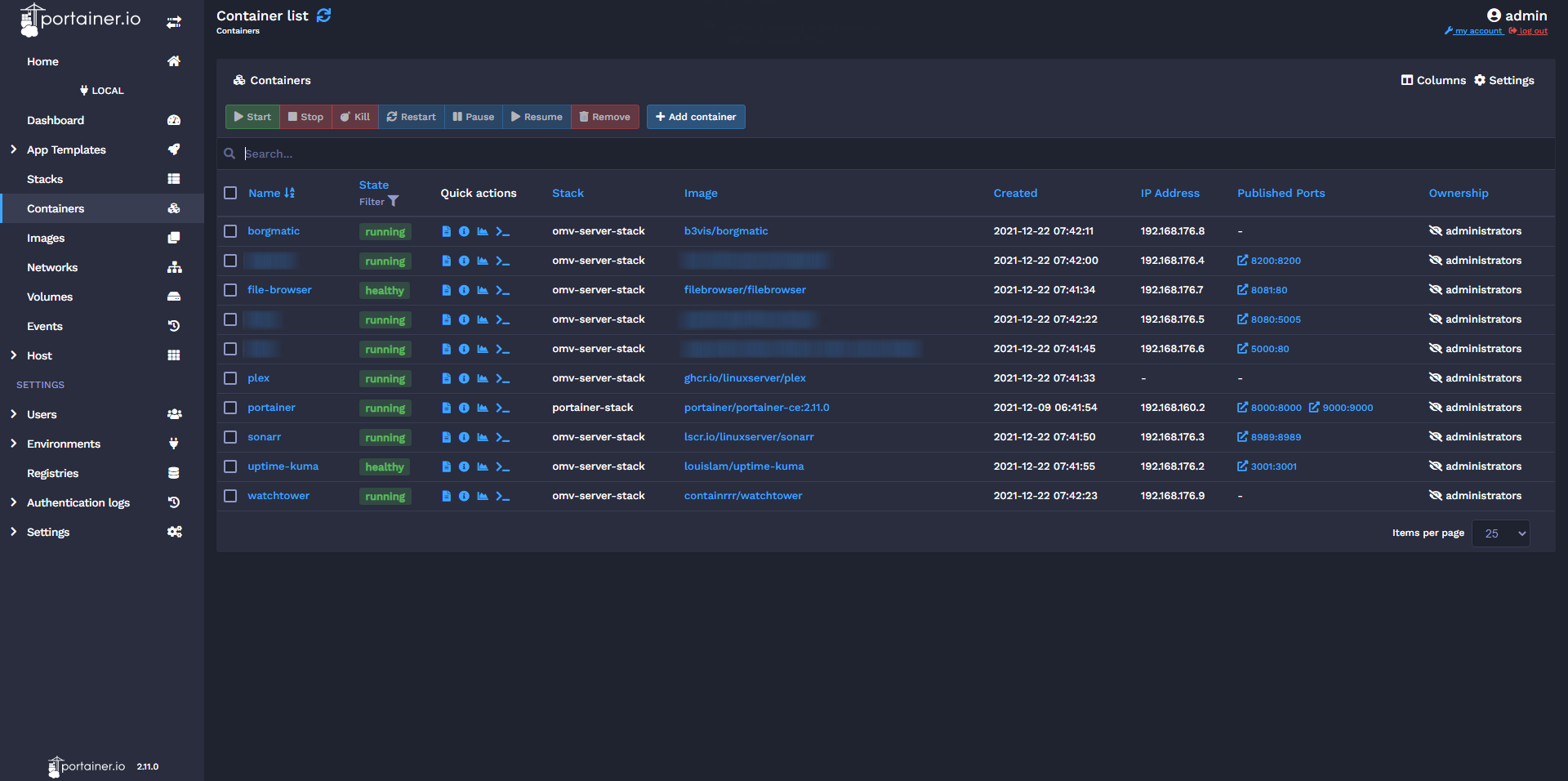
No major changes, only created a blue-tinted palette for better contrast and less eyestrain than the default dark colors.
Font changed to [Inter](https://fonts.google.com/specimen/Inter) for improved readability.
Monospace font changed to [Fira Code](https://fonts.google.com/specimen/Fira+Code).
## Installing
### Using Stylus:
First, install the [Stylus](https://chrome.google.com/webstore/detail/stylus/clngdbkpkpeebahjckkjfobafhncgmne?hl=en) extension.
Next, install the [UserCSS](https://github.com/Teraskull/portainer-night-sky-theme/raw/master/style.user.css) theme.
Make sure to change the URL on [line 16](https://github.com/Teraskull/portainer-night-sky-theme/blob/811e7cb2b7e1dbb6cffd0da21a9f00e137aca454/style.user.css#L16) to match your Portainer URL.
If your Portainer is running on a different port, use `url` instead of `domain`.
Example:
```css
@-moz-document url("http://my-server.local:8080/") {
```
## License
Distributed under the AGPL-3.0 License. See [`LICENSE`](/LICENSE) for more information.