https://github.com/tester1010101/services2rules
:toolbox: Convert all services from Windows Services (svchost.exe) into applicables firewall rules. Useful if you keep changing workstations. :balance_scale:
https://github.com/tester1010101/services2rules
converter dump firewall rules services tool windows
Last synced: about 2 months ago
JSON representation
:toolbox: Convert all services from Windows Services (svchost.exe) into applicables firewall rules. Useful if you keep changing workstations. :balance_scale:
- Host: GitHub
- URL: https://github.com/tester1010101/services2rules
- Owner: tester1010101
- Created: 2022-01-07T19:14:00.000Z (over 4 years ago)
- Default Branch: main
- Last Pushed: 2022-12-28T21:14:10.000Z (over 3 years ago)
- Last Synced: 2026-05-02T01:34:57.533Z (about 2 months ago)
- Topics: converter, dump, firewall, rules, services, tool, windows
- Language: PowerShell
- Homepage:
- Size: 6.84 KB
- Stars: 0
- Watchers: 1
- Forks: 0
- Open Issues: 0
-
Metadata Files:
- Readme: README.md
Awesome Lists containing this project
README
# Services2Rules (v1.2) :wrench: :screwdriver:
* :gear: Dumps ALL **Services** from Windows Services (svchost.exe).
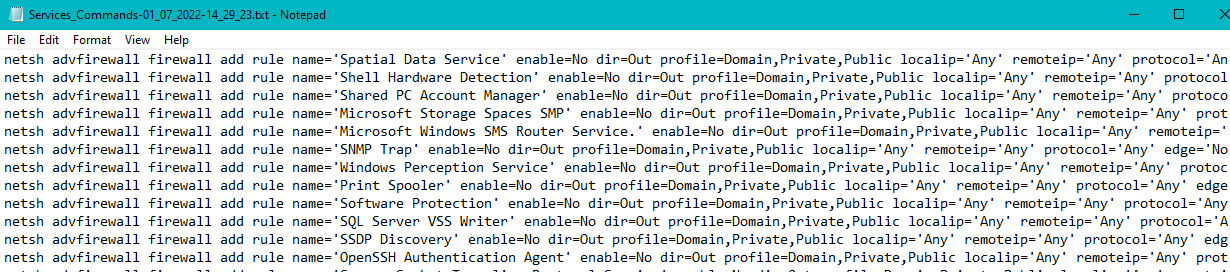
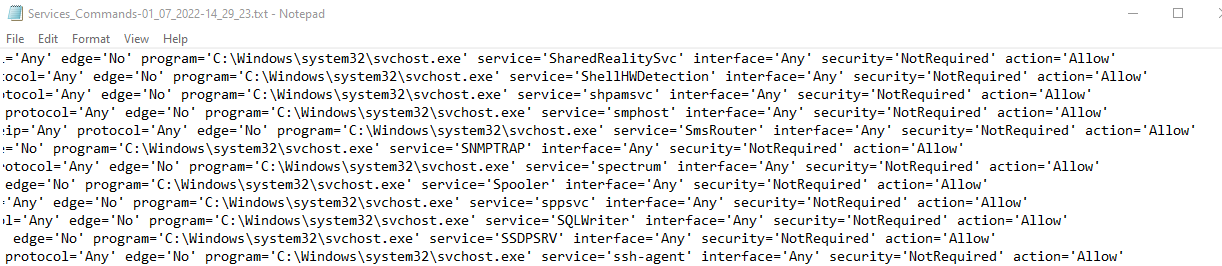
* :gear: Reconverts them into applicables firewall rules through "netsh advfirewall firewall add rule".
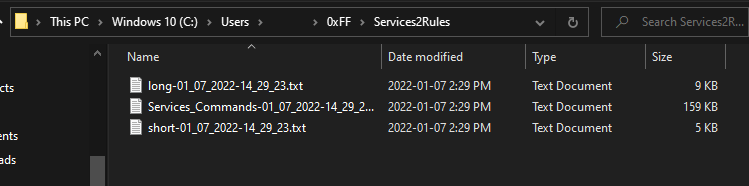
* :gear: Will get dumped & converted in: %USERPROFILE%\0xFF\Services2Rules\FWCommands.txt
* :gear: Prompts user to open the dump/rules location, for analysis/learning/re-apply/backups.
*
* :boxing_glove: You can make modifications afterwards to interfaces, out/in IPs, and other settings, although some may be already configured.
# Instructions ::
1) Run the PowerShell script (Run with PowerShell).
2) Type Y or N to continue the dump process.
3) Type Y or N to open the dump/conversion location/file.