https://github.com/thatgirldorian/dodemon
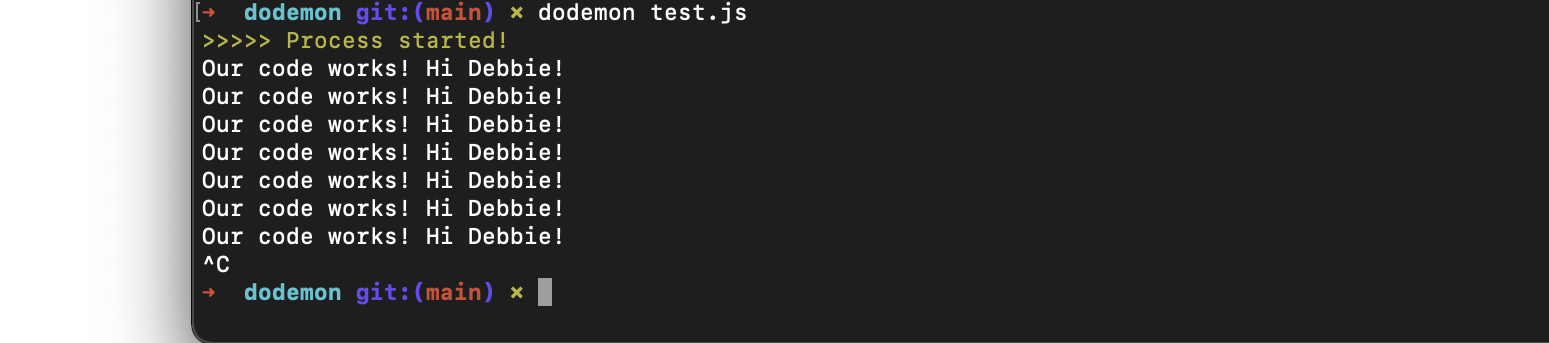
This is my interpretation of the project runner tool, nodemon. Dodemon will automatically restart a node application whenever new changes are made.
https://github.com/thatgirldorian/dodemon
nodejs nodemon project-runner
Last synced: 2 months ago
JSON representation
This is my interpretation of the project runner tool, nodemon. Dodemon will automatically restart a node application whenever new changes are made.
- Host: GitHub
- URL: https://github.com/thatgirldorian/dodemon
- Owner: thatgirldorian
- Created: 2022-05-16T17:25:41.000Z (about 4 years ago)
- Default Branch: main
- Last Pushed: 2022-05-18T19:14:36.000Z (about 4 years ago)
- Last Synced: 2025-02-22T20:46:57.809Z (over 1 year ago)
- Topics: nodejs, nodemon, project-runner
- Language: JavaScript
- Homepage:
- Size: 3.93 MB
- Stars: 0
- Watchers: 2
- Forks: 0
- Open Issues: 0
-
Metadata Files:
- Readme: README.md
Awesome Lists containing this project
README
          # dodemon

 This is my interpretation of the project runner tool, nodemon. Dodemon will automatically restart a node application whenever new changes are made. It will detect file changes and then refresh. It also has a help doc/command that can easily show a new user how to use it for the first time. You can use this by runnning the 'h' or '--h' command

 Issues faced & resolution:


 - I kept getting this error: "Too many argument(s) . Got 2, expected exactly 1.", when using the Caporal Pacakage. I fixed this by changing the  outdated bits of the code from the previous version to this:


 ```

 program

    .version('1.0.0')

    .argument("[filename]", "This is the name of the file to be executed")

    .action(({logger, args, options}) => {

        console.log(args)

    })

program.run(process.argv.slice(2))

```

- After that, I then got stuck when I tried fixing the error handling. After reading and experimenting with the Caporal docs, I was able to make it work by reworking my code to this:

```

program

    .version('1.0.0')

    .argument('[filename]', "This is the name of the file to be executed.")

    .action(async ({ filename, args }) => {

        //check if a filename is being provided

        const name = (args.filename) || "index.js"

```

Technology used:

- JavaScript

- GitHub

- The Chokidar package (detects file changes)

- The Caporal package (generated help docs/commands)

- The Lodash debounce package (helped with setting timer and debouncing)

- The Cli-color package (for string styling)

Screenshot: