https://github.com/theawiteb/todo-list-cli
To-do lists, with beautiful CLI
https://github.com/theawiteb/todo-list-cli
Last synced: about 1 year ago
JSON representation
To-do lists, with beautiful CLI
- Host: GitHub
- URL: https://github.com/theawiteb/todo-list-cli
- Owner: TheAwiteb
- License: gpl-3.0
- Created: 2021-09-03T15:56:12.000Z (almost 5 years ago)
- Default Branch: master
- Last Pushed: 2021-09-03T17:05:07.000Z (almost 5 years ago)
- Last Synced: 2025-02-13T07:15:49.642Z (over 1 year ago)
- Language: Python
- Size: 14.6 KB
- Stars: 0
- Watchers: 1
- Forks: 0
- Open Issues: 0
-
Metadata Files:
- Readme: README.md
- License: LICENSE
Awesome Lists containing this project
README
# Todo-list-cli
[Requirements](#Requirements) •
[Installation](#Installation) •
[Features](#Features) •
[Using](#Using) •
[LICENSE](#LICENSE)
## Requirements
* **[python3.6](https://www.python.org/downloads/) +**
* **[git](https://git-scm.com/)**
* **[pip](https://pip.pypa.io/en/stable/installation/)**
## Installation
Use [GitHub](https://GitHub.com) to clone Todo List.
```bash
# clone
git clone https://GitHub.com/TheAwiteb/todo-list-cli
# change directory
cd todo-list-cli
# install package from PyPi
pip3 install -r requirements.txt
# Run
python3 todo.py
```
## Features
* Easy using.
* Can choose TimeZone.
* Json storage.
## Using
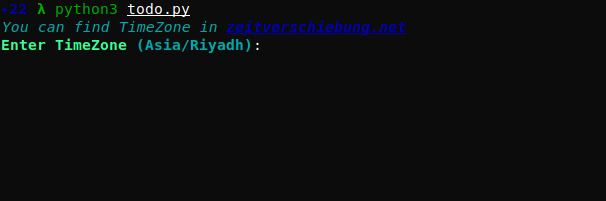
**First run will initialization Todo list**
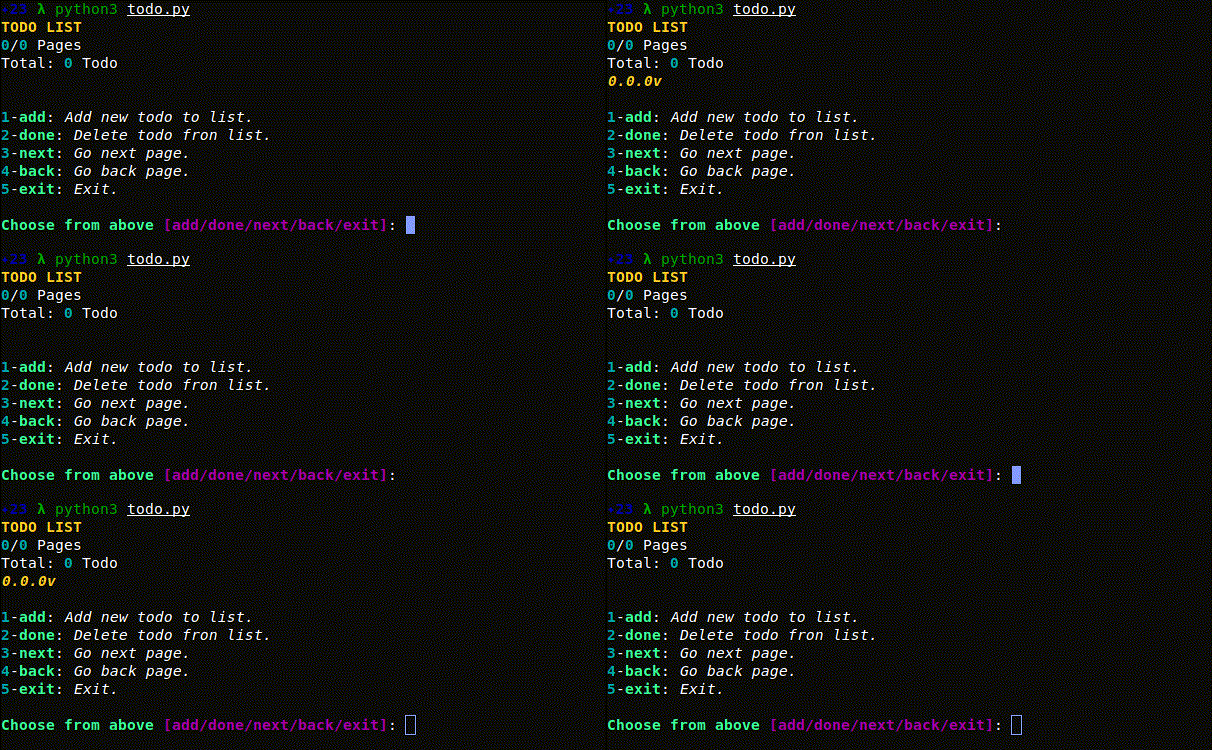
**When you don't have any Todo, the main interface will look like this**
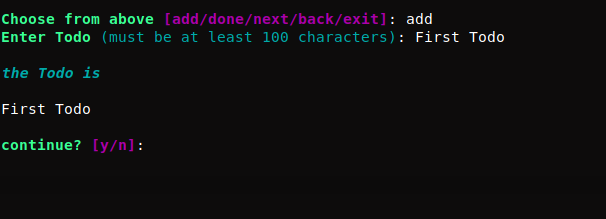
**How to add a new Todo**
**When there is a Todo, the main interface will look like this**

**When the Todo is finished, it will be removed like this**
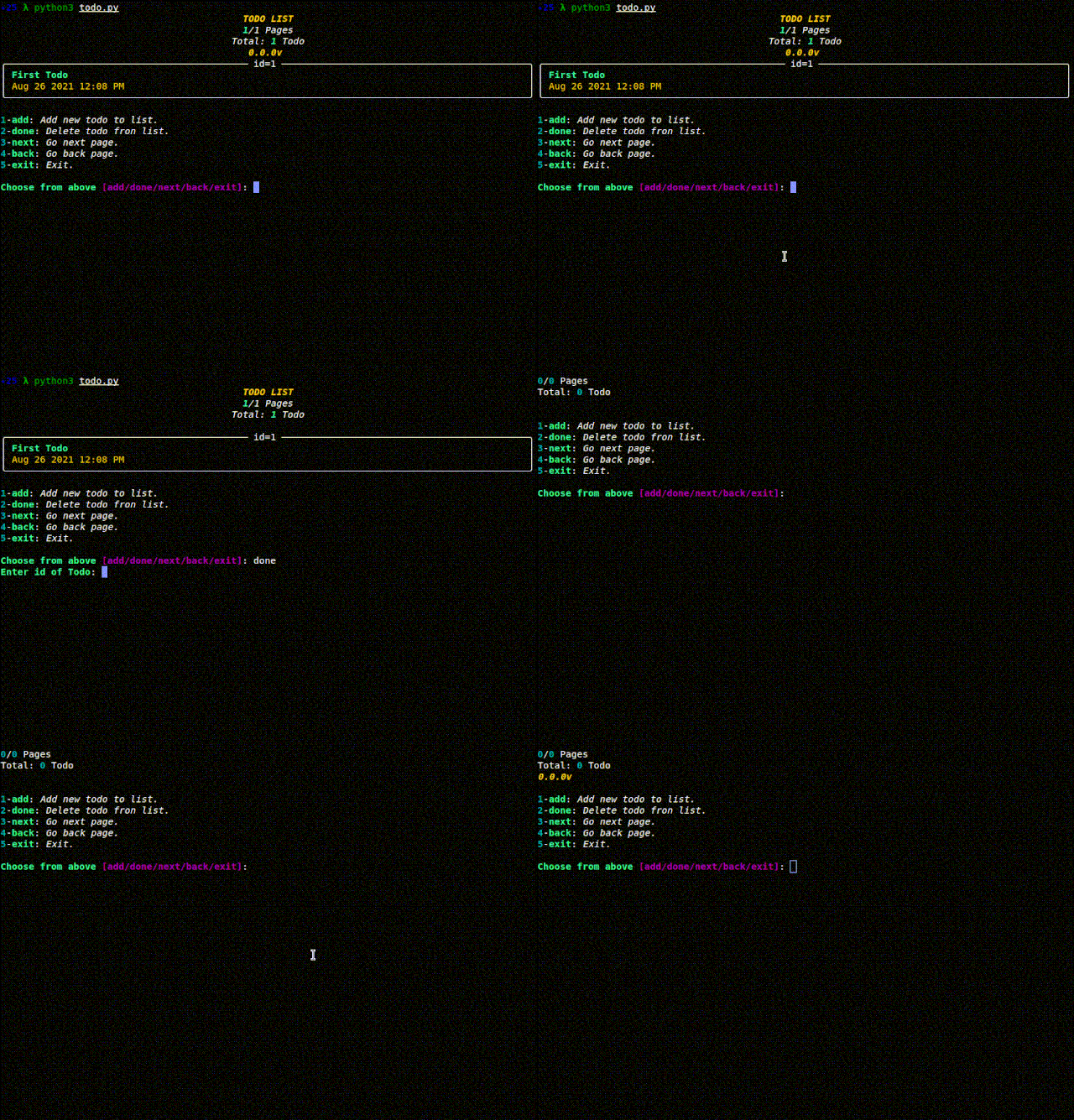
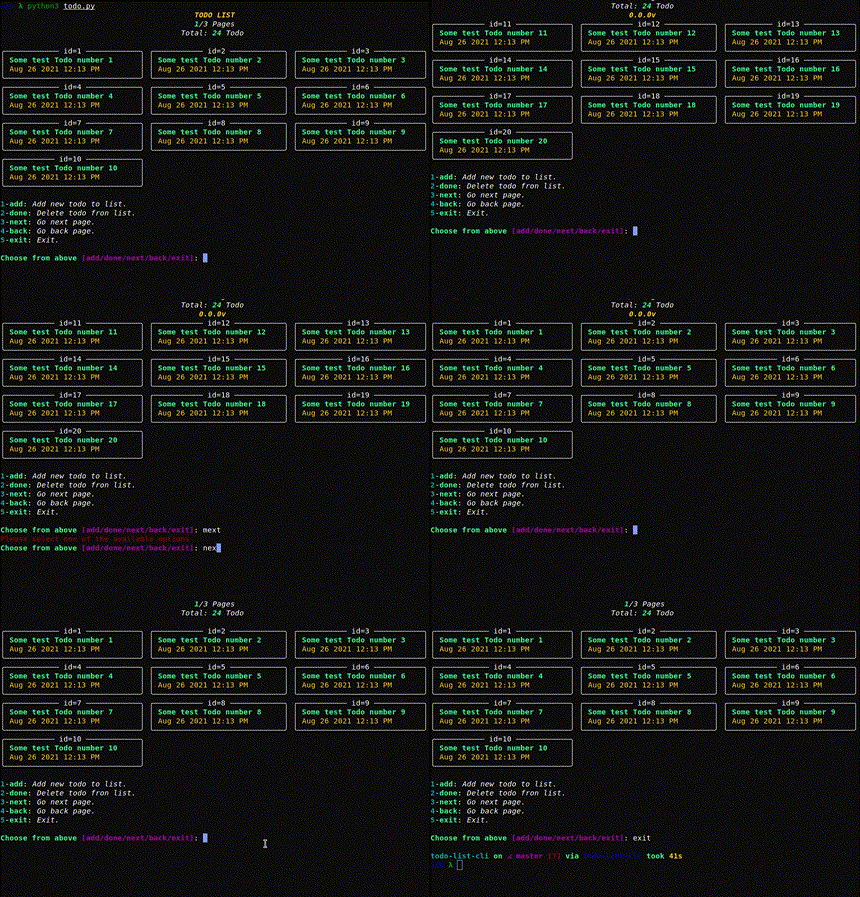
**Navigating between pages will be like this**
## LICENSE
[GPLv3](https://www.gnu.org/licenses/gpl-3.0.html)