https://github.com/thebinarysolution/countrypickerandroid
Country Code Picker for Android in Kotlin
https://github.com/thebinarysolution/countrypickerandroid
Last synced: 28 days ago
JSON representation
Country Code Picker for Android in Kotlin
- Host: GitHub
- URL: https://github.com/thebinarysolution/countrypickerandroid
- Owner: thebinarysolution
- Created: 2018-01-09T10:57:05.000Z (over 8 years ago)
- Default Branch: master
- Last Pushed: 2018-01-22T11:24:49.000Z (over 8 years ago)
- Last Synced: 2026-06-16T08:04:00.847Z (about 1 month ago)
- Language: Kotlin
- Size: 397 KB
- Stars: 15
- Watchers: 0
- Forks: 5
- Open Issues: 0
-
Metadata Files:
- Readme: README.md
Awesome Lists containing this project
README
          # Country Picker Android

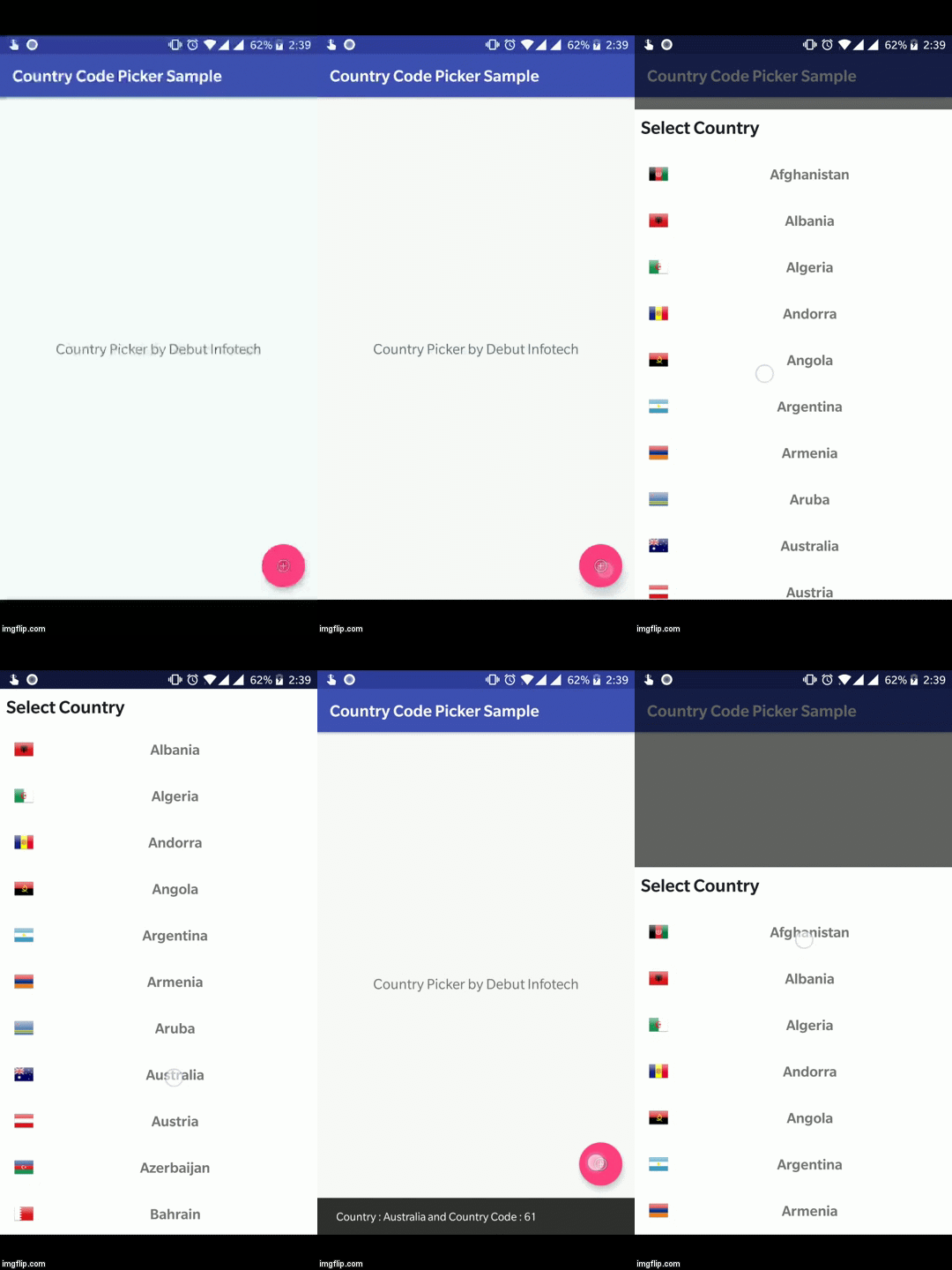
Country Code Picker for Android in Kotlin language. It will show a [bottomSheet](https://material.io/guidelines/components/bottom-sheets.html)

dialog with list of countries with their names and flags, once you selected the country the

[callback](https://github.com/debutdeveloper/countrypickerandroid/blob/master/countrycodepicker/src/main/java/com/debut/countrycodepicker/listeners/CountryCallBack.kt)

will provide you the [country](https://github.com/debutdeveloper/countrypickerandroid/blob/master/countrycodepicker/src/main/java/com/debut/countrycodepicker/data/Country.kt) object, which includes the Country name, phoneCode,  flagBitmap

# Getting Started

Add a gradle dependency

      # Root Level Gradle Dependency

      allprojects {

        repositories {

            jcenter()

            maven { url "https://jitpack.io" }

        }

      }


      # Module Level Gradle Dependency

      dependencies {

           compile "com.github.debutdeveloper:countrypickerandroid:dcbbda7fda"

           compile "com.android.support:design:26.1.0"

      }


# How To Use in Kotlin

```

CountryPicker.show(supportFragmentManager, object : CountryCallBack {

        override fun onCountrySelected(country: Country) {

             Snackbar.make(fab, "Country : ${country.name} and Country Code : ${country.countryCode}",

             Snackbar.LENGTH_LONG).show()

                 }

              })

```

# How To Use in Java

First add kotlin support in your project.

[Add Kotlin support in Android Project](https://kotlinlang.org/docs/tutorials/kotlin-android.html)

```

CountryPicker.INSTANCE.show(getActivity().getSupportFragmentManager(), new CountryCallBack() {

                @Override

                public void onCountrySelected(Country country) {

                    String messsage = "Country = " + country.component1() +

                    " code = " + country.component2();

                    Utils.getInstance().showSnackbar(view, messsage);

                }

            });


```