https://github.com/thecodeah/secret-board
An anonymous secret-sharing website
https://github.com/thecodeah/secret-board
django python3 secret-sharing social-network
Last synced: 9 months ago
JSON representation
An anonymous secret-sharing website
- Host: GitHub
- URL: https://github.com/thecodeah/secret-board
- Owner: thecodeah
- Created: 2019-02-28T09:05:56.000Z (over 7 years ago)
- Default Branch: master
- Last Pushed: 2023-04-21T21:09:43.000Z (about 3 years ago)
- Last Synced: 2025-09-21T06:55:59.702Z (10 months ago)
- Topics: django, python3, secret-sharing, social-network
- Language: Python
- Homepage:
- Size: 263 KB
- Stars: 7
- Watchers: 2
- Forks: 2
- Open Issues: 6
-
Metadata Files:
- Readme: README.md
Awesome Lists containing this project
README
# Secret Board

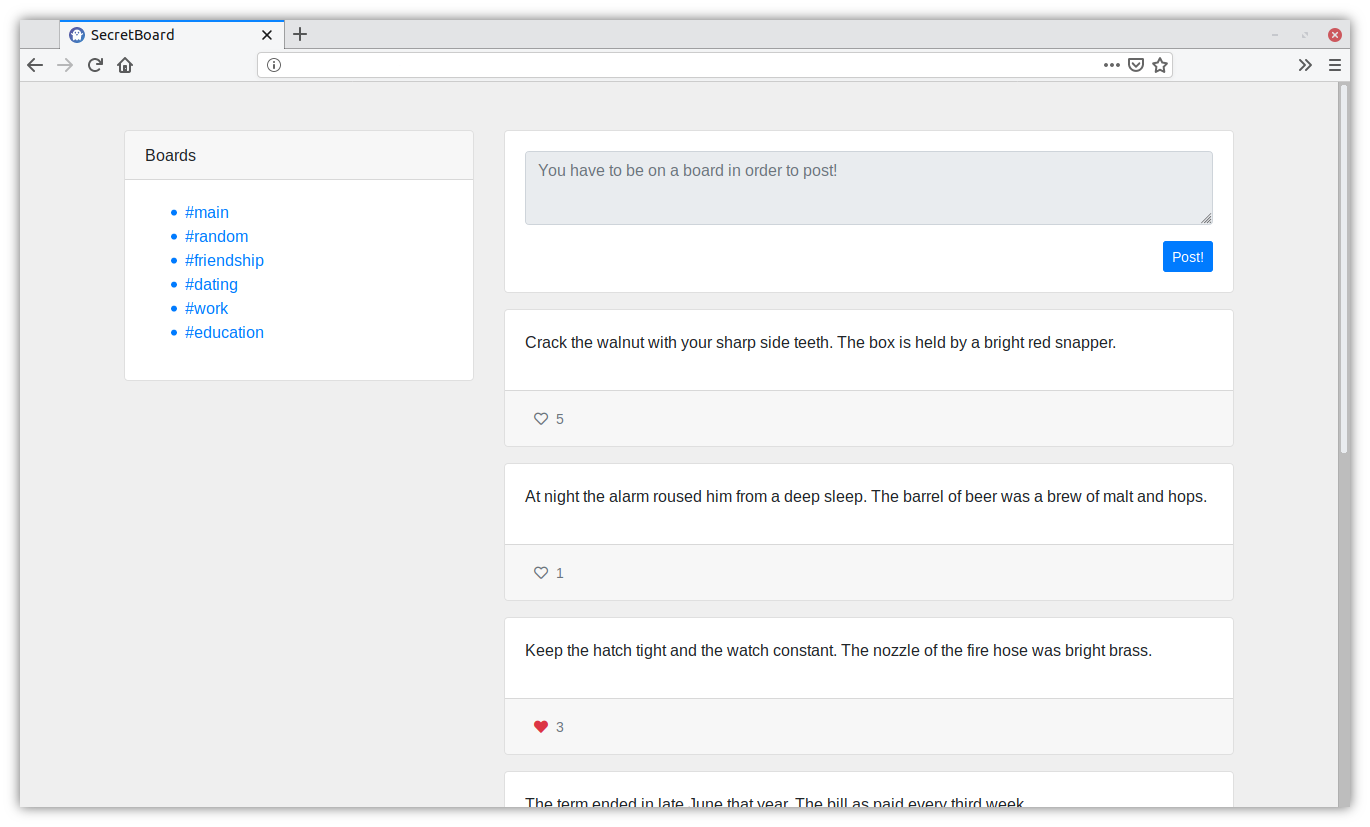
Secret Board is an anonymous secret-sharing website written in Python using the Django web framework.
Once you enter the website an anonymous user account is automatically generated for you. SecretBoard does not keep track of you in any way, you're only linked to your session token and a randomly generated username.
You can post secrets on a variety of boards such as #random, #work or #dating. You can also interact with posts by liking them.
## Screenshot
## Setting up your own instance of SecretBoard
If you want to set up your own instance of SecretBoard, the easiest way to do so would be by using Docker.
**1. Clone the repository or just download the `docker-compose.yml` file.**
```
git clone github.com/thecodeah/secret-board
```
**2. Set up the two environment variables that SecretBoard requires.**
`SB_SECRET_KEY` Django secret key : https://docs.djangoproject.com/en/2.1/ref/settings/#secret-key
`SB_DB_PASSWORD` The password that the Django project will use to connect to the database, and the PostgreSQL service will use to create an account.
**3. Start it up!**
Note : You have to be in the same directory as where the `docker-compose.yml` file resides.
```
docker-compose up
```