https://github.com/thefaster-unity/smartlinker
An easy-to-use URL handler that allows you to manage conveniently and customize the way files and web links are opened in web browsers.
https://github.com/thefaster-unity/smartlinker
browser fluent fluent-design fluentui python redirect redirect-urls winui winui3
Last synced: about 1 month ago
JSON representation
An easy-to-use URL handler that allows you to manage conveniently and customize the way files and web links are opened in web browsers.
- Host: GitHub
- URL: https://github.com/thefaster-unity/smartlinker
- Owner: theFASTER-UNiTY
- License: gpl-3.0
- Created: 2025-09-22T01:16:55.000Z (9 months ago)
- Default Branch: master
- Last Pushed: 2026-02-19T16:45:34.000Z (4 months ago)
- Last Synced: 2026-02-19T20:16:56.509Z (4 months ago)
- Topics: browser, fluent, fluent-design, fluentui, python, redirect, redirect-urls, winui, winui3
- Language: Python
- Homepage:
- Size: 5.91 MB
- Stars: 1
- Watchers: 0
- Forks: 0
- Open Issues: 0
-
Metadata Files:
- Readme: README.md
- Changelog: CHANGELOG.md
- Contributing: CONTRIBUTING.md
- License: LICENSE
- Code of conduct: CODE_OF_CONDUCT.md
Awesome Lists containing this project
README

SmartLinker
A Fluent design-based URL redirection handler.
[]()
[](LICENSE)
[]()
[]()
## ❓ What is SmartLinker?
SmartLinker - Mastering URL Handling (or simply **SmartLinker**) is a Windows desktop application that allows you to simply, yet intelligently manage and redirect URLs. Entirely based on PyQt6, currently the latest version of the Qt library for Python, it also provides a Fluent-inspired user interface for better visual immersion with the latest Windows system's UI language.
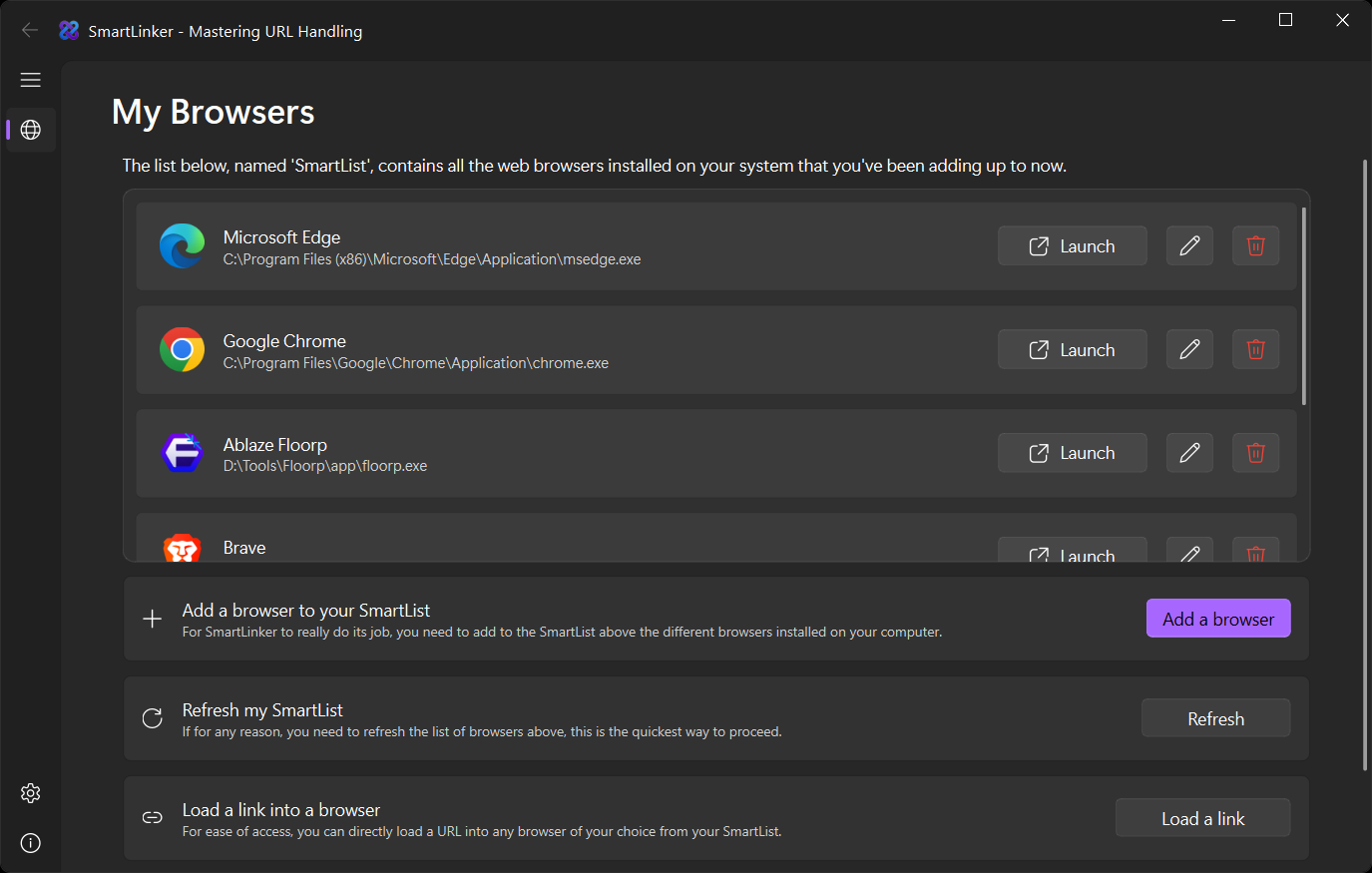
SmartLinker provides users with flexibility and easy-to-use features to quickly open links with a target browser, manage a persistent "SmartList" of browsers, and even customize appearance and sound effects.
***These are some of the software's main features:***
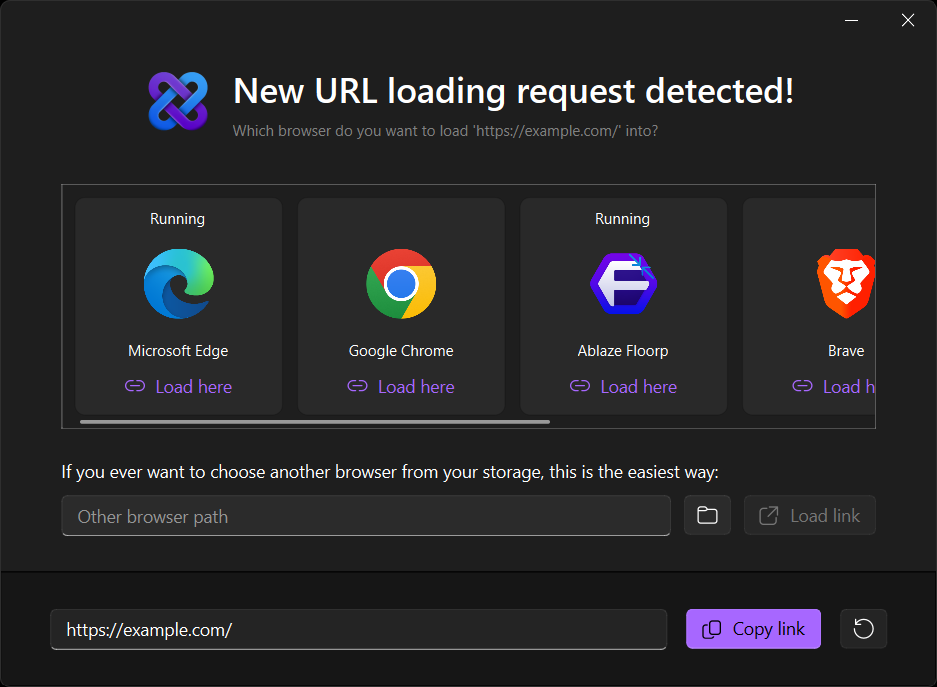
- Automatic URL redirection to the software for a full user-controlled management through a well-designed "Smart Selector"
- Intelligent browser selection for loading web links or local files.
- Persistent browser list (SmartList) for easier accessibility.
- Personalization: from visual theme to sound effects.
- Modern Fluent-style user interface (based on [QFluentWidgets](https://github.com/zhiyiYo/PyQt-Fluent-Widgets)).
*(Not much, you might say, but just what you need)* 😁
## 🏃 Let's get started!
We'll guide you through the whole process to install it on your own computer.
### Prerequisites
- Windows 10 version 20H2 (build 19042) x64 or later
- Python 3.10 or later
- A fresh virtual environment (venv)
- The required Python packages listed in [requirements.txt](requirements.txt)
### Standalone installation
If you'd rather prefer getting the installer, check out the [Releases](https://github.com/theFASTER-UNiTY/SmartLinker/releases) page of the repository (you can skip the Quick start section).
After installation, you will just have to set SmartLinker as your system's default web browser.
### Quick start
To get all the files required for SmartLinker right in your computer:
- If you have Git installed, just type the following command in your terminal:
```shell
git clone https://github.com/theFASTER-UNiTY/SmartLinker.git
```
- If not, click on the green **Code** button, then on **Download ZIP**. Then, extract it into a folder of your choice. Just be sure that the target location does have full write access.
Once the required files are ready, follow these instructions step-by-step:
1. In the SmartLinker directory, create a virtual environment by tapping this command:
```shell
python -m venv .venv
```
2. Then activate the freshly created environment:
```shell
.venv\Scripts\activate
```
3. Install all the needed dependencies with `pip`:
```shell
pip install -r requirements.txt
```
- **IMPORTANT**: To get QFluentWidgets properly installed, follow the instructions from the [official GitHub repository from zhiyiYo](https://github.com/zhiyiYo/PyQt-Fluent-Widgets).
4. After that, everything should be set for the software to run on your computer. The final command to run is this simple one:
```shell
python smartLinker.py
```
* **NOTE**: If you want to load a link to a webpage or a local file into the Smart Selector, run this command instead:
```shell
python smartLinker.py load "complete_file_path_or_website_url"
```
or simpler:
```powershell
python smartLinker.py "complete_file_path_or_website_url"
```
And you're all set! SmartLinker is installed into your system!
> [!Warning]
> You should keep in mind that if you choose the manual Python installation, the software will not do its job as meant to, since it has to be registered in the Windows registry to work properly. That can only be achieved with the installer.
## 🖼️ Here are some screenshots
#### Main interface
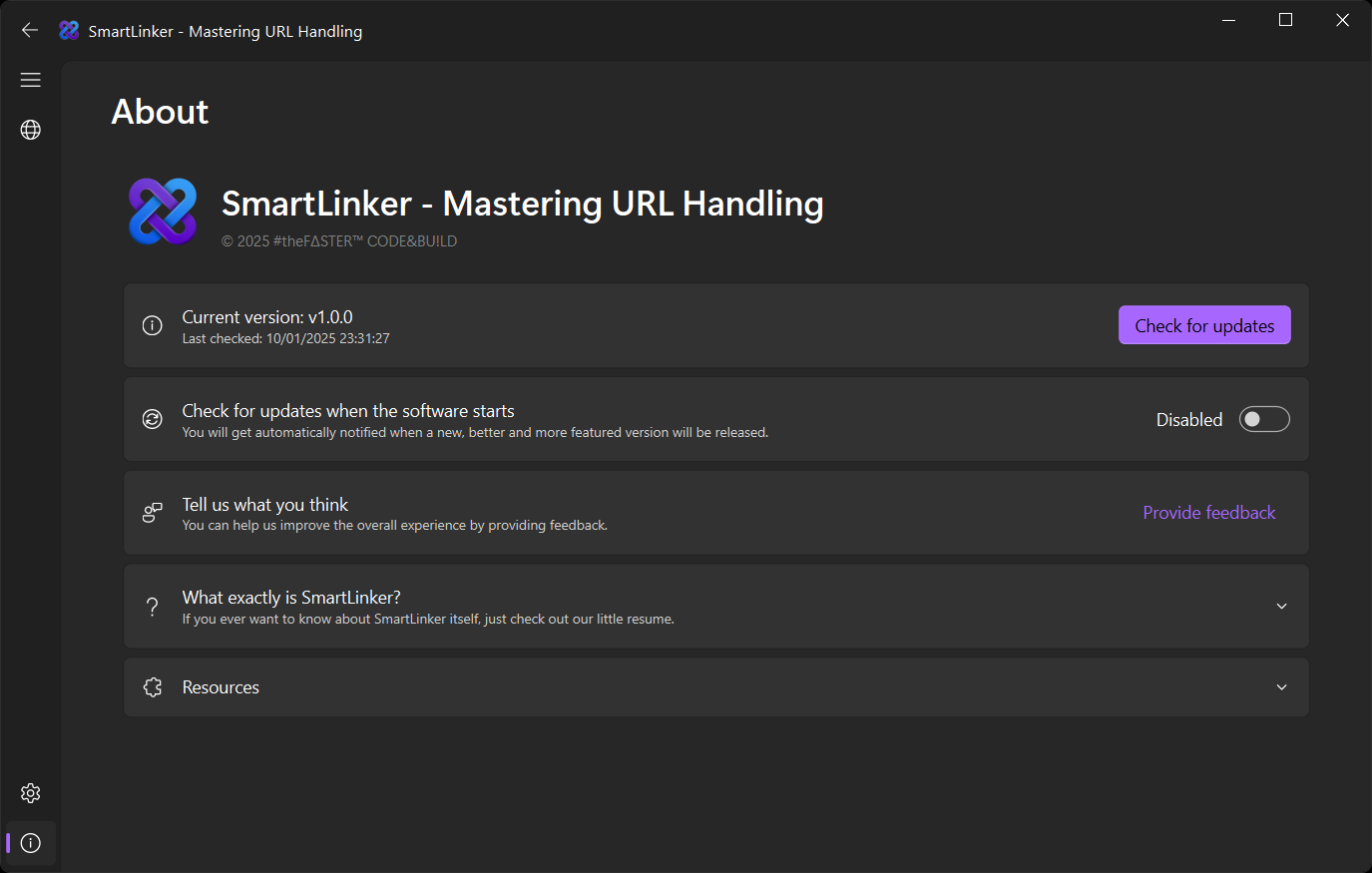
#### About interface
#### Selector window
## 🤝 Want to contribute?
**You might have already guessed, but this software is still in its first stages. So there are many aspects that might not be handled correctly.
So contributions in any form are greatly welcome and appreciated.**
Feel free to either create an issue from the [Issues](https://github.com/theFASTER-UNiTY/SmartLinker) section of the repository, or fork this project and create a pull request. For more details, please read the provided [CONTRIBUTING](CONTRIBUTING) document.
## 📜 License
This software is licensed under the **GPL**. See the [LICENSE](LICENSE) file for more information.
## 📬 Contact me
**Maintainer:** #theF∆STER™ CODE&BU!LD (software development section of the UN!TY group) (in case you would be wondering 😁)
**Email:** unity.thefaster@protonmail.com