https://github.com/thefrontside/bigtest
Ensure your React/Vue/Ember/anything app works perfectly across browsers.
https://github.com/thefrontside/bigtest
acceptance-testing cross-browser-compatibility cross-browser-testing javascript-testing testing-framework
Last synced: over 1 year ago
JSON representation
Ensure your React/Vue/Ember/anything app works perfectly across browsers.
- Host: GitHub
- URL: https://github.com/thefrontside/bigtest
- Owner: thefrontside
- Created: 2017-08-11T16:49:33.000Z (almost 9 years ago)
- Default Branch: v0
- Last Pushed: 2024-03-27T07:01:39.000Z (over 2 years ago)
- Last Synced: 2025-03-29T04:03:52.386Z (over 1 year ago)
- Topics: acceptance-testing, cross-browser-compatibility, cross-browser-testing, javascript-testing, testing-framework
- Language: TypeScript
- Homepage: https://frontside.com/bigtest
- Size: 17 MB
- Stars: 101
- Watchers: 13
- Forks: 14
- Open Issues: 76
-
Metadata Files:
- Readme: README.md
Awesome Lists containing this project
README


](https://discord.gg/r6AvtnU)

A Suite of JavaScript libraries and framework extensions to help you
answer the question:Does my application work in real life?
---
BigTest is an innovative new test runner. It is built to test any web
application in any browser and do it with great performance and test stability.
> BigTest is under heavy development, we are currently at an alpha stage of
> development, and adventurous users can start using BigTest today. Want to
> help us get to Beta? Check out the [beta milestone](https://github.com/thefrontside/bigtest/milestone/2) and help us
> cross the finish line!
### Real Applications
The surest way to know if an application is going to work is to actually run
it. BigTest is built to work with any web application out of the box and
requires *zero* integration inside your application code. From frontend
applications to server side rendered, React, Angular, Vue, Ember and so on… If
you can build it, you can test it.
### Real Browsers
Does your appication run in a browser? Then if a test is going to measure
whether it works or not, it also needs to run in a *real* browser that a *real*
user might use. BigTest is built from the ground up to work with *any* browser,
including mobile browsers.
### Real Stability
Testing big is hard because there can be hundreds if not thousands of things
happening concurrently inside your application, including user interactions. We
have taken great care to make sure BigTest tests do not suffer from the
flakiness issues often associated with big tests. Read about [how we eliminate flakiness on our blog](https://frontside.com/blog/2020-07-16-the-lesson-of-bigtest-interactors/).
## Getting started
BigTest is currently alpha level software and we are still building
documentation, so be prepared for some roughness around the edges, but if you
already want to give it a go, here is how you can get going:
Install bigtest in your application:
```
yarn add -D bigtest
```
Run the init command to set up your application:
```
yarn bigtest init
```
Add a test file in `test/my-test.test.js`:
``` javascript
import { test, visit, Heading } from 'bigtest';
export default test('My Test')
.step(visit('/'))
.step(Heading("My Application").exists());
```
Start the BigTest server:
```
yarn bigtest server
```
And run your tests:
```
yarn bigtest test
```
## Development
### Installation
1. Clone this repository `git clone git@github.com:thefrontside/bigtest.git`
2. Run `yarn`
### Building
To build every package into a publishable state for npm, run the following command at the root of the repo:
```bash
yarn prepack
```
All of the packages which have a compiled output use [typescript project references](https://www.typescriptlang.org/docs/handbook/project-references.html) for faster build times and a better project structure.
Any individual package can be built with the `prepack` script, eg. for `@bigtest/server`
```bash
yarn workspace @bigtest/server prepack
```
The `prepack` command will build the server package and any dependant packages that are set in the `"references"` field of the relevant `tsconfig.json`.
The following scripts can work on all packages when executed at the root level:
1. Run `yarn prepack:tsc` to compile all typescript
2. Run `yarn watch` to compile all typescript and instruct `tsc` to watch for file modifications.
3. Run `yarn clean:tsc` to delete all the `dist` directories and `*.tsbuildinfo` files and ensure that a clean build is being performed.
4. Run `yarn clean:tsbuild` to delete only the `*.tsbuildinfo` files.
### Running tests
1. Run `yarn` to ensure that all dependencies are installed
2. Run `yarn prepack` to build all packages
3. Run `yarn test` to run automated tests
### Running lints
1. Run `yarn` to ensure that all dependencies are installed
2. Run `yarn prepack` to build all packages
3. Run `yarn lint` to run linters
## License
[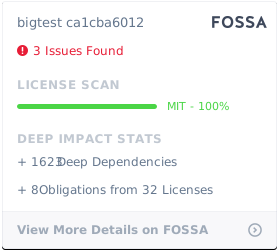](https://app.fossa.com/projects/git%2Bgithub.com%2Fthefrontside%2Fbigtest?ref=badge_large)