https://github.com/theos-ai/easy-paddle-ocr
This a clean and easy-to-use implementation of Paddle OCR. Made with ❤️ by Theos AI.
https://github.com/theos-ai/easy-paddle-ocr
custom-ocr license-plate-recognition machine-learning ocr optical-character-recognition paddle paddleocr paddlepaddle python text-recognition
Last synced: about 1 year ago
JSON representation
This a clean and easy-to-use implementation of Paddle OCR. Made with ❤️ by Theos AI.
- Host: GitHub
- URL: https://github.com/theos-ai/easy-paddle-ocr
- Owner: theos-ai
- Created: 2023-02-19T00:41:51.000Z (over 3 years ago)
- Default Branch: main
- Last Pushed: 2023-03-27T09:19:53.000Z (over 3 years ago)
- Last Synced: 2024-11-20T04:33:28.675Z (over 1 year ago)
- Topics: custom-ocr, license-plate-recognition, machine-learning, ocr, optical-character-recognition, paddle, paddleocr, paddlepaddle, python, text-recognition
- Language: Python
- Homepage: https://theos.ai
- Size: 14.8 MB
- Stars: 16
- Watchers: 3
- Forks: 1
- Open Issues: 2
-
Metadata Files:
- Readme: README.md
Awesome Lists containing this project
README
# 🤙🏻 Easy Paddle OCR ⚡️

This a clean and easy-to-use implementation of [Paddle OCR](https://github.com/PaddlePaddle/PaddleOCR). Made with ❤️ by [Theos AI](https://theos.ai).
Don't forget to subscribe to our [YouTube Channel](https://www.youtube.com/@theos-ai/)!
### Install the package
```
pip install easy-paddle-ocr
```
### How does it work?
The text recognition is made on a cropped part of a larger image, usually these crops are made with the bounding box output of an [Object Detection](https://docs.theos.ai/get-started/object-detection) model. You can learn how to build a license plate recogition model on the following [YouTube Tutorial](https://www.youtube.com/watch?v=GVLUVxTpqG0). You can easily train a model to make bounding boxes around any kind of text, not just license plates. After training your own object detection model, you can pass those cropped bounding boxes to Easy Paddle OCR in order to perform text recognition and read the text they contain.
### Read the text
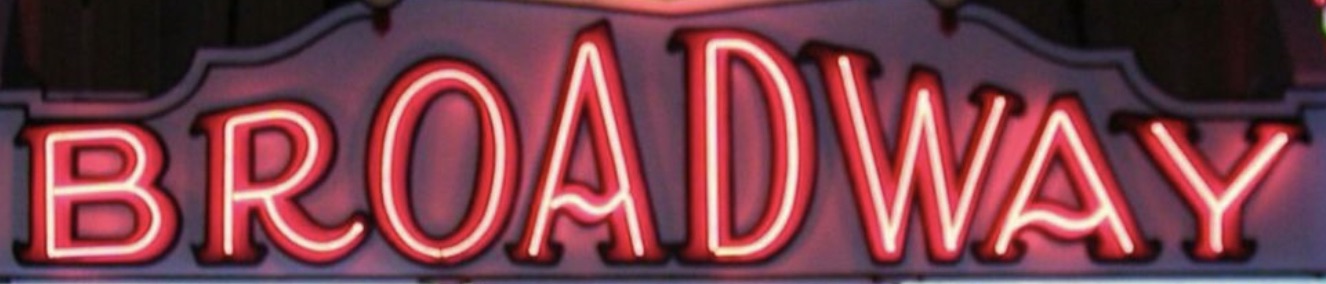
On the **read.py** file we recognize the text of 3 different cropped bounding boxes, each taken from larger images.
*broadway.jpeg*

*brooklyn.jpeg*

*casino.jpeg*
Let's recognize all of them with the following script.
``` python
from easy_paddle_ocr import TextRecognizer
import time
import cv2
text_recognizer = TextRecognizer() # for custom weights do TextRecognizer(weights='folder_path')
images = ['broadway.jpeg', 'brooklyn.jpeg', 'casino.jpeg']
for filename in images:
image = cv2.imread(filename)
start = time.time()
prediction = text_recognizer.read(image)
print(f'\n[+] image: {filename}')
print(f'[+] text: {prediction["text"]}')
print(f'[+] confidence: {int(prediction["confidence"]*100)}%')
print(f'[+] inference time: {int((time.time() - start)*1000)} milliseconds')
print()
```
After running the **read.py** script you should see the following output.
```
[+] image: broadway.jpeg
[+] text: BROADWAY
[+] confidence: 98%
[+] inference time: 39 milliseconds
[+] image: brooklyn.jpeg
[+] text: BROOKLYN
[+] confidence: 96%
[+] inference time: 31 milliseconds
[+] image: casino.jpeg
[+] text: CASINO
[+] confidence: 78%
[+] inference time: 30 milliseconds
```
## Custom Training
If you find that the default Paddle OCR weights don't work very well for your specific use case, we recommed you to train your own OCR model on [Theos AI](https://theos.ai).
A tutorial on how to do this is coming soon, but if you already signed up and figured out how to build your own dataset on Theos and trained it on Paddle OCR, the only thing you have to do now is download your custom weights from your training session experiment by clicking the weights button on the top right corner.
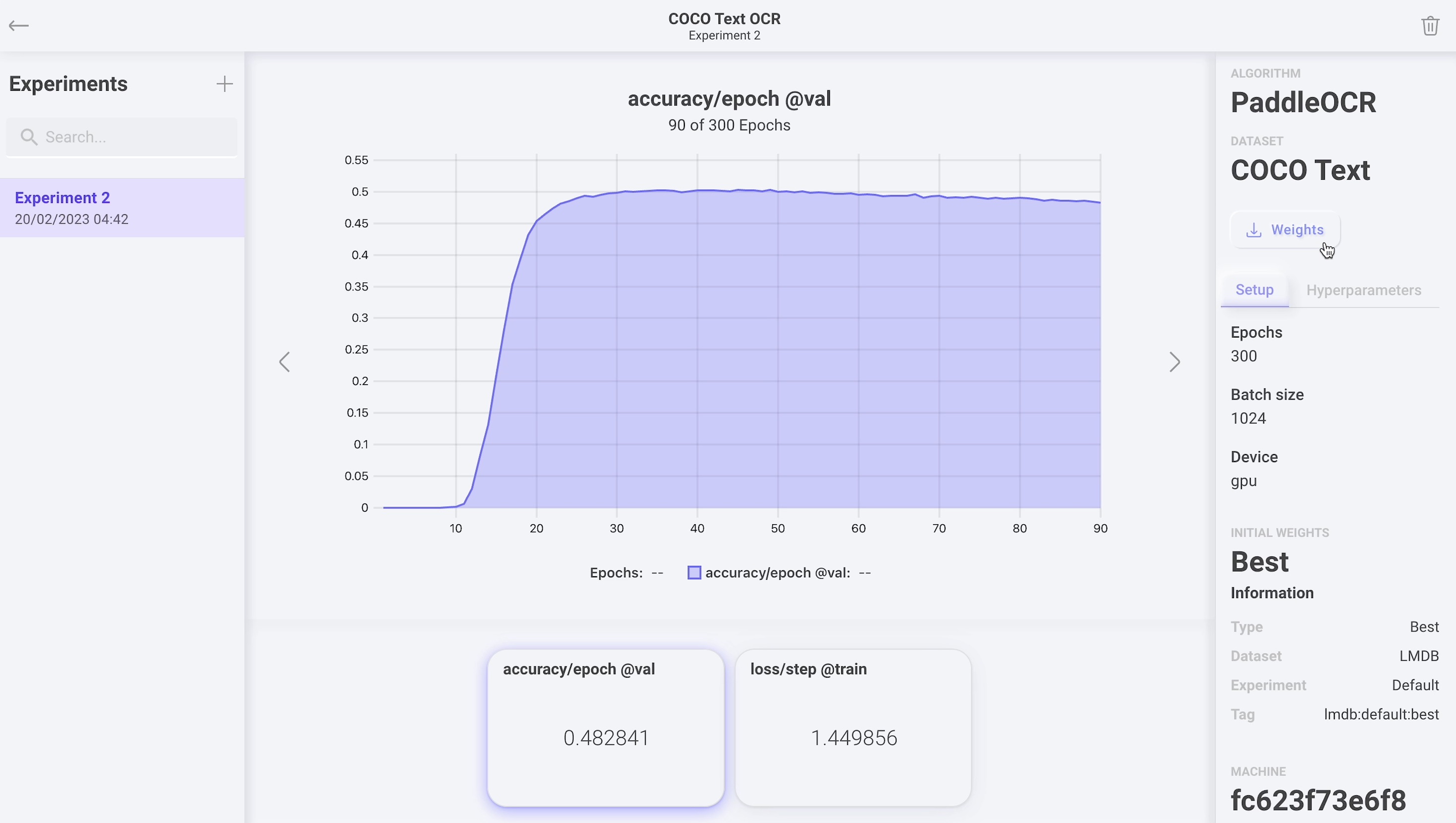
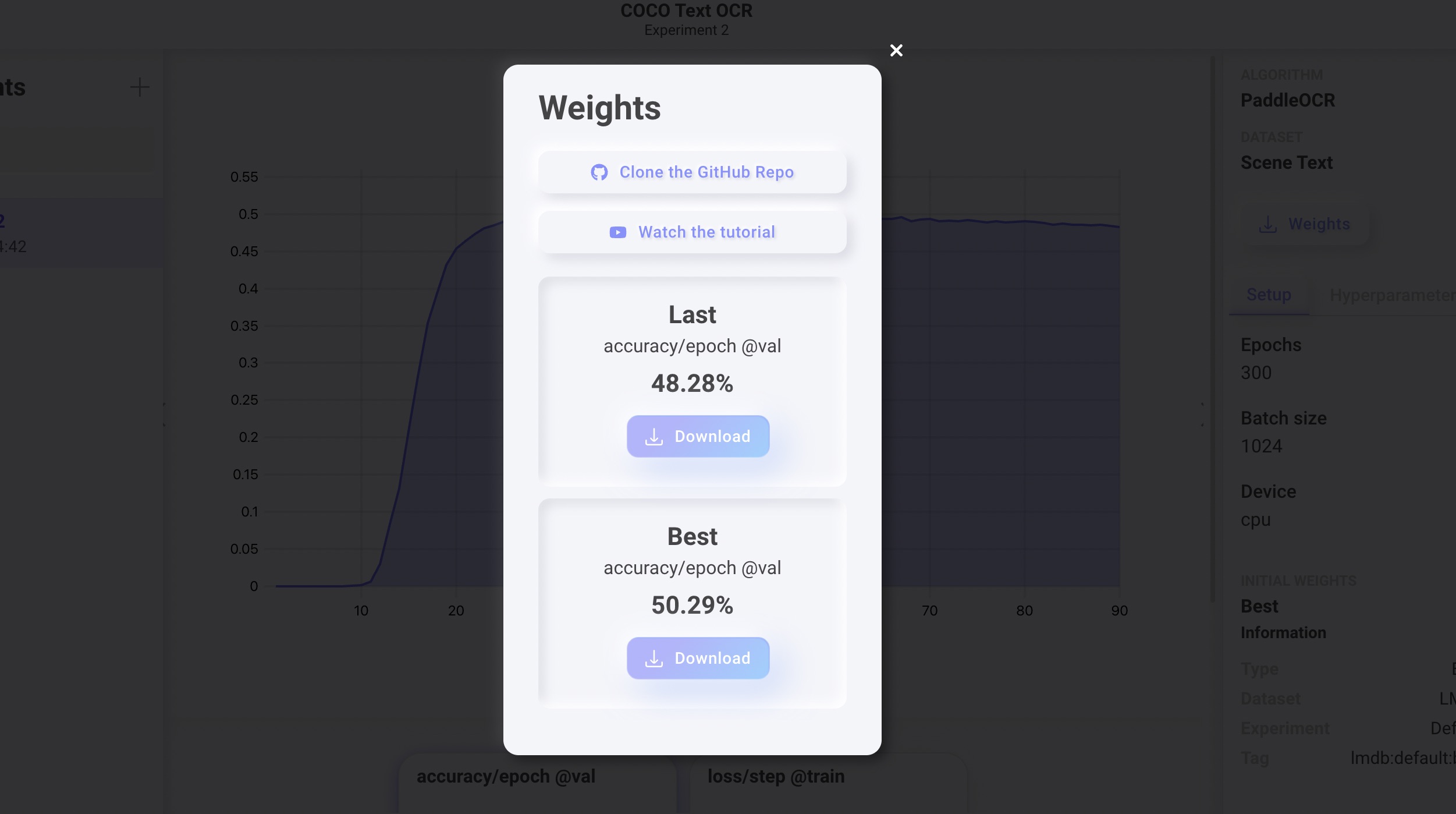
Download the **Last** or **Best** weights and extract the zip file. Only the following files are required.
```
dictionary.txt
inference.pdiparams
inference.pdiparams.info
inference.pdmodel
```
Finally, set the new weights folder path when you instantiate your TextRecognizer.
``` python
text_recognizer = TextRecognizer(weights='./best')
```
## Contact us
Reach out to [contact@theos.ai](mailto:contact@theos.ai) if you have any questions!