https://github.com/thesstraight/compassdlc
External Compass DLC for Counter-Strike: Source v92 (6630498) on Linux
https://github.com/thesstraight/compassdlc
compass counter-strike cpp dlc external linux memory
Last synced: about 2 months ago
JSON representation
External Compass DLC for Counter-Strike: Source v92 (6630498) on Linux
- Host: GitHub
- URL: https://github.com/thesstraight/compassdlc
- Owner: thesstraight
- License: mit
- Created: 2025-06-25T21:04:01.000Z (about 1 year ago)
- Default Branch: master
- Last Pushed: 2025-07-03T10:24:32.000Z (about 1 year ago)
- Last Synced: 2025-07-03T11:38:51.110Z (about 1 year ago)
- Topics: compass, counter-strike, cpp, dlc, external, linux, memory
- Language: C++
- Homepage:
- Size: 29.6 MB
- Stars: 0
- Watchers: 0
- Forks: 0
- Open Issues: 0
-
Metadata Files:
- Readme: README.md
- License: LICENSE
Awesome Lists containing this project
README
# External Compass DLC for Counter-Strike: Source v92 (6630498) on Linux
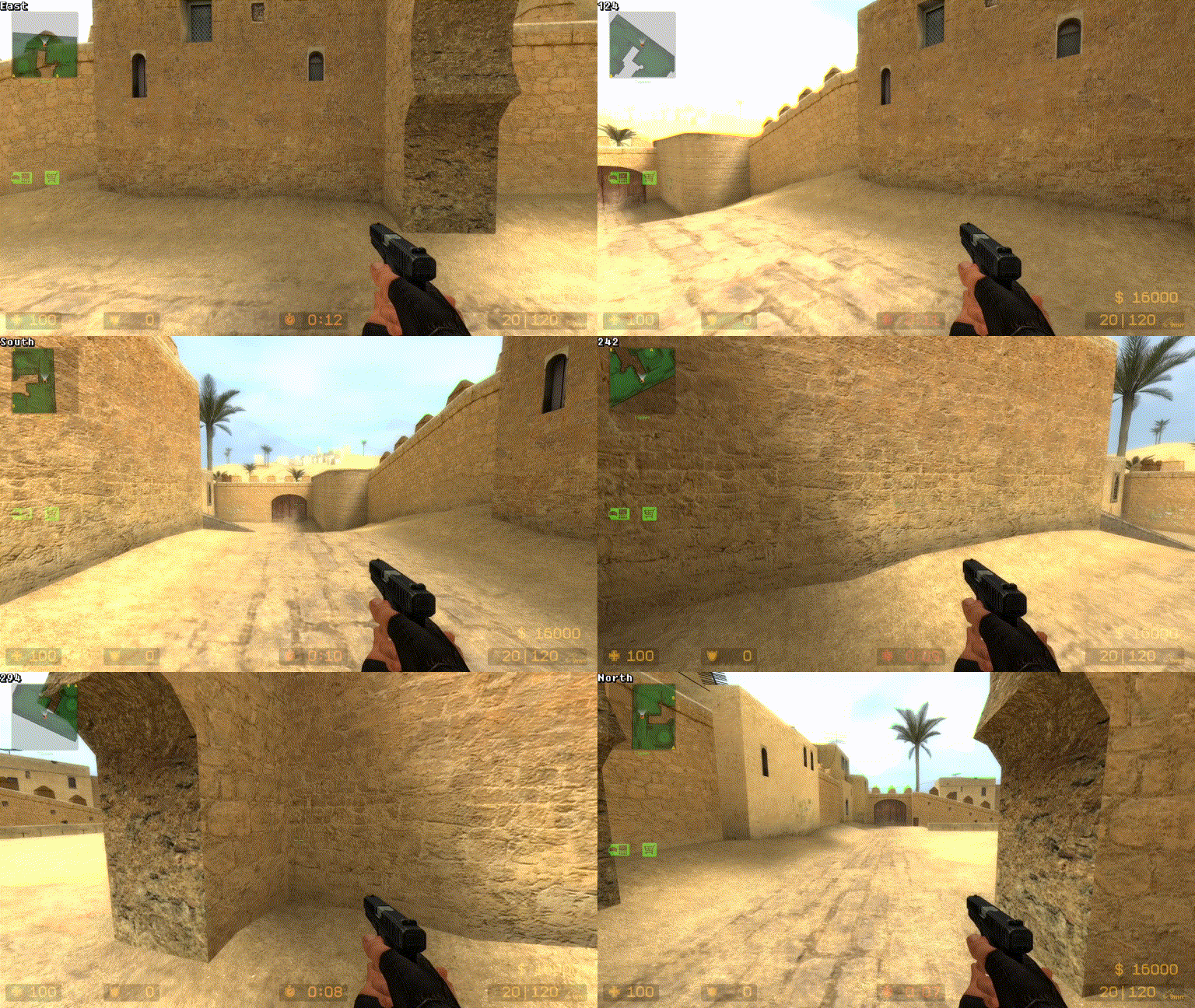
Application creates a transparent window with floating flag and reads players yaw, then renders text with its value. U can make this work for garry's mod, etc... by changing the view angle offset. Tutorial for finding viewangles in source engine games https://www.youtube.com/watch?v=mS8ZQ5N7Dvk
## Showcase
## Installation
1. Clone this repository in ur terminal like so
`$ git clone https://github.com/thesstraight/compassDLC.git`
2. Create a folder outside src and name it include
3. Make 3 more folders in include named glad, GLT, libmem
4. Go to https://glad.dav1d.de/ and under API select gl Version 3.3
* under Profile select Core
* make sure under Options Generate a loader is selected
* download and xtract the zip file and put .h files in glad folder but glad.c in src folder
5. Go to https://github.com/vallentin/glText, download gltext.h and put it in the GLT folder
6. Go to https://github.com/rdbo/libmem/releases download and extract
`libmem-5.0.5-i686-linux-gnu-static.tar.gz` into libmem folder
7. Install glfw
* if u are on 64 bit systems
`$ sudo apt install libglfw3:i386 libglfw3-dev:i386`
* if u are on 32 bit systems
`$ sudo apt install libglfw3 libglfw3-dev`
8. Download the g++ compiler
`$ sudo apt install g++ g++-multilib`
9. Compile with g++
`g++ -o main main.cpp glad.c -L../include/libmem -I../include -std=c++20 -Wextra -Wall -pedantic -O2 -m32 -lGL -lglfw -llibmem`
10. Run the binary as sudo
`$ sudo ./main`
## The end
Hope u have tried it and enjoyed it if so leave a star!