https://github.com/thirdygayares/angular-components-modules-routing
Angular Create Components, Modules, and Routes
https://github.com/thirdygayares/angular-components-modules-routing
angular-basics angular-components angular-foundation angular-modules angular-routes
Last synced: 2 months ago
JSON representation
Angular Create Components, Modules, and Routes
- Host: GitHub
- URL: https://github.com/thirdygayares/angular-components-modules-routing
- Owner: thirdygayares
- License: mit
- Created: 2024-08-31T09:40:16.000Z (almost 2 years ago)
- Default Branch: main
- Last Pushed: 2024-09-10T07:20:13.000Z (almost 2 years ago)
- Last Synced: 2025-02-24T10:34:42.706Z (over 1 year ago)
- Topics: angular-basics, angular-components, angular-foundation, angular-modules, angular-routes
- Language: TypeScript
- Homepage: https://software-engineer.thirdygayares.com/angular-create-components-modules-and-routes
- Size: 136 KB
- Stars: 0
- Watchers: 1
- Forks: 0
- Open Issues: 0
-
Metadata Files:
- Readme: README.md
- License: LICENSE
Awesome Lists containing this project
README
### **Components**
Components are building blocks in Angular applications. Each component contains the HTML, CSS, and logic for a part of the user interface. You can think of them like small, reusable parts of a webpage.
### **Module**
A module is a container for a set of components, services, and other code that works together in an Angular application. The root module, usually named `AppModule`, starts the application and contains all other components.
### **Routes**
Routes define how users navigate between different pages or views in your application. You set up routes so that when users click a link, they see the right content (such as the Homepage or Login page).
### **Router**
The Angular router helps manage navigation between different views or pages. It allows you to change the visible part of the application based on the URL without reloading the entire page.
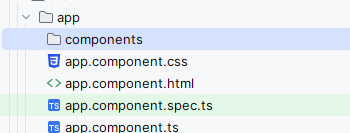
# 1\. **Create a folder named** `components`
In your Angular project, create a folder named `components`. This folder will contain all the individual components of your project, like the homepage, login, and services.
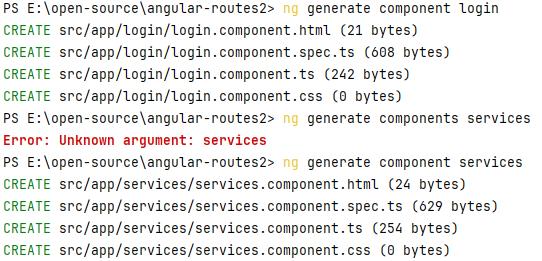
# 2\. **Generate 4 Components**
You can generate components by running the Angular CLI command in your terminal:
```bash
ng generate component components/homepage
ng generate component components/login
ng generate component components/services
ng generate component components/[another-component]
```
These commands will create the necessary files for each component in the `components` folder.

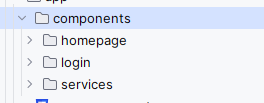
# 3\. **Move the 3 Folders to the Components Folder**
If you generated the components in the wrong location, move the folders to the correct `components` folder.
# 4\. **Add** `app.module.ts`
Ensure the `app.module.ts` file is set up to include the necessary imports for routing, form handling, animations, and the components. Follow the provided structure in your example.

Content of app.module.ts
```typescript
import { NgModule } from '@angular/core';
import { BrowserModule } from '@angular/platform-browser';
import {RouterModule, Routes} from '@angular/router';
import {ReactiveFormsModule} from '@angular/forms';
import {CommonModule} from "@angular/common";
import {BrowserAnimationsModule} from "@angular/platform-browser/animations";
import {AppComponent} from "./app.component";
import {provideAnimationsAsync} from "@angular/platform-browser/animations/async";
import {HomepageComponent} from "./components/homepage/homepage.component";
import {LoginComponent} from "./components/login/login.component";
import {ServicesComponent} from "./components/services/services.component";
const routes: Routes = [
{ path: '', component: HomepageComponent },
{ path: 'login', component: LoginComponent },
{ path: 'services', component: ServicesComponent },
];
@NgModule({
imports: [
CommonModule,
BrowserModule,
BrowserAnimationsModule,
ReactiveFormsModule,
RouterModule.forRoot(routes, {enableTracing: true}),
exports: [RouterModule],
declarations: [
AppComponent,
],
providers: [
provideAnimationsAsync(),
],
bootstrap: [
AppComponent
]
})
export class AppModule { }
```
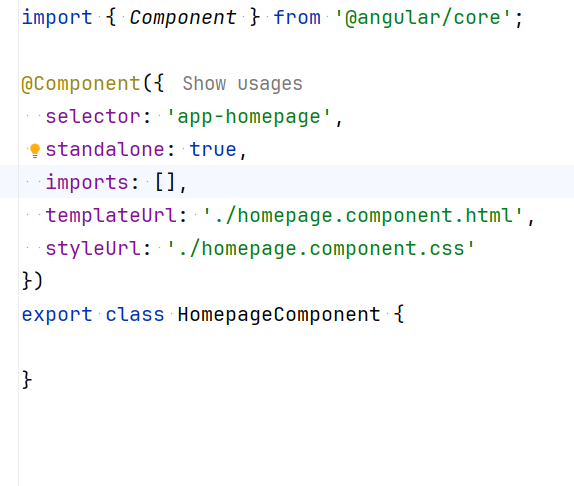
# 5\. **Remove** `standalone: true` and `imports: []` from All Components
In each component's `.ts` file, remove the lines `standalone: true` and `imports: []`, since they are not needed in this project setup.
# 6\. **Update** `main.ts`
Ensure that `main.ts` bootstraps (starts) the application with the `AppModule` as shown in your example.
```bash
import { platformBrowserDynamic } from '@angular/platform-browser-dynamic';
import { AppModule } from './app/app.module';
platformBrowserDynamic().bootstrapModule(AppModule)
.catch(err => console.error(err));
```
# 7\. **Update** `app.component.html`
Modify `app.component.html` to include the navigation links and the `router-outlet`, which will display the routed views.
```bash
Homepage
Login
Services
```
# **8.OUTPUT**
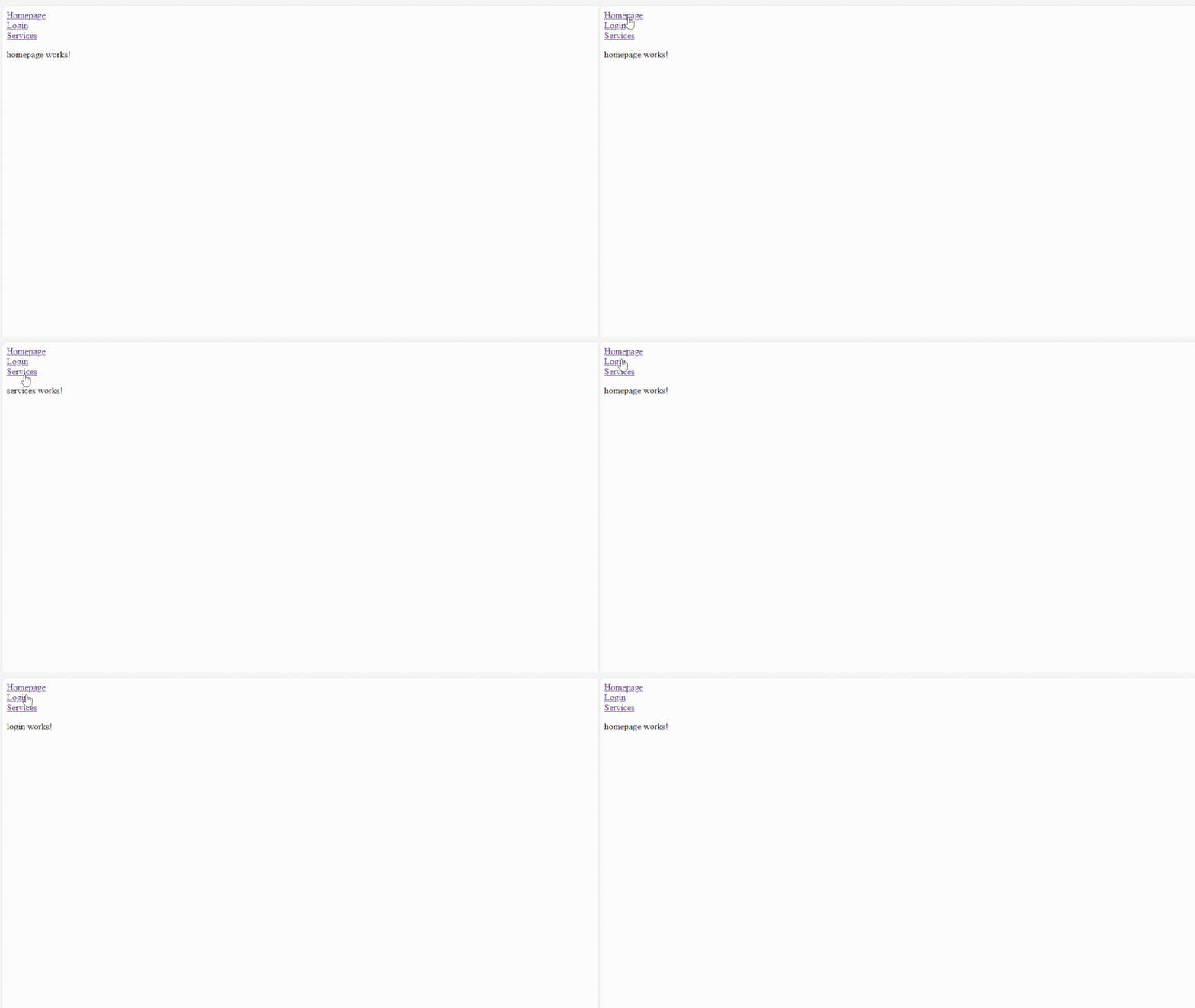
Github link
[https://github.com/Thirdy-Lecture/Angular-Routing.git](https://github.com/Thirdy-Lecture/Angular-Routing.git)