https://github.com/thisseanzhang/landscape
The goal is to easily configure your favorite Linux distribution as a router using the web UI
https://github.com/thisseanzhang/landscape
dns-server ebpf-tc landscape-router linux netns network-programming networking-tools router rust tproxy
Last synced: 5 months ago
JSON representation
The goal is to easily configure your favorite Linux distribution as a router using the web UI
- Host: GitHub
- URL: https://github.com/thisseanzhang/landscape
- Owner: ThisSeanZhang
- License: gpl-3.0
- Created: 2024-12-20T16:22:14.000Z (over 1 year ago)
- Default Branch: main
- Last Pushed: 2026-03-05T09:30:43.000Z (5 months ago)
- Last Synced: 2026-03-05T12:40:27.667Z (5 months ago)
- Topics: dns-server, ebpf-tc, landscape-router, linux, netns, network-programming, networking-tools, router, rust, tproxy
- Language: Rust
- Homepage: https://landscape.whileaway.dev
- Size: 15.1 MB
- Stars: 1,194
- Watchers: 8
- Forks: 77
- Open Issues: 27
-
Metadata Files:
- Readme: README.md
- License: LICENSE
Awesome Lists containing this project
README
# Landscape - Linux Router Configuration Tool
[](https://www.gnu.org/licenses/gpl-3.0)
[](https://deepwiki.com/ThisSeanZhang/landscape)
Landscape is a web-based tool that helps you easily configure your favorite Linux distribution as a router.
> Built with Rust / eBPF / AF_PACKET.
[简体中文](./README.zh.md) | [English](./README.md)
> For more information, please read the [documentation](https://landscape.whileaway.dev/en/introduction.html).
## Screenshot

---
## CORE Features
* Traffic diversion control (SIP-CIDR, MAC, DIP, domain, Geo matching rules)
* eBPF routing
* Independent DNS configuration and caching for each flow (to prevent DNS pollution and leaks)
* Traffic import into Docker containers
* Geo management
---
## Features
> ✅ Implemented and tested
> ⚠ Functional but untested
> ❌ Not implemented
* IP Configuration
* *Static IP*
* ✅ Set IP address
* ✅ Configure default route via gateway
* *DHCP Client*
* ✅ Specify hostname
* ❌ Custom DHCP options
* *PPPoE (PPPD version)*
* ✅ Set as default route
* ⚠ Multi-interface dialing
* ✅ Specify interface name
* *PPPoE (eBPF version)*
* ✅ Protocol core implemented
* ❌ GRO/GSO causing oversized packets (unsolved)
* *DHCP Server*
* ✅ Provide basic IP assignment and renewal
* ✅ Custom gateway/subnet/access rules
* ✅ IP-MAC binding
* ✅ IP lease display
* *IPv6 Support*
* ✅ Use DHCPv6-PD to request prefix from upstream
* ✅ Use RA to advertise multiple prefixes to downstream
* Flow Control Module
* ✅ Tag flows using IP / MAC
* ✅ Each flow can have its own DNS settings and cache
* ✅ Route marked traffic based on rules (direct/drop/reuse port/redirect to Docker or NIC)
* ❌ Assign tracking marks to specified packets
* ✅ External IP behavior control via tagging and `geoip.dat` support
* ✅ When IP rules and DNS rules conflict, the priority of the rules is used for verdict (the smaller the value, the higher the priority)
* Geo Management
* ✅ Manage multiple Geo sources
* ✅ Auto-update Geo IP/Site data
* DNS
* ✅ Support DNS over HTTPS, DNS over TLS and DNS over Quic for upstream
* ✅ Assign specific upstream DNS by domain
* ✅ DNS Hijacking (return A / AAAA records)
* ❌ Hijack to return multiple records (example: TXT / CNAME and other)
* ✅ Tag resolved IPs and handle with traffic control
* ✅ Support GeoSite files
* ❌ Parse Docker container domain labels into DNS records
* ✅ Test domain resolution
* NAT (eBPF)
* ✅ Basic NAT support
* ✅ Static mapping / Port forwarding
* ✅ NAT disables port reuse by default; reuse allowed via tagging rules
* Metrics
* ✅ Report connection stats (bytes/packets) every 5 seconds
* ✅ Display active connections (not yet combined with NAT)
* ❌ Open export API for metrics
* Docker
* ✅ Basic Docker container management and runtime
* ⚠ Pull images
* ✅ Route traffic into TProxy-enabled containers
* Wi-Fi
* ✅ Enable/disable Wi-Fi using `iw`
* ✅ Create AP with `hostapd`
* ❌ Connect to existing Wi-Fi hotspot
* Storage
* ✅ Use database instead of file-based config
* ✅ Export all current configs as `landscape_init.toml`
* ❌ UI component to upload/restore config
* ❌ Config editor via UI
* ❌ Separate DB path for metrics
* Miscellaneous
* ✅ Login screen
* ❌ English UI frontend
* ✅ NIC XPS/RPS optimization to distribute load across CPU cores
---
## How to Start & Limitations
### System Requirements
* Supported Linux Kernel: `6.9` or later
* The Linux kernel enables BTF/BPF functionality. See the [documentation](https://landscape.whileaway.dev/attention.html) for details.
* (Optional) `docker`
### Manual Startup
1. Create config directory:
```bash
mkdir -p /root/.landscape-router
```
2. Download **static.zip** from [release](https://github.com/ThisSeanZhang/landscape/releases) and extract to `/root/.landscape-router/static`
3. It can be started without configuring any files, but if you want to initialize it automatically via a configuration file.
refer to [Config](https://landscape.whileaway.dev/config/) to create `landscape_init.toml`
4. Start the service by downloading a release binary from [Releases](https://github.com/ThisSeanZhang/landscape/releases)
Then run (as root):
```bash
./landscape-webserver
```
Default HTTP port: **6300**
Default HTTPS port: **6443**
Default username: **root**
Default password: **root**
Use `./landscape-webserver --help` for other options.
5. Once everything is confirmed to work, you can set it up as a systemd service.
Create `/etc/systemd/system/landscape-router.service` with the following content:
```text
[Unit]
Description=Landscape Router
[Service]
ExecStart=/root/landscape-webserver # remember to modify this path accordingly
Restart=always
User=root
LimitMEMLOCK=infinity
[Install]
WantedBy=multi-user.target
```
### Armbian Integration
See [Armbian Integration Guide](https://landscape.whileaway.dev/compilation/armbian.html)
---
## Build Instructions
See [Build Documentation](https://landscape.whileaway.dev/compilation/) or [Cross-compilation Guide](https://landscape.whileaway.dev/compilation/cross.html)
---
## LICENSE
* `landscape-ebpf`: [GNU GPL v2.0](https://www.gnu.org/licenses/old-licenses/gpl-2.0.html)
* Other parts: [GNU GPL v3.0](https://www.gnu.org/licenses/gpl-3.0.html)
---
If you have any suggestions or issues, feel free to submit them via [issues](./issues/new).
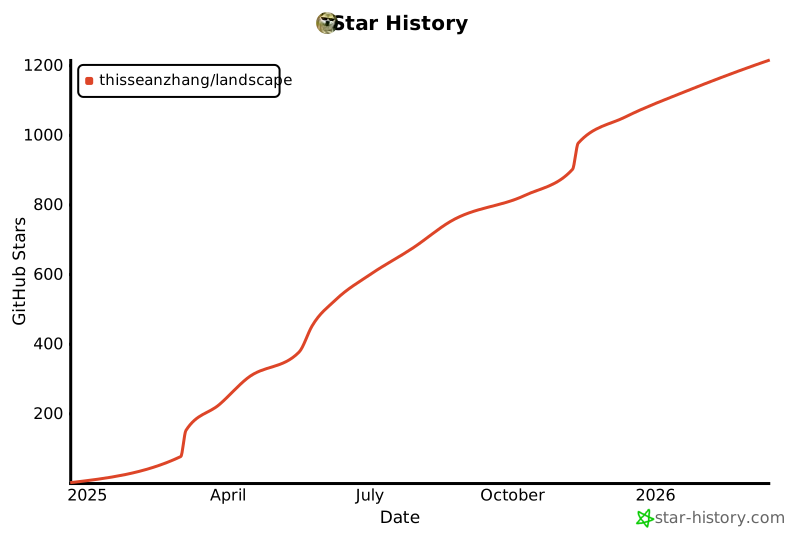
## Star History