https://github.com/thk2b/ftp
A FTP client and server implementation
https://github.com/thk2b/ftp
Last synced: over 1 year ago
JSON representation
A FTP client and server implementation
- Host: GitHub
- URL: https://github.com/thk2b/ftp
- Owner: thk2b
- Created: 2019-01-02T03:08:03.000Z (over 7 years ago)
- Default Branch: master
- Last Pushed: 2019-08-12T03:44:58.000Z (almost 7 years ago)
- Last Synced: 2024-10-04T16:41:34.270Z (almost 2 years ago)
- Language: C
- Size: 1.71 MB
- Stars: 0
- Watchers: 0
- Forks: 0
- Open Issues: 0
-
Metadata Files:
- Readme: README.md
Awesome Lists containing this project
README
# FTP
A FTP client and server implementation
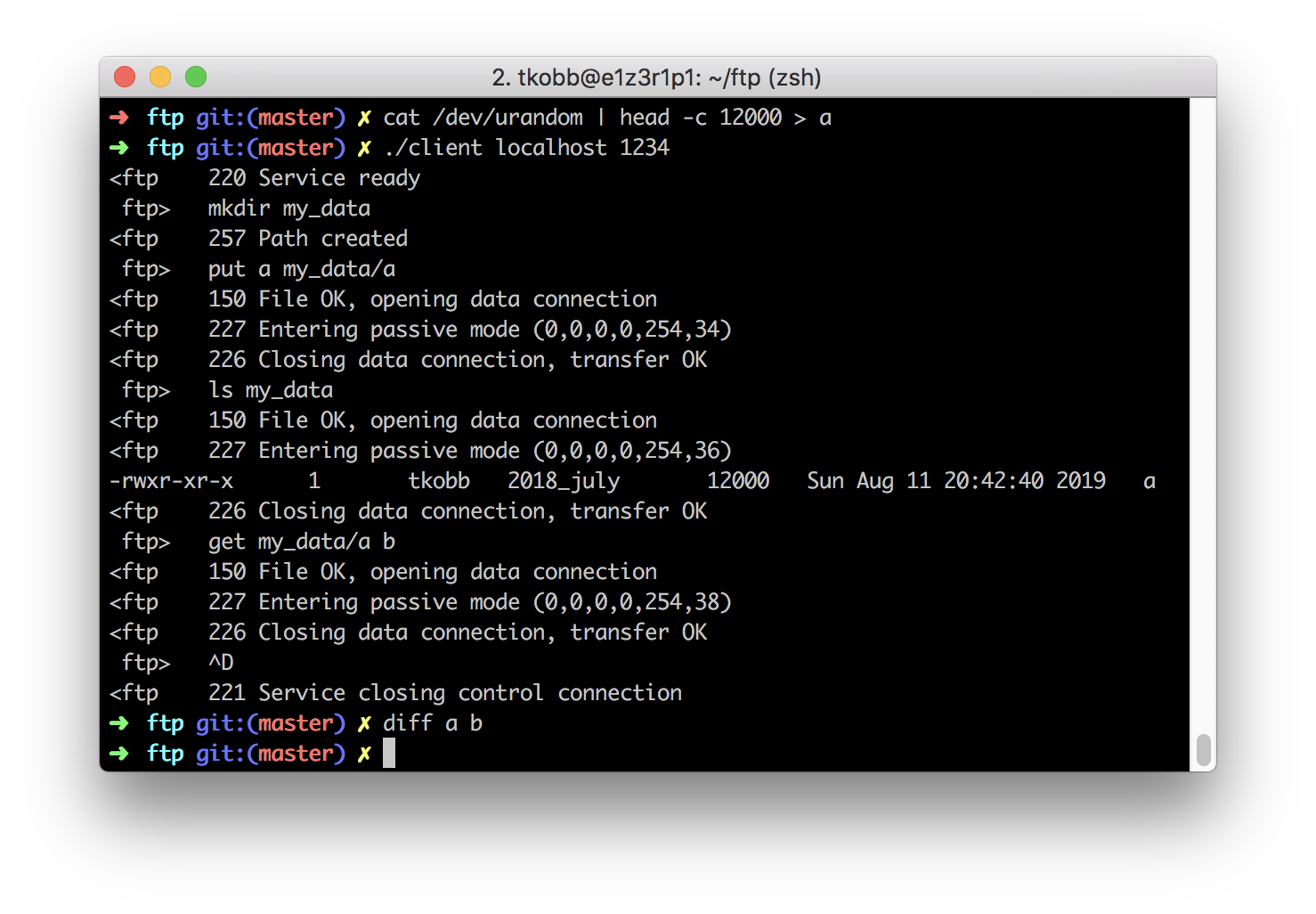
## Usage
### Compile
Clone with the `--recurse-submodules` to download dependencies and run
```
make
```
### Client
```
./client host [[ port=8080 ] -v | --help]
```
Once connected, the client can retrive local files and send them over TCP to the server, or request remote files from the server and save them locally.
The following commands are supported
|index|names|arguments|descriptions|
|-|-|-|-|
|n/a|help||print a help message|
|0|quit, exit||exit the program|
|1|ls|[ path ]|list files|
|2|cd|[ path ]|change directory|
|3|pwd||print present working directory
|4|get|remote_path [ local_path ]|download a file from the server|
|5|put|local_path [ remote_path ]|upload a file to the server|
|6|pasv||manually create a data transfer connection with the server|
|7|mkdir|path|create a directory on the server|
### Server
```
./server [[[ host=0.0.0.0 ] port=8080 ] -v | --help]
```
The server listens for TCP connections and handles clients concurently in separate processes. Each of these processes listens and executes commands sent by the client over TCP.
Uploaded files are put in a `./.ftp_data` directory.
## Protocol
The protocol is the set of actions recognized by the client and server.
|index|name|arguments|description|
|-|-|-|-|
|0|QUIT||close the connection and restore control of the terminal to the shell|
|1|LIST|filename?|list server's current working directory|
|2|CWD|path|change server's current working directory. Cannot move above the server's `data` directory.|
|3|PWD||print the server's current working directory|
|4|RETR|path|filename|request file from remote server, create or overrive local file|
|5|STOR|path|send file to remote server, create or override file on the server|
|6|PASV||enable passive mode|
|7|MKD||create directory|