https://github.com/thmahe/usbrelay-firmware
Atmel AVR Firmware for controlling relay board over USB
https://github.com/thmahe/usbrelay-firmware
atmel avr-programming bootloader firmware relay-board usbrelay
Last synced: 5 months ago
JSON representation
Atmel AVR Firmware for controlling relay board over USB
- Host: GitHub
- URL: https://github.com/thmahe/usbrelay-firmware
- Owner: thmahe
- License: gpl-2.0
- Created: 2022-11-08T21:31:19.000Z (over 3 years ago)
- Default Branch: master
- Last Pushed: 2024-09-11T21:04:14.000Z (almost 2 years ago)
- Last Synced: 2024-09-12T07:15:10.925Z (almost 2 years ago)
- Topics: atmel, avr-programming, bootloader, firmware, relay-board, usbrelay
- Language: C
- Homepage:
- Size: 89.8 KB
- Stars: 1
- Watchers: 1
- Forks: 1
- Open Issues: 1
-
Metadata Files:
- Readme: README.md
- License: LICENSE
Awesome Lists containing this project
README
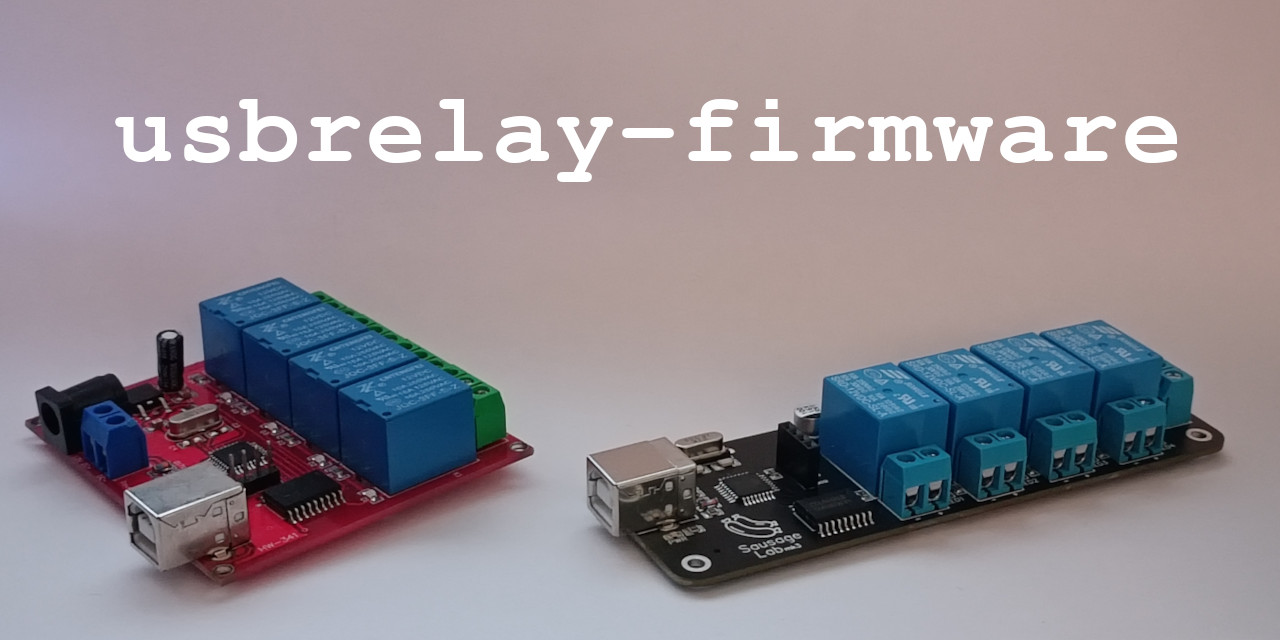
[]()
[](https://github.com/thmahe/usb-relay-firmware/issues)
[](https://github.com/thmahe/usb-relay-firmware/pulls)
[](/LICENSE)
---
Atmel AVR Firmware for controlling relay board with V-USB (https://www.obdev.at/vusb/)
Compatible with www.dcttech.com relay boards
## Table of Contents
- [Features](#features)
- [Getting Started](#getting_started)
- [Deployment](#deployment)
- [How to customize it ?](#how_to_customize)
## Features
* [X] Compatible with [darrylb123/usbrelay](https://github.com/darrylb123/usbrelay) host software
* [X] Read/Write relay state
* [X] Change serial number
* [X] Hardware schematics
## Getting Started
These instructions will get you a copy of the project ready to be deployed on your hardware.
See [deployment](#deployment) for notes on how to flash the firmware.
### Prerequisites
Install dependencies required to build, deploy & test usbrelay-firmware.
```shell
$ sudo apt-get install avr-libc avr-gcc avrdude usbrelay
```
### Build firmware
To build usbrelay-firmware simply follow steps below
```shell
$ git clone git@github.com:thmahe/usbrelay-firmware.git
$ cd usbrelay
# Fetch v-usb submodule
$ git submodule init
$ git submodule update
# Build firmware
$ make firmware
```
With as expected output:
```
avr-gcc ...
...
avr-objcopy -j .text -j .data -O ihex build/firmware.elf build/firmware.hex
avr-size build/firmware.hex
text data bss dec hex filename
0 2444 0 2444 98c build/firmware.hex
```
Built firmware can be found at location `build/firmware.hex`
Before deploying your firmware ensure to configure your flashing tool properly.
```shell
# Default configuration in Makefile
PROGRAMMER = avrisp
PROGRAMMER_PORT = /dev/ttyUSB0
PROGRAMMER_BAUD = 19200
```
### Flash fuses
```shell
# Default configuration for fuses in Makefile:
# FUSE_L = 0xdf
# FUSE_H = 0xca
$ make fuse
...
avrdude: safemode: Fuses OK (E:FF, H:CA, L:DF)
avrdude done. Thank you.
```
### Flash firmware
Finally flash your firmware by running:
```shell
$ make flash
...
avrdude: safemode: Fuses OK (E:FF, H:CA, L:DF)
avrdude done. Thank you.
```
### Interact with your board
Your device should be available with `usbrelay` under default serial number `UNSET`.
```shell
$ usbrelay
Device Found
type: 16c0 05df
path: /dev/hidraw1
serial_number: UNSET
Manufacturer: thmahe.dev
Product: USBRelay4
Release: 100
Interface: 0
Number of Relays = 4
UNSET_1=0
UNSET_2=0
UNSET_3=0
UNSET_4=0
```
### AVR related customization
From `Makefile` under **Editable options** section you can customize below variables:
```
DEVICE ... Targetted MCU (default: atmega8)
F_CPU .... MCU frequency in Hz (defautl: 16000000)
```
### USB Configuration
Change USB ports mapping from `src/usbconfig.h`
Default mapping:
```
#define USB_CFG_IOPORTNAME B
#define USB_CFG_DMINUS_BIT 0
#define USB_CFG_DPLUS_BIT 1
```
### Relay related customization
#### Number of relay:
Simply modify below line in `src/usbconfig.h`
```
#define RELAY_COUNT 4
```
#### Relay mapping
Depending on your board design you might need to change relay mapping configuration set in `src/main.c`
Default mapping:
```c
uint8_t *OUPTUT_REG[RELAY_COUNT] = {&DDRC, &DDRC, &DDRC, &DDRC};
uint8_t *RELAY_PORT[RELAY_COUNT] = {&PORTC, &PORTC, &PORTC, &PORTC};
int RELAY_BIT[RELAY_COUNT] = {0, 1, 2, 3};
```
Given mapping above, relay 1 is controlled using PC0 pin.
[](https://hits.seeyoufarm.com)