https://github.com/thomd/notebook
A simple wiki-like application to manage my personal notes as markdown files.
https://github.com/thomd/notebook
docker elasticsearch markdown python react wiki
Last synced: 4 months ago
JSON representation
A simple wiki-like application to manage my personal notes as markdown files.
- Host: GitHub
- URL: https://github.com/thomd/notebook
- Owner: thomd
- License: mit
- Created: 2024-04-11T15:44:13.000Z (over 2 years ago)
- Default Branch: main
- Last Pushed: 2025-03-17T22:32:44.000Z (over 1 year ago)
- Last Synced: 2025-03-17T23:33:06.061Z (over 1 year ago)
- Topics: docker, elasticsearch, markdown, python, react, wiki
- Language: JavaScript
- Homepage:
- Size: 5.64 MB
- Stars: 0
- Watchers: 1
- Forks: 0
- Open Issues: 0
-
Metadata Files:
- Readme: README.md
- License: LICENSE
Awesome Lists containing this project
README

# Notebook
**Notebook** is a simple, minimalistic **wiki-like** web application to manage my personal notes as **markdown files** and store them in a private **git repository** on Github.
**Notebook** was created with the intention of running it locally (to avoid hosting and user management). Markdown files are stored in a local or remote git repository ("_git as database_").
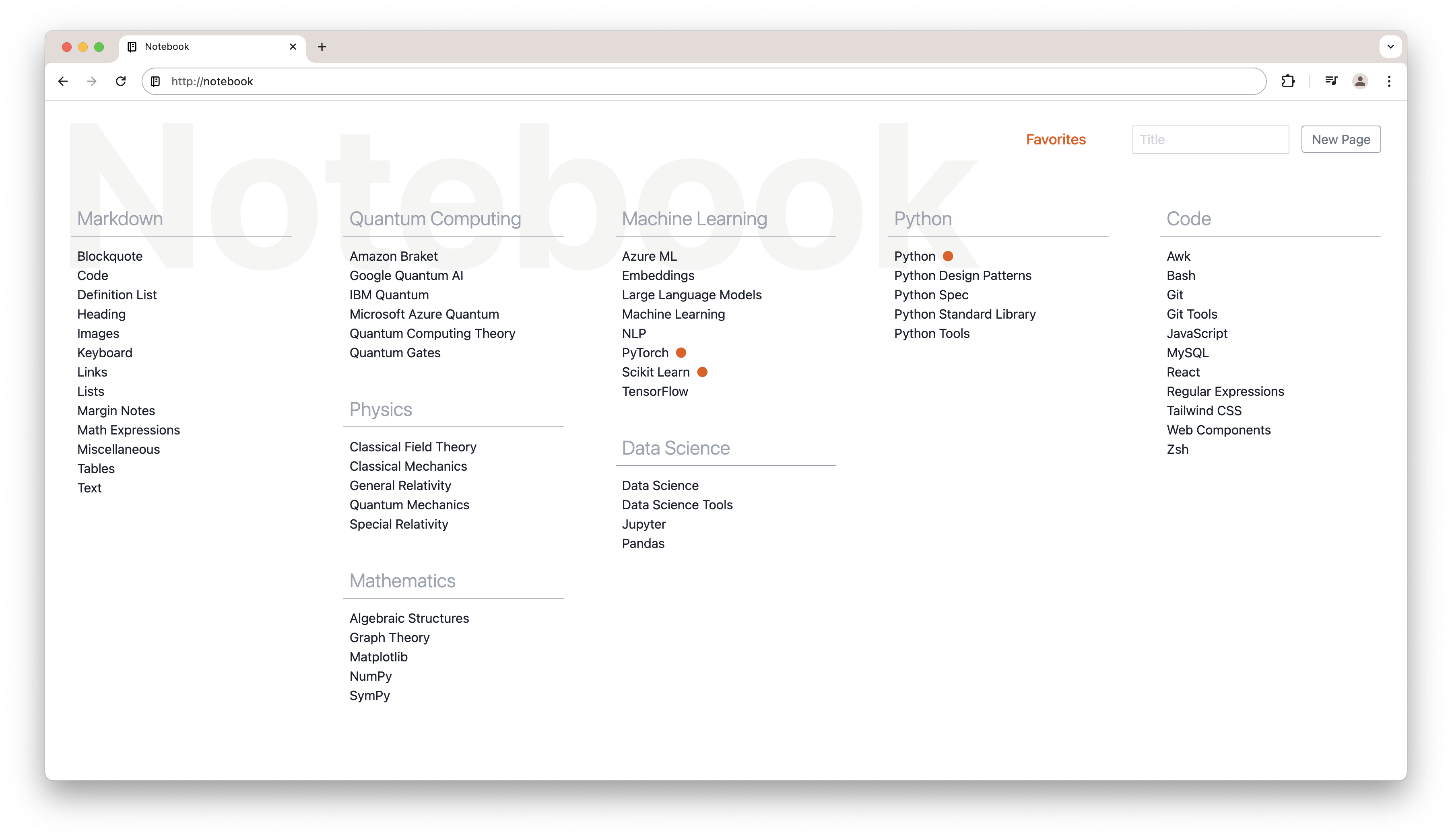
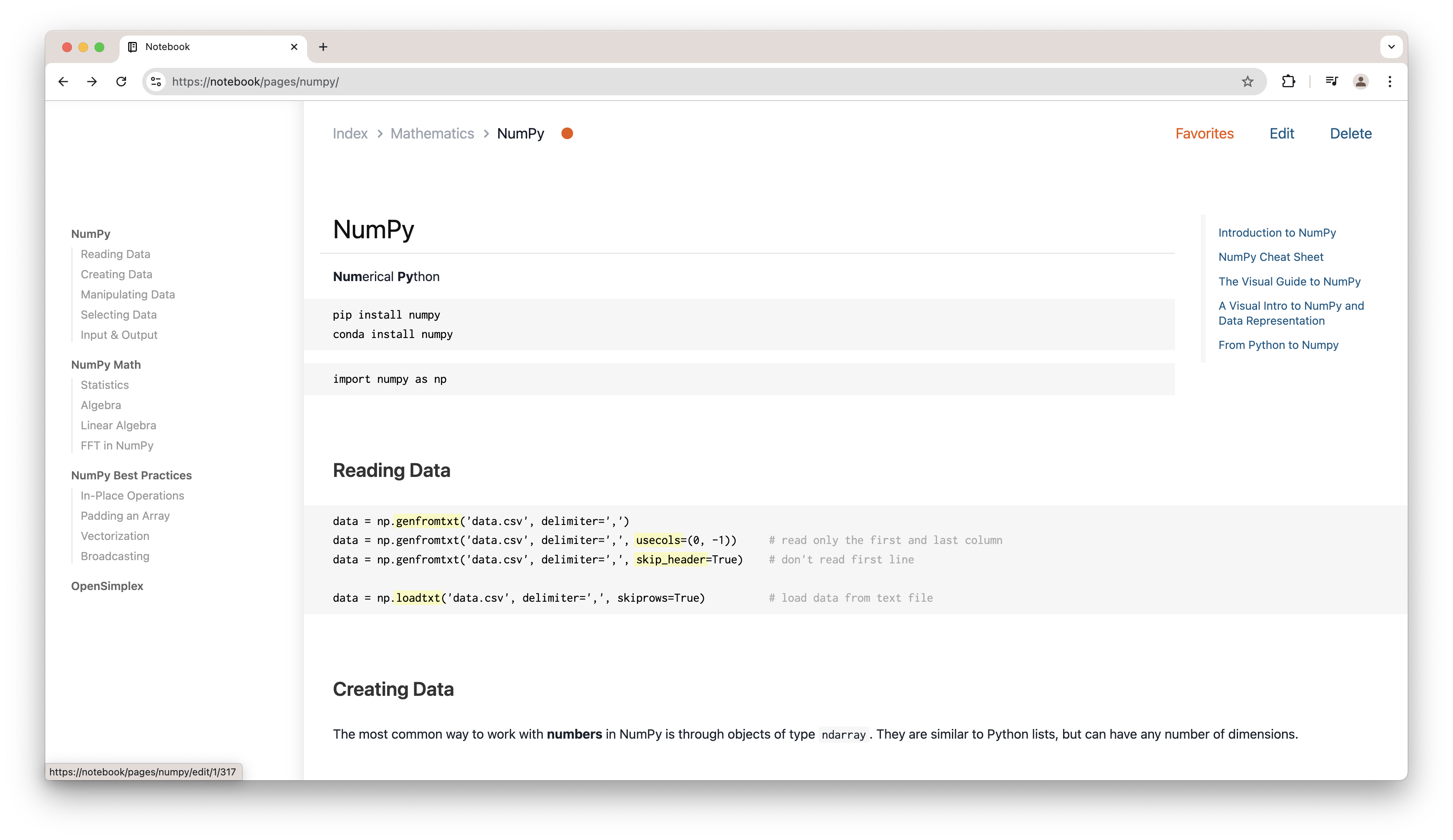
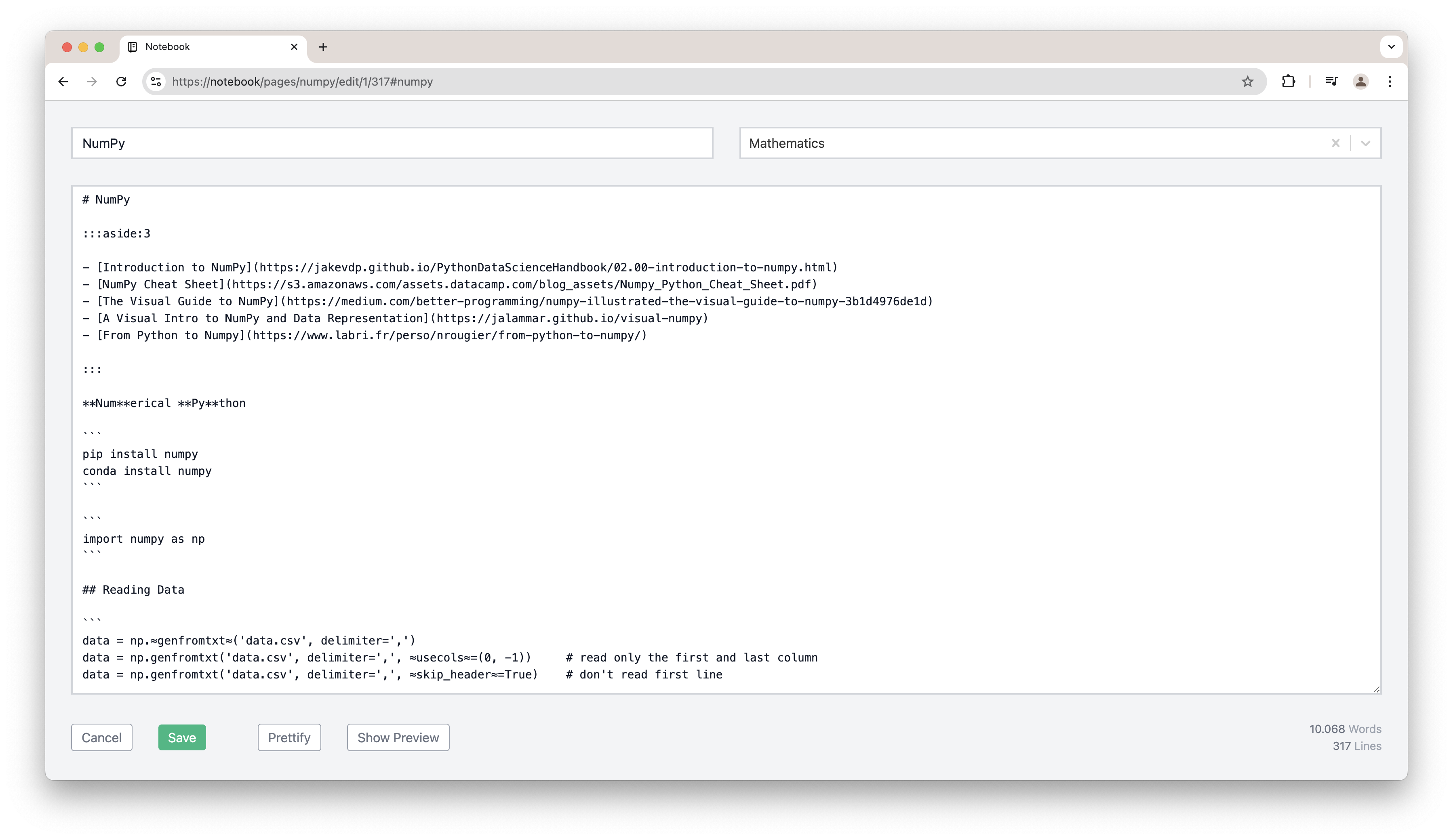
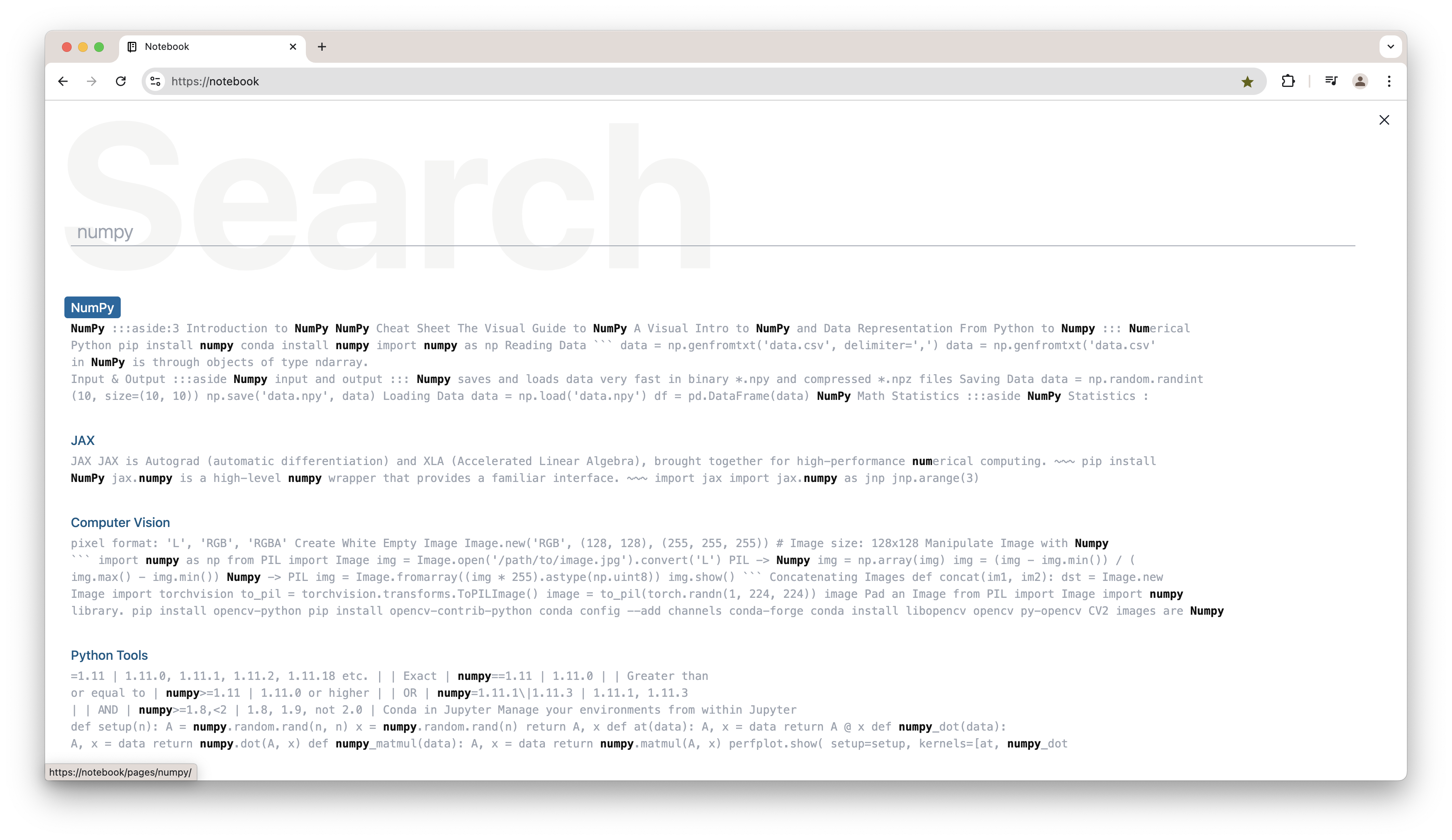
**Notebook** consists of four page types: an **index** page as an overview of all markdown pages, a **search** page, the nicely rendered markdown **pages** themself and an **editor** page to edit the markdown content.
Index Page:
Rendered Markdown Page:
Edit a Markdown Page:
Search in all Markdown Pages:
**Notebook** focuses on some **special features** to meet my needs:
* Isolated editing of page headline sections (similar to Wikipedia) for ease of editing.
* Extended markdown syntax: text highligting, tables, margin notes, mathematical expressions (via LaTeX) or internal page links.
* Simple categorisation of pages on an overview page. Category-tiles can be positioned as required.
* Page navigation reflecting the headline hierarchy.
* Search within all pages.
* Mark highly used pages as favorites.
* Page interaction via keyboard.
> [!NOTE]
> Notebook was created to fit my personal needs. It might not fit your needs. It might not work properly on your machine.
## Tech Stack
**Notebook** is implemented as a **React** frontend for rendering and editing the markdown pages.
Pages are managed with a **Python** service which provides a REST API via **FastAPI** to read/write pages and commit/push pages to Github.
All pages are indexed and searchable via an **ElasticSearch** service.
**Notebook** renders markdown pages leveraging the superb [remark](https://github.com/remarkjs) and [rehype](https://github.com/rehypejs) ecosystem.
Part of the **Notebook** implementation is a set of special **plugins** like [remark-heading-lines](https://github.com/thomd/remark-heading-lines), [remark-wiki-link](https://github.com/thomd/remark-wiki-link), [rehype-textmarker](https://github.com/thomd/rehype-textmarker), [rehype-navigation](https://github.com/thomd/rehype-navigation) and [rehype-block](https://github.com/thomd/rehype-block).
## Setup with Local Repository
If you don't want to push your markdown pages to a remote git repository and want to keep everything local.
1. Create a local git repository folder for your markdown pages:
mkdir notebook-pages
(cd notebook-pages; git init)
2. Clone this repository.
git clone https://github.com/thomd/notebook.git
cd notebook
3. Add a record `127.0.0.1 notebook` into your local hosts file and flush DNS cache:
sudo vim /etc/hosts
sudo dscacheutil -flushcache
4. Install locally-trusted SSL certificate using [mkcert](https://github.com/FiloSottile/mkcert):
mkcert -install
(cd frontend; mkcert notebook)
5. Configure environment:
cp .env.example.local .env
vim .env
6. Build application
docker compose build
7. Start the application with
docker compose up -d
open https://notebook
## Setup with Remote Repository
1. Create a git repository on Github for your markdown pages like for example [notebook-example-pages](https://github.com/thomd/notebook-example-pages).
2. Upload a public SSH key to Github using [gh-cli](https://cli.github.com/) (do not enter a passphrase for the key):
ssh-keygen -f ~/.ssh/notebook
gh ssh-key add ~/.ssh/notebook.pub -t notebook
3. Clone this repository.
4. Add a record `127.0.0.1 notebook` into your local hosts file and flush DNS cache:
sudo vim /etc/hosts
sudo dscacheutil -flushcache
5. Install locally-trusted SSL certificate using [mkcert](https://github.com/FiloSottile/mkcert):
mkcert -install
(cd frontend; mkcert notebook)
6. Configure environment
cp .env.example.remote .env
vim .env
7. Build application
docker compose build
8. Start the application with
docker compose up -d
open https://notebook
## Usage
### Keyboard Shortcuts
* Show help with H
* Edit page with E
* Delete page with D
* Scroll page to top with Q
* Scroll page to bottom with W
* Open index page with I or esc
* Toggle page navigation with N
* Search with S or /
### Markdown
See [markdown pages](https://github.com/thomd/notebook-example-pages/tree/main/pages) of the example-pages repository for some explanatory examples.
## Development
Follow development instructions in [backend](./backend/README.md) and [frontend](./frontend/README.md).