https://github.com/thrsouza/emerald-minimal-theme
A minimal VS Code theme — deep midnight darks and crisp light surfaces, tied together by a single vivid emerald glow. Dark and light variants included.
https://github.com/thrsouza/emerald-minimal-theme
color-theme emerald minimal theme
Last synced: 22 days ago
JSON representation
A minimal VS Code theme — deep midnight darks and crisp light surfaces, tied together by a single vivid emerald glow. Dark and light variants included.
- Host: GitHub
- URL: https://github.com/thrsouza/emerald-minimal-theme
- Owner: thrsouza
- License: mit
- Created: 2026-05-21T04:19:56.000Z (29 days ago)
- Default Branch: main
- Last Pushed: 2026-05-23T13:18:49.000Z (27 days ago)
- Last Synced: 2026-05-23T15:15:07.350Z (27 days ago)
- Topics: color-theme, emerald, minimal, theme
- Homepage: https://open-vsx.org/extension/thrsouza/emerald-minimal-theme
- Size: 5.22 MB
- Stars: 0
- Watchers: 0
- Forks: 0
- Open Issues: 0
-
Metadata Files:
- Readme: README.md
- Changelog: CHANGELOG.md
- License: LICENSE
Awesome Lists containing this project
README

# Emerald Minimal Theme
Deep midnight darks and crisp lights for VS Code, tied together by a single emerald glow.
## Variants
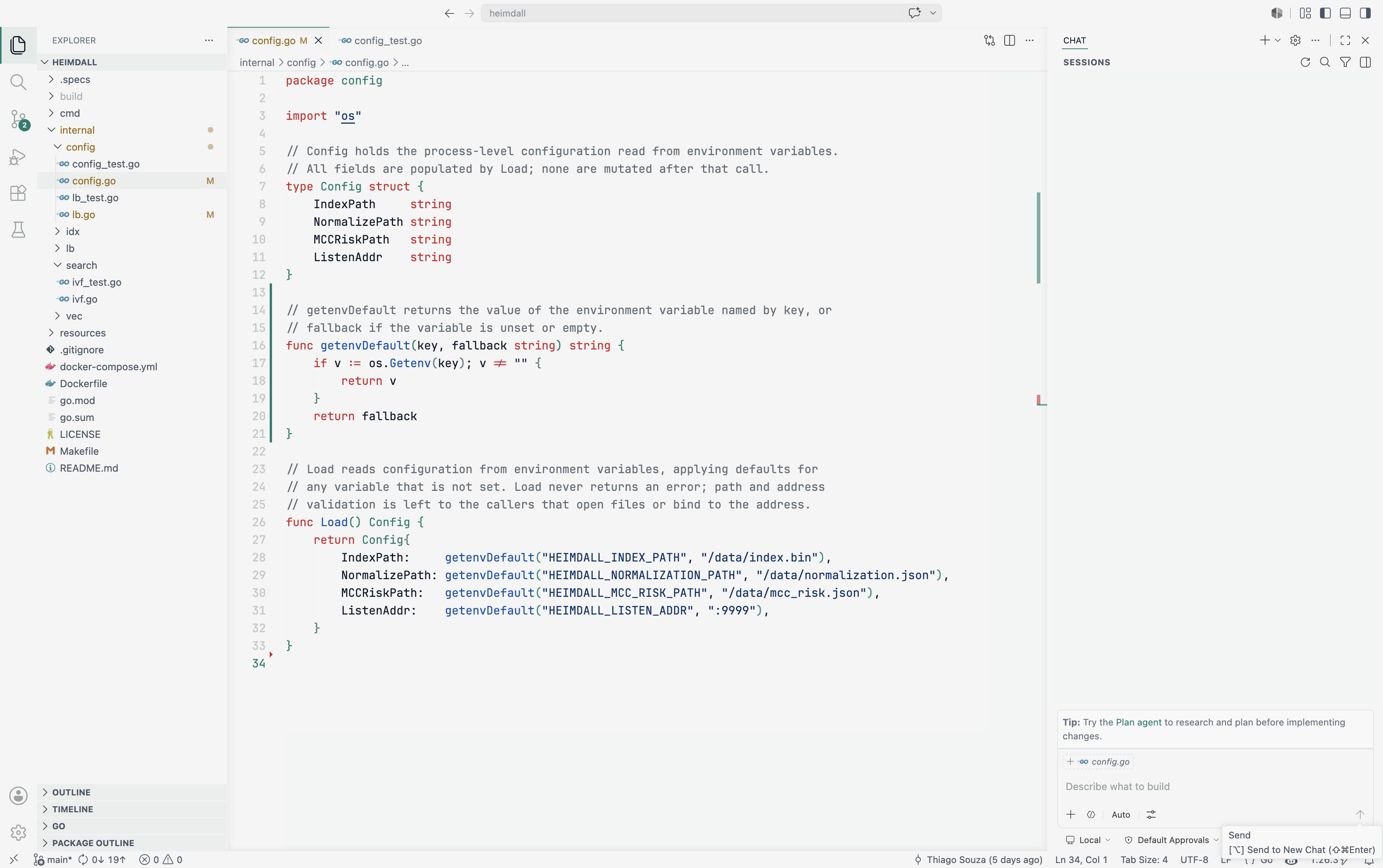
### Emerald Minimal Light
Soft off-white surfaces (`#f3f5f4`) paired with deep slate text (`#101828`) and a rich emerald accent (`#007d6d`) tuned for readable, low-glare contrast.
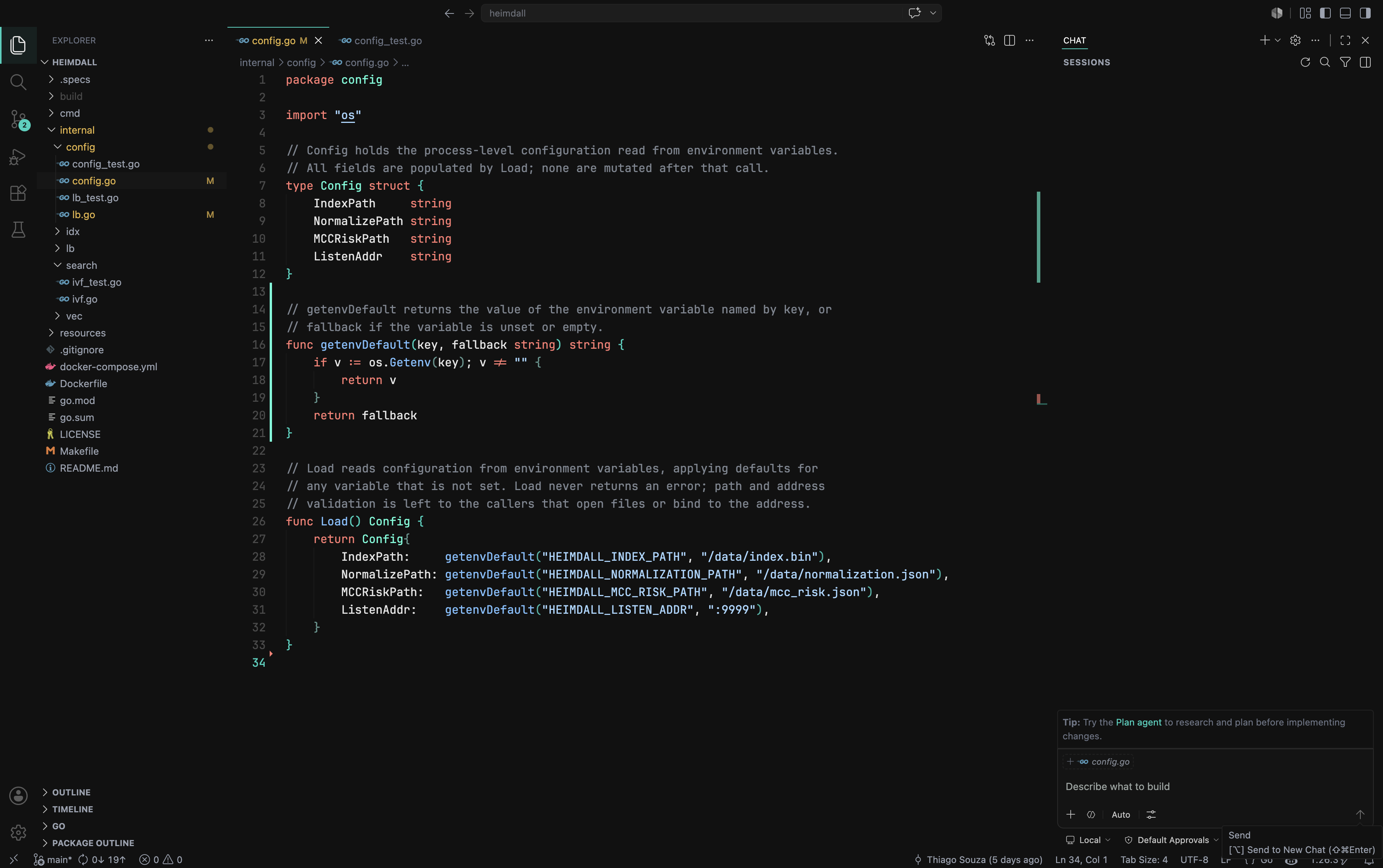
### Emerald Minimal Dark
Deep midnight surfaces (`#111111`) with calm light-gray text (`#e5e5e5`) and a bright emerald accent (`#00d2be`) that glows across the UI without straining the eyes.
## Highlights
- Fully styled interface — editor, sidebar, tabs, panels, status bar, and command palette.
- Carefully tuned syntax highlighting for readability in both light and dark.
- Matching integrated terminal, Git decorations, and diff colors.
- Bracket pair colorization that stays subtle and on-theme.
## Installation
1. Open the **Extensions** view in VS Code (`Ctrl/Cmd+Shift+X`).
2. Search for **Emerald Minimal Theme**.
3. Click **Install**.
## Activation
1. Open the Command Palette (`Ctrl/Cmd+Shift+P`).
2. Run **Preferences: Color Theme**.
3. Pick **Emerald Minimal Dark** or **Emerald Minimal Light**.
## License
Released under the [MIT License](./LICENSE).