https://github.com/thusharax/file-organizer
Organize the files into the relevant sub-folders
https://github.com/thusharax/file-organizer
automation python tool
Last synced: 9 months ago
JSON representation
Organize the files into the relevant sub-folders
- Host: GitHub
- URL: https://github.com/thusharax/file-organizer
- Owner: ThusharaX
- License: gpl-3.0
- Created: 2021-12-09T21:50:08.000Z (over 4 years ago)
- Default Branch: main
- Last Pushed: 2021-12-10T00:51:33.000Z (over 4 years ago)
- Last Synced: 2025-03-16T19:58:38.052Z (over 1 year ago)
- Topics: automation, python, tool
- Language: Python
- Homepage:
- Size: 21.5 KB
- Stars: 2
- Watchers: 1
- Forks: 1
- Open Issues: 0
-
Metadata Files:
- Readme: README.md
- License: LICENSE
Awesome Lists containing this project
README
# File Organizer
This program can be used to organize files in a directory by their file extension. And move duplicate files to a duplicates folder.








## Requirements
Python 3.8.2
[Download](https://www.python.org/downloads/release/python-382/)
## Installation
```bash
Download and run this
```
📦
[file-organizer.exe](https://github.com/ThusharaX/file-organizer/releases/download/v1.0.0/file_organizer.exe) 6.39 MB
### or
⏬ Follow these steps
```bash
git clone https://github.com/ThusharaX/file-organizer.git
```
```bash
cd file-organizer
```
## Usage
```bash
python main.py
```
```
*****************************
* File Organizer v1.0.0 *
* By: Thushara Thiwanka *
*****************************
--| Example: C:\Users\Thushara\Downloads |--
Enter directory to work in: C:\Users\Thushara\Downloads
Enter directory to move files to: C:\Users\Thushara\Downloads
Done - Check the 'file_organizer_log.txt' file for more details
Happy Organizing! :)
Press Enter to exit
```
# Screenshots
### Before
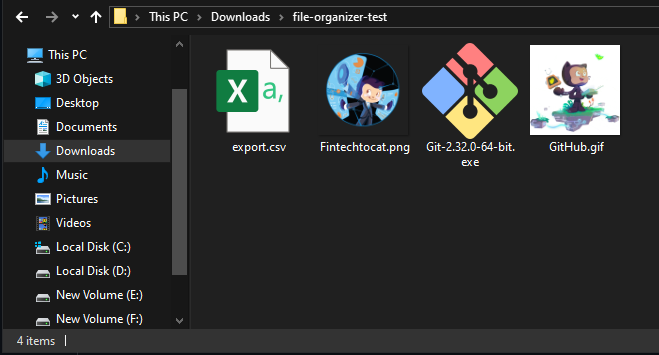
### After

### Log File

## Contributing
Pull requests are welcome. For major changes, please open an issue first to discuss what you would like to change.
## License
[GNU General Public License v3.0](https://www.gnu.org/licenses/gpl-3.0.en.html)