https://github.com/tianlangstudio/dataxserver
为DataX(https://github.com/alibaba/DataX) 提供远程多语言调用(ThriftServer,HttpServer) 分布式运行(DataX on YARN) 功能
https://github.com/tianlangstudio/dataxserver
data-hamal datax datax-server dataxonyarn dataxserver etl hamal http http-server server thrift thrift-server yarn
Last synced: about 1 year ago
JSON representation
为DataX(https://github.com/alibaba/DataX) 提供远程多语言调用(ThriftServer,HttpServer) 分布式运行(DataX on YARN) 功能
- Host: GitHub
- URL: https://github.com/tianlangstudio/dataxserver
- Owner: TianLangStudio
- License: apache-2.0
- Created: 2017-03-31T02:08:56.000Z (about 9 years ago)
- Default Branch: master
- Last Pushed: 2023-04-18T08:50:54.000Z (about 3 years ago)
- Last Synced: 2025-05-13T01:49:45.307Z (about 1 year ago)
- Topics: data-hamal, datax, datax-server, dataxonyarn, dataxserver, etl, hamal, http, http-server, server, thrift, thrift-server, yarn
- Language: Scala
- Homepage:
- Size: 1.08 MB
- Stars: 144
- Watchers: 10
- Forks: 72
- Open Issues: 11
-
Metadata Files:
- Readme: README.md
- License: LICENSE
Awesome Lists containing this project
README
*DataX Server*
================
为 [DataX](https://github.com/alibaba/DataX) 提供远程调用(Thrift Server, Http Server)分布式运行(DataX On YARN)功能
**Feature**
---------------
- 1. Thrift Server
- 2. DataX on Yarn
- 3. Http Server
- 4. 单机多线程方式运行
- 5. 单机多进程方式运行
- 6. 分布式运行(On Yarn)
- 7. 混合模式运行(Yarn+多进程模式运行)
- 8. 自动伸缩
## TODO
- ~~1.Http Server~~
- ~~2.代码重构~~
- ~~3.按照功能类型拆分到多个子项目中 重新组织包名 方便后续新增功能~~
- 4.完善文档示例
## Deploy
下载发布包[DataXServer-0.0.1.tar.gz](http://pan.baidu.com/s/1hrHcbqs) 并解压 进入 0.0.1 目录
启动Thrift Server
```shell
./bin/startThriftServer.sh
```
使用NodeJS提交测试任务到Thrift Server
```shell
cd example/nodejs
node submitStream2Stream.js
```
**Develop**
---------------
### 下载程序源码
__项目依赖阿里 DataX__
```bash
git clone https://github.com/alibaba/DataX.git
cd DataX
mvn install
git clone https://github.com/TianLangStudio/DataXServer.git
cd DataXServer
mvn clean compile install -DskipTests
```
### 单机多线程模式运行http server (已部署好datax 且能正常运行job/test_job.json)
- 配置DataX安装目录
> 修改pom.xml中的datax-home配置项为部署datax的地址
```xml
/data/test/datax
```
- 启动http server
```bash
cd httpserver
mvn scala:run -Dlauncher=httpserver -DskipTests
```
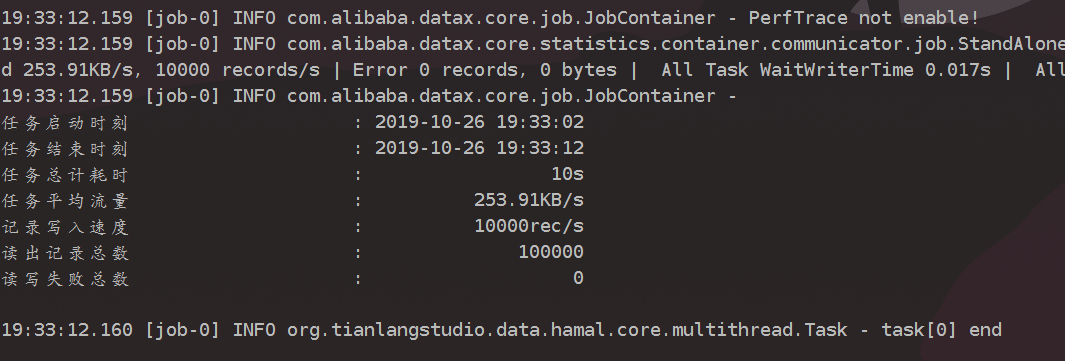
- 提交任务 获取任务ID
```bash
curl -XPOST -d "@测试文件路径" 127.0.0.1:9808/dataxserver/task
```
> tianlang@tianlang:job$ curl -XPOST -d "@job/test_job.json" 127.0.0.1:9808/dataxserver/task
> 0 (任务ID)
- 获取任务执行状态结果耗时
```bash
curl 127.0.0.1:9808/dataxserver/task/status/0
curl 127.0.0.1:9808/dataxserver/task/0
curl 127.0.0.1:9808/dataxserver/task/cost/0
```
### 单机多进程模式运行
- 配置DataX安装目录
同多线程模式
- 启动server
```bash
cd hamal-yarn
mvn scala:run -Dlauncher=httpserver-mp -DskipTests
```
- 提交运行任务同多线程模式
### 多机多进程模式运行(On Yarn)
- 配置DataX 安装目录
修改hamal-yarn/src/main/resources/master.conf 里的datax.home配置项的值为
DataX安装目录
- 打包
```bash
cd hamal-yarn
mvn clean package -DskipTests
```
- 上传jar包到hdfs
将hamal-yarn/target/hamal-yarn-*-with-dependencies.jar上传到hdfs /app/hamal/master.jar
将hamal-yarn/target/hamal-yarn-*-package.zip上传到hdfs /app/hamal/executor.zip
```bash
hdfs dfs -put hamal-yarn-*-with-dependencies.jar /app/hamal/master.jar
hdfs dfs -put hamal-yarn-*-package.zip /app/hamal/executor.zip
```
- 运行Master
```bash
yarn jar hamal-yarn-*_with-dependencies.jar org.tianlangstudio.data.hamal.yarn.Client /app/hamal/master.jar
```
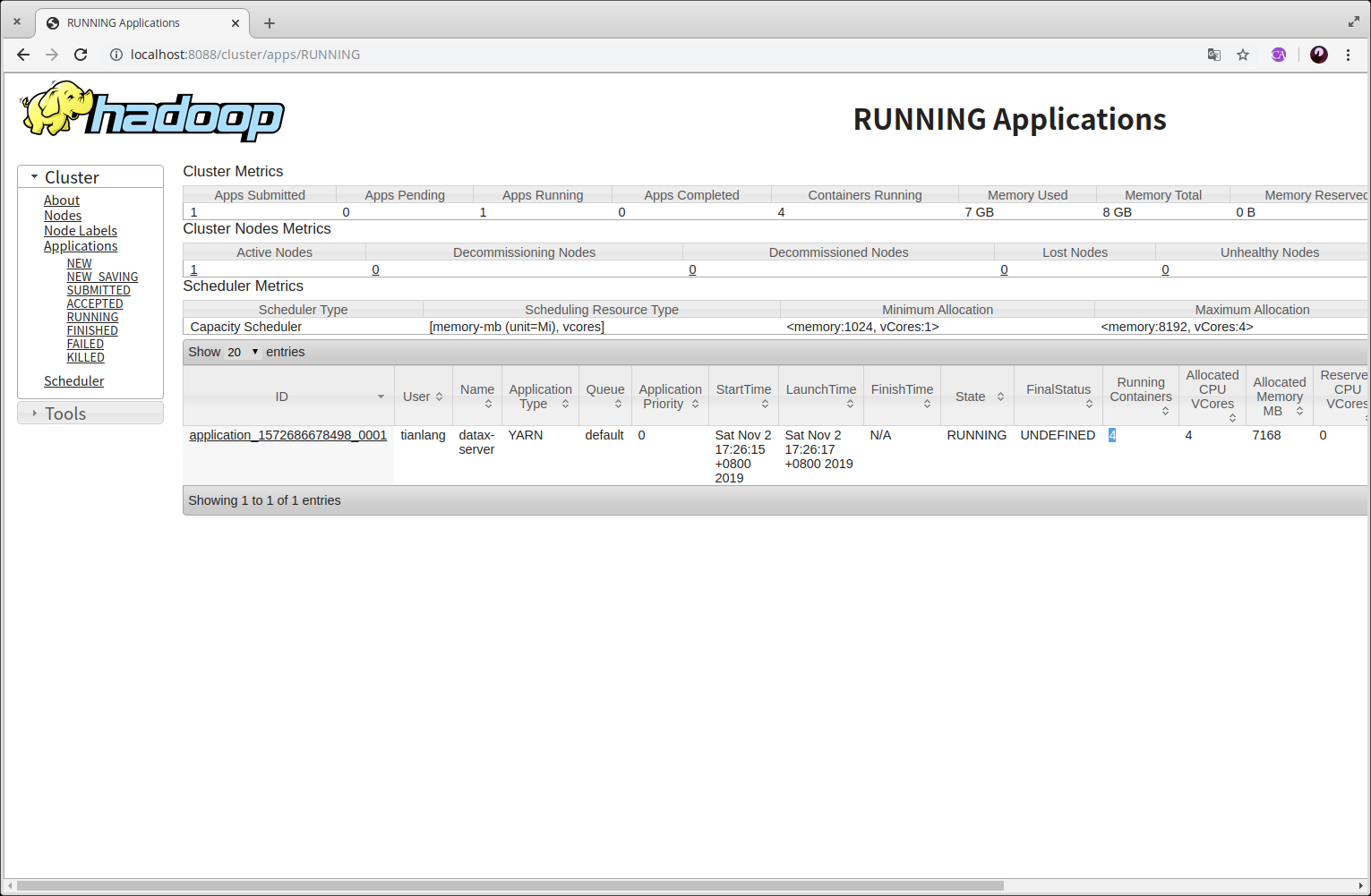
可以通过yarn ui看到运行的Master
- 提交运行任务同多线程模式
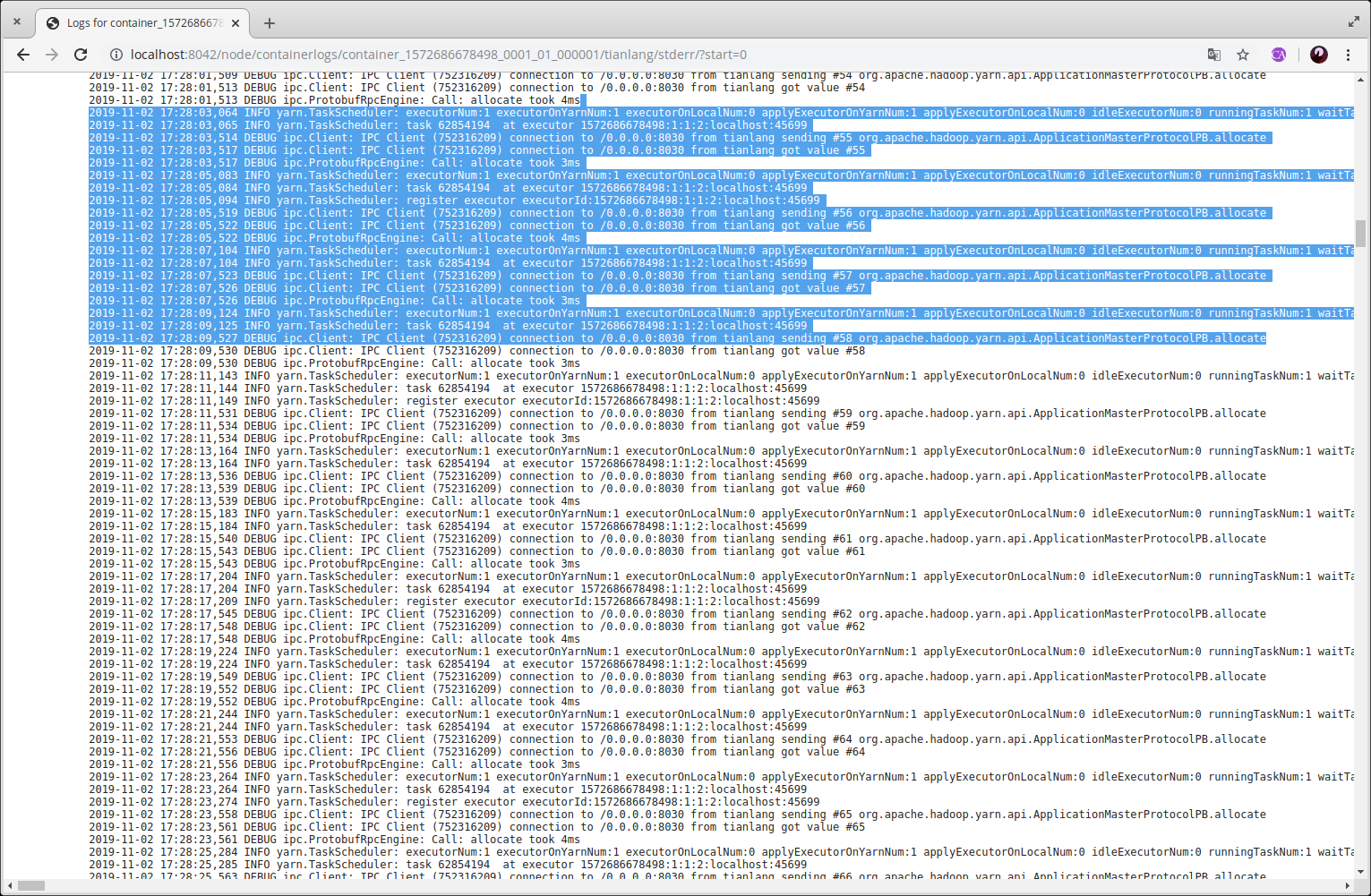
提交任务后可看到, container数量增加, master运行日志中可看到当前executor数量
,在master.conf文件中可以配置最大executor数量,可以将local.num.max设置为不为0的值即代表可以在本机启动executor.
executor空闲一段时间后自动销毁。
***如用在生产环境建议修改ID生成策略,提交任务存储方式等***
## QA
- 编译失败
> 检查是否是依赖包下载失败,可以将依赖包安装到本机
> 可以尝试注释掉pom文件中`recompileMode`配置
- 是否集群中每台机器都要安装datax
> 不需要每台机器都安装datax,可以把datax打包到excutor的部署zip包中,放到hdfs上
- Excutor和Master是通过http还是thrift通信?
> Excutor和Master的通信是基于akka实现的
- Excutor的个数会随着任务个数增减?
> 是的,但不会大于配置的最大Excutor个数
## Document
TODO
## 问题交流可加群
QQ群:579896894
----------------