https://github.com/tig/mcec
Robust remote control of Windows PCs over the network.
https://github.com/tig/mcec
control4 crestron ehome home-assistant home-automation home-control mce mce-controller remote-control remote-pc-control windows windows-htpc windows-media-center windows-pc
Last synced: 8 days ago
JSON representation
Robust remote control of Windows PCs over the network.
- Host: GitHub
- URL: https://github.com/tig/mcec
- Owner: tig
- License: mit
- Created: 2017-04-12T21:48:24.000Z (about 9 years ago)
- Default Branch: develop
- Last Pushed: 2024-10-09T01:13:21.000Z (over 1 year ago)
- Last Synced: 2025-04-06T08:09:22.444Z (over 1 year ago)
- Topics: control4, crestron, ehome, home-assistant, home-automation, home-control, mce, mce-controller, remote-control, remote-pc-control, windows, windows-htpc, windows-media-center, windows-pc
- Language: C#
- Homepage: https://tig.github.io/mcec/
- Size: 10.9 MB
- Stars: 83
- Watchers: 6
- Forks: 15
- Open Issues: 8
-
Metadata Files:
- Readme: README.md
- Funding: .github/FUNDING.yml
- License: license.md
Awesome Lists containing this project
README
By Tig Kindel ([@tigkindel on Twitter](http://www.twitter.com/ckindel)) - Copyright © [Kindel](http://www.kindel.com), LLC.
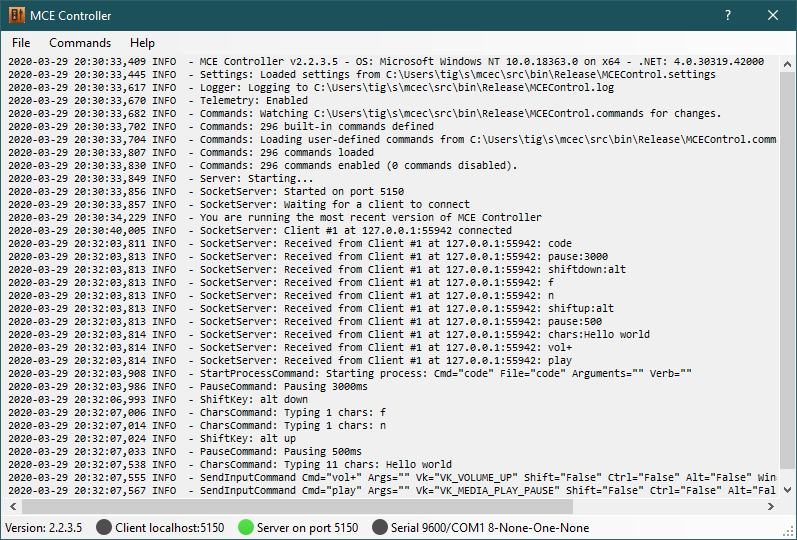
**MCEC** (Model Context Environment Controller) is eyes, hands, and a safe front door for agents on Windows; and the same battle-tested remote control for smart-home systems.
For its long-standing role, MCEC provides robust control of Windows PCs for smart home systems. It runs in the background listening on the network (or serial port) for commands. It then translates those commands into actions such as keystrokes, text input, and the starting of programs. Any remote control, home control system, or application that can send text strings via TCP/IP or a serial port can use MCEC to control a Windows PC.
New in 3.0, MCEC is also an **agent-automation server**: it can see the screen (capture a screenshot), query the UI Automation tree, find and wait for elements, and drive native Windows apps — exposed to AI agents and scripts over the **Model Context Protocol (MCP)**. All of these agent capabilities are opt-in and disabled by default. This is purely additive; every existing HTPC and smart-home feature is unchanged.
* New in 3.0 — Agent automation: see the [Agent Server user guide](docs/agent-server.md) and [AGENTS.md](AGENTS.md) (agent guidance + dogfood recipe).
* [Home Page](https://tig.github.io/mcec/)
* [Download & Install](https://github.com/tig/mcec/releases)
* [Documentation](https://tig.github.io/mcec/documentation.html)
* [Tig's Blog Posts on MCEC](https://ceklog.kindel.com/?s=mcec)
# Integrations
* [Control4 User Activity Driver](https://github.com/tig/User_Activity)
* [Control4.MceControllerDriver](https://github.com/garrynewman/Control4.MceControllerDriver)