https://github.com/tiltshift/figmint
sync Figma styles to JS
https://github.com/tiltshift/figmint
Last synced: 10 months ago
JSON representation
sync Figma styles to JS
- Host: GitHub
- URL: https://github.com/tiltshift/figmint
- Owner: tiltshift
- License: mit
- Created: 2019-03-12T23:36:24.000Z (almost 7 years ago)
- Default Branch: main
- Last Pushed: 2023-01-04T07:20:09.000Z (about 3 years ago)
- Last Synced: 2025-04-20T15:55:10.890Z (11 months ago)
- Language: TypeScript
- Size: 3.4 MB
- Stars: 99
- Watchers: 2
- Forks: 7
- Open Issues: 27
-
Metadata Files:
- Readme: README.md
- License: LICENSE
Awesome Lists containing this project
- awesome-list - figmint
README
# 🍃 Figmint
Figmint can sync styles and exports from a file in figma to json that can be used in a javascript project.
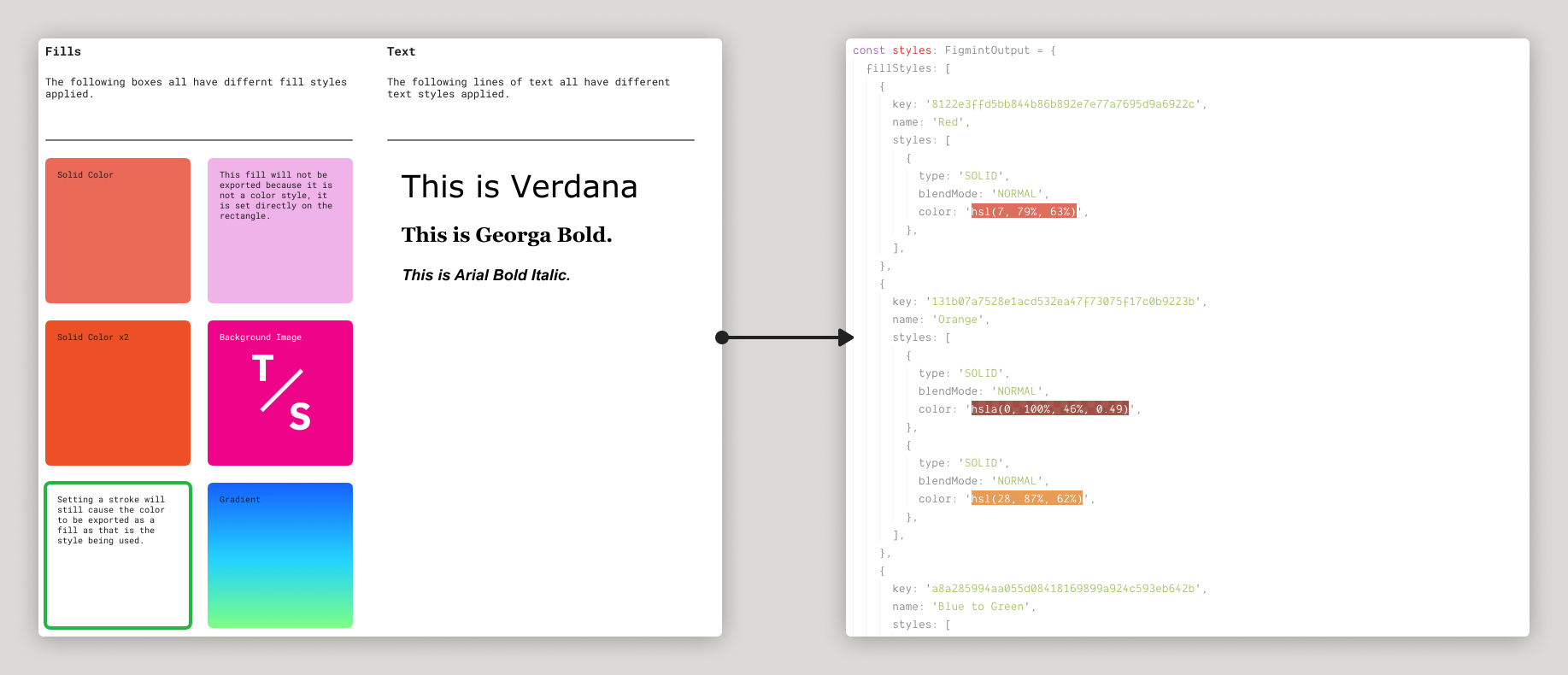
It also comes with a snazzy CLI:
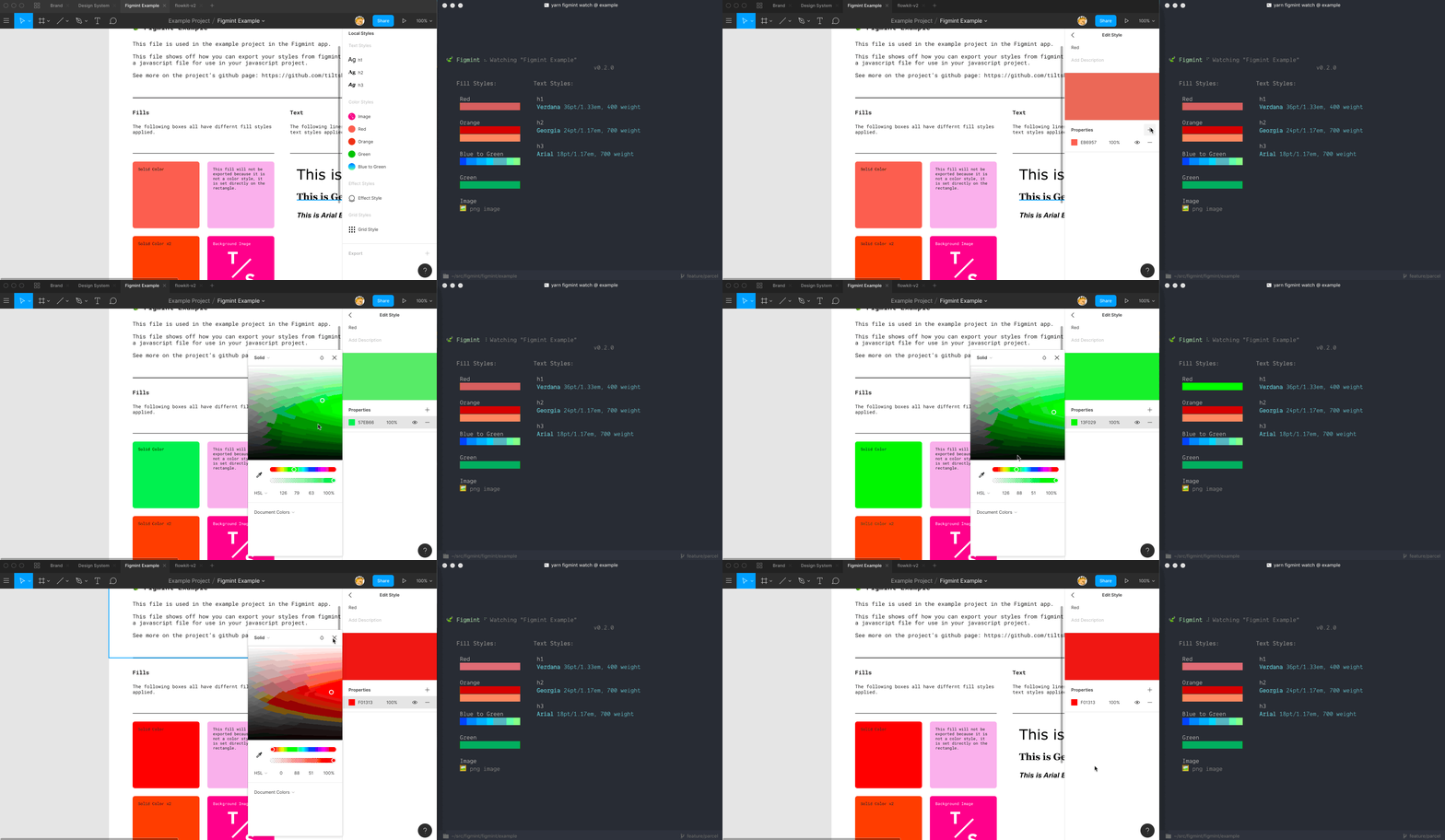
[This example site](https://tiltshift.github.io/figmint/) shows a figma file above html and css generated using the JSON that figmint outputs. This example can be found and run in the `example` folder in this repo.
👩🏽🏫*Recommendations*:
- Figma lets you name two styles the same thing. This will cause overwrite issues in your exports.
🚨*Notes*:
- Currently only Fill styles, Text styles, and exports are supported. PR's welcome for Grid and Effect styles!
- Figmint will only pick up a style if it is used in the file you pass it. If you are finding a style isn't syncing make sure an element in the file is using that style.
- PNG and JPG exports work only with with scale values (2x for example) and not with width or height values (512w). This is a limitation of the figma API.
- Color styles with multiple properties are available as part of the raw export. The simpler named exports will only display the final property.
## Install and Config
#### 1. Add figmint to your project:
```
yarn add figmint --dev
```
#### 2. Setup your figma file
Setup a file that includes elements that use all the figma styles you want to export. These can either be local or from libraries, but every style you want to export needs to be used in the file you point `figmint` at.
Figmint will also pick up exports for the file in qustion. This can be useful for icons, illustrations, etc. For this to work make sure you have an export setup on the image you want to export.
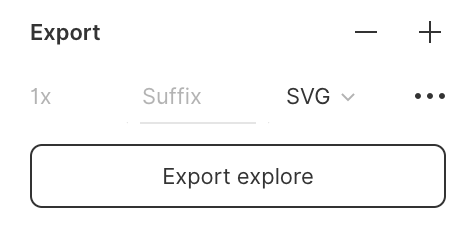
Figmint is able to pick up the file type and scale, as long as you use something like `2x` and not `512w` or `512h` (figma's API is limited in this regard.)
Currently figmint is setup to read the name of the parent to decide what directory to put the export in. For example you can group all your icons together in a layer named `icons` to make sure all icons end up in a `icons` folder when synced to your project.
#### 3. Setup your config:
Add a `.figmintrc.json` file to your project.
The required options are a [`token`](https://www.figma.com/developers/docs#access-tokens) and a [`file id`](#file).
`.figmintrc.json`
```json
{
"token": "18898-296d0094-cd7e-4ce3-b9f7-663640190108",
"file": "tid5SFlwk8AqMGBP6dDJvw"
}
```
#### 4. Run Figmint
You can now run figmint via the CLI:
```
yarn run figmint
```
#### 5. 💰Profit!
At this point if everything went as planned you should have a new folder called `figmaStyles` in your project. Check the `index` file in this folder to see the styles exported from figma.
#### 6. Extra Credit
See [Config format](#config-format) and [Config options](#config-options) below for more info on how to configure figmint including typescript support and chaging the output folder.
## Example Project
An example is included in this repo under the `example` directory. This project connects to the [example figma file](https://www.figma.com/file/tid5SFlwk8AqMGBP6dDJvw). To sync with the example figma file and run it:
```
> cd example
> yarn
> yarn figmint
> yarn start
```
Then visit the example page at [http://localhost:1234](http://localhost:1234).
### Using your own figma file with the example
You can connect the example to your own figma file by editing `.figmintrc.json` in the `example` directory. Just add your own `token` and `file` before running `yarn figmint`.
## CLI
The CLI for figmint is pretty simple, just run `yarn figmint` or `npm run figmint` in your project after it is installed.
### Watch Mode (alpha)
It is also possible to run the CLI in watch mode. This will update your json as things change on figma without you needing to re-run the command.
🚨*Notes*:
- Currently watch mode will overrite the output every second. Depending on your dev enviroment this may cause your site to reload more than expected. Ideally figmint would only write files that have chagned. PR's welcome!
## Config format
To connect to your own figma file you'll need to add both an access token and the file ID. See [Config Options](#config-options) for details.
Figmint uses [cosmiconfig](https://github.com/davidtheclark/cosmiconfig) for configuration file support. This means you can configure figmint via:
- A `.figmintrc` file, written in YAML or JSON, with optional extensions: .yaml/.yml/.json.
- A `.figmintrc.toml` file, written in TOML (the .toml extension is required).
- A `figmint.config.js` or `.figmintrc.js` file that exports an object.
- A "figmint" key in your package.json file.
The configuration file will be resolved starting from the location of the file being formatted, and searching up the file tree until a config file is (or isn't) found.
## Config options
###### token
Your [figma token](https://www.figma.com/developers/docs#access-tokens)
###### file
The file ID you want to sync. In your figma file click `Share` and the copy the link. It'll look something like:
```
https://www.figma.com/file/P2X8Apme93sfEN8wACKziOxq/FileName
```
in this case the file ID is `P2X8Apme93sfEN8wACKziOxq`
###### output (default: `figmaStyles`)
Figmint writes any styles it finds to a js file. By default this file is written to a `./figmaStyles/` directory. If you would like to use a different location you can add an `output` to your config.
Output supports nested directories, so `some/directory/figma` as output would result in a new file `./some/directory/figma/` being created.
###### typescript (default: `false`)
If set to true this will generate typescript types in your export.
## Contributing
make sure to add `#!/usr/bin/env node` to the top of `bin/figma.js` after building as parcel 1 does not do this by default.