https://github.com/timesurgelabs/ottodocs
CLI tool for AI generated coding help
https://github.com/timesurgelabs/ottodocs
ai chatgpt documentation go golang gpt-3 gpt-4
Last synced: about 1 year ago
JSON representation
CLI tool for AI generated coding help
- Host: GitHub
- URL: https://github.com/timesurgelabs/ottodocs
- Owner: TimeSurgeLabs
- License: agpl-3.0
- Created: 2023-03-18T16:33:25.000Z (over 3 years ago)
- Default Branch: main
- Last Pushed: 2024-02-19T03:00:49.000Z (over 2 years ago)
- Last Synced: 2025-03-29T01:34:13.096Z (about 1 year ago)
- Topics: ai, chatgpt, documentation, go, golang, gpt-3, gpt-4
- Language: Go
- Homepage: https://ottodocs.timesurgelabs.com
- Size: 5.74 MB
- Stars: 3
- Watchers: 2
- Forks: 2
- Open Issues: 6
-
Metadata Files:
- Readme: README.md
- License: LICENSE
Awesome Lists containing this project
README
# OttoDocs 🦦
[](https://www.gnu.org/licenses/agpl-3.0)
Ottodocs is a command-line tool built in Go that utilizes OpenAI's ChatGPT API to generate commit messages, pull requests, answers to questions, and even shell commands based on input prompts and code context. It helps developers automate various parts of their development workflow using AI. The tool requires an [OpenAI API key](https://platform.openai.com/account/api-keys) to function.
## Installation
There are two methods to install OttoDocs:
1. **Precompiled binaries:** Download the precompiled binaries from the [GitHub releases tab](https://github.com/TimeSurgeLabs/ottodocs/releases).
2. **Build from source:** Clone the repo and build the binary by running the following commands:
### Installing Precompiled Binaries
Simply download the binary for your platform from the [GitHub releases tab](https://github.com/TimeSurgeLabs/ottodocs/releases) and place it in your `$PATH` .
### Building From Source
OttoDocs utilizes the `just` command runner for building and running tasks, making maintaining the project easier. If you do not have `just` installed, see [here](https://just.systems/man/en/chapter_5.html) for installation methods. Ottodocs requires [Go 1.20+](https://go.dev/dl/) to build.
```sh
git clone https://github.com/TimeSurgeLabs/ottodocs.git
cd ottodocs
just build # will build to bin/otto
# or
just install # will build & copy to $GOPATH/bin.
```
If you want to build for all supported platforms, you can run the following command:
```sh
just crossbuild
```
This will build and compress binaries for all supported platforms and place them in the `dist` directory.
## Getting Started
First, you need to create an OpenAI API Key. If you do not already have an OpenAI account, you can create a new one and get some free credits to try it out. Once you have an account, you can create an API key by going to the [API Keys tab](https://platform.openai.com/account/api-keys) in your account settings.
Once you have an API key, you can log in to ottodocs by running the following command:
```sh
otto config --apikey $OPENAI_API_KEY
```
You can set the model to use by running:
```sh
otto config --model $MODEL_NAME
```
You can add a GitHub Personal Access Token for opening PRs by running:
```sh
otto config --token $GITHUB_TOKEN # Optional. Only needed for opening PRs and reading Issues
```
Make sure that your access token has the `repo` scope.
Once that is complete, you can start running commands!
## Usage
More detailed usage can be found in the [documentation](https://ottodocs.chand1012.dev/docs/usage/otto).
### Chat
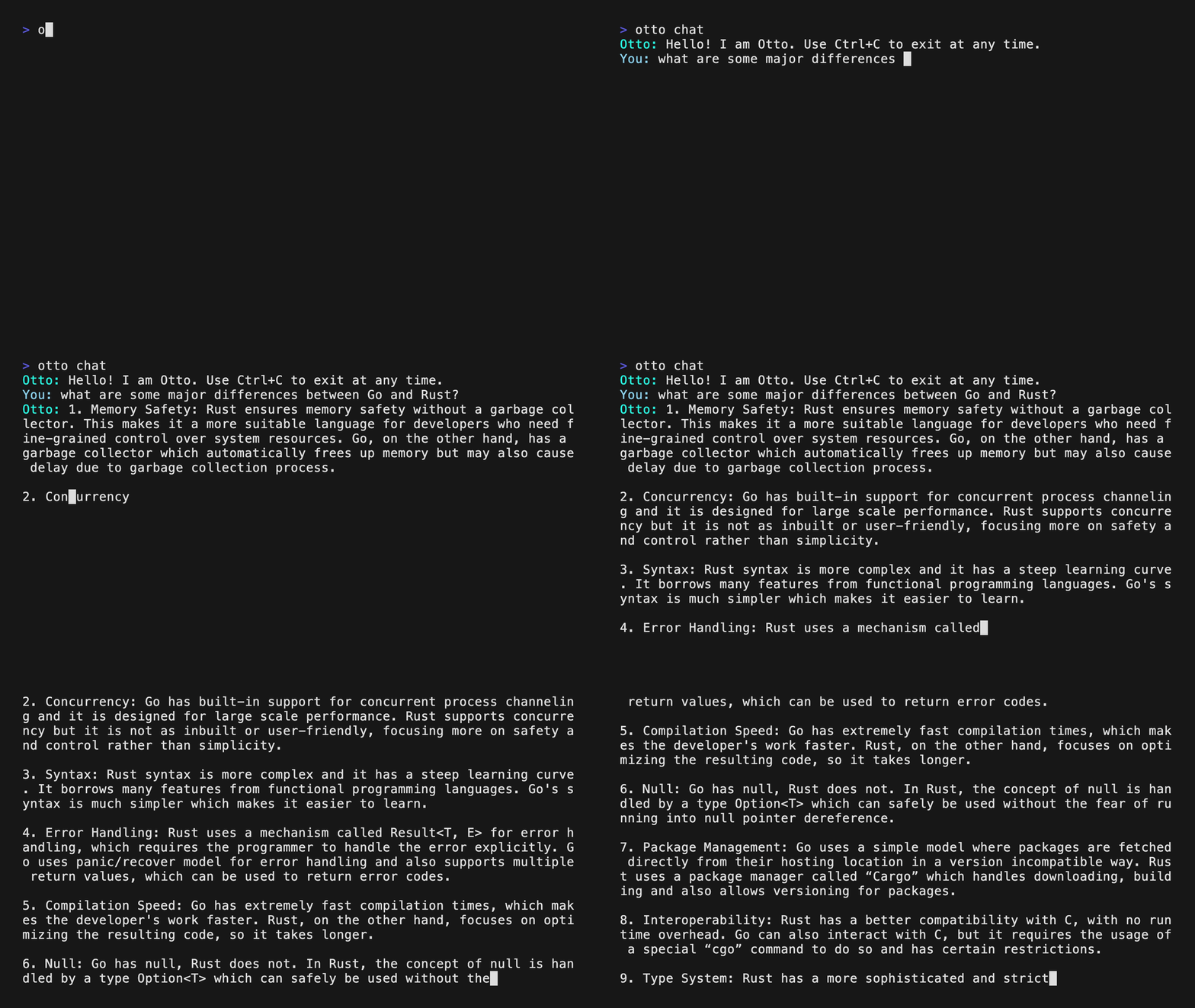
To Chat with ChatGPT from the commandline, use chat.
```
otto chat
```
### Code Generation
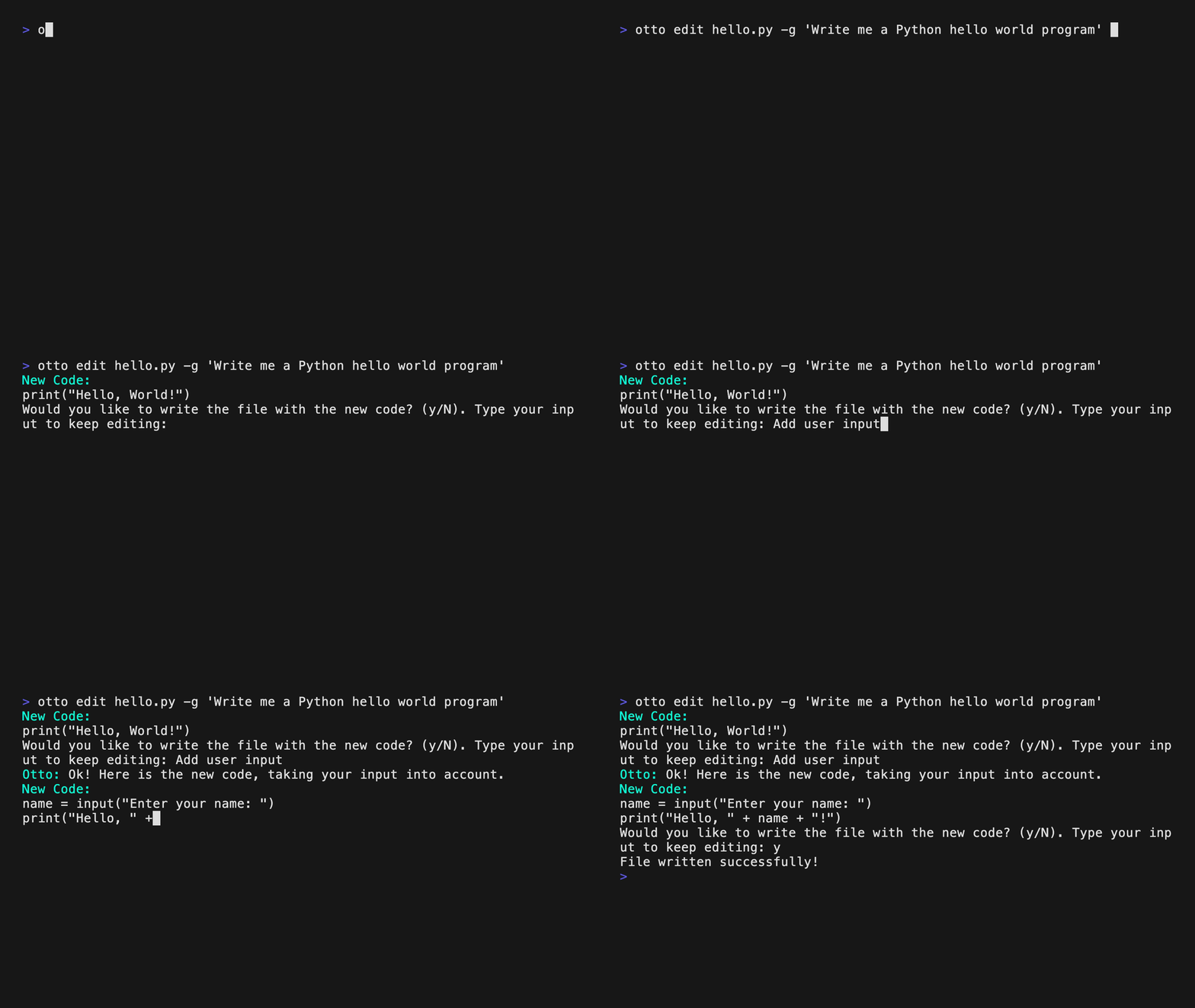
Otto can generate code and save it directly to your project! To do this, you can run the following command:
```sh
otto edit -g "Write me a Python function that returns the sum of two numbers"
```
You can also give Otto additional context to help it generate better code:
```sh
otto edit -g "Write me a Python function that returns the sum of two numbers" -c hello_world.py
```
Or you can have it use as much of the repo as possible as context:
```sh
otto edit -g "Write me a Python function that returns the sum of two numbers" -r
```
### Documentation
```sh
otto docs
```
Or for a single file, you can run:
```sh
otto doc -f
```
### Ask
Ask a question about a repo:
```sh
otto ask . -q "What does LoadFile do differently than ReadFile?"
```
### Commit Messages
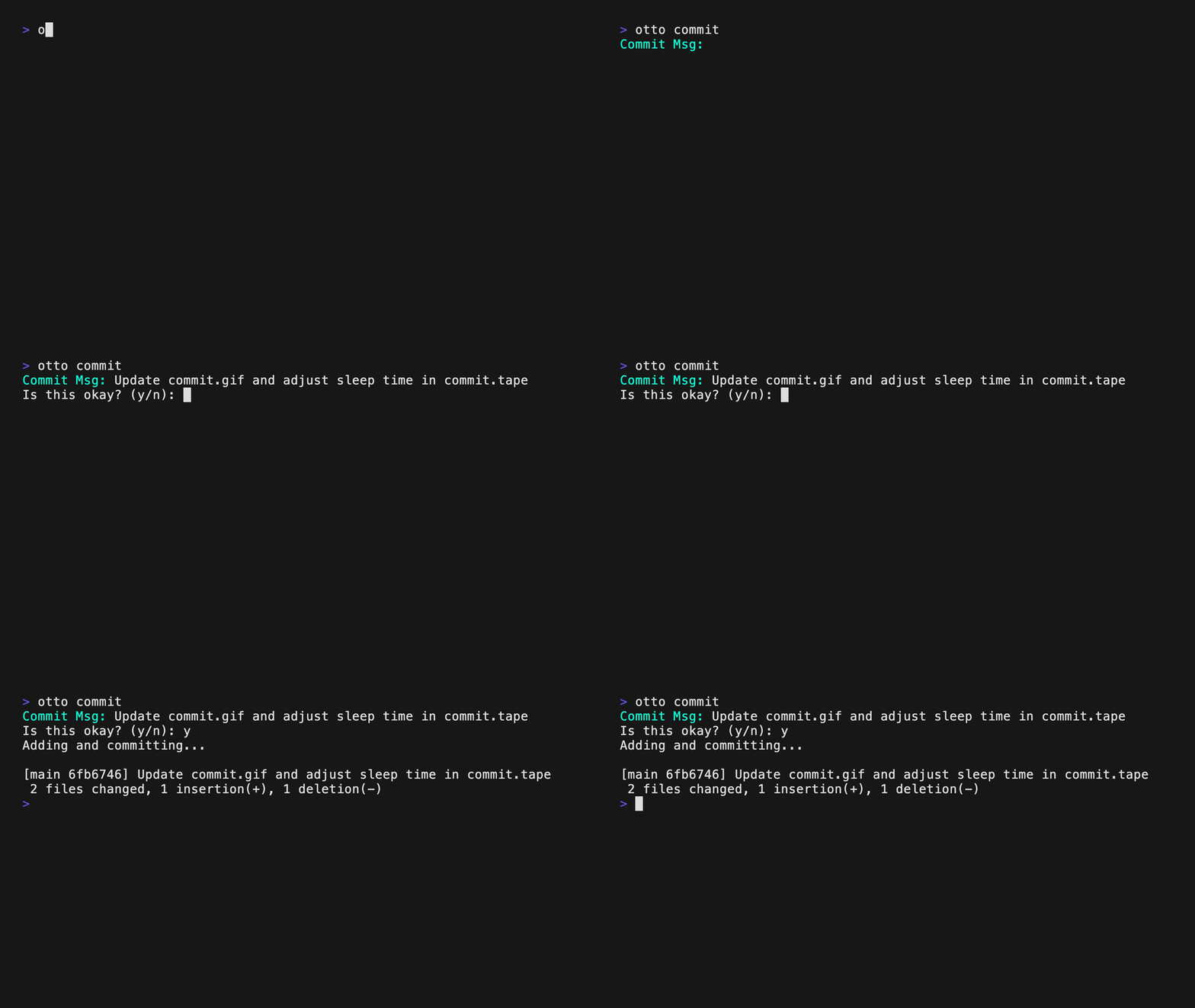
Generate a commit message:
```sh
otto commit # optionally add --push to push to remote
```
### Pull Request
Generate a pull request:
```sh
# make sure you are creating the PR on the correct base branch
otto pr -b main # optionally add --publish to publish the Pull Request
```
### Release Notes
Generate release notes:
```sh
otto release # optionally add --publish to publish the release
```
### Command Ask
Ask it about commands:
```sh
otto cmd -q "what is the command to add a remote?"
```
## Usage
For detailed usage instructions, please refer to the [documentation](https://ottodocs.chand1012.dev/docs/usage/otto).