https://github.com/timkelty/craft3-cloudinary
https://github.com/timkelty/craft3-cloudinary
Last synced: 11 months ago
JSON representation
- Host: GitHub
- URL: https://github.com/timkelty/craft3-cloudinary
- Owner: timkelty
- Created: 2017-11-22T01:38:15.000Z (over 8 years ago)
- Default Branch: master
- Last Pushed: 2022-08-08T13:38:23.000Z (almost 4 years ago)
- Last Synced: 2025-04-23T19:52:21.893Z (about 1 year ago)
- Language: PHP
- Size: 19.5 KB
- Stars: 22
- Watchers: 3
- Forks: 8
- Open Issues: 2
-
Metadata Files:
- Readme: README.md
- Changelog: CHANGELOG.md
Awesome Lists containing this project
README
> **Warning**
> NOT in active development. May work for your needs, but has several limitations.
> If anyone cares to take of development, please contact me.
Cloudinary for Craft CMS 3
=======================
This plugin is an integration of the cloud-based image managment [cloudinary](https://cloudinary.com/) to your Craft3 project.
## Installation
### Cloudinary
1. Create a free [cloudinary account](https://cloudinary.com/)
2. Logged in to your account and go to the cloudinary dashboard
3. On top you can see your credentials (Cloud Name, API Key and API Secret). Copy them
### Install the plugin
1. `composer require timkelty/craft3-cloudinary`
2. Go to your Craft admin panel --> Settings --> Plugins and install the Cloudinary plugin
### Setup up the volume
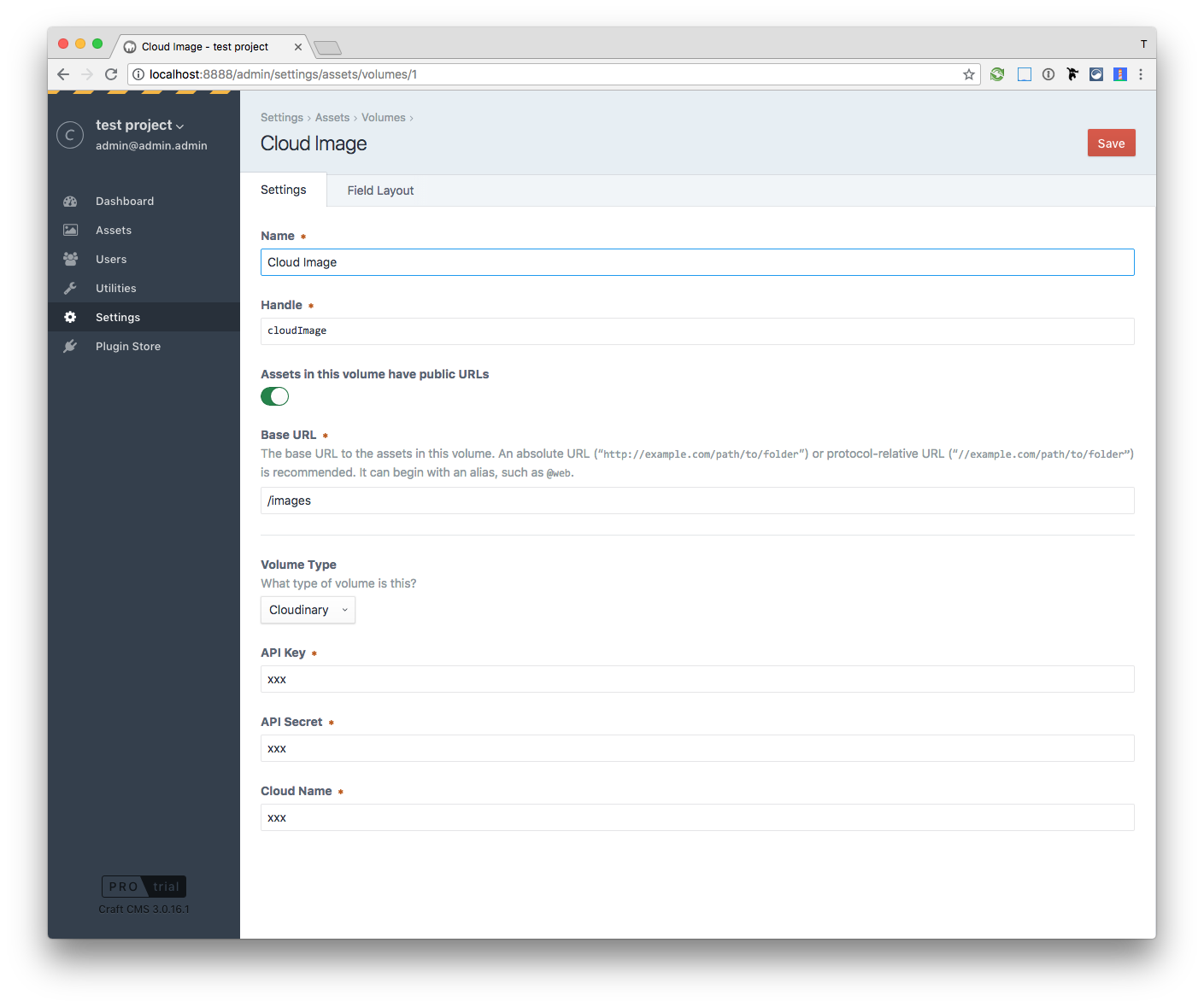
3. In the Craft admin panel, go to Settings -> Assets
4. Create a new volume
5. Type in a name you like (f.e. `Cloud Images`)
6. Enable `Assets in this volume have public URLs`
7. You can decide on your Base URL (f.e. `/images` if you want to have `http://yourwebsite.com/images/` as your public image path)
8. Volume Type must be `Cloudinary`
9. Now fill in the Cloudinary credentials
10. Go to the Assets and upload the first image