https://github.com/tintinweb/vscode-vyper
Ethereum Vyper language support for Visual Studio Code
https://github.com/tintinweb/vscode-vyper
Last synced: about 1 year ago
JSON representation
Ethereum Vyper language support for Visual Studio Code
- Host: GitHub
- URL: https://github.com/tintinweb/vscode-vyper
- Owner: tintinweb
- License: mit
- Created: 2019-03-23T01:23:41.000Z (over 7 years ago)
- Default Branch: master
- Last Pushed: 2024-12-09T09:04:51.000Z (over 1 year ago)
- Last Synced: 2025-03-31T12:07:11.875Z (over 1 year ago)
- Language: JavaScript
- Homepage: https://marketplace.visualstudio.com/items?itemName=tintinweb.vscode-vyper
- Size: 355 KB
- Stars: 66
- Watchers: 2
- Forks: 16
- Open Issues: 7
-
Metadata Files:
- Readme: README.md
- Changelog: CHANGELOG.md
- License: LICENSE
Awesome Lists containing this project
README
[ ](https://consensys.io/diligence/) and [
 ](https://www.chainsecurity.com)
[[ 🌐 ](https://consensys.io/diligence/) [ 📩 ](mailto:diligence@consensys.net) [ 🔥 ](https://consensys.io/diligence/research)]
[ ](https://marketplace.visualstudio.com/items?itemName=tintinweb.vscode-vyper) [
 ](https://open-vsx.org/extension/tintinweb/vscode-vyper)
# vscode-Vyper

Ethereum [Vyper](https://www.vyperlang.org/) Language Support for [Visual Studio Code](https://code.visualstudio.com/) & [VSCodium](https://vscodium.com/)
`ext install tintinweb.vscode-vyper`
Vyper syntax also available on [vscode.dev](https://vscode.dev)!
## Features
#### Passive Features
* Vyper syntax highlighting support
#### Active Features
Note: Active features can be disabled by setting `Settings` → `Vyper` → `Mode: Active` to `false`.
* Provides Security augmented decorations (`Settings` → `Vyper` → `Decoration: Enable`)
* Provides Hover information (`Settings` → `Vyper` → `Hover: Enable`)
* Provides Code snippets for common language constructs
* Integrates with the vyper compiler
* automatically compile contracts on save (`Settings` → `Vyper` → `Compile: On Save`)
* compilation can be triggered by executing a vscode command (`cmd + shift + p` → `Vyper: Compile`)
* vyper location/command can be customized (default assumes `vyper` is in `PATH`) (`Settings` → `Vyper` → `Command`)
## Requirements
* It is assumed that vyper is installed and generally available on the system (`pip3 install vyper`). In case vyper is not available in path or called in a virtualenv configure the vyper command in `Settings` → `Vyper` → `Command`
## Tour
#### Syntax Highlighting
##### VSCode Light+ (default light)

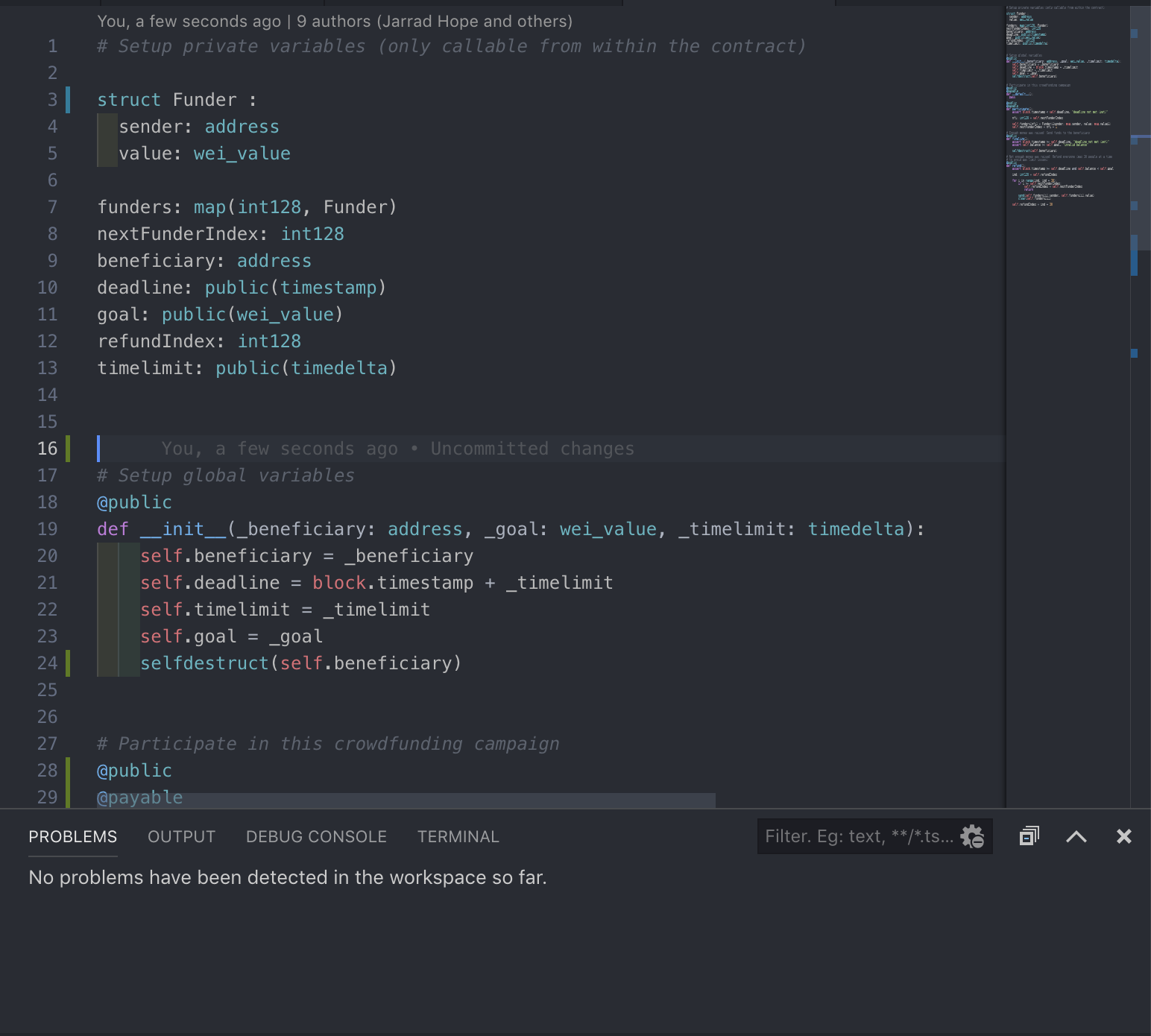
##### Solidity Visual Auditor - Dark
#### Compiler Errors and Details

#### Hover information

#### Security Augmented Decorations - Auditor Mode

#### Snippets
* Quickly create `constructor`, `fallback` function, `methods`, `structs`, ... as you type. Select the snippet from the suggestion box. See [snippets/](./snippets/) for a list of available snippets.
* start typing ...

* creates a template constructor after selecting it from the suggestion box.

## Extension Settings

## FAQ
* **Q**: I get an error running vyper on my macbook with M1/M2 chipset.
* **A**: The extension executes the vyper compiler in a `/bin/sh` shell that may not have all the customizations you are using in your day-to-day shell/terminal. As a workaround, I suggest to set the setting:`vyper.command` to `arch -x86_64 vyper`. see #18
* **Q**: My project uses Vyper 0.3.x and import some interfaces from other contracts. but the extension does not recognize them and output `FileNotFoundError: Cannot locate interface 'interface/my_interface{.vy,.json}`.
* **A** The extension compiles your file with the command `vyper`. You should set the setting: `vyper.command` to `vyper -p path/to/your/project/directory` to make the compiler aware of the interfaces in your project.
* **Q** My multi-module project uses Vyper 0.4.x and while the extension does not report compilation error for any files, when compiling the project with the Vyper cli or some framework such as `ape`, `foundry` or `titanoboa`, it fails with some issue about modules usage/initialization.
* **A** In 0.4.x, A Vyper modules might be valid when being imported but not a valid standalone contracts to compile into bytecode. Hence the extension stops the compilation at the ``annotated_ast` phase, before the global constraint checker. For more info see https://github.com/vyperlang/vyper/pull/3810.
## Developer Notes
* install vyper `pip3 install vyper`
* use the script in `./scripts/fetch_vyper_language_spec.py` or run `npm run fetchGrammar` to merge the python tmlanguage spec with vyper language specifics.
## Release Notes
see [CHANGELOG](./CHANGELOG.md)
## Contact / Maintainer
- [tintinweb](https://github.com/tintinweb) @ [Consensys Diligence](https://consensys.io/diligence/)
- [trocher](https://github.com/trocher) @ [ChainSecurity](https://www.chainsecurity.com/)
-----------------------------------------------------------------------------------------------------------