https://github.com/tobiastimm/pandju
Raijū meets panda
https://github.com/tobiastimm/pandju
panda theme vscode-theme
Last synced: 27 days ago
JSON representation
Raijū meets panda
- Host: GitHub
- URL: https://github.com/tobiastimm/pandju
- Owner: tobiastimm
- License: mit
- Created: 2019-07-25T19:10:37.000Z (about 7 years ago)
- Default Branch: master
- Last Pushed: 2020-03-11T10:23:33.000Z (over 6 years ago)
- Last Synced: 2025-10-26T17:56:09.501Z (10 months ago)
- Topics: panda, theme, vscode-theme
- Size: 478 KB
- Stars: 4
- Watchers: 0
- Forks: 0
- Open Issues: 0
-
Metadata Files:
- Readme: README.md
- Changelog: CHANGELOG.md
- License: LICENSE
Awesome Lists containing this project
README
# Pandju
[](https://marketplace.visualstudio.com/items?itemName=TobiasTimm.pandju)
[](https://marketplace.visualstudio.com/items?itemName=TobiasTimm.pandju)
[**Pandju**](https://tobiastimm.github.io/pandju/) is a combination of [Raijū](https://marketplace.visualstudio.com/items?itemName=TobiasTimm.raiju) with [Panda](https://marketplace.visualstudio.com/items?itemName=tinkertrain.theme-panda).
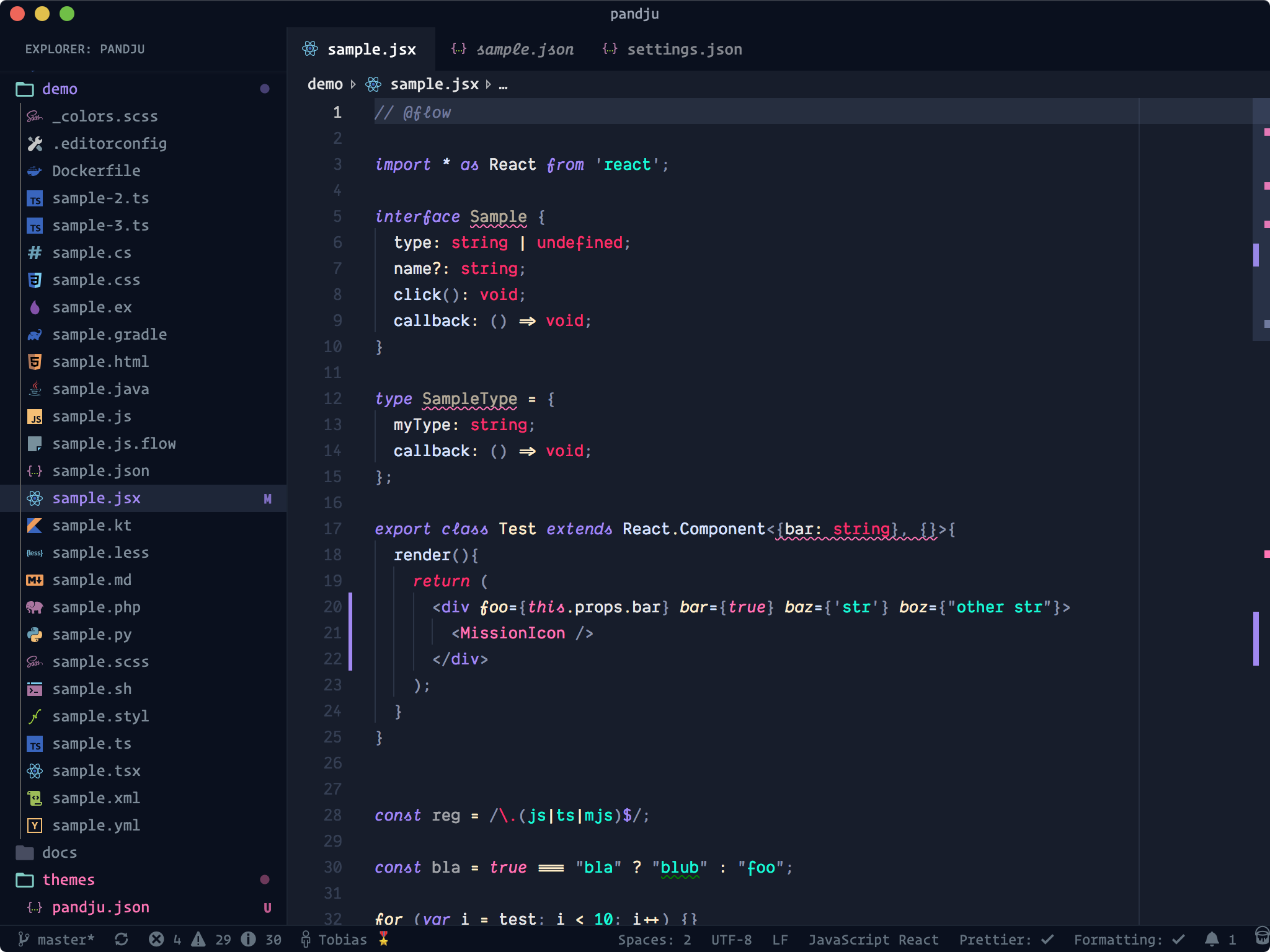
_Icon theme: [Material Theme Icons Ocean](https://marketplace.visualstudio.com/items?itemName=Equinusocio.vsc-material-theme), Font: [Dank Mono](https://dank.sh)_
## Usage
Select the theme and you are ready to go!
## Installation
1. Open Extensions sidebar panel in VS Code. View → Extensions
1. Search for `Pandju`
1. Click Install
1. Click Reload
1. File > Preferences > Color Theme > Pandju
## Feedback / Issues
Do you like the theme? Don't hesitate to share your thoughts!
Let me know, if you'd like to see any specific synytax added by creating a [Github issue](https://github.com/tobiastimm/pandju/issues).
## Author
[Tobias Timm](https://twitter.com/TbsTimm)
## My other themes
- [**Raiju**](https://github.com/tobiastimm/raiju/)
- [**SubliminalR**](https://github.com/tobiastimm/subliminalr/)
- [**Sceanic**](https://github.com/tobiastimm/sceanic/)
- [**Duotoned**](https://github.com/tobiastimm/duotoned/)
## License
[MIT](./LICENSE)