https://github.com/todesking/nyandoc
Javadoc/Scaladoc to markdown converter
https://github.com/todesking/nyandoc
Last synced: about 1 year ago
JSON representation
Javadoc/Scaladoc to markdown converter
- Host: GitHub
- URL: https://github.com/todesking/nyandoc
- Owner: todesking
- License: mit
- Created: 2014-12-17T12:03:07.000Z (over 11 years ago)
- Default Branch: master
- Last Pushed: 2015-02-25T16:10:09.000Z (over 11 years ago)
- Last Synced: 2025-04-09T00:25:55.892Z (about 1 year ago)
- Language: Scala
- Size: 438 KB
- Stars: 10
- Watchers: 4
- Forks: 3
- Open Issues: 5
-
Metadata Files:
- Readme: README.md
- License: LICENSE
Awesome Lists containing this project
README
# Nyandoc: scaladoc/javadoc HTML parser / document generator
[日本語の解説を書きました](http://www.todesking.com/blog/2015-01-24-markdown-converter-for-javadoc-and-scaladoc/)
## tl;dr
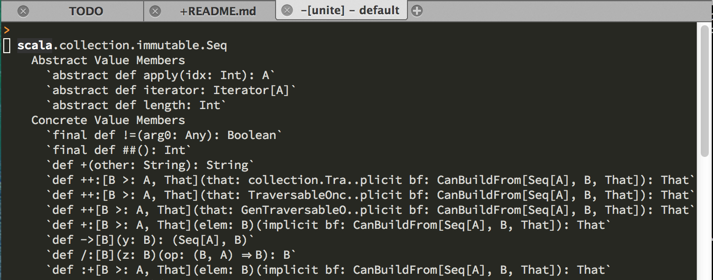
* This software can convert javadoc/scaladoc html to markdown format.
* Text-editor friendly!
* Under development, but basically works.
## Pre-build documents
* Scala API documentation(scala-library): http://todesking.github.io/nyandoc/scala-docs-markdown-2.11.5.zip
## About
*Goal:* To parse javadoc/scaladoc HTML and generate the document with specific format.
*Motivation:* I need Scala API documentation with more text-editor friendly format than HTML.
But Scaladoc only support to generate HTML. "doclet" feature is provided, but it is very restricted and difficult to understand.
So I don't generate document from sources directly, but instead parse HTML and transform it.
## Current status
* Basic features are supported
* Parse scaladoc to internal representation
* Parse javadoc to internal representation
* Generate markdown documents from internal representation
* Not supported yet
* Other output format
* Old-format(Java 1.6 or older) javadoc html
* Some html tags (ol, blockquote, table, image)
* Text layout engine is not support for fullwidth characters.
## Install
The project is packaged with [Conscript](https://github.com/n8han/conscript).
Install `conscript` first, and
```shell-session
$ cs install todesking/nyandoc
```
## Usage
Currently, output format fixed to markdown.
```shell-session
$ nyandoc
```
or
```shell-session
$ sbt 'run
```
`source-location` could be directory, html, jar, or zip.
File type is determined by its extension.
## Links
* Scala API Documentation
* [2.11.5](http://scala-lang.org/download/2.11.5.html)
* JDK API Documentation
* [JDK8](http://www.oracle.com/technetwork/java/javase/documentation/jdk8-doc-downloads-2133158.html)
* [JDK7](http://www.oracle.com/technetwork/java/javase/documentation/java-se-7-doc-download-435117.html)
* [Japanese document(1.4 - 8)](http://www.oracle.com/technetwork/jp/java/java-sun-1440465-ja.html)
* Java/Scala library documentation
* Jar-packed documents often found in [maven.org](http://search.maven.org)
## Example usage: Use ctags to generate tags file
Add `~/.ctags` to this:
```
--langdef=markdown-scala-nyandoc
--regex-markdown-scala-nyandoc=/^#+ .*(def|val|var|type)[[:space:]]+([^ (\[]+)/\2/
--langdef=markdown-java-nyandoc
--regex-markdown-java-nyandoc=/^#+ .*[[:space:]]([a-zA-Z0-9]+(<.+>)?)\(/\1/
```
and
```shell-session
ctags --langmap=markdown-scala-nyandoc:.md -R . # For Scala project
ctags --langmap=markdown-java-nyandoc:.md -R . # For Java project
```
in nyandoc document directory.
## Example usage: Use Vim as document browser
I used these technologies:
* Vim - THE text editor
* [unite.vim](https://github.com/Shougo/unite.vim) - Multi-purpose "filter and select" plugin
like [ctrlp.vim](https://github.com/kien/ctrlp.vim) or [anything.el](http://www.emacswiki.org/Anything).
* [unite-outline](https://github.com/Shougo/unite-outline) - Gather outline information from various file types for unite.vim.
At first,
```vim
:Unite file:.nyandoc/ -default-action=rec
```
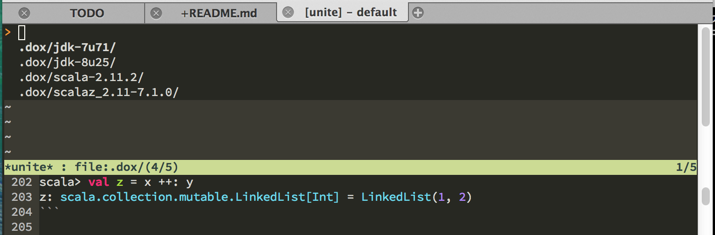
and select `scala-2.11.2`
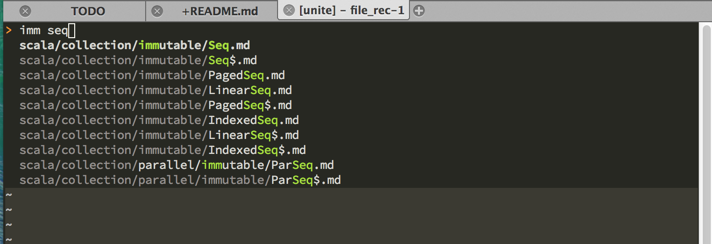
and select `immutable/Seq.md`
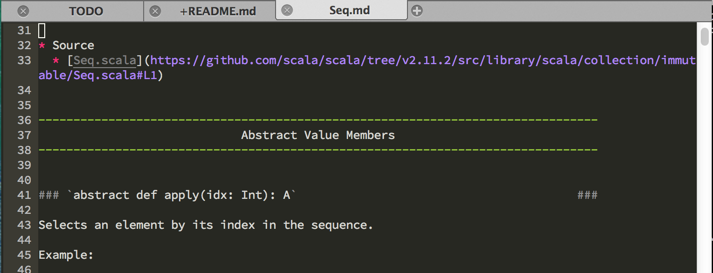
and
```vim
:Unite outline
```