https://github.com/tomarus/minimon
Minimalistic System Monitoring Daemon
https://github.com/tomarus/minimon
Last synced: over 1 year ago
JSON representation
Minimalistic System Monitoring Daemon
- Host: GitHub
- URL: https://github.com/tomarus/minimon
- Owner: tomarus
- License: bsd-3-clause
- Created: 2014-12-01T20:57:00.000Z (over 11 years ago)
- Default Branch: master
- Last Pushed: 2021-06-08T22:48:17.000Z (about 5 years ago)
- Last Synced: 2025-02-08T16:12:57.677Z (over 1 year ago)
- Language: Go
- Size: 11.7 KB
- Stars: 3
- Watchers: 2
- Forks: 1
- Open Issues: 0
-
Metadata Files:
- Readme: README.md
- License: LICENSE
Awesome Lists containing this project
README
# MINIMON
MINIMON is a very minimalistic system monitoring daemon supporting most Nagios and Zenoss plugins.
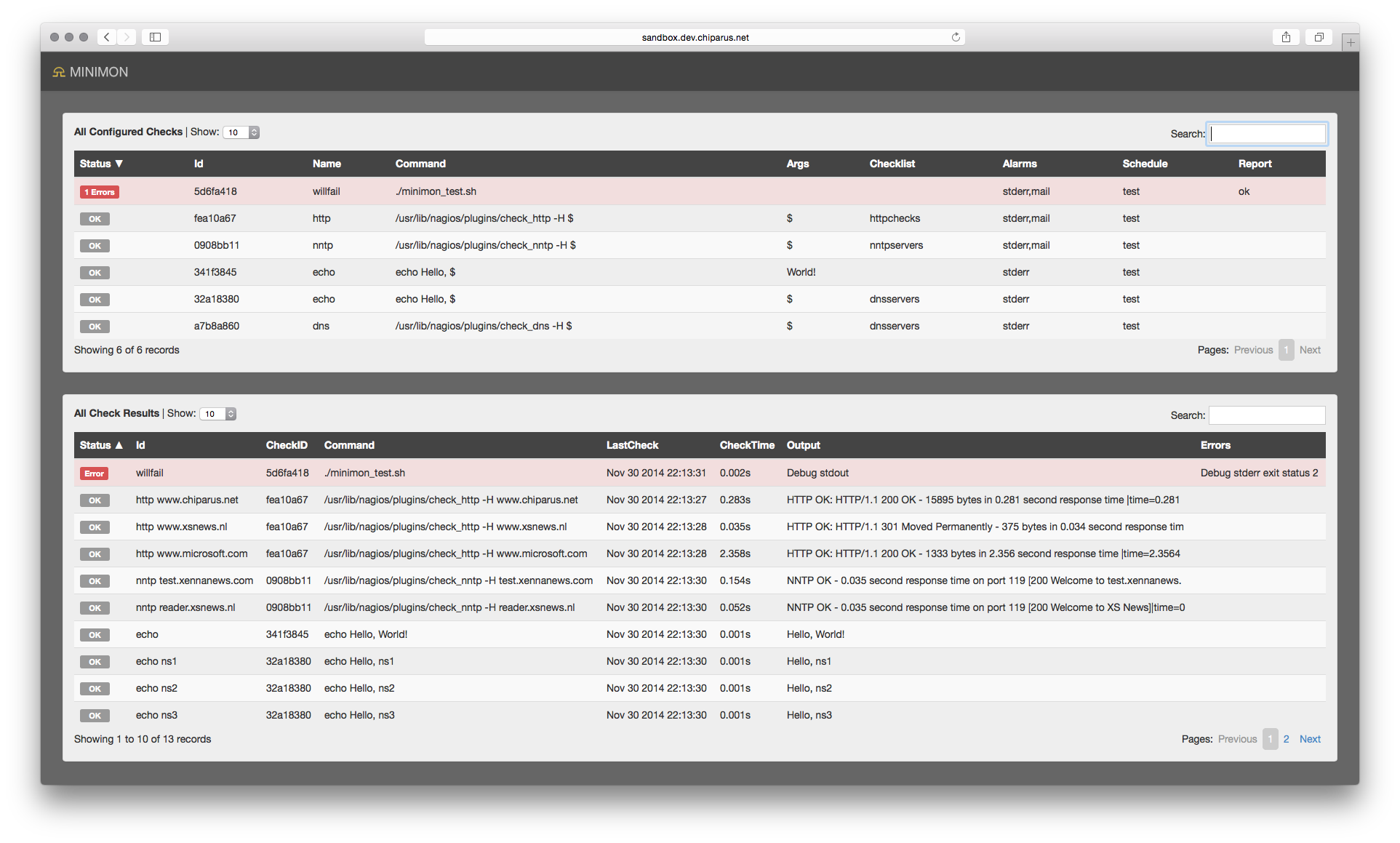
MINIMON alerts when a services goes down, nothing more, nothing less. And it features a nice webpage to view the json status output.
MINIMON was written in about 24hours because of frustration with current monitoring systems which are either utterly total crap or too expensive.
## Configuring MINIMON
Configure minimon according to `minimon_test.json` and store the config in `/etc/minimon.json`.
First configure a redis server and portname in `globals` config.
Each monitored `check` is stored in the `checks` array. Each check has a `schedule` name which can be specified on the commandline when running from cron.
Create one or more cron entries like these examples:
```
0 0 * * * root minimon -schedule daily
0 * * * * root minimon -schedule hourly
* * * * * root minimon -schedule critical
0 09-23 * * 1-5 root minimon -schedule office-hourly
*/5 09-23 * * 1-5 root minimon -schedule office-5min
```
If you want to use the website to view the results, pipe `minimon -json` after your most frequent running schedule. Like this:
```
* * * * * root minimon -schedule minutely ; minimon -json > htdocs/status.json
```
To use the website put the `htdocs` directory somewhere where a webserver can reach it. Minimon is not a daemon.